DAREU EK807G

DAREU EK807G Wireless TKL Mechanical Keyboard User Manual

Model: EK807G | Brand: DAREU

1. Okwu mmalite

This manual provides comprehensive instructions for the DAREU EK807G Wireless TKL Mechanical Keyboard. Designed for office use, this keyboard features an aluminum alloy panel, function keys, and stable 2.4G wireless connectivity, compatible with PC, Mac, and Windows systems. Please read this manual thoroughly to ensure proper use and longevity of your device.

Kedu ihe dị na Igbe ahụ

  • DAREU EK807G Wireless TKL Mechanical Keyboard
  • USB nnata (2.4G)
  • Onye na-adọkpụ igodo
  • Akwụkwọ ntuziaka onye ọrụ
DAREU EK807G Wireless TKL Mechanical Keyboard on a desk setup

Image 1.1: The DAREU EK807G Wireless TKL Mechanical Keyboard in a typical office setup.

2. Nhazi

2.1 Inserting Batteries and USB Receiver

The DAREU EK807G keyboard requires two AAA batteries (not included) for operation. The 2.4G USB receiver is conveniently stored within the keyboard's battery compartment.

  1. Locate the battery compartment cover on the underside of the keyboard.
  2. Remove the cover to access the battery slots and the stored USB receiver.
  3. Carefully remove the 2.4G USB receiver from its storage slot.
  4. Insert two AAA batteries into the compartment, ensuring correct polarity (+/-).
  5. Dochie mkpuchi oghere batrị.
Underside of DAREU EK807G keyboard showing battery compartment and USB receiver

Image 2.1: The battery compartment and USB receiver storage on the keyboard's underside.

2.2 Jikọọ na ngwaọrụ gị

The keyboard uses a 2.4G wireless connection for stable and reliable performance.

  1. Plug the 2.4G USB receiver into an available USB port on your computer, laptop, or tablet.
  2. Locate the ON/OFF switch on the upper side of the keyboard.
  3. Malite ngbanwe ahụ gaa na ọnọdụ "ON".
  4. Your device should automatically detect and connect to the keyboard. No additional drivers are typically required.
DAREU EK807G keyboard overview with 2.4G wireless icon

Image 2.2: The keyboard features 2.4G wireless connectivity.

3. Ntuziaka ọrụ

3.1 Basic Typing and Ergonomics

The DAREU EK807G features a classic TKL (Tenkeyless) 87-key layout, providing a comfortable typing experience. The keyboard is designed with an ergonomic 5° optimum slope when the folding holder is used, preventing wrist strain during long typing sessions. Anti-slide pads ensure stability.

This model is equipped with DAREU Red Switches, known for their linear and quiet operation, making them suitable for office and study environments where minimal noise is preferred.
Close-up of DAREU Red Switches on the keyboard

Image 3.1: The DAREU EK807G features quiet Red Switches for comfortable typing.

3.2 Function (Fn) Key Shortcuts

The keyboard includes 12 hotkeys accessible via the Fn key, allowing for quick access to various functions.

  • Fn+F1: Kọmputa m
  • Fn+F2: Ibe mbụ
  • Fn+F3: Email
  • Fn+F4: Ihe mgbako
  • Fn+F5: Kwụsị (Media)
  • Fn+F6: Last Song (Media)
  • Fn+F7: Play/Pause (Media)
  • Fn+F8: Next Song (Media)
  • Fn+F9: Mpịakọta ọnụ
  • Fn+F10: Elu elu
  • Fn+F11: Ogbi
  • Fn+F12: Switch Left Win & Left Alt keys
Diagram showing Fn key combinations for shortcuts

Image 3.2: Shortcut keys activated by pressing the Fn key in combination with F1-F12.

3.3 Anti-Ghosting Technology

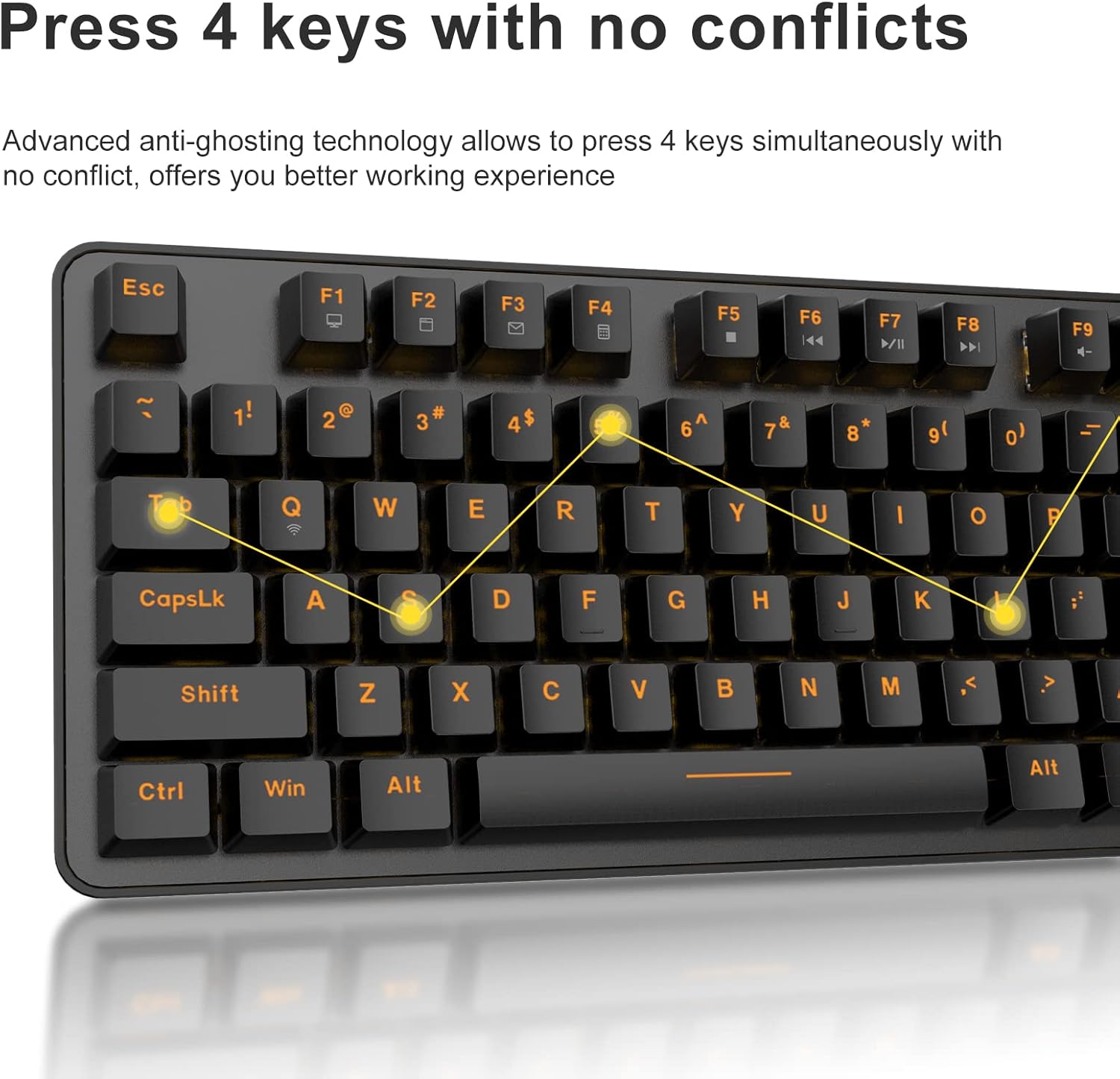
The DAREU EK807G features advanced anti-ghosting technology, allowing up to 6 keys to be pressed simultaneously without conflict. This ensures all your commands are registered accurately, improving efficiency.

Diagram illustrating anti-ghosting technology on the keyboard

Image 3.3: Anti-ghosting technology ensures multiple key presses are registered accurately.

3.4 Automatic Power Saving

To conserve battery life, the keyboard enters an automatic sleeping mode after 6 seconds of inactivity. To wake the keyboard, simply press any key. With this feature, the keyboard can last approximately 90 days of continuous use, and up to half a year between battery changes.

Image depicting long battery life and automatic sleep mode

Image 3.4: The keyboard features automatic power saving for extended battery life.

4. Nlekọta

4.1 Ihicha ahụigodo

ihicha mgbe niile na-enyere aka ịnọgide na-arụ ọrụ na ọdịdị ahụigodo.

  • Nchacha izugbe: Use a soft, dry cloth to wipe the surface of the keyboard. For stubborn dirt, a slightly damp Enwere ike iji akwa nwere ncha dị nro, na-ahụ na ọ dịghị mmiri mmiri na-abanye na keyboard.
  • Nchacha igodo igodo: The DAREU EK807G features removable double-shot keycaps, which are resistant to fading and easy to clean. Use the included keycap puller to carefully remove keycaps. Clean them with a soft brush or a damp cloth. Ensure keycaps are completely dry before reattaching.
  • Aluminum Alloy Panel: The aluminum alloy panel is designed to be sweat-resistant and anti-rust. Wipe it with a soft cloth to keep it clean.

5. Nchọpụta nsogbu

5.1 Okwu Njikọta

  • Ahụigodo anaghị aza:
    • Ensure the keyboard's ON/OFF switch is in the "ON" position.
    • Check if the AAA batteries are correctly inserted and have sufficient charge. Replace if necessary.
    • Verify that the 2.4G USB receiver is securely plugged into a working USB port on your device. Try a different USB port.
    • Malitegharịa ekwentị gị ma ọ bụ ngwaọrụ.
  • Njikọ na-adịte aka:
    • Ensure the keyboard is within the operating distance of 33 feet (10m) from the USB receiver.
    • Avoid placing the keyboard near strong electromagnetic interference sources (e.g., Wi-Fi routers, other wireless devices).

5.2 Key Functionality Issues

  • Igodo ndị na-anaghị edebanye aha ma ọ bụ na-eme mkpọtụ:
    • While the keyboard has anti-ghosting for up to 6 keys, excessive simultaneous presses beyond this limit may not register.
    • Ensure keycaps are properly seated. If a key feels stuck, gently remove the keycap with the puller and reattach it.
    • Clean any debris under the keycaps (refer to Maintenance section).
  • Fn key shortcuts not working:
    • Gbaa mbọ hụ na ị na-pịa igodo Fn n'otu oge na igodo F achọrọ.
    • If Fn + F12 (Switch L-Win & L-Alt) was accidentally activated, press it again to revert the key functions.

6. Nkọwapụta

ỤdịDAREU
Nọmba nlereanyaEK807G
Nkọwa ahụigodoMechanical (Red Switch)
Teknụzụ NjikọtaIkuku 2.4G
Ogologo ọrụRuo 33 ụkwụ (10m)
Ngwa dakọtaraLaptop, PC, Tablet (Mac, Windows, Chromebook)
Isi Iyi IkeBatrị 2 x AAA (anaghị etinye ya)
Ihe onwunweAluminum Alloy Panel
Akụkụ ngwaahịa14.17"L x 5.31"W x 1.57"H (36.0 x 13.5 x 4.0 cm)
Ibu Ibu1.65 pound (0.75 n'arọ)
Atụmatụ pụrụ icheErgonomic design, Hotkeys, Multimedia Keys, Anti-ghosting, Removable Double-shot Keycaps

7. Akwụkwọ ikike na nkwado

7.1 Ọrụ ikike

DAREU provides a 180-day warranty service for the EK807G Wireless TKL Mechanical Keyboard from the date of purchase. This warranty covers manufacturing defects and issues arising from normal use.

7.2 Nkwado ndị ahịa

If you encounter any problems during the use of your DAREU keyboard, please contact DAREU customer support. Our team is available to assist you with troubleshooting, product inquiries, and warranty claims.

Please refer to the contact information provided on the product packaging or the official DAREU websaịtị maka ọwa nkwado kachasị ọhụrụ.

Akwụkwọ ndị emetụtara - EK807G

Tupuview Akwụkwọ ntuziaka onye ọrụ Dareu EK807G
Akwụkwọ ntuziaka onye ọrụ maka ahụigodo Dareu EK807G, na-akọwapụta ngwaahịa views, ntuziaka ntọlite, ụzọ mkpirisi igodo, nkọwapụta, yana ozi nnabata FCC.
Tupuview Akwụkwọ ntuziaka na ntuziaka onye ọrụ Dareu Z82 Mechanical kiiboodu
Akwụkwọ ntuziaka onye ọrụ zuru oke maka ahụigodo Mechanical Dareu Z82, nhazi nkọwa, nhọrọ njikọta (2.4G, Bluetooth, wired), ntinye ọkwọ ụgbọ ala, yana njirimara igodo maka ịrụ ọrụ kacha mma.
Tupuview DAREU EK75 Keyboard User Manual - Features and Specifications
User manual for the DAREU EK75 keyboard, covering its 'What's in the box' contents, physical and electrical specifications, product views, and detailed explanation of combination function keys and custom backlight settings.
Tupuview DAREU A87 Series Mechanical Keyboard User Manual
User manual for the DAREU A87 Series mechanical keyboard, covering basic information, product review, lighting modes, setup, installation, and driver usage.
Tupuview Ntuziaka Onye Ọrụ nke Klọọọdụ Mekaniki nke DAREU A87 Ụdị Ugboro Atọ
Nduzi zuru oke maka ahụigodo DAREU A87 nke ụdị atọ, nke na-ekpuchi ntọala, ụzọ njikọ, atụmatụ, na nnọchi mgbanwe. Gụnyere ozi nkwa.
Tupuview Akwụkwọ ntuziaka onye ọrụ Dareu H101X Bluetooth Ikuku Gamepad
Chọpụta akwụkwọ ntuziaka onye ọrụ Dareu H101X Wireless Gamepad Bluetooth, na-enye ntụzịaka zuru oke maka njikọta, njirimara na ntọlite ​​n'ofe PC, Switch, iOS, Mac na ngwaọrụ gam akporo. Mụta maka gyroscope 6-axis ya, ọrụ Turbo, yana ụdị Xinput/Dinput maka ahụmịhe egwuregwu kachasị mma.