Okwu mmalite
Thank you for choosing the Hoco CW31 15W Wireless Fast Charger. This device is designed to provide efficient and convenient wireless charging for compatible mobile phones and TWS earphones. Please read this manual carefully before use to ensure proper operation and to maximize the lifespan of your product.
Ozi nchekwa
- Ewepụla chaja na mmiri, mmiri, ma ọ bụ oke okpomọkụ.
- Zere idobe ma ọ bụ idobe chaja na mmetụta siri ike.
- Do not disassemble, modify, or attempt to repair the charger yourself. This will void the warranty and may cause damage or injury.
- Debe chaja n'ebe ụmụaka nọ na anụ ụlọ.
- Use only compatible power adapters (PD/QC charger recommended) to ensure optimal performance and safety.
- Do not place metal objects, credit cards, or other foreign objects between the charging pad and your device, as this may interfere with charging or cause overheating.
- If the charger emits smoke, unusual odors, or makes strange noises, immediately disconnect it from the power source.
Ihe ngwugwu
Biko lelee ngwungwu maka ihe ndị a:
- Hoco CW31 Wireless Fast Charger
- USB-A ka Type-C USB chaja
- Akwụkwọ ntuziaka (akwụkwọ a)
Ngwaahịa gafereview
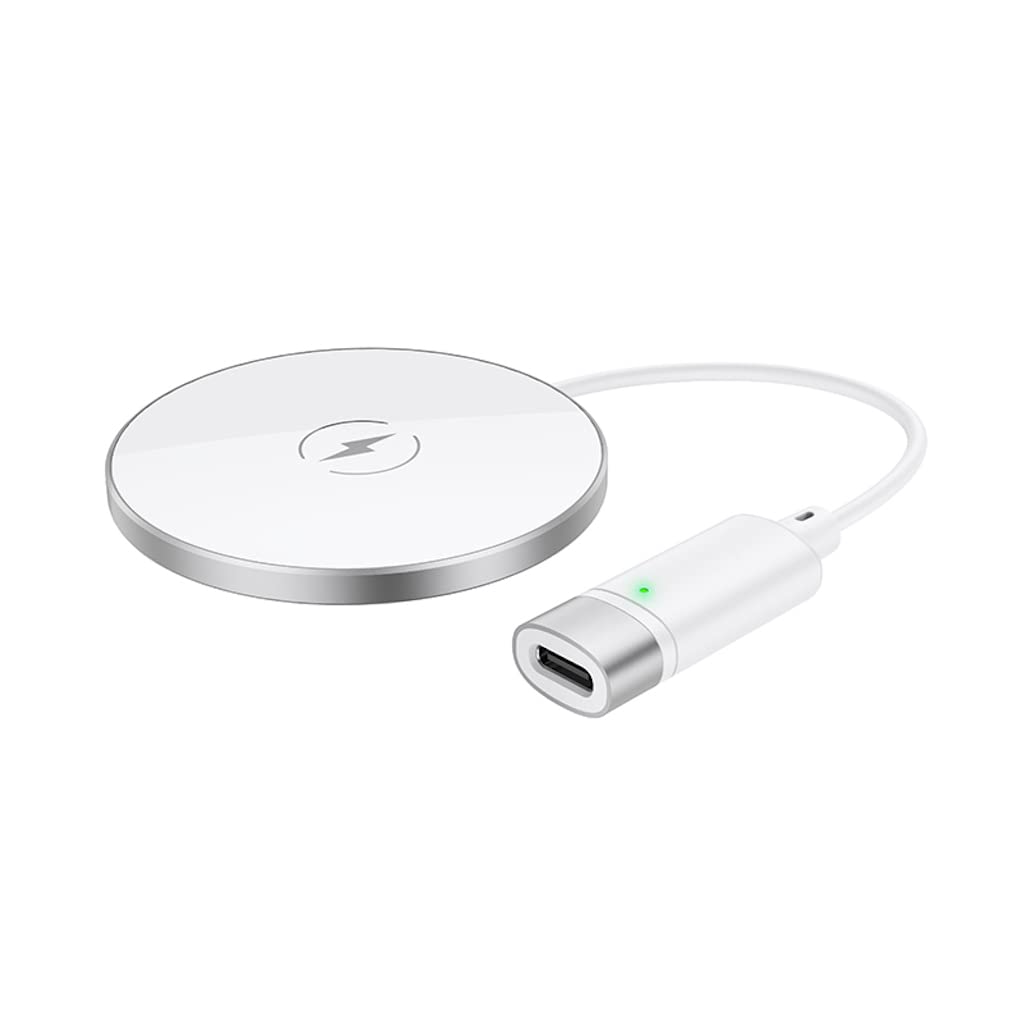
The Hoco CW31 features a sleek design with a tempered glass surface and aluminum alloy base, providing a stable and efficient charging platform.

The Hoco CW31 wireless charging pad is shown alongside its included USB-A to Type-C charging cable, highlighting the compact design of the charger.
This image shows a smartphone placed on the Hoco CW31 wireless charging pad, indicating active charging with a battery icon displaying 57% charged.
Nkọwapụta
| Nọmba nlereanya | CW31 |
| Ntinye (ụdị-C) | 5V-2A, 9V-2A, 12V-1.5A |
| Mbupute ikuku | 5W / 7.5W / 10W / 15W |
| Ihe nrụpụta ikuku MagSafe | 7.5W |
| Ihe onwunwe | Tempered Glass + Aluminum Alloy |
| Akụkụ | 204 x 60 x 5 mm |
| Ibu | 37 g |
| Ụdị njikọ | USB |
| Ngwa dakọtara | Cellular Phones, Qi-compatible TWS Earphones |
| Atụmatụ pụrụ iche | Nchekwa sekit dị mkpụmkpụ, Nchaji ngwa ngwa |
| Agba | Ọlaọcha |
| Ntinye Voltage | 5V |
| Mgbakọta ọdụ ụgbọ mmiri USB | 1 |
| Ike | 15W |
| Mmepụta ugbu a | 3A |
Melite
- Jikọọ na Isi Iyi: Connect the provided USB-A to Type-C charging cable to the Type-C input port on the Hoco CW31 charger.
- Plug into Adapter: Connect the USB-A end of the cable to a compatible power adapter (a PD/QC fast charger is required for optimal 15W charging speeds, not included).
- Ike Na: Once connected to a power source, the charger is ready for use.

The Hoco CW31 wireless charger is depicted connected to a wall power adapter via its cable, with a smartphone placed on the charging pad.
Ntuziaka ọrụ
- Ngwaọrụ ebe: Place your Qi-compatible mobile phone or TWS earphones directly onto the center of the Hoco CW31 wireless charging pad.
- Kwenye nchaji: Ensure the device is properly aligned. Charging will begin automatically, and your device's screen or indicator light should confirm that it is charging.
- Wepu ngwaọrụ: Once your device is fully charged or you wish to stop charging, simply lift it from the charging pad.
For MagSafe compatible devices, the charger will magnetically align for optimal charging at 7.5W.
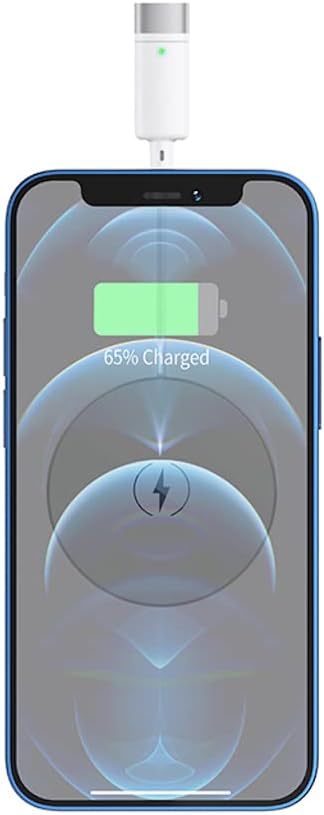
A nso-elu view of a smartphone receiving a wireless charge from the Hoco CW31 pad, with the screen showing 65% battery.
Nlekọta
- Nhicha: Kwupu chaja site na isi iyi ike tupu ihicha. Jiri akwa dị nro ma kpọọ nkụ hichaa elu. Ejila ihe nhicha mmiri ma ọ bụ ikuku ikuku.
- Nchekwa: Chekwaa chaja n'ebe dị jụụ, kpọrọ nkụ pụọ na ìhè anyanwụ kpọmkwem na oke okpomọkụ mgbe ọ naghị eji ya.
- Nlekọta USB: Avoid bending or twisting the charging cable excessively to prevent damage.
Nchọpụta nsogbu
| Nsogbu | Ngwọta enwere ike |
|---|---|
| Ngwaọrụ anaghị akwụ ụgwọ |
|
| Nchaji nwayọ |
|
| Ngosipụta chaja anaghị arụ ọrụ |
|
Akwụkwọ ikike na nkwado
For warranty information and customer support, please refer to the documentation included with your purchase or contact Hoco customer service directly. Keep your proof of purchase for warranty claims.


