Okwu mmalite
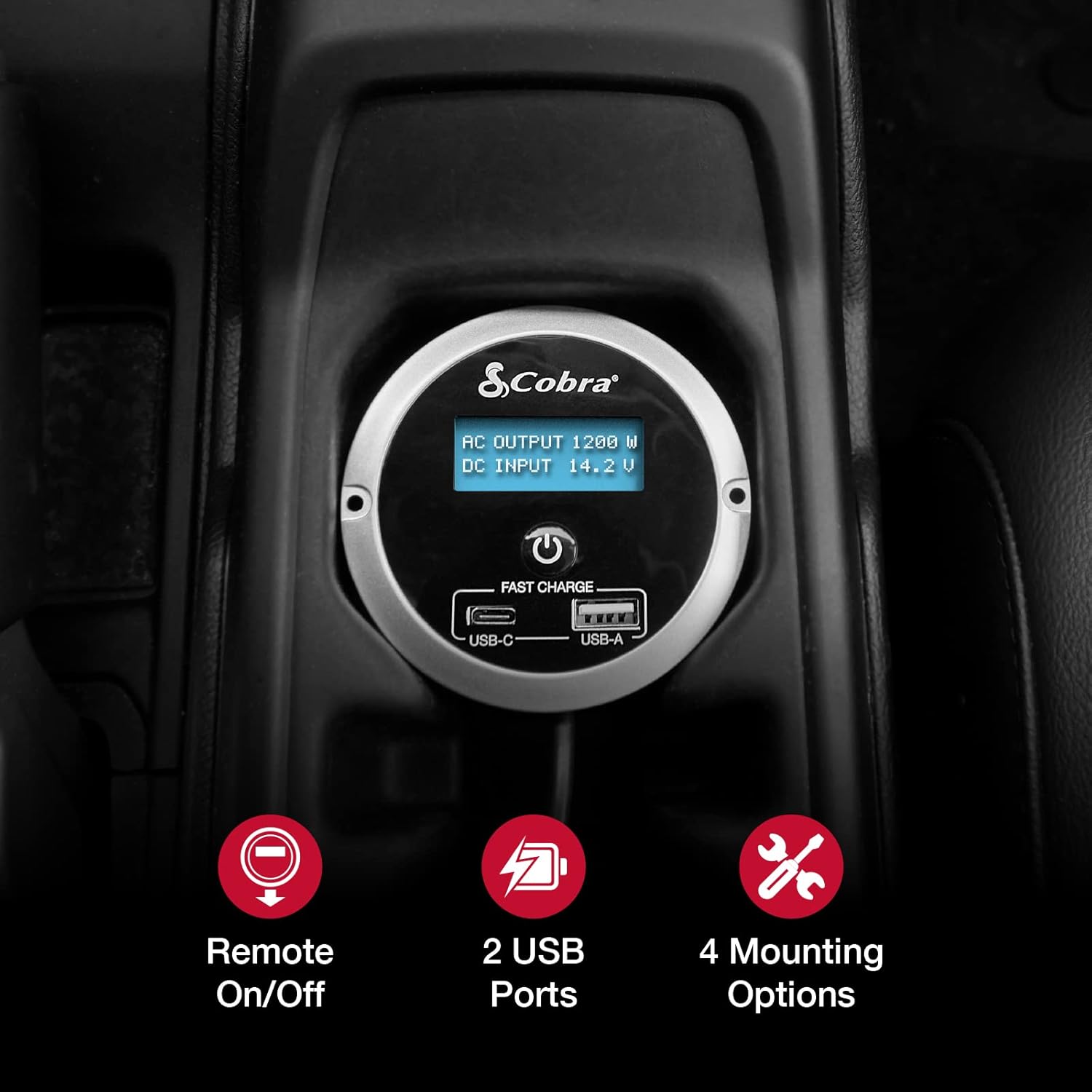
The Cobra CPIALCDG1 Remote Controller is designed to enhance the functionality and convenience of your compatible Cobra Power Inverter. This unit allows for remote power control (On/Off) and provides two USB ports for charging devices. It features a 7-color LED screen for monitoring inverter status and offers multiple mounting options for flexible installation within your vehicle.
Ihe ngwugwu
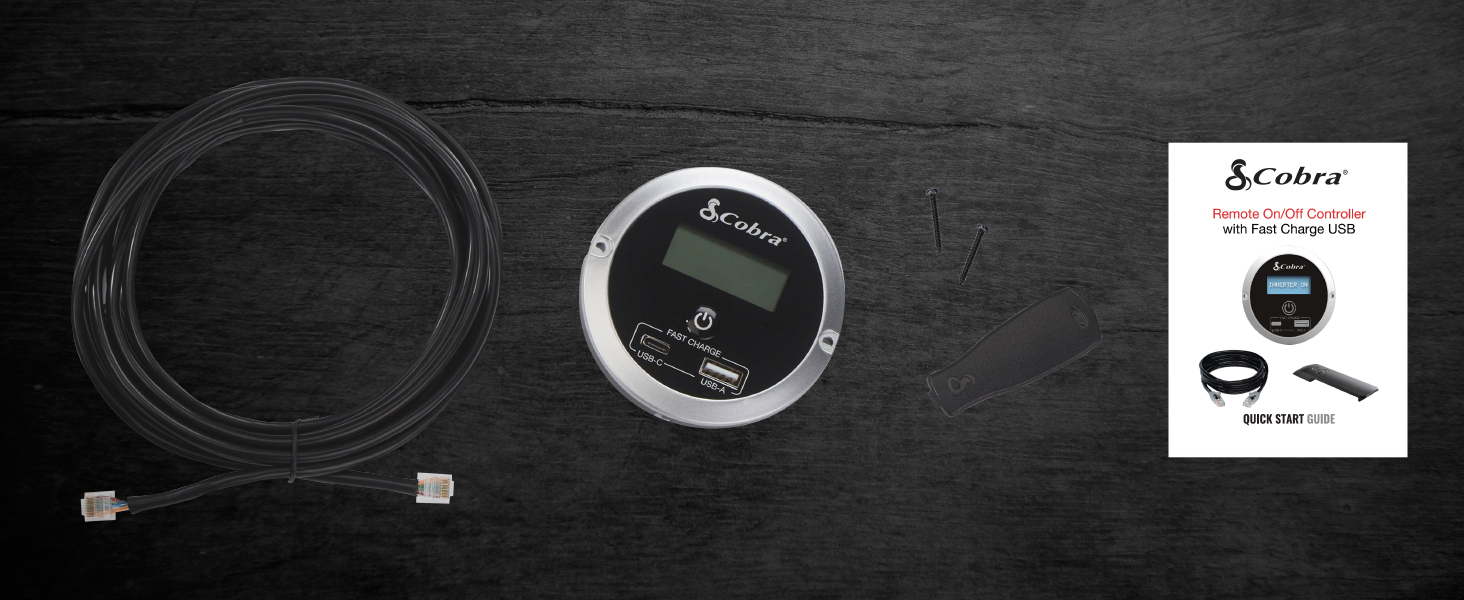
Chọpụta na ihe niile dị na ngwugwu:
- Cobra CPIALCDG1 Njikwa Remote
- eriri njikọ
- Ịkwanye kposara
- Mounting Bracket (for clip mount)
- Ntuziaka mmalite ngwa ngwa

Ntọala na nwụnye
The CPIALCDG1 Remote Controller offers four primary mounting options to suit various vehicle interiors and user preferences:
- Nkwanye ọkụ: For a permanent, integrated installation into a dashboard or console.
- Keyhole Mount: Allows for mounting on a wall or flat surface using screws.
- Cup Holder Mounting: Provides convenient placement in a vehicle's cup holder.
- Ugwu Clip: For easy attachment to a seat back pocket or other suitable location.
Jikọọ Remote Controller
- Identify the "REMOTE" port on your compatible Cobra Power Inverter.
- Connect one end of the provided connection cable to the remote port on the inverter.
- Connect the other end of the cable to the corresponding port on the back of the CPIALCDG1 Remote Controller.
- Ensure all connections are secure before operating the inverter or controller.

Ntuziaka ọrụ
Gbanyụọ/ Gbanyụọ
Once connected to a compatible Cobra Power Inverter, the remote controller allows you to turn the inverter On or Off from a convenient location within your vehicle. Press the power button on the remote controller to toggle the inverter's power state.
Ngosipụta ihuenyo LED
The 7-color LED screen provides real-time information regarding your power inverter's operation:
- Batrị Voltage: Na-egosi vol ntinye DC dị ugbu atage from your vehicle's battery.
- Oriri ugbu a: Shows the AC output wattage being drawn by connected devices.
Ọdụ ụgbọ mmiri USB
The remote controller is equipped with Fast Charge USB ports (USB-C and USB-A) for charging smartphones and other USB-powered devices.

Ndakọrịta
This remote controller is compatible with the following Cobra Power Inverter models:
- CPI1500W
- CPI2500W
- CPI400PSW
- CPI500W
Nlekọta
To ensure optimal performance and longevity of your Cobra CPIALCDG1 Remote Controller:
- Debe ihe dị n'ime ya ọcha ma ghara ịta uzuzu na ihe ruru unyi. Jiri ákwà dị nro ma kpọọ nkụ hichaa ya.
- Na-elele njikọ niile nke eriri mgbe niile iji hụ na echekwara ha na enweghị mmebi.
- Avoid exposing the controller to extreme temperatures, direct sunlight for prolonged periods, or moisture.
Nchọpụta nsogbu
If you experience issues with your remote controller, consider the following:
- Enweghị ngosi/enweghị ike: Ensure the remote cable is securely connected to both the controller and the power inverter. Verify that the power inverter itself is receiving power and is turned on.
- Ọdụ ụgbọ mmiri USB anaghị akwụ ụgwọ: Check that the inverter is powered on. Ensure the device being charged is compatible with USB charging and that the USB cable is functional.
- Inverter Not Responding to Remote: Confirm the remote cable is fully inserted into both units. Refer to your specific Cobra Power Inverter manual for remote control setup details.
Cobra Power Inverters feature Pentagon Protection™, which includes safeguards against:
- Mkpuchi ọkụ
- Adịkwa Polarity
- N'elu-Voltage
- Dị alatage & Alarm
These protections are designed to prevent damage to the inverter and connected devices. If an alarm sounds or the inverter shuts down, consult your inverter's manual for specific error codes and resolutions.
Nkọwapụta
| Njirimara | Nkọwa |
|---|---|
| Nọmba nlereanya | CPIALCDG1 |
| Akụkụ ngwaahịa (L x W x H) | 3.35 x 3.35 x 1.46 sentimita asatọ |
| Ibu Ibu | 13.1 ounces |
| Agba | Nwa |
| ọdụ ụgbọ mmiri USB | USB-C (Fast Charge), USB-A (Fast Charge) |
| Ngosipụta | 7-Color LED Screen (Battery Voltage, Current Consumption) |
| Nhọrọ nkwụnye | Flush, Keyhole, Cup Holder, Clip |
| Onye nrụpụta | Cobra Electronics |
| Ụbọchị mbụ dị | Febụwarị 18, 2022 |
Ozi akwụkwọ ikike
Cobra Electronics products are typically covered by a limited warranty. For specific warranty terms, conditions, and registration information for your CPIALCDG1 Remote Controller, please refer to the warranty card included with your product or visit the official Cobra Electronics websaịtị. Debe ihe akaebe nke ịzụrụ maka akwụkwọ ikike.
Nkwado ndị ahịa
For technical assistance, troubleshooting beyond this manual, or general inquiries, please contact Cobra Electronics customer support. Contact information can typically be found on the official Cobra Electronics websaịtị ma ọ bụ na akwụkwọ enyere na ngwaahịa gị.
Websaịtị: www.cobra.com


