Okwu mmalite
Welcome to the user manual for your Ttec AirBeat Lite 2 True Wireless Stereo (TWS) Bluetooth Headset. This manual provides detailed instructions on how to set up, operate, and maintain your headset to ensure optimal performance and longevity. Please read this manual carefully before using your device.
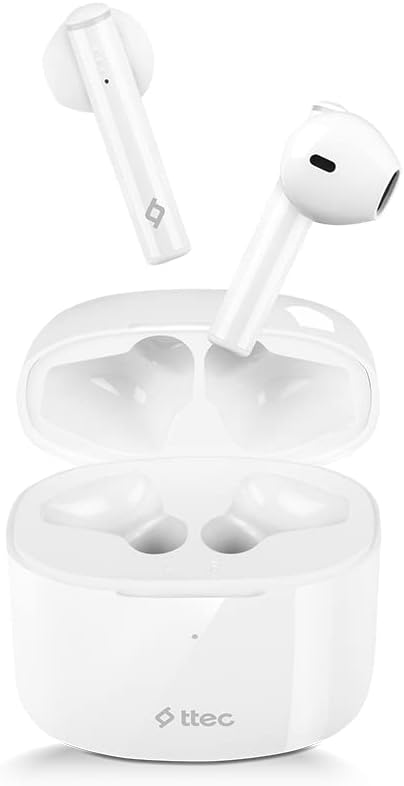
Image: The Ttec AirBeat Lite 2 earbuds resting in their open charging case, showcasing their compact and sleek white design.
Kedu ihe dị na Igbe ahụ
Upon opening your Ttec AirBeat Lite 2 package, you should find the following components:
- Ttec AirBeat Lite 2 True Wireless Earbuds (Left and Right)
- Nchaji case
- USB Charging Cable (Type-C, typically)
- Akwụkwọ ntuziaka (akwụkwọ a)
- Ear Cushions (pre-installed or additional sizes, as per product specifications)
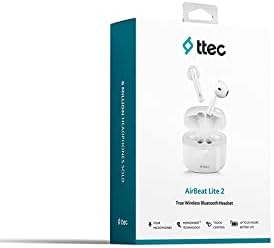
Image: The retail packaging for the Ttec AirBeat Lite 2 headset, displaying the product image and brand logo.
Melite
1. Charging the Headset and Case
Before first use, it is recommended to fully charge both the earbuds and the charging case. The charging case acts as a portable power bank for your earbuds.
- Ịchaji ikpe ahụ: Connect the provided USB charging cable to the charging port on the case and plug the other end into a USB power adapter (not included) or a computer's USB port. The indicator light on the case will show charging status.
- Ịchaji ekwe ntị: Place the earbuds into their respective slots in the charging case. Ensure they are correctly seated. The earbuds will automatically begin charging.

Image: The Ttec AirBeat Lite 2 charging case with earbuds, illustrating battery life and quick charge capabilities. A 15-minute charge provides 1 hour of use, with 6 hours of earbud charge life and 26 hours total with the case.
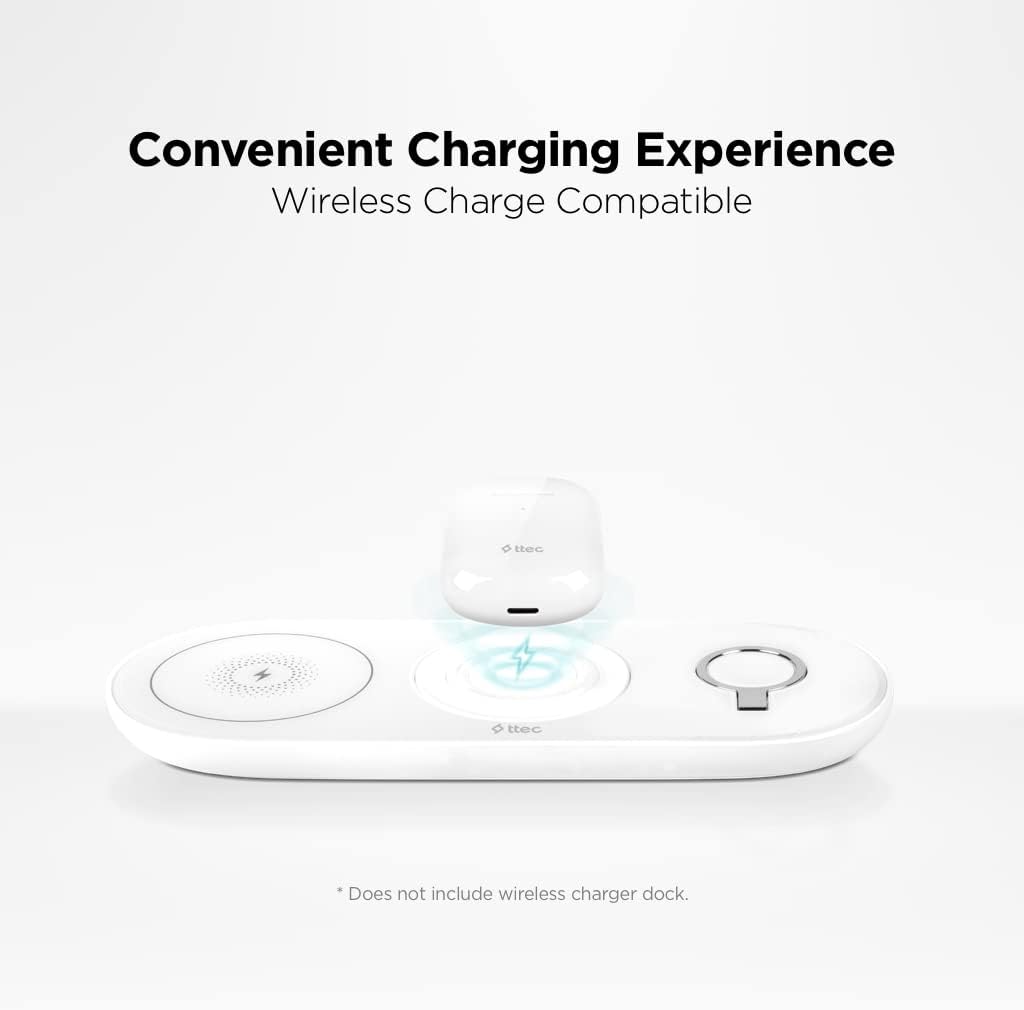
Image: The Ttec AirBeat Lite 2 charging case placed on a wireless charging pad, demonstrating its wireless charge compatibility. Note: Wireless charger dock is not included.
2. Ijikọ na ngwaọrụ
The Ttec AirBeat Lite 2 uses Bluetooth 5.0 for a fast and stable connection.
- Gbaa mbọ hụ na a na-akwụ ụgwọ ekwe ntị ma tinye ya n'ihe nchaji.
- Open the charging case. The earbuds will automatically enter pairing mode (indicator lights may flash).
- Na ngwaọrụ gị (smartphone, tabletị, laptọọpụ), gaa na ntọala Bluetooth wee gbanye Bluetooth.
- Chọọ maka available devices. Select "Ttec AirBeat Lite 2" from the list.
- Once connected, the earbuds will indicate successful pairing (e.g., a voice prompt or steady light).
The earbuds support MonoSmart Technology, allowing both earbuds to be used independently. You can connect either the left or right earbud alone if desired.

Image: A person wearing a Ttec AirBeat Lite 2 earbud, illustrating the fast and easy Bluetooth 5.0 connection technology.
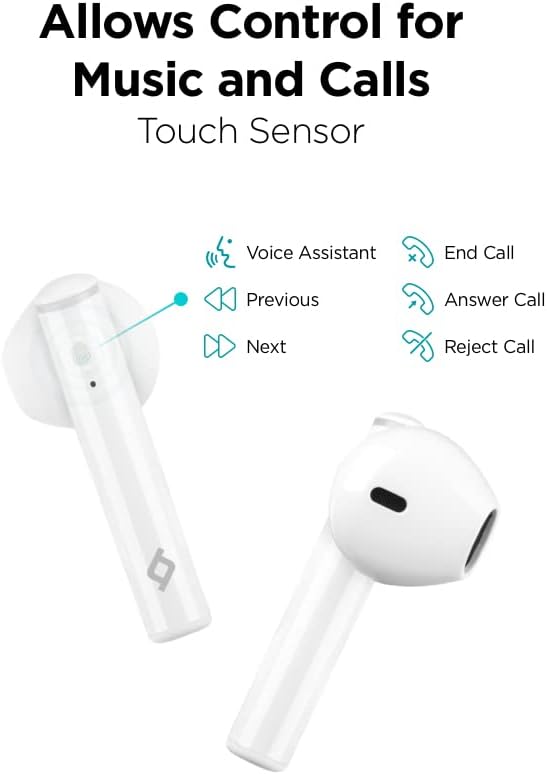
Image: A person using a single Ttec AirBeat Lite 2 earbud, demonstrating the MonoSmart Technology that allows independent use of either earbud.
Ntuziaka ọrụ
Njikwa mmetụ
The Ttec AirBeat Lite 2 features intuitive touch sensors on each earbud for easy control of music playback and calls.

Image: A close-up of the Ttec AirBeat Lite 2 earbud, highlighting the touch sensor area and illustrating various control functions: Voice Assistant, Previous/Next track, End/Answer/Reject Call.
| Omume | Ọrụ |
|---|---|
| Otu mgbata | Kpọọ/Kwụsị Egwu, Zaa/Kwụsị Oku |
| Pịa ugboro abụọ (mkpọ ntị aka ekpe) | Egwu gara aga |
| Pịa ugboro abụọ (mbọchị ntị aka nri) | Track na-esote |
| Pịa ugboro atọ | Mee ka onye enyemaka olu rụọ ọrụ |
| Pịa ogologo (2 sekọnd) | Jụ oku |
Music and Call Quality
The Ttec AirBeat Lite 2 delivers an impressive music experience with superior sound and deep bass. For calls, it features 4 microphones and ENC (Environmental Noise Cancelling) technology, ensuring excellent call clarity by reducing background noise.
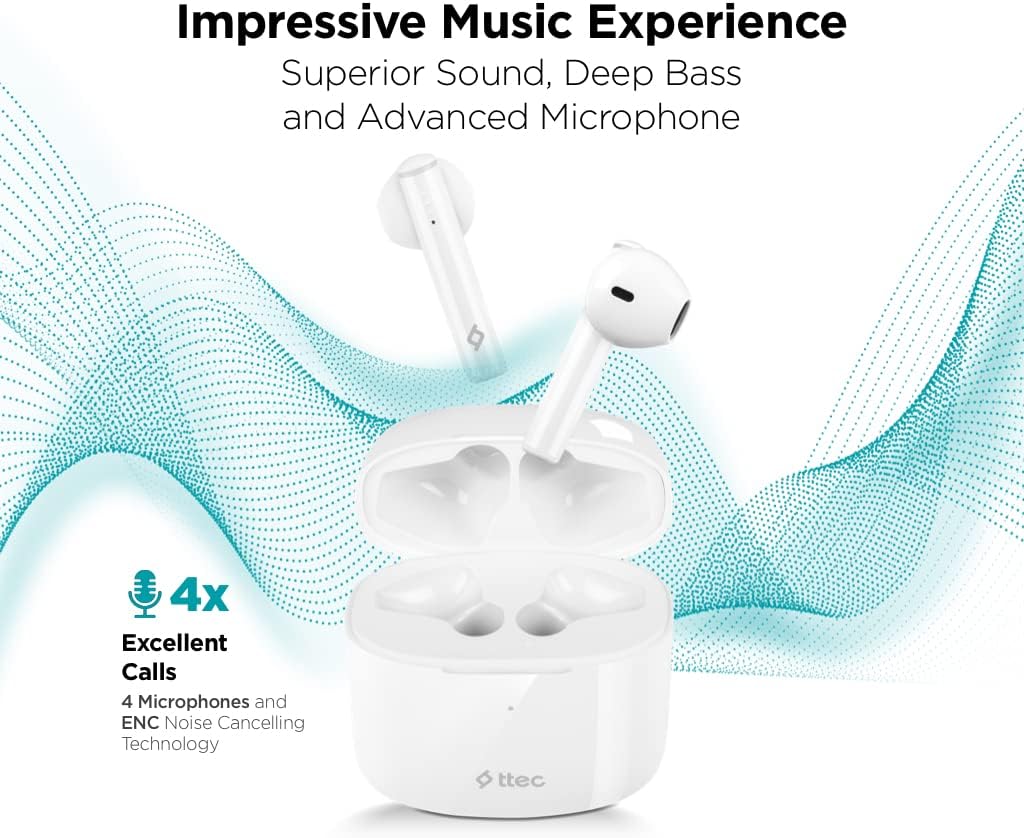
Image: The Ttec AirBeat Lite 2 earbuds in their case, surrounded by sound wave graphics, highlighting superior sound, deep bass, advanced microphone, and 4x excellent calls with ENC Noise Cancelling Technology.
Nlekọta
Proper maintenance ensures the longevity and optimal performance of your Ttec AirBeat Lite 2 headset.
- Nhicha: Regularly clean the earbuds and charging case with a soft, dry, lint-free cloth. Do not use abrasive cleaners or solvents. Gently remove any earwax or debris from the earbud tips and speaker mesh using a small, soft brush or cotton swab.
- Nchekwa: Mgbe ị na-ejighị ya, debe ntị ntị gị n'ime akpa chaja ha iji chebe ha pụọ na uzuzu, unyi, na mmebi anụ ahụ. Debe akpa ahụ n'ebe dị jụụ ma kpọọ nkụ, ebe anwụ na-anaghị apụta kpọmkwem na oke okpomọkụ.
- Nguzogide mmiri: The earbuds are IPX4 rated, meaning they are sweat and water resistant. This protects them from splashing water from any direction. However, they are not waterproof and should not be submerged in water or exposed to heavy rain. Dry them thoroughly if they get wet.
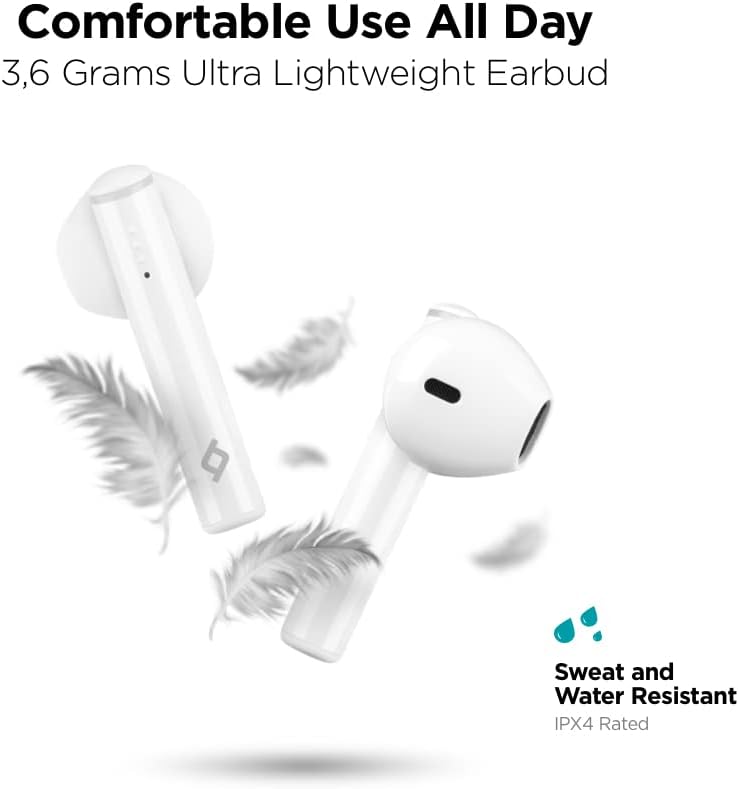
Image: Ttec AirBeat Lite 2 earbuds floating among feathers, emphasizing their ultra-lightweight design (3.6 grams) and highlighting their IPX4 sweat and water resistance.
Nchọpụta nsogbu
If you encounter any issues with your Ttec AirBeat Lite 2 headset, try the following troubleshooting steps:
- No Sound from Earbuds:
- Gbaa mbọ hụ na akwụgoro ihe ekwe ntị.
- Check if the earbuds are properly paired with your device.
- Mee ka olu dị elu ma na ngwaọrụ gị ma na ntị gị.
- Nwaa ijikọghachi ntị ntị.
- Igwe ntị anaghị ejikọta:
- Gbaa mbọ hụ na agbanyere Bluetooth na ngwaọrụ gị.
- Hụ na ekweisi ndị ahụ dị n'ụdị njikọta (oghere mepere emepe).
- Gbanyụọ Bluetooth na ngwaọrụ ndị ọzọ dị nso nwere ike na-achọ ijikọ.
- Forget "Ttec AirBeat Lite 2" from your device's Bluetooth list and try pairing again.
- Okwu ịchaji:
- Gbaa mbọ hụ na ejikọrọ eriri chajị na echekwabara na ikpe ahụ yana isi iyi ike.
- Gbalịa eriri USB ma ọ bụ ihe nkwụnye ọkụ dị iche.
- Hichaa kọntaktị ịchaji na ma ntị ntị yana akpa ahụ.
- Njikọ na-adịte aka:
- Ensure your device is within the Bluetooth range (typically 10 meters/33 feet) without significant obstacles.
- Zere nnukwu nnyonye anya elektrọnik.
- Try restarting both the earbuds (by placing them in the case and closing it) and your connected device.
If the issue persists, please refer to the support section for further assistance.
Nkọwapụta
| Njirimara | Nkọwa |
|---|---|
| Aha Nlereanya | AirBeat Lite 2 |
| Teknụzụ Njikọta | Ikuku (Bluetooth) |
| Teknụzụ nzikọrịta ozi ikuku | Bluetooth 5.0 |
| Ngwa gụnyere | Ear Cushions, USB Charging Cable |
| Ihe onwunwe | Plastic |
| Ojiji akọwapụtara | Travel, Everyday Use |
| Ngwa dakọtara | Cellphones, Television, Tablets, Telephones, Laptops, Desktops, Smart Speaker |
| Ụdị njikwa | Njikwa aka |
| Ntinye ntị | Na Ntị |
| Ụdị Ihe | Na Ntị |
| Njikwa mkpọtụ | Ịkagbu mkpọtụ gburugburu (ENC) |
| Earbud arọ | 3.6 grams (approx. per earbud) |
| Ogo IP | IPX4 (Ọsụsọ na Mmiri Na-eguzogide) |
| Ndụ batrị (Earbuds) | Oge awa 6 (ihe dị ka) |
| Total Battery Life with Case | Oge awa 26 (ihe dị ka) |
Note: Some specifications from raw data have been refined for accuracy based on product images and primary description (e.g., ENC instead of ANC, earbud weight instead of package weight).
Ozi nchekwa
Biko gụọ ma soro ntuziaka nchekwa ndị a iji gbochie mmebi ngwaọrụ gị ma ọ bụ imerụ onwe gị ahụ:
- Ewepụla, rụkwaa, ma ọ bụ gbanwee ngwaahịa.
- Debe ngwaọrụ ahụ pụọ na oke okpomọkụ, iru mmiri na ihe ndị na-emebi emebi.
- Zere idobe ma ọ bụ idobe ngwaọrụ ahụ na mmetụta siri ike.
- Do not expose the charging case to water or moisture.
- Jiri naanị eriri chaja na ihe nkwụnye ọkụ akwadoro.
- Prolonged exposure to loud sounds can cause hearing damage. Adjust volume to a moderate level.
- Mara gburugburu gị mgbe ị na-eji ntị ntị, ọkachasị n'okporo ụzọ ma ọ bụ ọnọdụ dị ize ndụ.
- Tụfuo ngwaahịa ahụ nke ọma dịka iwu mpaghara siri dị.
Akwụkwọ ikike na nkwado
Ttec products are designed for quality and reliability. For warranty information and customer support, please refer to the official Ttec websaịtị ma ọ bụ kpọtụrụ onye na-ere ahịa mpaghara gị.
For technical assistance or inquiries, please visit the Ttec support page or contact their customer service directly. Keep your purchase receipt as proof of purchase for warranty claims.
Akụrụngwa dị n'ịntanetị:
- Official Ttec Websaịtị: www.ttec.com.tr (Please verify the correct regional website for support)


