Okwu mmalite
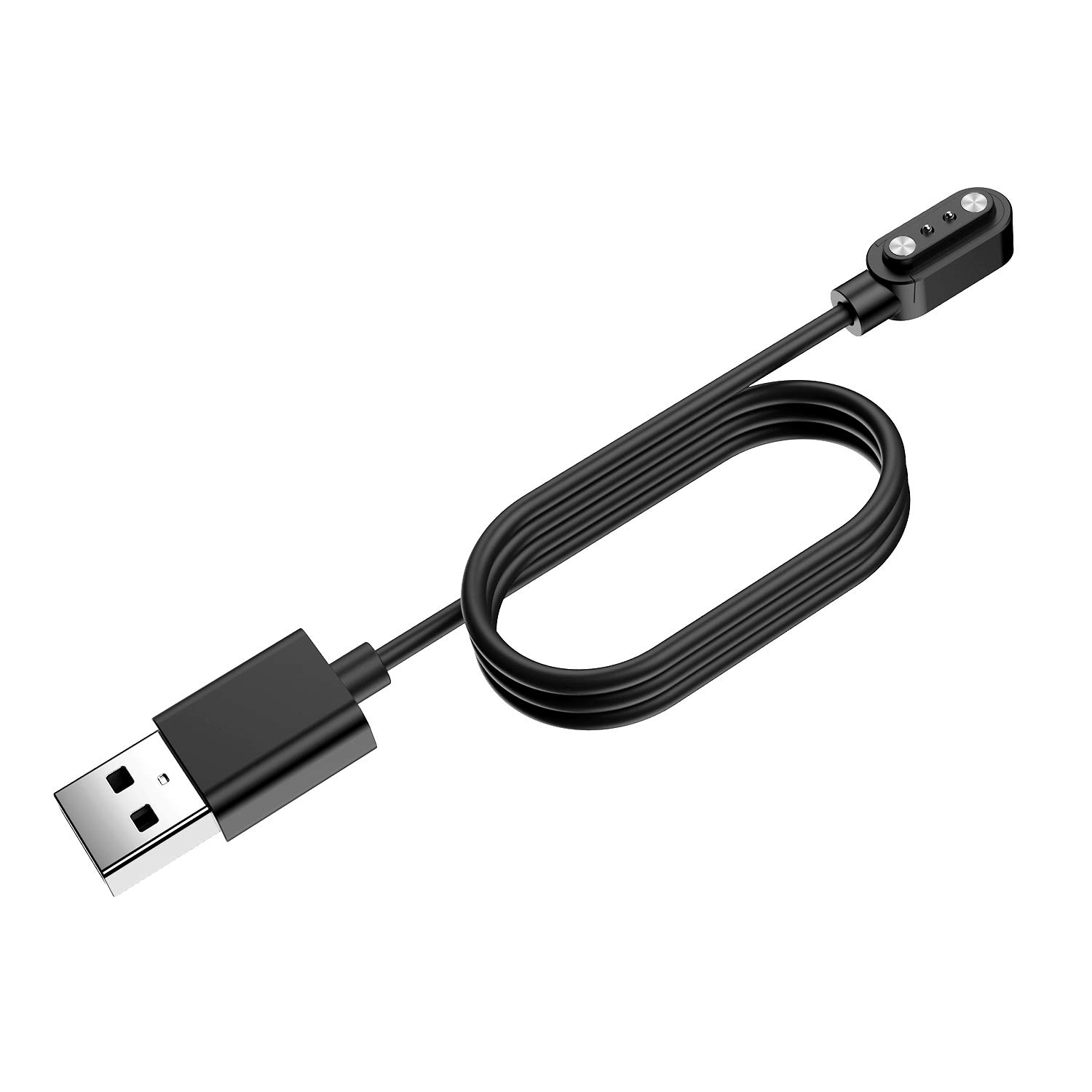
This manual provides essential instructions for the proper use and maintenance of your SoundPEATS Watch1 Magnetic USB Charging Cable. This cable is specifically designed for the SoundPEATS Watch1 Smart Watch Fitness Tracker 1.4 Inches, ensuring efficient and safe charging.
Melite
Follow these steps to set up and begin charging your SoundPEATS Watch1:
- Unpack the SoundPEATS Watch1 charging cable from its packaging.
- Connect the USB-A end of the charging cable to a compatible power source. This can be a USB wall adapter (5V/1A recommended), a computer's USB port, or a power bank.
- Align the magnetic charging pins on the charging puck with the corresponding charging contacts located on the back of your SoundPEATS Watch1. The magnets will automatically secure the connection.
- Once connected, verify that the watch screen displays a charging indicator, confirming that power is being supplied.
Nchedo nchekwa:
The charging cable incorporates a built-in short-circuit protection IC. This feature prevents overvoltage and overcurrent, safeguarding your SoundPEATS Watch1 during the charging process.
Ntuziaka ọrụ
Using your SoundPEATS Watch1 charging cable is straightforward:
- Ịchaji: Connect the cable as described in the Setup section. The watch will begin charging automatically. Disconnect the cable once the watch is fully charged to conserve energy and prolong battery life.
- Enwere ike ibugharị: The compact and lightweight design of the charging cable makes it easy to carry. You can conveniently use it at home, in the office, or while traveling as a backup charger.

Nlekọta
Iji hụ na ogologo ndụ na arụmọrụ kacha mma nke eriri chaja gị, soro ntuziaka mmezi ndị a:
- Keep the cable clean and dry. Avoid exposure to liquids or excessive moisture.
- Do not bend, twist, or pull the cable excessively, especially near the connectors, as this can damage internal wires.
- Store the cable in a cool, dry place when not in use.
- If the magnetic charging contacts appear dirty, gently wipe them with a soft, dry cloth to ensure a good connection.
Nchọpụta nsogbu
If you encounter issues with your charging cable, refer to the following common solutions:
- Lelee anaghị akwụ ụgwọ:
- Ensure the USB power source (wall adapter, computer port) is active and providing power.
- Verify that the magnetic charging pins are securely aligned with the charging contacts on the back of your SoundPEATS Watch1.
- Clean the charging contacts on both the cable and the watch with a soft, dry cloth to remove any dust or debris.
- Try connecting the USB-A end of the cable to a different USB power source.
- Njikọ rụrụ arụ:
- Confirm that the magnetic charging puck is correctly positioned and fully engaged with the watch's charging contacts.
- Check for any foreign objects or debris obstructing the magnetic connection between the cable and the watch.
Nkọwapụta
| Njirimara | Nkọwa |
|---|---|
| Ụdị | PEda Sound |
| Ụdị njikọ | USB Ụdị A |
| Ụdị USB | USB |
| Ngwa dakọtara | SoundPEATS Watch1 |
| Njirimara Pụrụ Iche | Magnetik |
| Agba | Nwa |
| Njikọ okike | Nwoke-na-nwoke |
| Ụdị | Gburugburu |
| Ọnụọgụ nkeji | 1 Ọnụ |
| Ojiji ime ime/n'èzí | Ime ụlọ, n'èzí |
| Ibu Ibu | 0.317 ounces |
| Akụkụ ngwugwu | 4.72 x 1.65 x 0.79 sentimita asatọ |
Ozi akwụkwọ ikike
This SoundPEATS product is covered by the standard manufacturer's warranty. For detailed information regarding warranty terms, conditions, and duration, please refer to the official SoundPEATS website or consult the warranty documentation included with your original purchase.
Nkwado
For further assistance, technical support, or customer service inquiries, please visit the official SoundPEATS support website. You may also find frequently asked questions (FAQs) and contact information for their customer service department there.


