1. Okwu mmalite na gafereview
This manual provides essential information for the installation, operation, and maintenance of your Intel Core i3-12100 Alder Lake Desktop Processor. Please read this guide thoroughly before proceeding with installation to ensure proper functionality and longevity of your product.
Nkọwa ngwaahịa
The Intel Core i3-12100 is a high-quality desktop processor designed for various computing needs. It is part of the 12th Generation Alder Lake series, offering reliable performance for everyday tasks, gaming, and multimedia. For detailed care instructions, always refer to the manufacturer's product information sheet or packaging.
Atụmatụ igodo
- Nhazi Isi: 4 Cores, 8 Threads
- Ugboro ugboro: 3.3 GHz
- Max Turbo Frequency: Ruo 4.3 GHz
- cache: 12MB Smart Cache
- Ụdị oghere: LGA 1700
- Ike imepụta ọkụ (TDP): 60W
- Eserese agbakwunyere: Intel UHD Graphics 730 (where applicable, check specific model)

Foto 1.1: N'ihu view of the Intel Core i3-12100 processor packaging.
2. Ntuziaka Nhazi
Proper installation is crucial for the performance and stability of your system. Please follow these steps carefully.
Tupu Ị Malite
- Ensure your motherboard supports the LGA 1700 socket and is compatible with 12th Generation Intel processors.
- Gather necessary tools: Phillips head screwdriver, thermal paste (if not pre-applied on cooler), and anti-static wrist strap.
- Na-arụ ọrụ na gburugburu ebe dị ọcha, ọkụ na-enwu nke ọma na enweghị ihe kwụ ọtọ.
- Unplug your computer from the power outlet and discharge any residual power.
Nzọụkwụ Nwụnye
- Kwadebe motherboard: Open the CPU socket retention lever on your motherboard. Lift the load plate.
- Wụnye ihe nhazi ahụ: Carefully align the triangular arrow on the corner of the processor with the corresponding arrow on the CPU socket. Gently place the processor into the socket. Do not force it.
- Chekwaa ihe nhazi ahụ: Lower the load plate and then push down the retention lever until it clicks into place.
- Tee mado ọkụ (ọ bụrụ na ọ dị mkpa): If your CPU cooler does not have pre-applied thermal paste, apply a small pea-sized amount to the center of the CPU's integrated heat spreader (IHS).
- Wụnye CPU cooler: Align the cooler with the mounting holes around the CPU socket. Gently press down and secure the cooler according to its specific mounting mechanism (e.g., push pins, screws, or backplate).
- Jikọọ Fan oyi: Connect the CPU cooler's fan cable to the 'CPU_FAN' header on your motherboard.
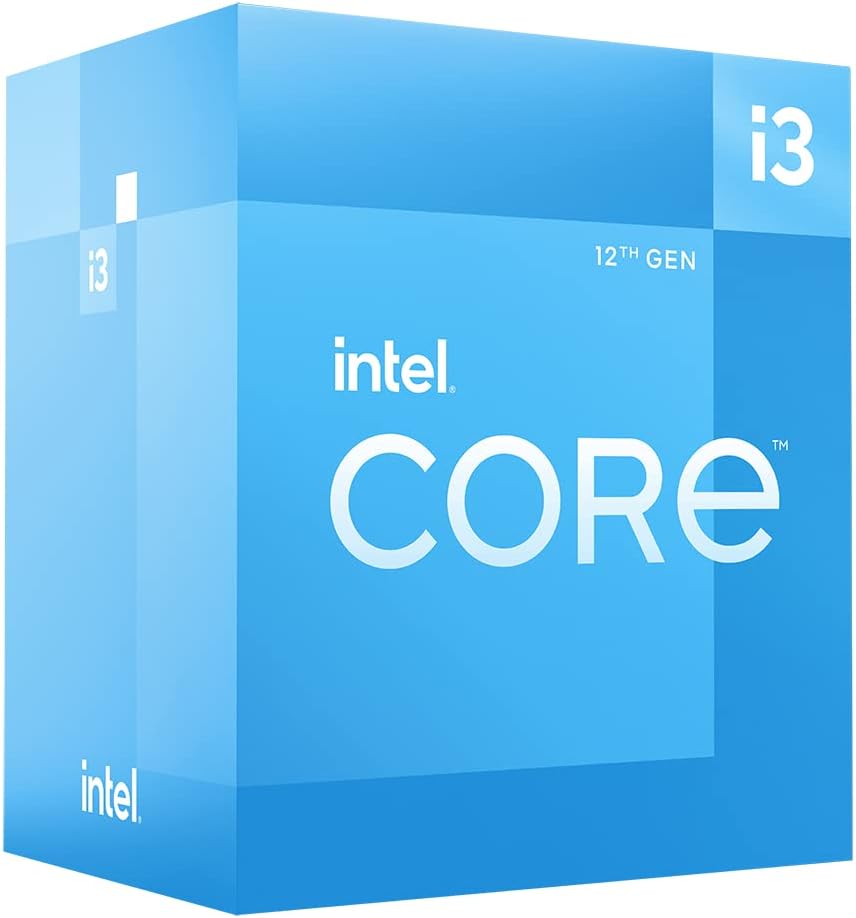
Ọgụgụ 2.1: N'akuku view of the Intel Core i3-12100 processor packaging.

Foto 2.2: Akụkụ view of the Intel Core i3-12100 processor packaging.
3. Operating Your Processor
Once installed, your Intel Core i3-12100 processor will operate automatically within your system. Here are some general considerations for optimal performance.
Njikwa okpomọkụ
Maintaining proper cooling is essential for processor longevity and stable performance. Ensure your CPU cooler is functioning correctly and that your PC case has adequate airflow. High temperatures can lead to performance throttling or system instability.
Atụmatụ arụmọrụ
The Intel Core i3-12100 is designed to dynamically adjust its clock speed based on workload and thermal conditions. This technology, known as Intel Turbo Boost Technology, allows the processor to reach higher frequencies (up to 4.3 GHz) when needed, providing a responsive computing experience.

Figure 3.1: The processor box in a typical desktop computing environment.

Figure 3.2: Visual representation of the processor's performance capabilities in a gaming scenario.

Figure 3.3: Illustrative image demonstrating the processor's architecture and platform compatibility.

Figure 3.4: Marketing image highlighting the processor's role in enhancing gaming performance.
4. Nlekọta
Minimal maintenance is required for your processor itself, but ensuring its operating environment is clean and cool will prolong its lifespan.
Mwepụ uzuzu
- Regularly clean dust from your CPU cooler's heatsink and fan using compressed air.
- Ensure your PC case filters are clean to prevent dust buildup inside the system.
Thermal Paste Reapplication
Over time, thermal paste can dry out and become less effective. If you notice consistently high temperatures, consider reapplying fresh thermal paste to the CPU's IHS. This typically involves removing the CPU cooler, cleaning off old paste, and applying new paste before reattaching the cooler.
5. Nchọpụta nsogbu
If you encounter issues with your system after installing the processor, refer to the common problems and solutions below.
| Nsogbu | Ihe nwere ike ime | Ngwọta |
|---|---|---|
| System does not boot / No display | CPU not seated correctly, CPU power cable disconnected, incompatible motherboard BIOS. | Re-seat the CPU, ensure all power cables are connected, update motherboard BIOS (if possible, using a compatible CPU). |
| System boots but shuts down quickly | Overheating due to improper cooler installation or insufficient thermal paste. | Check CPU cooler mounting pressure, reapply thermal paste, ensure CPU fan is connected and spinning. |
| Poor performance / Throttling | High temperatures, power limits, background processes. | Monitor CPU temperatures, ensure adequate cooling, check power settings in BIOS/OS, close unnecessary applications. |
| System instability / Crashes | Overheating, faulty RAM, unstable power supply, driver issues. | Verify CPU temperatures, test RAM, check power supply, update chipset and graphics drivers. |
6. Nka na ụzụ nkọwa
Detailed specifications for the Intel Core i3-12100 processor.
| Njirimara | Nkọwa |
|---|---|
| Ụdị | Intel |
| Usoro | I3 1200 |
| Nọmba Nlereanya ihe | BX8071512100 |
| Akara nhazi | Intel |
| Ụdị CPU | Isi i3 |
| Ọsọ CPU | 3.3 GHz |
| Ọnụọgụ nke Nhazi | 4 |
| Socket CPU | LGA 1700 |
| Ibu Ibu | 10.6 ounces |
| Akụkụ ngwaahịa | 1.18 x 0.79 x 0.04 sentimita asatọ |
| Agba | black / black |
| Ụdị ebe nchekwa Kọmputa | GDDR4 |
| Voltage | 1 volts |
| Asụsụ | Bekee |
| Ụbọchị mbụ dị | Mee 11, 2022 |
7. Akwụkwọ ikike na nkwado
Intel provides a standard warranty for its processors. Please retain your proof of purchase for warranty claims.
Ozi akwụkwọ ikike
The Intel Core i3-12100 processor is manufactured by Intel. For specific warranty terms and conditions, please refer to the official Intel warranty documentation included with your product or visit the official Intel support webEbe a na-edebe akwụkwọ ikike. Mkpuchi akwụkwọ ikike na-agụnyekarị ntụpọ n'ihe na ọrụ aka mgbe ejiri ya mee ihe nkịtị.
Atụmatụ Nchedo Ndị Ọzọ
Optional protection plans may be available for purchase from retailers. For example, a 4-Year Protection Plan or a Complete Protect plan may be offered. These plans are separate from the manufacturer's warranty and provide extended coverage or additional benefits.
Nkwado ndị teknuzu
For technical assistance, troubleshooting beyond this manual, or warranty inquiries, please contact Intel's official customer support. You can typically find contact information on the Intel websaịtị ma ọ bụ n'ime nkwakọ ngwaahịa gị.
Akụrụngwa dị n'ịntanetị: Visit the official Intel website for drivers, software, and additional support documentation.


