Okwu mmalite
The Logitech Signature M650 Wireless Mouse is designed for enhanced productivity and comfort. Featuring an adaptive SmartWheel for precise and fast scrolling, silent clicks with SilentTouch technology, and customizable side buttons, it offers a versatile and quiet user experience. This mouse connects wirelessly via Bluetooth Low Energy or the Logi Bolt USB receiver, making it compatible with a wide range of operating systems including PC, Mac, and Chromebook.
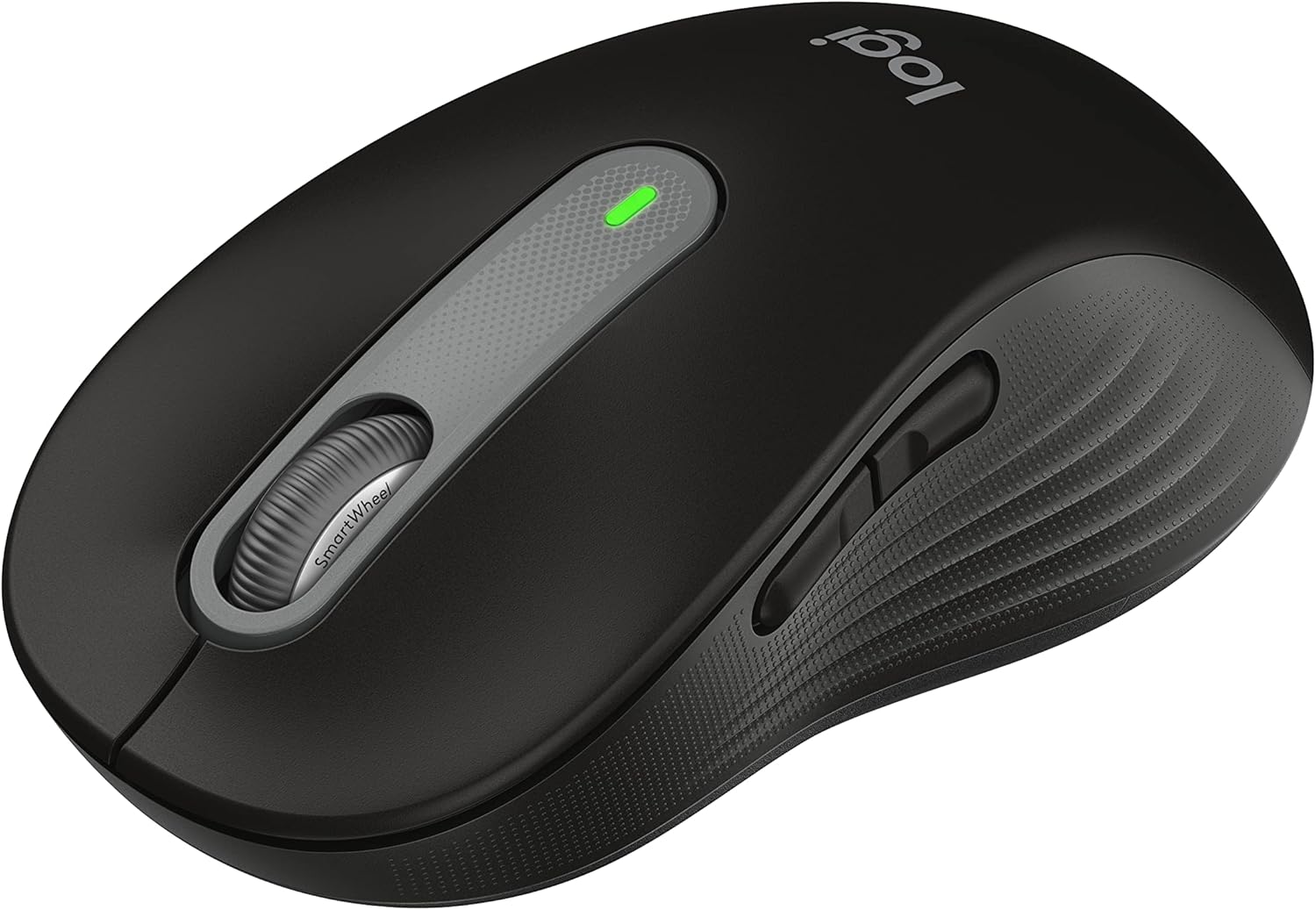
Figure 1: Logitech Signature M650 Wireless Mouse (Black)
Melite
1. Unboxing na mbido nyocha
Carefully remove all components from the packaging. Ensure the mouse and the Logi Bolt USB receiver are present. The mouse comes with a pre-installed battery.

Figure 2: Logitech Signature M650 Packaging
2. Ijikọ gị òké
The Signature M650 offers two connection methods: Logi Bolt USB receiver or Bluetooth Low Energy.
Nhọrọ A: Logi Bolt USB Receiver
- Remove the Logi Bolt USB receiver from the mouse's battery compartment.
- Tinye ihe nnata USB Logi Bolt n'ime ọdụ USB dị na kọmputa gị.
- Turn on the mouse using the power switch located on the bottom. The LED indicator should turn solid green, indicating a successful connection.
Nhọrọ B: Bluetooth Ike Dị Ala
- Gbanwee òké site na iji ọkụ ọkụ dị na ala.
- Press and hold the connect button on the bottom of the mouse until the LED indicator starts blinking rapidly, indicating pairing mode.
- On your computer, open Bluetooth settings and select the Logitech Signature M650 from the list of available devices to pair.

Figure 3: Connect via Bluetooth or Logi Bolt USB receiver
3. Installing Logitech Options+ Software
To unlock the full potential of your Signature M650, including customizable buttons and advanced SmartWheel settings, download and install the Logitech Options+ software from the official Logitech websaịtị (www.logitech.com/optionsplus). This software is available for Windows and macOS.
Ntuziaka ọrụ
1. Basic Mouse Ọrụ
- Pịa aka ekpe: Ihe omume bụ isi, nhọrọ.
- Pịa aka nri: Context menu.
- Mpempe akwụkwọ mpịakọta: Mpịakọta kwụ ọtọ.
2. Mpịakọta SmartWheel
SmartWheel na-agbanwe n'etiti ụdịdị abụọ na akpaghị aka:
- Nhazi Ahịrị-site-Ahịrị: Ideal for detailed work and navigating documents.
- Nnukwu ọsọ ọsọ n'efu: Maka ịpịgharịa ngwa ngwa site na ogologo web pages or spreadsheets. Simply flick the wheel to activate.

Figure 4: Precision and speed scrolling with SmartWheel
3. Bọtịnụ Akụkụ A Na-ahazi
The two side buttons on your Signature M650 can be customized using the Logitech Options+ software. You can assign them to various shortcuts such as back/forward navigation, copy/paste, or other functions to enhance your workflow.

Figure 5: Customize buttons to your favorite shortcuts
4. Teknụzụ SilentTouch
The Signature M650 features SilentTouch technology, which reduces clicking noise by 90% compared to traditional mice. This allows for a quieter work environment, minimizing distractions for you and those around you.

Figure 6: 90% less clicking noise with SilentTouch technology
5. Ergonomics and Sizing
The mouse is designed for comfort during long hours of use, featuring a contoured shape, soft thumb area, and rubber side grips. The M650 is available in different sizes to accommodate various hand sizes, ensuring an optimal fit.

Figure 7: Designed for small-to-medium sized hands

Figure 8: Comfort shape and feel with rubber side grips

Figure 9: Available in two sizes (M650 and M650 L)
Nlekọta
1. Ngbanwe batrị
The Logitech Signature M650 boasts a 24-month battery life, which may vary based on usage. When the battery is low, the LED indicator on the mouse will turn red. To replace the battery:
- Chọta ebe batrị dị n'okpuru òké ahụ.
- Mepee mkpuchi ụlọ.
- Wepu batrị AA ochie.
- Tinye batrị AA ọhụrụ, hụ na polarity ziri ezi.
- Mechie mkpuchi nke batrị batrị nke ọma.
2. Ntuziaka nhicha
Iji nọgide na-arụ ọrụ nke ọma ma na-adị mma, na-ehicha òké gị mgbe niile:
- Jiri akwa dị nro na-enweghị akwa damptinye mmiri ma ọ bụ ihe ngwọta dị nro.
- Zere iji kemịkalụ siri ike, ihe na-ehicha ihe, ma ọ bụ ihe mgbaze.
- Etinyela òké ahụ n'ime mmiri ma ọ bụ mmiri ọ bụla.
- Clean the optical sensor on the bottom of the mouse with a dry cotton swab to ensure accurate tracking.
Nchọpụta nsogbu
| Nsogbu | Ihe nwere ike ime | Ngwọta |
|---|---|---|
| Òké anaghị aza | Low battery; Receiver unplugged; Bluetooth not paired. | Replace battery; Re-insert Logi Bolt receiver; Re-pair Bluetooth connection. |
| Ntugharị cursor na-adịghị agwụ agwụ | Dirty optical sensor; Unsuitable surface. | Clean optical sensor; Use on a clean, non-reflective surface or mouse pad. |
| bọtịnụ akụkụ anaghị arụ ọrụ | Logitech Options+ not installed or configured. | Install Logitech Options+ software and customize button assignments. |
For further assistance, please refer to the official Logitech support websaịtị ma ọ bụ ntuziaka onye ọrụ PDF.
Vidiyo 1: Ngwaahịa gafereview Video. This video provides a general overview of the Logitech Signature M650 Wireless Mouse, demonstrating its key features and design.
Nkọwapụta
- Ụdị: M650 (910-006268)
- Njikọta: Bluetooth Low Energy, Logi Bolt USB Receiver (Radio Frequency)
- Teknụzụ nchọpụta ngagharị: Ngwa anya
- Ndụ batrị: Up to 24 months (may vary based on user and computing conditions)
- Isi mmalite ike: Batrị 1 x AA (gụnyere)
- Pịa nkịtị: Yes, with SilentTouch Technology (90% less click noise)
- Bọtịnụ enwere ike ịhazi ya: Yes, via Logitech Options+ software
- Okporo ụzọ Smart: Yes, adaptive scroll
- Ergonomics: Contoured shape, soft thumb area, rubber side grips
- Akụkụ (LxWxH): 4.22 x 2.43 x 0.1 inches (approximate, for Small-Medium size)
- Arọ: 3.57 ounces (ihe dị ka)
- Hardware Platform Compatibility: PC, Linux, Mac
- Ndakọrịta sistemụ arụmọrụ: Linux, Chrome OS, Windows, macOS
- Ihe: Made with recycled plastic (specific percentage may vary by color/model)
- Mba onye si: China
- Nke mbụ dị: Jenụwarị 11, 2022
Akwụkwọ ikike na nkwado
Ngwaahịa Logitech na-enwekarị akwụkwọ ikike ngwaike pere mpe. Maka nkọwa akwụkwọ ikike, ndebanye aha, na nkwado teknụzụ, biko gaa na nkwado Logitech gọọmentị. websaịtị ma ọ bụ rụtụ aka na akwụkwọ agụnyere na ngwaahịa gị.
You can also download the full User Guide in PDF format from the following link: Logitech Signature M650 User Guide (PDF)
For software downloads and advanced customization, visit: Nhọrọ Logitech +


