Logitech M650

Ntuziaka Ntuziaka M650 M650 Mbinye aka Oku Ikuku nke Logitech

Ụdị: M650

Okwu mmalite

The Logitech Wireless Mouse Signature M650 is designed to enhance comfort and productivity with its advanced features. This manual provides essential information for setting up, operating, and maintaining your mouse, ensuring a seamless user experience.

Logitech Signature M650 Wireless Mouse in Off White
The Logitech Signature M650 Wireless Mouse in Off White, showcasing its ergonomic design.
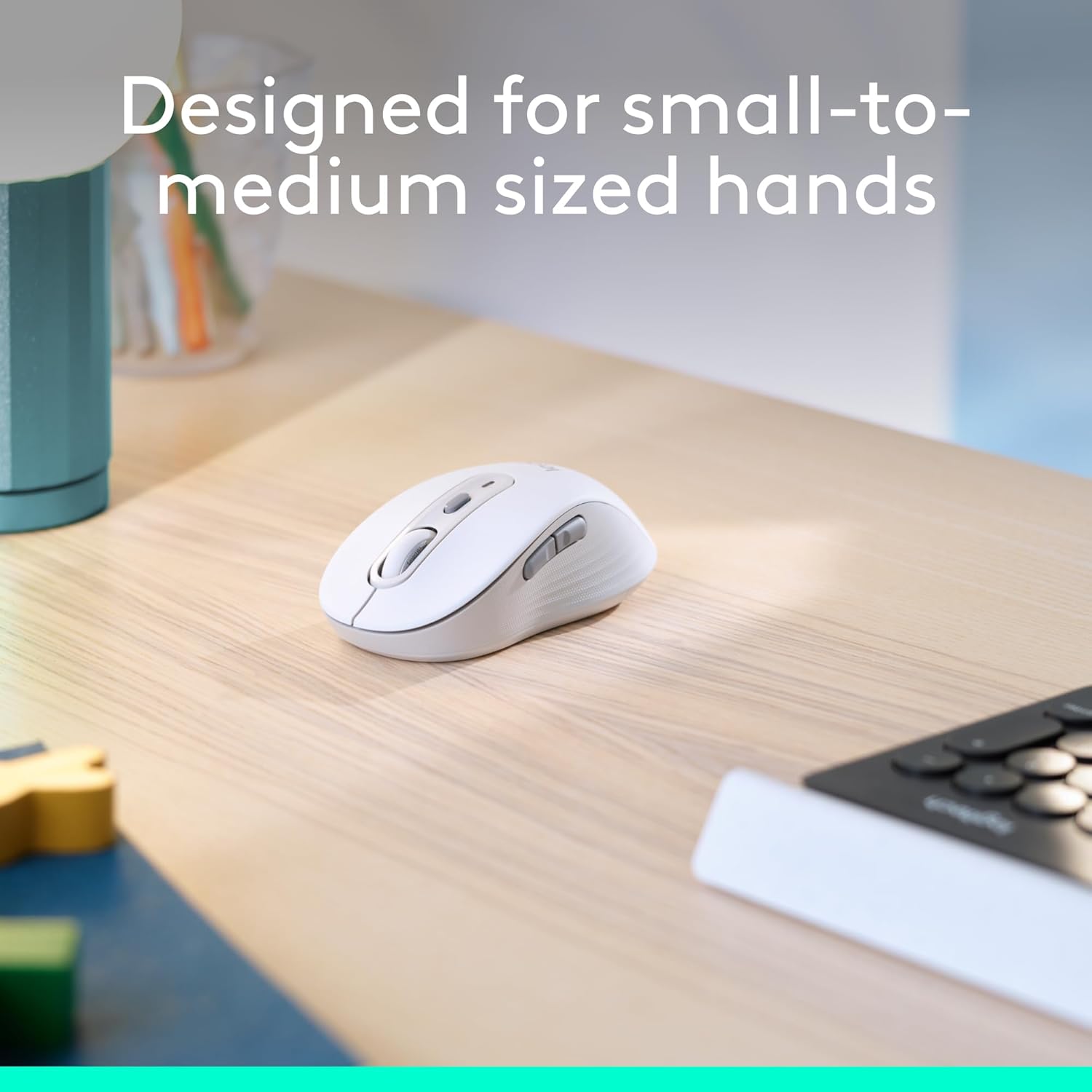
Logitech Signature M650 mouse designed for small to medium hands
The Logitech Signature M650 mouse, specifically designed for small to medium sized hands for optimal comfort.
Close-up of Logitech Signature M650 showing rubber side grips
Agara nso view of the Logitech Signature M650 highlighting the comfort shape and textured rubber side grips.

Melite

Follow these steps to quickly set up your Logitech Wireless Mouse Signature M650.

1. Ntinye batrị

  1. Chọta ebe batrị dị n'okpuru òké.
  2. Wepu mkpuchi.
  3. Insert the included AA battery, ensuring correct polarity.
  4. Dochie mkpuchi oghere batrị.
Logitech Signature M650 packaging showing the mouse and USB receiver
The Logitech Signature M650 packaging, indicating the inclusion of a USB receiver and battery.

2. Njikọta Nhọrọ

Your M650 mouse offers two ways to connect to your device:

  • Logi Bolt USB nnata: The receiver is stored inside the battery compartment. Plug it into an available USB port on your computer. The mouse should connect automatically.
  • Ike Bluetooth dị ala: Activate Bluetooth on your device. Turn on the mouse and press the connect button on the underside to enter pairing mode. Select 'Logi M650' from your device's Bluetooth settings.
Logitech Signature M650 mouse with Bluetooth and Logi Bolt USB receiver icons
The Logitech Signature M650 mouse illustrating its dual connectivity options: Bluetooth and Logi Bolt USB receiver.
Logitech Signature M650 mouse with Windows 11 compatibility message
The Logitech Signature M650 mouse is fully compatible with Windows 11, ensuring broad usability.
A detailed video demonstrating the features and setup of the Logitech Signature M650 mouse.

Ntuziaka ọrụ

Mkpọgharị SmartWheel

The SmartWheel provides two scrolling modes:

  • Nzizi n'ahịrị n'ahịrị: For detailed navigation in documents or spreadsheets.
  • Super-fast free spin: Flick the wheel for rapid scrolling through long web pages or large files.
Logitech Signature M650 mouse highlighting the SmartWheel for precision and speed scrolling
The SmartWheel on the Logitech Signature M650 offers both precision and speed scrolling capabilities.
A video demonstrating the innovative SmartWheel feature of the Logitech Signature M650 mouse.

Bọtịnụ Akụkụ A Na-ahazi

The two side buttons can be customized using Logitech Options+ software (available on Windows and macOS) to perform your favorite shortcuts, such as back/forward navigation or copy/paste functions.

Screenshot of Logitech Options+ software showing customizable buttons for M650 mouse
Customize the side buttons of your Logitech Signature M650 mouse using Logitech Options+ software for personalized shortcuts.

Pịa jụụ

The mouse features SilentTouch technology, reducing click noise by 90% compared to traditional mice, allowing for a quieter work environment.

Woman using Logitech Signature M650 mouse with '90% less clicking noise' text
Experience a quieter workspace with the Logitech Signature M650, featuring 90% less clicking noise.
A review video of the Logitech Wireless Mouse, demonstrating its features and quiet operation.

Nlekọta

Ndụ batrị

The Logitech Signature M650 is designed for extended use, offering up to 24 months of battery life on a single AA battery. Battery life may vary based on user and computing conditions.

Nhicha

To clean your mouse, use a soft, damp akwa . Zere kemịkalụ siri ike ma ọ bụ ihe na-emebi emebi.

Nchọpụta nsogbu

If you experience issues with your mouse, try the following:

  • Ensure the mouse is powered on and the battery is correctly installed.
  • Verify that the Logi Bolt USB receiver is securely plugged into a working USB port, or that your device's Bluetooth is enabled and the mouse is paired.
  • Try connecting the mouse to a different USB port or a different device to isolate the issue.
  • If using Bluetooth, try unpairing and re-pairing the mouse.

Nkọwapụta

NjirimaraNkọwa
ỤdịLogitech
Nọmba nlereanya910-006252
Teknụzụ NjikọtaBluetooth, Logi Bolt USB Nnata
Teknụzụ nchọpụta ngagharịNgwa anya
Atụmatụ pụrụ icheLightweight, Portable, Silent Clicks (SilentTouch), Wireless, Customizable Buttons, SmartWheel
Ngwaike PlatformLinux, Mac, na PC
Ndakọrịta sistemụ arụmọrụChrome OS, Linux, Windows
Ibu Ibu3.57 ounces
Akụkụ ngwaahịa4.22 x 2.43 x 0.1 sentimita asatọ
AgbaNchapụ ọcha
Isi Iyi IkeEnwekwara batrị (batrị AA gụnyere)
Nkezi Ndụ batrịỌnwa 24
Annotated diagram of Logitech Signature M650 features
An annotated diagram highlighting key features of the Logitech Signature M650 mouse, including SmartWheel, silent clicking, customizable side buttons, comfort shape, 24-month battery life, and Bluetooth connectivity.

Akwụkwọ ikike na nkwado

For warranty information, technical support, or to download the Logitech Options+ software for button customization, please visit the official Logitech support website. The mouse is designed for long-lasting performance, with an average battery life of 24 months.

Akwụkwọ ndị emetụtara - M650

Tupuview Logitech mbinye aka M650 Ntuziaka mmalite
Ntuziaka zuru oke maka ịtọlite ​​na iji òké ikuku Logitech Signature M650, gụnyere njikọta, nrụnye ngwanrọ, nhazi bọtịnụ na ozi batrị.
Tupuview Mpempe akwụkwọ data nke Logitech M240 maka azụmaahịa - Atụmatụ, nkọwapụta, na ndakọrịta
Mpempe akwụkwọ data zuru oke maka òké ikuku Logitech M240 maka azụmaahịa. Atụmatụ nkọwa dịka Logi Bolt, Silent Touch, batrị ọnwa 18, nkọwapụta ngwaahịa, ndakọrịta, na asambodo gburugburu ebe obibi.
Tupuview Logitech MX Master 3S Ntuziaka mmalite
Ntuziaka zuru oke maka ịtọ na iji òké ikuku Logitech MX Master 3S, na-ekpuchi nhazi zuru ezu, ijikọ na ọtụtụ kọmputa, nhazi bọtịnụ, njikwa mmegharị ahụ, na njikwa batrị.
Tupuview Mbinye aka Logitech M750/M750L òké: Ntọlite, atụmatụ, na ntuziaka ojiji
Ntuziaka zuru oke maka ịtọlite ​​​​na iji Logitech Signature M750 na M750L ụmụ oke, na-ekpuchi njikọ Bluetooth na Logi Bolt, ọrụ SmartWheel, njikwa mmegharị ahụ, Logitech Flow, na ozi batrị.
Tupuview Logitech LIFT Vertical Ergonomic Mouse Guide User and Setup
Ntuziaka zuru oke maka ịtọlite, jikọọ na iji Logitech LIFT Vertical Ergonomic Mouse. Mụta maka atụmatụ ya dị ka SmartWheel, Easy-Switch, na Logitech Flow.
Tupuview Ntuziaka Nhazi Òké Ikuku nke Logitech M750 na M650
Ntuziaka maka ịtọlite ​​òké ikuku Logitech M750 na M650 site na iji Bluetooth ma ọ bụ Logi Bolt, gụnyere nbudata na nkwado ngwanrọ.