1. Okwu mmalite
This manual provides comprehensive instructions for the setup, operation, and maintenance of your VTech CS2001 DECT 2 Handset Cordless Telephone system. Please read this manual thoroughly before using your new telephone to ensure proper functionality and to familiarize yourself with all features.

Image: The VTech CS2001 DECT 2 Handset Cordless Telephone system, showing one handset on its main base unit and a second handset on its auxiliary charging cradle. Both handsets feature a digital display and a standard telephone keypad.
2. Nhazi
Follow these steps to set up your VTech CS2001 DECT Cordless Telephone system.
Ihe ngwugwu 2.1
Gbaa mbọ hụ na akụrụngwa niile dị:
- 1 Ngalaba ntọala
- 2 AC adaptors
- 2 battery packs (NiMH)
- 2 ekwe ntị na-enweghị eriri
- 2 chargers (for auxiliary handset)
- Ntuziaka mmalite ngwa ngwa
- eriri ekwentị
2.2 Ntinye batrị na Nchaji
- Mepee mkpuchi mkpuchi batrị n'azụ ekwentị ọ bụla.
- Connect the battery pack connector securely into the socket inside the compartment.
- Tinye batrị batrị n'ime oghere.
- Mechie mkpuchi oghere batrị.
- Place each handset onto its respective base unit or charger. Ensure the "Charge" indicator on the base/charger illuminates.
- Allow the handsets to charge for at least 16 hours before initial use to ensure optimal battery performance.
2.3 Njikọ Njikọ
- Jikọọ otu nsọtụ nke eriri ekwentị ahụ na jaket TELLINE dị na isi ngwaọrụ ahụ.
- Jikọọ nsọtụ nke ọzọ nke eriri ekwentị ahụ na ihe mkpuchi mgbidi ekwentị gị.
- Connect the AC adaptor to the POWER jack on the base unit.
- Tinye ihe nkwụnye AC n'ime oghere eletrik ọkọlọtọ.
- For the auxiliary charger, connect its AC adaptor to the charger and then to an electrical outlet.
Mara: Use only the supplied power adaptors and battery packs. Incorrect adaptors may damage the unit.
3. Ntuziaka ọrụ
3.1 Ịkpọ na ịnata oku
- Ka ịkpọọ oku: Pịa KWURU, then dial the number. Alternatively, dial the number first and then press KWURU.
- Iji zaa oku: Mgbe ekwentị kụrụ, pịa KWURU.
- Ka ịkwụsị oku: Pịa N'ikpeazụ ma ọ bụ tinyeghachi ekwentị ahụ na ntọala/chaja.
3.2 Ọrụ Ekwentị Nkwurịta Okwu
The handsfree speakerphone allows you to converse without holding the handset.

Image: A VTech CS2001 handset is shown on a kitchen counter, with a person in the background engaged in an activity, illustrating the convenience of the handsfree speakerphone feature.
- Iji mee ka: Mgbe oku na-aga, pịa Igwe okwu button (usually marked with a speaker icon).
- Iji gbanyụọ: Pịa Igwe okwu button again or lift the handset to switch back to normal mode.
3.3 Intercom and Call Transfer
The two handsets can communicate with each other and transfer calls.
- Intercom: Pịa INT button on one handset to call the other.
- Nyefee oku: N'oge oku mpụga, pịa INT, select the other handset, and once connected, press Nyefee.
4. Atụmatụ igodo
4.1 DECT Technology and Long Range
The VTech CS2001 utilizes DECT (Digital Enhanced Cordless Telecommunications) technology, ensuring clear sound quality and secure communication. It offers a reliable long operating range of up to 300 meters outdoors.

Image: A woman is shown talking on a VTech cordless phone in a spacious, modern home environment, with graphic elements illustrating the phone's reliable long-range capability.
4.2 Nuisance Call Blocker
This feature helps manage unwanted calls. You can block specific numbers or calls from unknown numbers. The system can store up to 30 blacklisted numbers. An option to block all calls during a programmable period is also available.
Mara: This feature requires a Caller Display service subscription from your network provider, which may be chargeable.

Image: A man is depicted relaxing on a sofa, reading a book, with a VTech CS2001 handset on a table beside him. A graphic overlay signifies the call blocker feature, promoting peace of mind from unwanted calls.
4.3 Phonebook Directory
Store up to 30 names and numbers in the phonebook directory. Entries added to one handset are automatically shared with the other.

Image: A VTech CS2001 handset is shown on its charging base, accompanied by a graphic representation of a phonebook list, highlighting the 30 name and number storage capacity.
4.4 Caller ID and Call Waiting
The system records up to 20 names and numbers for Caller ID. It also supports Call Waiting functionality.
Mara: These features require a Caller Display service subscription from your network provider, which may be chargeable.
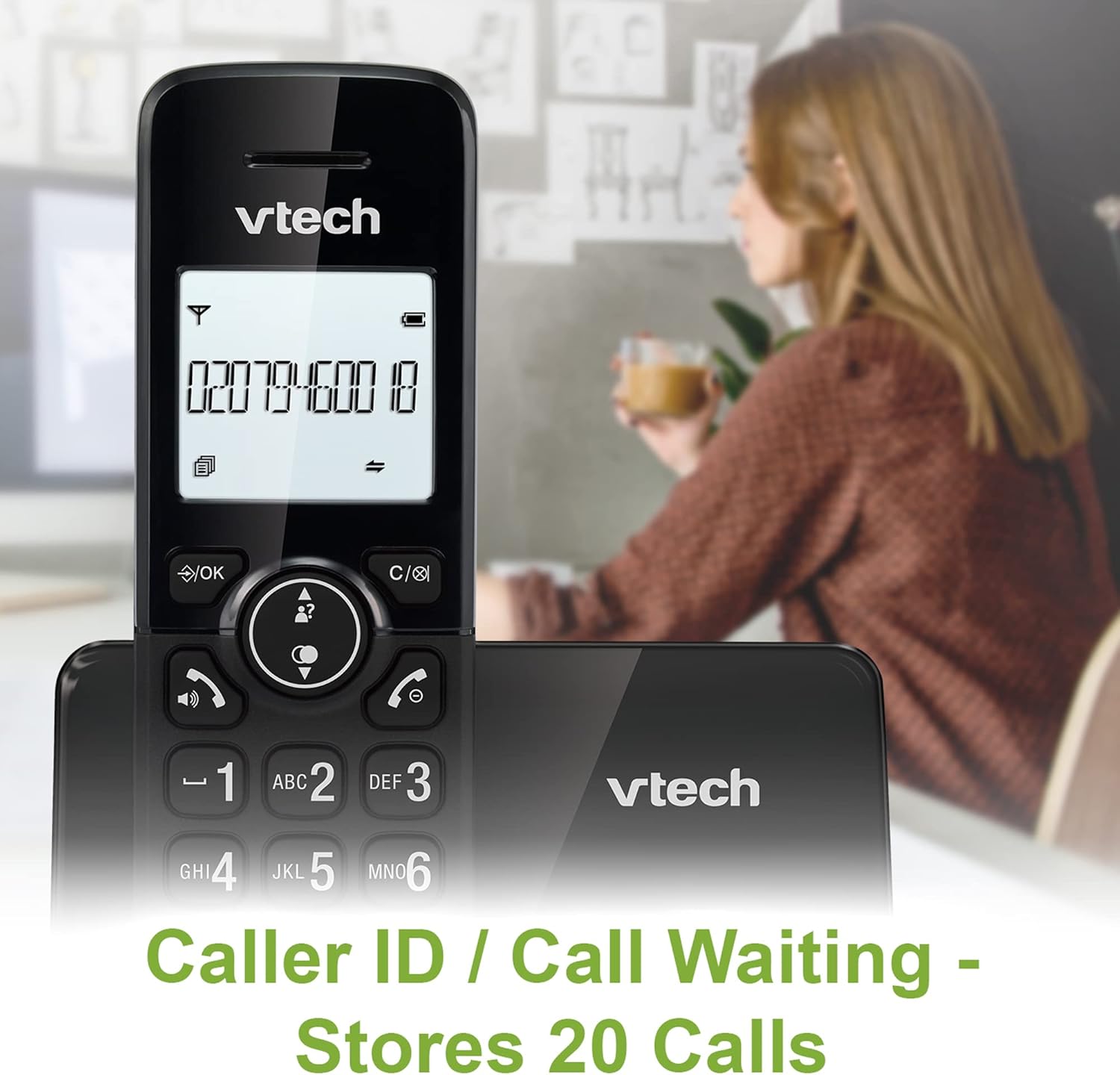
Image: A VTech CS2001 handset is positioned on its base, with its screen clearly displaying a phone number, illustrating the Caller ID feature. A person is visible in the blurred background.
4.5 1.8" Backlit Display
Each handset features a 1.8-inch backlit display, enhancing visibility and readability, especially in low-light conditions.

Foto: A nso nso view of the VTech CS2001 handset's 1.8-inch backlit display, clearly showing the text "HANDSET 1", demonstrating its enhanced visibility.
4.6 Adjustable Ring Volume and Melody
Customize your phone experience by adjusting the ring volume and selecting from various melodies.

Image: A VTech CS2001 handset rests on a wooden table, with a graphic overlay highlighting the adjustable ring volume and melody features, allowing for personalized sound settings.
4.7 Ụdị ECO
The handset automatically adjusts the radio frequency strength based on its distance from the base station, optimizing power consumption.
4.8 Alarm and Mute Function
The phone includes an alarm function and a mute feature for privacy during calls.

Image: A split image visually represents the alarm and mute functions. One side shows a woman exercising with an alarm clock icon, while the other shows a couple relaxing with a music note icon, symbolizing the phone's versatile features.
5. Nlekọta
- Nhicha: Wipe the handsets and base unit with a soft, damp cloth. Do not use cleaning sprays or abrasive cleaners.
- Nlekọta batrị: Replace batteries when their performance significantly degrades. Use only NiMH battery packs specified for this model.
- gburugburu: Keep the telephone away from heat sources, direct sunlight, and moisture.
6. Nchọpụta nsogbu
If you experience issues with your VTech CS2001, refer to the following common problems and solutions:
| Nsogbu | Ngwọta |
|---|---|
| Enweghị ụda ọkpụkpọ |
|
| Ekwentị anaghị akwụ ụgwọ |
|
| Ogo ụda adịghị mma / Static |
|
| Enweghị ike ịkpọ/nata oku |
|
7. Nkọwapụta
| Njirimara | Nkọwa |
|---|---|
| Ụdị | VTech |
| Nlereanya | CS2001 |
| Ụdị ekwentị | Cordless (DECT) |
| Ọnụọgụ nke ekwe ntị | 2 |
| Ngosipụta | 1.8" Backlit |
| Ikike akwụkwọ ekwentị | 30 aha na nọmba |
| Caller ID Records | 20 aha na nọmba |
| Call Blocker Capacity | Ruo ọnụọgụgụ 30 |
| Nọmba Ikpeazụ | Ihe ndekọ 10 |
| Isi Iyi Ike | Battery Powered (AC adaptors for base/chargers) |
| Ụdị batrị | NiMH (2 AAA batteries per handset, included) |
| Ndị otu redio akwadoro | 1.9GHz (DECT) |
| Oke dị n'èzí | Ruo 300m |
| Ibu Ibu | 680 g |
| Agba | Nwa |
8. Akwụkwọ ikike na nkwado
For warranty information and technical support, please refer to the documentation included with your product or visit the official VTech websaịtị. Debe nnata nzụta gị ka ihe akaebe nke ịzụrụ.


