Okwu mmalite
Thank you for choosing Soundcore Life A3i Noise Cancelling Wireless Earbuds. This manual provides essential information for setting up, operating, and maintaining your earbuds to ensure optimal performance and longevity.
The Soundcore Life A3i earbuds are designed to deliver a superior audio experience with advanced features:
- Ọdịda dị ike: Equipped with 10mm oversized drivers and BassUp technology for deep, thumping bass.
- Mkpọchi Mkpọtụ Ngwakọta (ANC): Reduces external noise by up to 35dB, allowing for immersive listening.
- Ụdị nghọta: Stay aware of your surroundings while enjoying your audio.
- AI-Enhanced Calls: Six dedicated microphones and an AI algorithm ensure clear calls even in noisy environments.
- Ogologo oge egwuregwu: Up to 10 hours on a single charge, and a total of 40 hours with the compact charging case (ANC off).
- Nchaji ngwa ngwa: 10 minutes of charge provides 2 hours of playback.
- Soundcore App Customization: Access 22 preset EQ settings and personalize your sound profile.
- Njikọ abụọ: Seamlessly switch between two paired devices.
- Mmiri na-eguzogide: IPX5-rated protection against sweat, rain, and water splashes.
Kedu ihe dị na Igbe ahụ
Your Soundcore Life A3i package includes the following items:
- Soundcore Life A3i mkpọtụ na-akagbu ekwe ntị
- Nchaji case
- S/M/L Ear Tips (one set pre-installed)
- USB-C USB
- Ntuziaka mmalite ngwa ngwa (QSG)
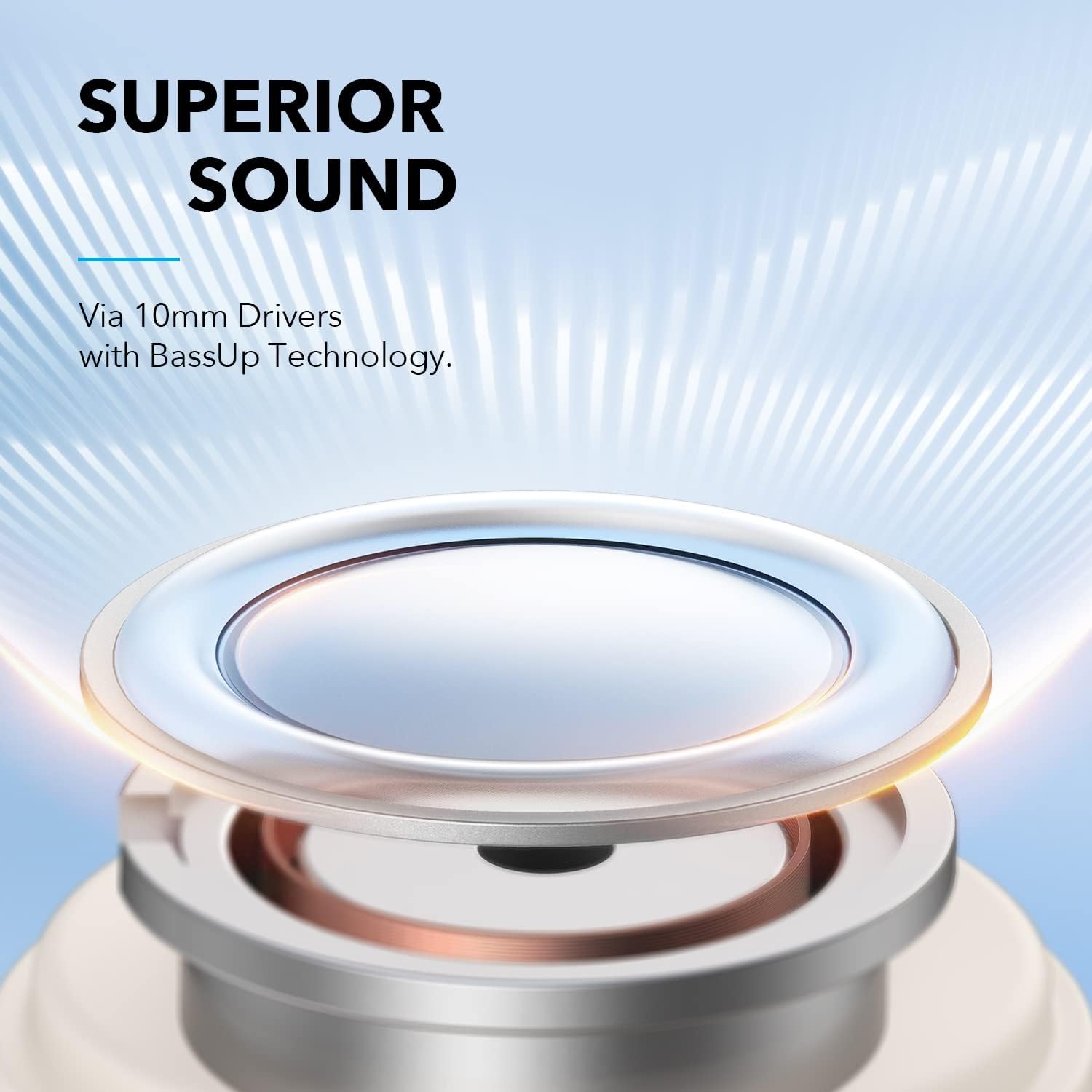
Image: The Soundcore Life A3i earbuds in their charging case, alongside the USB-C charging cable and extra ear tips.
Melite
1. Ụgwọ mbụ
Before first use, ensure your earbuds and charging case are fully charged. Connect the provided USB-C cable to the charging port on the case and a power source. The LED indicators on the case will show charging status.

Image: The Soundcore Life A3i charging case with its lid open, showing the earbuds inside and LED indicator lights on the front of the case.
2. Wepụ ihe nkiri nchebe
Upon unboxing, remove the protective film from the charging contacts on both earbuds. Place the earbuds back into the charging case and close the lid to activate them.
3. Ijikọ na ngwaọrụ gị
- Open the charging case. The earbuds will automatically enter pairing mode, indicated by flashing LED lights.
- Na ngwaọrụ gị (smartphone, mbadamba, laptọọpụ), gaa na ntọala Bluetooth.
- Select "Soundcore Life A3i" from the list of available devices.
- Once connected, the LED indicators on the earbuds will turn solid blue.
Image: A hand holding the Soundcore Life A3i charging case open, next to a smartphone screen showing "Soundcore Life A3i Connected" in the Bluetooth settings.
4. Otu esi eyi
Choose the ear tips that provide the best fit for optimal noise cancelling performance and comfort. Gently insert the earbuds into your ears and rotate them until they fit snugly and securely.
Image: A diagram illustrating the correct way to insert the earbud into the ear canal for a secure fit and the incorrect way, which can affect noise reduction.
Ntuziaka ọrụ
Njikwa
The Soundcore Life A3i offers physical buttons for control. Customize these controls via the Soundcore App.
Image: A diagram detailing the button functions for the left and right earbuds, including actions for pressing once, pressing twice, and pressing and holding for 2 seconds.
- Gwuo/kwụsịtụ: Pịa ekwe ntị otu ugboro.
- Track na-esote: Press the right earbud twice.
- Gara aga Track: Press the left earbud twice.
- Olu elu: Press the right earbud once.
- Olu ala: Press the left earbud once.
- Azịza/Kwụsị Oku: Pịa ekwe ntị otu ugboro.
- Jụ oku: Pịa otu ntị ntị maka sekọnd 2.
- Mee ka onye enyemaka olu rụọ ọrụ: Press either earbud for 2 seconds (customizable).
Ụdị ntị
The Soundcore Life A3i offers multiple listening modes to suit your environment:
- Mkpọchi Mkpọtụ Ngwakọta (ANC): Press and hold either earbud for 2 seconds to toggle between ANC and Normal mode. This mode significantly reduces ambient noise.
- Ụdị nkịtị: No active noise cancellation or transparency.
- Ụdị nghọta: This mode allows you to hear your surroundings clearly. To activate Transparency Mode, use the Soundcore App.

Image: A person wearing the Soundcore Life A3i earbuds, illustrating the Hybrid Active Noise Cancelling feature in an urban environment.
Ngwa Soundcore
Download the Soundcore App from your device's app store to unlock full customization options, including:
- Selecting from 22 preset EQ settings or creating custom sound profiles.
- Switching between ANC, Normal, and Transparency modes.
- Customizing earbud button controls.
- Na-emelite ngwa ngwa.

Image: A smartphone displaying the Soundcore App interface, highlighting the 22 EQ presets available for sound customization.
Nlekọta
Proper maintenance ensures the longevity and performance of your Soundcore Life A3i earbuds.
- Nhicha: Regularly clean the earbuds and charging case with a soft, dry, lint-free cloth. Use a cotton swab to gently clean the ear tips and charging contacts.
- Nguzogide mmiri: The earbuds are IPX5 water-resistant, meaning they can withstand sweat and light splashes. Do not submerge them in water or expose them to heavy rain. Ensure they are dry before placing them back in the charging case.
- Nchekwa: Mgbe ejighị ya, chekwaa earbuds n'ime akpa nchaji ha iji chebe ha ma debe ha ebubo.
- Zere oke okpomọkụ: Do not expose the earbuds or case to extreme temperatures (hot or cold) as this can damage the battery and internal components.
Nchọpụta nsogbu
If you encounter issues with your earbuds, try the following troubleshooting steps:
- Igwe ntị anaghị ejikọta:
- Ensure the protective film is removed from the charging contacts.
- Place earbuds back in the case, close the lid, then open to re-enter pairing mode.
- Forget "Soundcore Life A3i" from your device's Bluetooth list and try pairing again.
- Enweghị ụda sitere na otu ntị ntị:
- Place both earbuds back in the charging case and close the lid. Open it again after a few seconds.
- Check the earbud's charging contacts for any debris.
- Ogo ụda adịghị mma:
- Ensure ear tips provide a secure seal in your ear. Try different sizes.
- Clean the ear tips and speaker grilles.
- Adjust EQ settings in the Soundcore App.
- Noise Cancelling not effective:
- Ensure earbuds are worn correctly and snugly.
- Verify ANC is activated via the Soundcore App or earbud controls.
- Nwaa ntị dị iche iche nha maka akara ka mma.
- Earbuds anaghị akwụ ụgwọ:
- Gbaa mbọ hụ na ejikọrọ eriri chajị na echekwabara na ma ikpe na isi iyi ike.
- Hichaa kọntaktị ịchaji na ma ntị ntị yana n'ime akpa ahụ.
- Gbalịa eriri USB-C dị iche na nkwụnye ọkụ.
Nkọwapụta
| Aha Nlereanya | Ndụ A3i |
| Nọmba nlereanya | A3992021 |
| Nha ọkwọ ụgbọ ala | 10 mm x2 |
| Nzaghachi ugboro ugboro | 20 Hz - 20 kHz |
| Mgbochi | 16 Ω |
| Ụdị Bluetooth | 5.2 |
| Oke Bluetooth | 10 m / 33 ft |
| Oge egwuregwu (Earbuds) | Ruo awa 10 (ANC kwụsịrị) |
| ngụkọta oge egwuregwu (ya na ikpe) | Ruo awa 40 (ANC kwụsịrị) |
| Ogo Nguzogide Mmiri | IPX5 |
| Nchaji ọdụ ụgbọ mmiri | USB-C |
| Ibu Ibu | 2.08 ounces |
| Akụkụ ngwaahịa | 4.53 x 3.54 x 2.76 sentimita asatọ |
Akwụkwọ ikike na nkwado
Soundcore provides an Akwụkwọ ikike nke ọnwa 18 for the Life A3i Noise Cancelling Wireless Earbuds.
For technical support, warranty claims, or additional information, please visit the official Soundcore website or contact their customer service. You can also refer to the Quick Start Guide included in your package for contact details.
For the latest updates and support resources, please visit: www.soundcore.com


