Okwu mmalite
This manual provides detailed instructions for the Jabra Elite 2 True Wireless In-Ear Bluetooth Earbuds. It covers product setup, operation, maintenance, and troubleshooting to ensure optimal performance and user experience. Please read this manual carefully before using your earbuds.
Kedu ihe dị na Igbe ahụ
The Jabra Elite 2 package includes the following components:
- Jabra Elite 2 Ezi ekwe ntị ikuku
- Nchaji case
- USB-C eriri USB
- EarGels (three sizes: Small, Medium, Large)
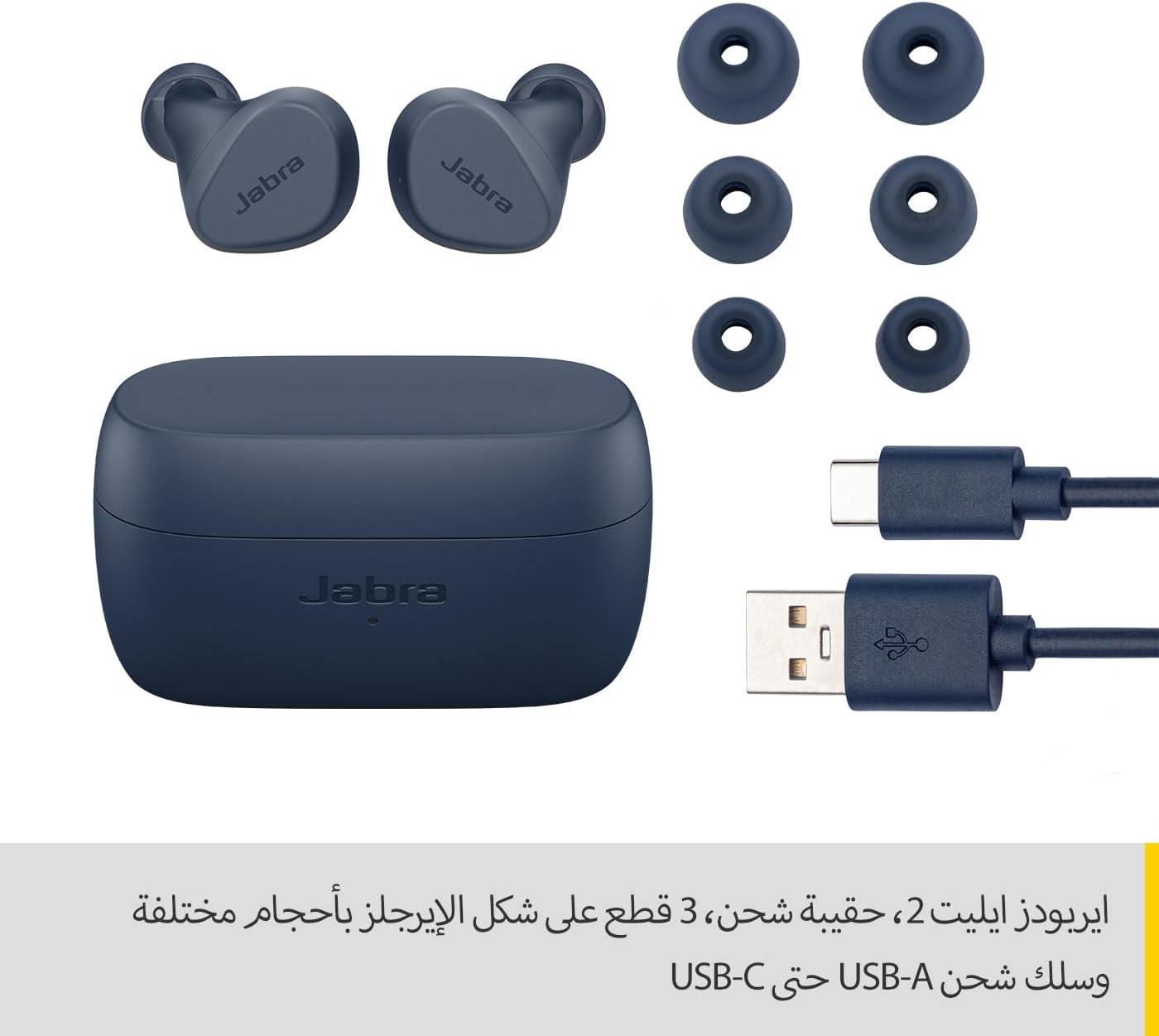
Image: Jabra Elite 2 earbuds, charging case, three sizes of EarGels, and USB-A to USB-C charging cable.
Melite
1. Ịchaji ihe ntị na akpa
Before first use, fully charge the earbuds and the charging case. Place the earbuds into the charging case and connect the USB-C cable to the charging port on the case and a power source.
- The earbuds provide up to 7 hours of listening time on a single charge.
- The charging case extends the total battery life to up to 21 hours.

Image: Jabra Elite 2 earbuds inside their charging case, ready for charging.
2. Ijikọ na ngwaọrụ Bluetooth
- Ensure the earbuds are charged and in the charging case.
- Mepee igbe nchaji. Igwe ntị ga-abanye na ọnọdụ njikọta na-akpaghị aka.
- Na ekwentị gị ma ọ bụ ngwaọrụ ọzọ nwere Bluetooth, gaa na ntọala Bluetooth.
- Select 'Jabra Elite 2' from the list of available devices.
- Ozugbo ejikọtara ya, ụda olu ga-akwado ijikọ na-aga nke ọma.
3. Ịtinye ihe ntị
For optimal sound quality and comfort, choose the correct size of EarGels. Insert the earbuds into your ears and rotate them slightly to ensure a secure and comfortable fit.
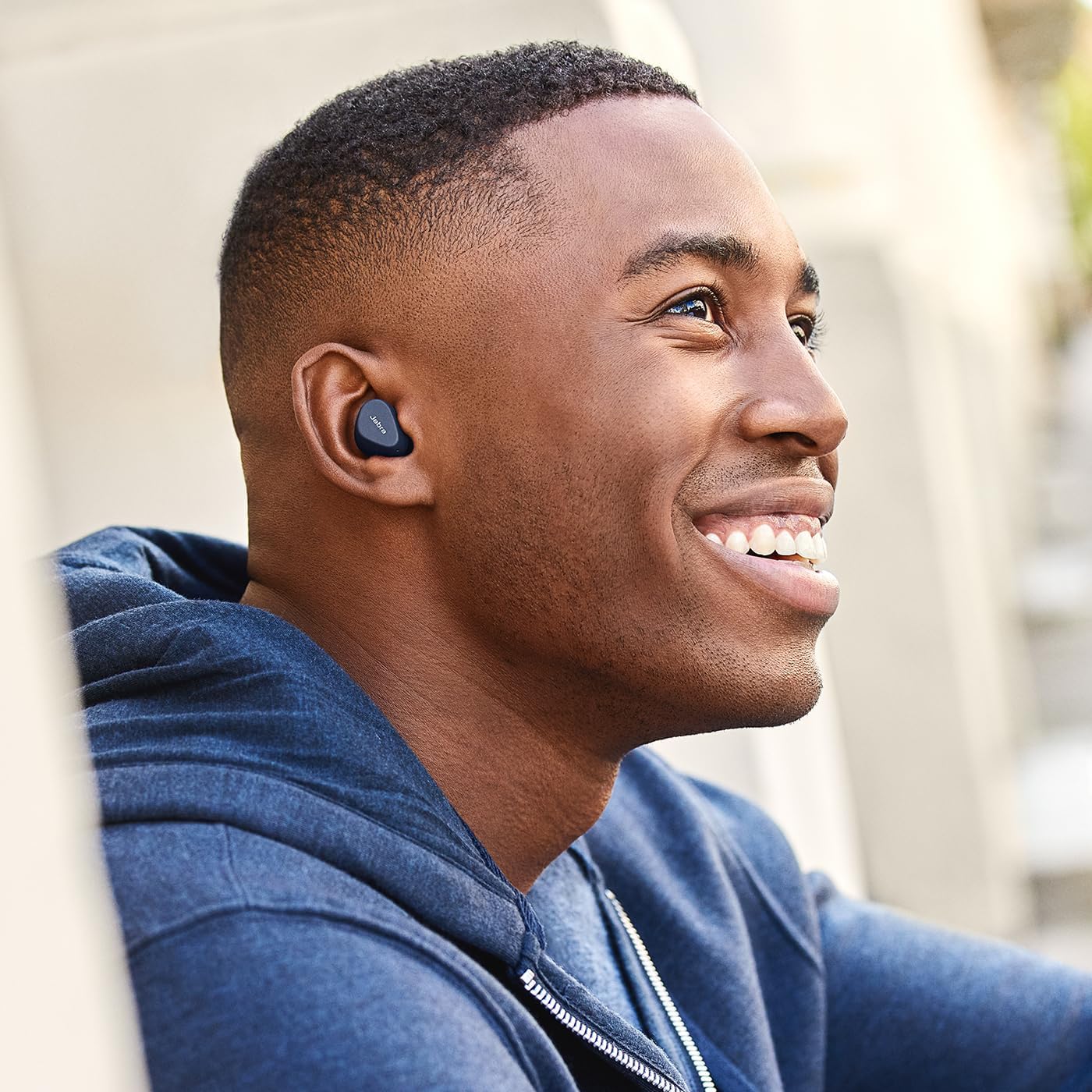
Image: A man wearing Jabra Elite 2 earbuds, demonstrating a proper fit.

Image: A woman wearing Jabra Elite 2 earbuds, demonstrating a proper fit.
Ntuziaka ọrụ
The Jabra Elite 2 earbuds feature intuitive controls for managing audio and calls.
Music and Call Controls
| Omume | Ihe ntị aka ekpe | Nri ntị aka nri |
|---|---|---|
| Kpọọ/kwụsịtụ egwu | Otu pịa | Otu pịa |
| Zaa/Kwụsị Oku | Otu pịa | Otu pịa |
| Jụ oku | Pịa ugboro abụọ | Pịa ugboro abụọ |
| Track na-esote | Pịa ugboro abụọ | N/A |
| Egwu gara aga | Triple pịa | N/A |
| Activate Voice Assistant (Alexa for Android) | N/A | Triple pịa |

Image: Close-up of Jabra Elite 2 earbuds, highlighting the control surface.
Nlekọta
Proper maintenance ensures the longevity and performance of your Jabra Elite 2 earbuds.
Nhicha
- Jiri akwa dị nro, kpọrọ nkụ na-adịghị na-ehicha ntị ntị na chaja mgbe niile.
- Remove EarGels and clean them with mild soap and water, then dry thoroughly before reattaching.
- Zere iji kemịkalụ siri ike ma ọ bụ ihe na-emebi emebi.
Mmiri Nguzogide
The Jabra Elite 2 earbuds are rated IP55 for resistance against dust and water splashes. This means they are protected against low-pressure water jets from any direction, making them suitable for use during light rain or workouts. They are not designed for submersion in water.

Image: A man wearing Jabra Elite 2 earbuds under an umbrella, illustrating their water resistance.
Nchekwa
Mgbe ejighị ya, chekwaa earbuds n'ime akpa nchaji ha iji chebe ha ma debe ha ebubo.
Nchọpụta nsogbu
If you encounter issues with your Jabra Elite 2 earbuds, refer to the following common solutions:
- Enweghị ụda/olu dị ala: Ensure earbuds are properly seated in your ears, volume is turned up on both earbuds and connected device, and EarGels are the correct size.
- Okwu ijikọ: Hụ na Bluetooth dị na ngwaọrụ gị, nakwa na ekweisi ndị ahụ dị n'ụdị njikọta. Gbalịa iwepụ ma jikọta ekweisi ndị ahụ ọzọ.
- Njikọ na-adịte aka: Keep your device close to the earbuds. Avoid environments with strong Wi-Fi or other wireless interference.
- Earbuds anaghị akwụ ụgwọ: Gbaa mbọ hụ na ejikọrọ eriri chaja na nchekwa yana akpa chajị nwere ike. Hichaa kọntaktị ịchaji na ma ntị ntị yana akpa ahụ.
- Okwu igwe okwu: Ensure the microphones are not obstructed. Check the audio input settings on your connected device. The Elite 2 features 2 microphones for clear calls.
For further assistance, visit the official Jabra support websaịtị.
Nkọwapụta
| Njirimara | Nkọwa |
|---|---|
| Aha Nlereanya | Jabra Elite 2 |
| Nọmba nlereanya | 100-91400003-60 |
| Teknụzụ Njikọta | Ikuku (Bluetooth) |
| Ndụ batrị earbud | Ruo awa iri abụọ |
| Mkpokọta ndụ batrị (ya na ikpe) | Ruo awa iri abụọ |
| Igwe okwu | Igwe okwu arụnyere 2 |
| Njikwa mkpọtụ | Mkpọtụ iche |
| Ogo Nguzogide Mmiri | IP55 (Rain, Dust, Water Resistant) |
| Eji akwadoro | Listening to audio (music, podcasts), phone calls, sports, fitness, travel |
| Ngwa dakọtara | Ngwa ndị enyere Bluetooth aka |
| Ụdị njikwa | Media/Volume Control, Remote Control |
| Ngwa gụnyere | Protective case, USB-C cable, EarGels |
| Agba | Ndị agha mmiri |
Akwụkwọ ikike na nkwado
Ozi akwụkwọ ikike
The Jabra Elite 2 earbuds come with a 2-afọ akwụkwọ ikike. Product registration is required to activate the full warranty period. Please refer to the warranty card included in your package or visit the official Jabra websaịtị maka nkọwa zuru ezu usoro na ọnọdụ.
Nkwado ndị ahịa
For technical support, frequently asked questions, or to register your product, please visit the official Jabra support page:
You may also find additional resources and software updates on the Jabra websaịtị.


