Okwu mmalite
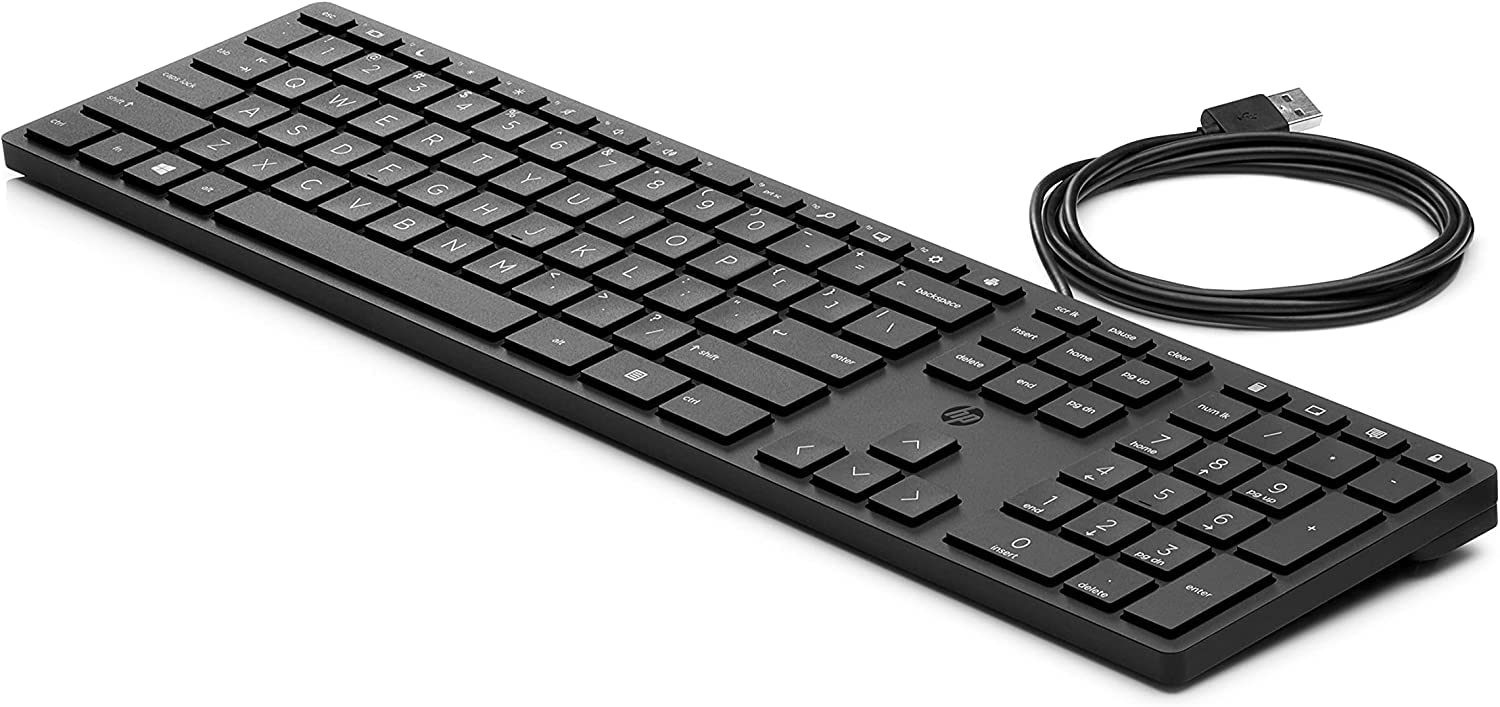
Welcome to the user manual for your new HP Desktop 320k Wired Keyboard. This manual provides essential information on setting up, operating, maintaining, and troubleshooting your keyboard to ensure optimal performance and longevity. Please read these instructions carefully before using your device.
Melite
Follow these steps to connect your HP Desktop 320k Wired Keyboard to your computer:
- Mepee ahụigodo: Jiri nlezianya wepụ ahụigodo ahụ n'ime ngwugwu ya. Hụ na ihe niile dị na ya dị.
- Identify the USB Connector: Locate the USB-A connector at the end of the keyboard's cable.
- Connect to Your PC: Plug the USB-A connector into an available USB port on your PC. The keyboard is designed for plug-and-play functionality, meaning it should be recognized automatically by your operating system without additional driver installation.
- Nyochaa njikọ: Once connected, your operating system should indicate that a new device has been detected and is ready for use. Test the keyboard by typing in a text editor or browser.
Na-arụ ọrụ
The HP Desktop 320k Wired Keyboard is designed for everyday use, offering a comfortable and reliable typing experience.
- Mpịnye ọkọlọtọ: Use the keyboard for all standard typing tasks, including document creation, email, and web na -eme nchọgharị.
- Nhazi Ergonomic: The keyboard features an ergonomic design to promote a natural wrist position and reduce strain during extended use.
- Igodo igwe: Benefit from the tactile feedback and durability of mechanical keys, providing a responsive typing experience.
- Igodo ọrụ: Utilize the function keys (F1-F12) for various shortcuts and commands, often in combination with the 'Fn' key if present, depending on your operating system and software.
- Ahụigodo ọnụọgụ: The integrated numeric keypad allows for efficient data entry and calculations.
Nlekọta
Proper care and maintenance will help extend the life of your HP Desktop 320k Wired Keyboard:
- Na-ehicha elu: Jiri akwa dị nro na-enweghị ntụpọ dampened with water or a mild cleaning solution to wipe down the keyboard surface. Avoid harsh chemicals or abrasive materials.
- Cleaning Between Keys: Use compressed air to remove dust, crumbs, and debris from between the keys. For stubborn dirt, a small brush or cotton swab can be used.
- Zenarị Mwụfu Mmiri: Keep liquids away from the keyboard to prevent damage to internal components. In case of a spill, immediately disconnect the keyboard from your PC and allow it to dry completely before reconnecting.
- Nchekwa: Mgbe a naghị eji ya ruo ogologo oge, debe ahụigodo ahụ n'ebe dị ọcha ma kpọọ nkụ, ebe okpomọkụ dị oke njọ na-agaghị adị.
Nchọpụta nsogbu
If you encounter issues with your HP Desktop 320k Wired Keyboard, try the following troubleshooting steps:
- Ahụigodo Anaghị aza:
- Ensure the USB cable is securely plugged into both the keyboard and the PC.
- Gbalịa itinye ahụigodo ahụ n'ọdụ ụgbọ mmiri USB dị iche na PC gị.
- Malitegharịa ekwentị gị na kọmputa.
- Test the keyboard on another computer, if possible, to determine if the issue is with the keyboard or the PC.
- Igodo anaghị arụ ọrụ:
- Check for any physical obstructions or debris under the non-functional keys. Use compressed air to clear them.
- Ensure no software or operating system settings are interfering with key input.
- Incorrect Characters Appearing:
- Verify that your operating system's keyboard language settings match the layout of your physical keyboard (e.g., Italian layout).
Ọ bụrụ na usoro ndị a akwụsịghị nsogbu a, biko rụtụ aka na ngalaba akwụkwọ ikike na nkwado maka enyemaka ọzọ.
Nkọwapụta
| Njirimara | Nkọwa |
|---|---|
| Ụdị | HP |
| Nlereanya | 320k |
| Nọmba akụkụ | 9SR37A6 |
| Teknụzụ Njikọta | Ekwenyere (USB-A) |
| Nkọwa ahụigodo | Mechanical |
| Njirimara Pụrụ Iche | Ergonomic imewe |
| Ngwa dakọtara | PC |
| Ihe onwunwe | Polybutylene terephthalate |
| Isi Iyi Ike | Ọdụdọ eletriki |
| Agba | Nwa |
Akwụkwọ ikike na nkwado
Your HP Desktop 320k Wired Keyboard comes with a standard manufacturer's warranty. For specific details regarding warranty coverage, duration, and terms, please refer to the warranty card included with your product or visit the official HP support websaịtị.
For technical support, troubleshooting assistance beyond this manual, or to inquire about warranty claims, please contact HP Customer Support through their official website or designated support channels. Have your product model and serial number ready when contacting support.
HP Official Support: www.hp.com/udo