Okwu mmalite
This manual provides detailed instructions for setting up and using your MOFii Wireless Keyboard and Mouse Combo. Designed for comfort and efficiency, this combo offers a reliable 2.4GHz wireless connection, making it ideal for various computing tasks.
The MOFii Wireless Keyboard and Mouse Combo features a stylish multi-color design and is compatible with Windows XP/Vista/7/8/10 or later operating systems. It is also compatible with laptops, desktops, PCs, and notebooks. Please note that it is not fully compatible with Mac systems.
Ntuziaka nhazi
- Wụnye batrị: Open the battery compartment on the underside of both the keyboard and the mouse. Insert the required batteries (typically AA for keyboard, AAA for mouse, not included) ensuring correct polarity.
- Chọta onye nnata USB: The single USB receiver for both the keyboard and mouse is typically stored in the battery compartment of the mouse for convenience. Carefully remove it.
- Jikọọ eriri USB: Plug the USB receiver into an available USB port on your computer (PC, laptop, desktop, or notebook).
- Ike Na: Gbanye keyboard na òké site na iji ihe mgba ọkụ ike ha (nke a na-ahụkarị n'okpuru).
- Njikọ akpaaka: The keyboard and mouse should automatically connect to your computer within a few seconds. No additional software installation is required.
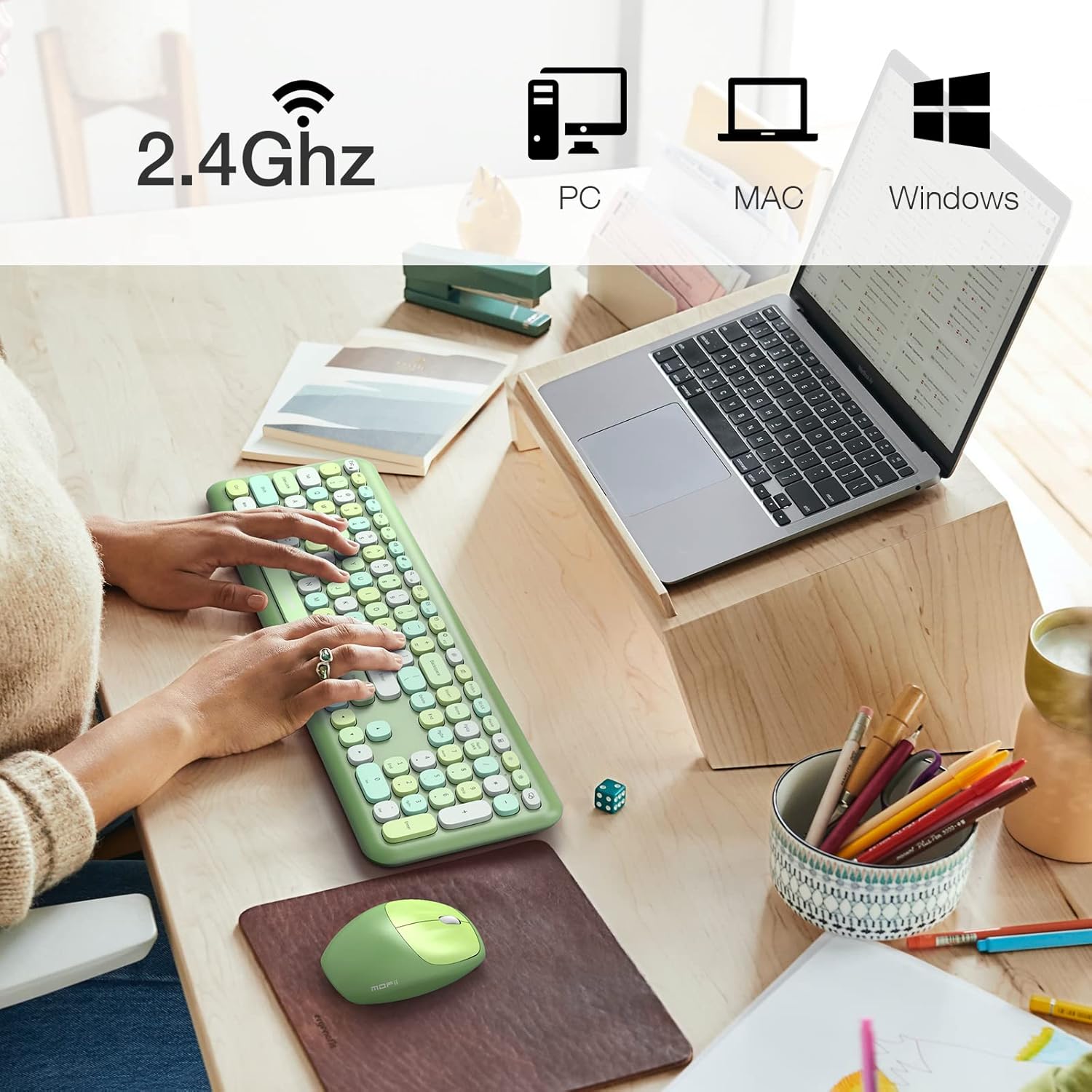
Image: The MOFii wireless mouse showing its battery compartment, where the USB receiver is stored, and indicating a 10-meter wireless range.
Ntuziaka ọrụ
Ojiji ahụigodo:
- Na-ede: The full-size keyboard provides a comfortable typing experience with responsive keys.
- Igodo Ọrụ (Njikọ Fn): Utilize the 'Fn' key in combination with other keys for various shortcuts. For exampLe:
| Ngwakọta igodo | Ọrụ |
|---|---|
| Fn + Esc | Mkpọchi Kọmputa |
| Fn + F1 | Egwu gara aga |
| Fn + F2 | Kpọọ/kwụsịtụ mgbasa ozi |
| Fn + F3 | Track na-esote |
| Fn + F4 | Ogbi Audio |
| Fn + F5 | Mpịakọta ọnụ |
| Fn + F6 | Elu elu |
| Fn + F7 | Mepee Web Ihe nchọgharị |
| Fn + F8 | ọchụchọ |
| Fn + F9 | Mepee onye ahịa email |
| Fn + F10 | Mepee ọkacha mmasị |
| Fn + F12 | Mepee Ntọala |

Image: A visual representation of the MOFii keyboard highlighting the 'Fn' key and its various shortcut combinations for enhanced productivity.
Ojiji òké:
- Clicking and Scrolling: The mouse provides precise tracking and quiet clicks for comfortable navigation.
- Nchekwa ike akpaaka: To conserve battery life, the mouse will automatically enter sleep mode after 15 minutes of inactivity. Press any button to wake it up instantly.

Image: The MOFii wireless mouse, emphasizing its quiet click feature, suitable for environments where minimal noise is desired.

Image: A diagram showing the automatic power-saving features of the MOFii wireless mouse, transitioning from active use to auto-sleep and reactivation.
Nlekọta
- Nhicha: Jiri ákwà dị nro ma kpọrọ nkụ hichaa elu nke ahụigodo na òké. Maka nhicha miri emi, jiri obere d hichaa elu nke ahụigodo na òké.amp A pụrụ iji ákwà nwere ncha dị nro mee ihe, na-eme ka mmiri ghara ịbanye na ngwaọrụ ndị ahụ.
- Ngbanwe batrị: When the devices become unresponsive or performance degrades, replace the batteries. Refer to the 'Setup Instructions' for battery compartment location.
- Nchekwa: When not in use for extended periods, turn off the devices and store them in a cool, dry place. Consider removing batteries if storing for several months.
Nchọpụta nsogbu
- Enweghị njikọ:
- Hụ na e tinyere ihe nnata USB n'ime ọdụ ụgbọ USB na-arụ ọrụ nke ọma.
- Check if the batteries in both the keyboard and mouse are correctly installed and have sufficient charge.
- Gbaa mbọ hụ na agbanyere ngwaọrụ abụọ a.
- Gbalịa itinye ihe nnata USB n'ọdụ ụgbọ mmiri USB dị iche.
- Njikọ Lag ma ọ bụ Nkwụsị:
- Bugharịa ahụigodo na òké nso na ihe nnata USB.
- Zere itinye ihe nnata nso ngwaọrụ ikuku ndị ọzọ (dịka ọmụmaatụ, rawụta Wi-Fi, ekwentị enweghị waya) nke nwere ike ibute nsogbu.
- Gbaa mbọ hụ na enweghị nnukwu ihe igwe n'etiti ngwaọrụ na nnata.
- Ihe Ntugharị Òké Na-awụlikwa elu ma ọ bụ na-ezighi ezi:
- Hichaa ihe mmetụta anya dị n'okpuru òké ahụ.
- Jiri òké ahụ n'elu ala dị ọcha, nke anaghị atụgharị uche ma ọ bụ pad òké.
- Igodo anaghị aza:
- Lelee ọkwa batrị wee dochie ma ọ dị mkpa.
- Hụ na ejiri keyboard ahụ rụọ ọrụ ma jikọọ ya.
- Malitegharịa ekwentị gị na kọmputa.
Nkọwapụta
- Akara: MOFII
- Ụdị: B09BFBCQWF
- Agba: Green Mixed
- Teknụzụ Njikọta: 2.4GHz USB Wireless
- Njirimara Pụrụ Iche: Cute Design, Automatic Power Saving
- Ngwa dakọtara: Laptop, Personal Computer, Tablet (Windows XP/Vista/7/8/10 or later; not fully compatible with Mac System)
- Akụkụ ngwugwu: 17.52 x 5.63 x 2.83 sentimita asatọ
- Ibu ihe: 1.89 pound
- Òké DPI: 1200
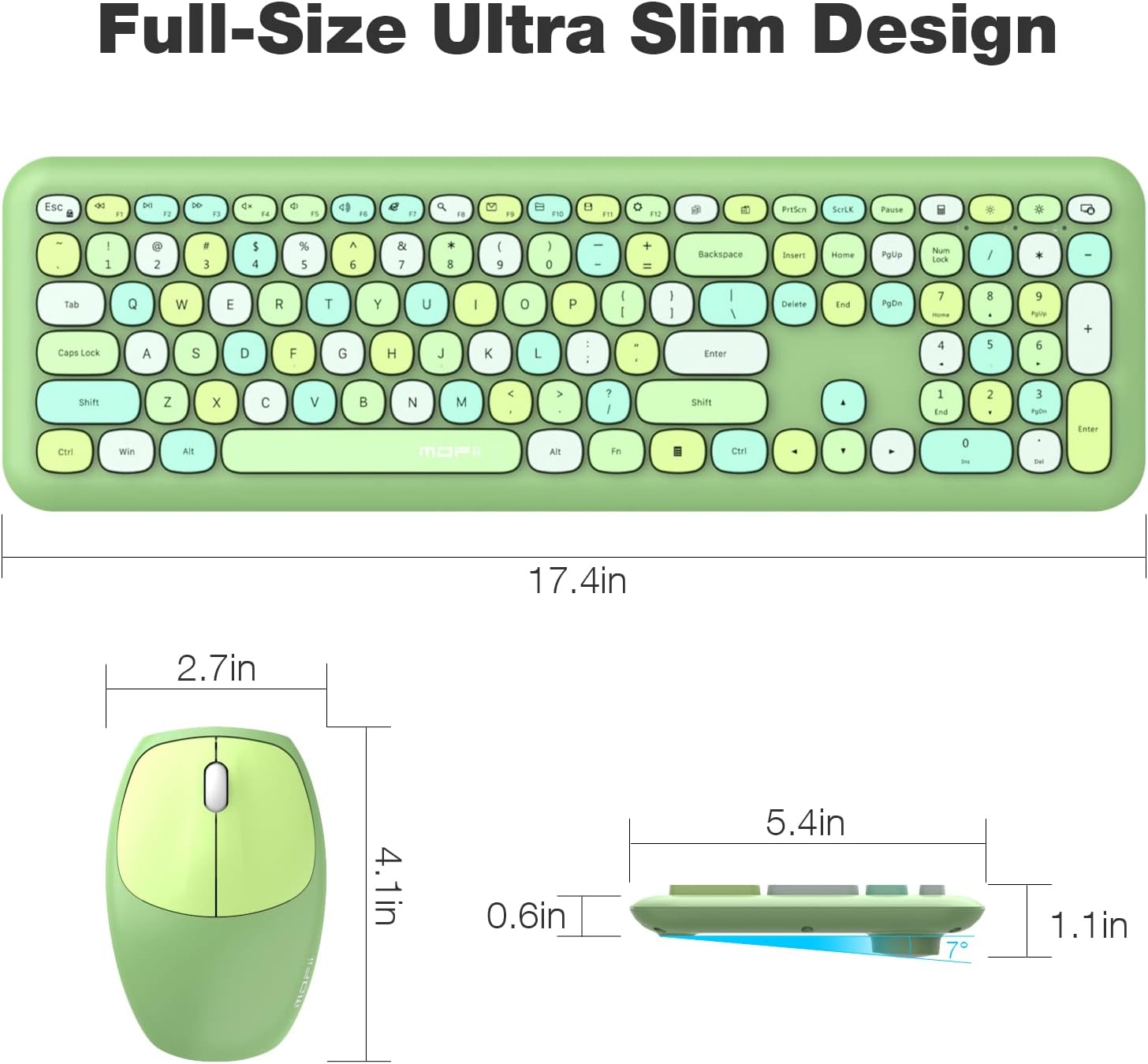
Image: Detailed dimensions of the MOFii wireless keyboard and mouse, illustrating their compact and ergonomic design.
Akwụkwọ ikike na nkwado
For warranty information and customer support, please refer to the documentation included with your product packaging or visit the official MOFII websaịtị. Debe nnata nzụta gị dị ka ihe akaebe nke ịzụrụ ihe maka akwụkwọ ikike ọ bụla.
If you encounter any issues not covered in this manual, please contact MOFii customer service for assistance.


