1. Okwu mmalite
This manual provides essential information for the safe and effective use of your Amazon Echo Dot (5th Gen) smart speaker. Please read these instructions thoroughly before operating the device and retain them for future reference.

Image: Amazon Echo Dot (5th Gen) in Glacier White on a wooden surface, highlighting its compact size and capabilities.
2. Kedu ihe dị na Igbe ahụ
Chọpụta na ihe niile dị na nkwakọ ngwaahịa:
- Echo Dot (5th Gen) Device
- Glacier White Power Adapter (15W)
- Ntuziaka mmalite ngwa ngwa
3. Ngwaahịa gafereview
The Amazon Echo Dot (5th Gen) is a compact smart speaker designed to deliver an enhanced audio experience and integrate seamlessly with your smart home ecosystem. It features a spherical design with a fabric finish and an LED light ring at the base.

Image: Amazon Echo Dot (5th Gen) in Glacier White, front view with glowing light ring.
Akụkụ ndị bụ isi:
- Improved Audio: Features a 1.73” (44 mm) front-firing speaker for clearer vocals, deeper bass, and vibrant sound.
- Onye enyemaka olu Alexa: Provides hands-free control for music, information, timers, and smart home devices.
- Njikwa nzuzo: Includes a microphone off button and the ability to view and delete voice recordings.
- Ebe Nchekwa Amamihe: Supports WiFi, Bluetooth Low Energy Mesh, and Matter for compatible smart home device control.
- Ihe mmetụta okpomọkụ: Built-in sensor for triggering smart home routines.
- Tap Controls: Tap the top of the device to snooze alarms or pause music.
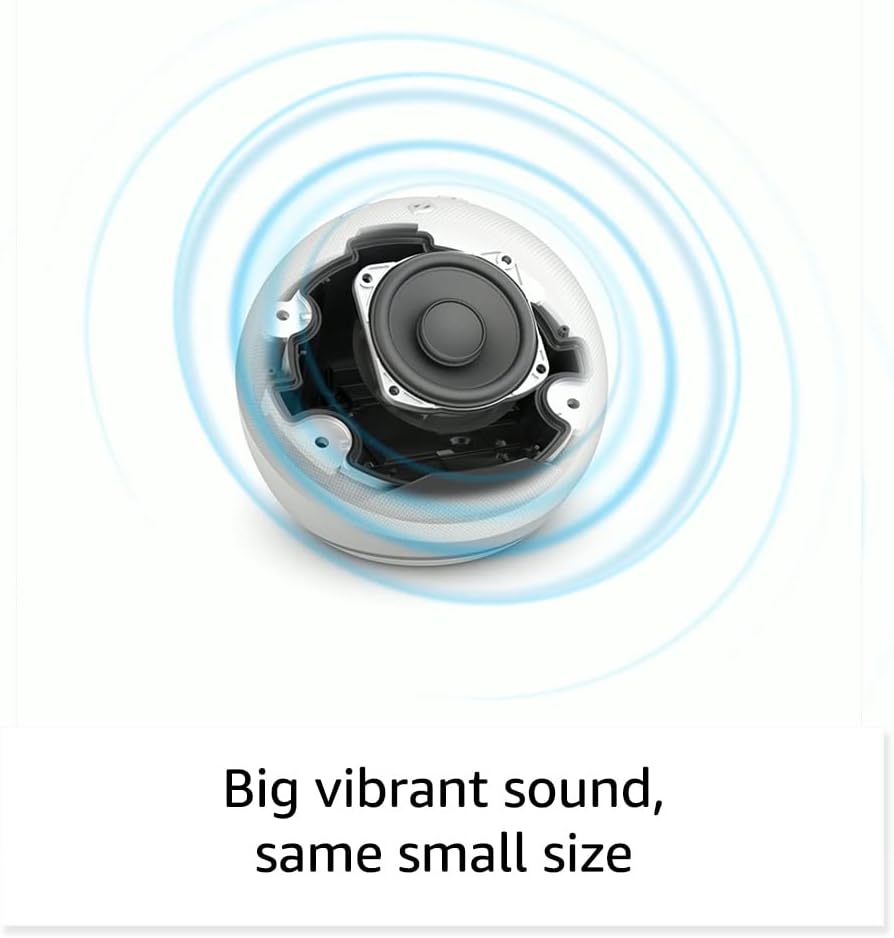
Foto: Ime view of the Amazon Echo Dot (5th Gen) speaker components, illustrating its audio design.
4. Nhazi
Follow these steps to set up your Echo Dot (5th Gen):
- Tinye ntụpọ Echo gị: Connect the included power adapter to your Echo Dot and then to a power outlet. The light ring will turn blue, then orange, indicating it's ready for setup.
- Budata ngwa Alexa: On your mobile device, download and install the Amazon Alexa app from your device's app store (compatible with Fire OS, Android, and iOS devices).
- Tinye ngwaọrụ gị: Open the Alexa app. If prompted, sign in with your Amazon account. Tap the 'Devices' icon at the bottom, then the '+' icon in the top right corner. Select 'Add Device', then 'Amazon Echo', and choose 'Echo Dot'.
- Soro ntuziaka na ihuenyo: The app will guide you through connecting your Echo Dot to your Wi-Fi network. Ensure your Wi-Fi network supports 802.11a/b/g/n/ac (2.4 and 5 GHz). Ad-hoc networks are not supported.
- Nkwanye: Place your Echo Dot in a central location within your room, away from walls or other objects that might obstruct sound.
5. Ịrụ ọrụ Echo Dot gị
Voice Commands with Alexa:
To interact with your Echo Dot, simply say the wake word "Alexa," followed by your command or question. The light ring will turn blue to indicate Alexa is listening.
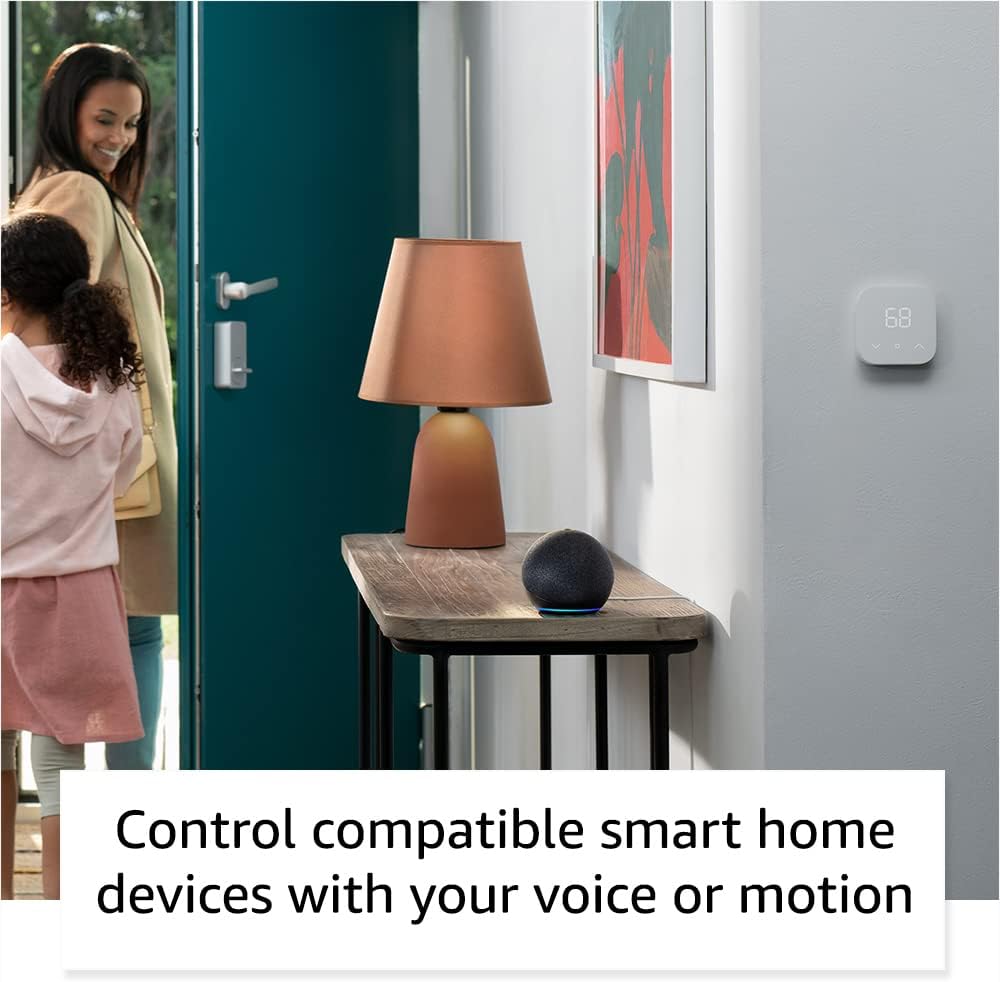
Image: Amazon Echo Dot (5th Gen) in Deep Sea Blue on a kitchen counter, demonstrating a user asking Alexa for the weather.
Iwu nkịtị:
- "Alexa, kpọọ egwu."
- "Alexa, kedu ihu igwe?"
- "Alexa, setịpụ oge maka nkeji iri na ise."
- "Alexa, gwa m ihe ọchị."
- "Alexa, bulie olu ahụ elu."
Tap Controls:
The top surface of your Echo Dot is touch-sensitive for quick actions:
- Tap to Snooze: When an alarm sounds, tap the top of the device to snooze it.
- Tap to Pause/Resume: Tap to pause or resume music playback.

Image: A hand tapping the top of the Amazon Echo Dot (5th Gen) in Glacier White, demonstrating the tap-to-snooze or pause music function.
6. Smart Home Integration
Your Echo Dot can control compatible smart home devices using voice commands or routines. It supports WiFi, Bluetooth Low Energy Mesh, and Matter protocols.
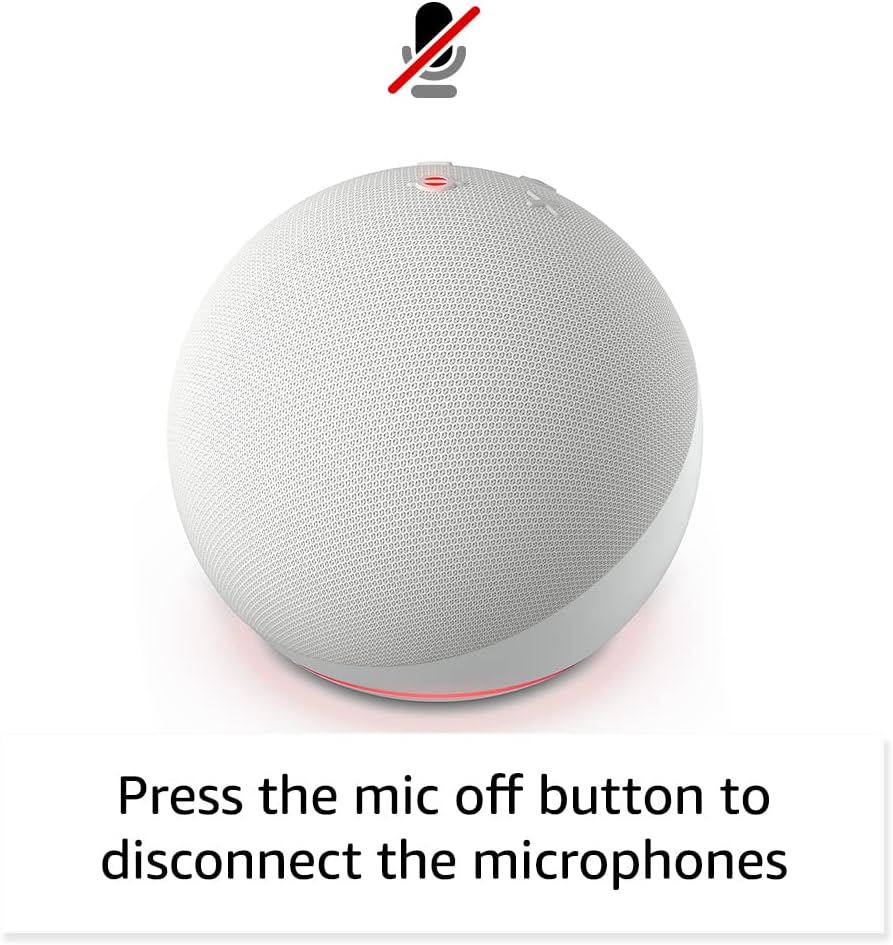
Image: Amazon Echo Dot (5th Gen) in a living space, illustrating its use for controlling compatible smart home devices.
Using the Temperature Sensor:
The built-in temperature sensor allows you to create routines in the Alexa app. For example, you can set a routine to automatically turn on a fan if the room temperature exceeds a specified comfort zone.
Ụzọ Njem Amazon:
Amazon Sidewalk uses Echo and Ring devices to securely keep other devices connected and help find lost items. It can enable supported devices to remain connected even when Wi-Fi is lost or they are outside the range of their home Wi-Fi. Sidewalk uses a small portion of your internet bandwidth. You can manage Sidewalk settings in the Alexa app.
eero E wuru n'ime ya:
If you have a compatible eero router, your Echo Dot can extend Wi-Fi coverage. This feature requires linking your eero and Amazon accounts and managing it through the eero mobile application. eero Built-in compatible Echo devices support up to 1,000 sq. ft. of additional coverage, speeds up to 100 Mbps, and 10 or fewer connected devices in the 5 GHz band.
7. Atụmatụ Nzuzo
E mepụtara ngwaọrụ Amazon Echo site na ọtụtụ njikwa nzuzo:
- Bọtịnụ Gbanyụọ Igwe Okwu: Press the microphone off button on the top of your Echo Dot to electronically disconnect the microphones. The light ring will turn red to indicate the microphones are off.
- Voice Recordings: I nwere ike ime view, listen to, and delete your voice recordings through the Alexa app or your Amazon account settings.
- Teknụzụ Okwu Wake: The device only begins recording and sending audio to the cloud after it detects the wake word (e.g., "Alexa").
Image: Amazon Echo Dot (5th Gen) with a red light indicating the microphone is off, showing the privacy control feature.
8. Atụmatụ nnweta
The Alexa app provides various accessibility features to personalize your experience. Access these settings by navigating to 'Settings' → 'Accessibility' in the Alexa App.
- Ntị Na-agbanwe Agbanwe: Na-enye oge ka ukwuu iji kwuchaa okwu tupu Alexa azaa.
- Ọnụego okwu a kacha amasị: Control how fast or slow Alexa speaks by saying "Alexa, speak slower" or "Alexa, speak faster."
- Rịọ Ụda: Plays an audible tone in addition to the visual indicator when you speak to Alexa. Enable by saying "Alexa, turn on Start of Request Sound."
- Gụọ Kindle n'olu dara ụda: Alexa nwere ike ịgụ akwụkwọ Kindle gị nke ọma.
- Gwa mgbe ị nọ nso: Ọ na-akpọ ụda ọkwa mgbe achọpụtara gị nso ngwaọrụ Echo gị.
9. Nlekọta
To ensure the longevity and optimal performance of your Echo Dot:
- Nhicha: Use a soft, dry, lint-free cloth to clean the device. Do not use abrasive cleaners or sprays.
- Nkwanye: Avoid placing the device in direct sunlight, near heat sources, or in excessively humid environments.
- Mmelite ngwanrọ: Your Echo Dot automatically receives software security updates. Ensure it remains connected to Wi-Fi for these updates.
10. Nchọpụta nsogbu
Okwu na azịza ndị nkịtị:
- Ngwaọrụ anaghị aza:
- Ensure the microphone is not muted (red light ring indicates mute).
- Check if the device is plugged in and powered on.
- Restart the device by unplugging it from the power outlet for 30 seconds and then plugging it back in.
- Enweghị ike ijikọ na Wi-Fi:
- Nyochaa paswọọdụ Wi-Fi gị ziri ezi.
- Ensure your router is working and other devices can connect.
- Bugharịa Echo Dot nso na rawụta Wi-Fi gị.
- Malitegharịa ekwentị gị na modem gị.
- Ogo ọdịyo adịghị mma:
- Adjust the volume using voice commands or the Alexa app.
- Gbaa mbọ hụ na etinyeghị ngwaọrụ ahụ n'ime oghere nke nwere ike mebie ụda.
- Check for any physical obstructions around the speaker.
- Alexa Not Understanding Commands:
- Speak clearly and at a normal pace.
- Reduce background noise.
- Ensure you are within hearing range of the device.
11. Nkọwapụta
| Njirimara | Nkọwa |
|---|---|
| Nha | 3.9” x 3.9” x 3.5” (100mm x 100mm x 89mm) |
| Ibu | 10.7 oz (304g) |
| Audio | Igwe okwu ihu nke dị 1.73” (44 mm), Nkọwa dị elu nke na-enweghị Lossless |
| Njikọ Wi-Fi | Wi-Fi nwere eriri abụọ na-akwado netwọk 802.11a/b/g/n/ac (2.4 na 5 GHz). Anaghị akwado netwọk ad-hoc. |
| Njikọ Bluetooth | A2DP support for audio streaming, AVRCP for voice control of connected mobile devices. Bluetooth speakers requiring PIN codes are not supported. |
| Smart Home Device Compatibility | WiFi, Bluetooth Low Energy Mesh, and Matter |
| Achọrọ Sistemụ | Alexa app compatible with Fire OS, Android, and iOS devices. Web browser access also available. |
| Ọgbọ | Mwepụta Echo Dot (ọgbọ nke ise) - 2022 |
| Asụsụ | Alexa na-asụ Bekee na Spanish |
12. Akwụkwọ ikike na nkwado
Ozi akwụkwọ ikike:
Your Echo Dot (5th Gen) comes with a 90-day limited warranty and service. Optional 1-year, 2-year, and 3-year extended warranties are available for U.S. customers and are sold separately. Use of the Echo Dot is subject to specific terms and conditions.
Mmelite Nchekwa Ngwanrọ:
This device is guaranteed to receive software security updates for at least four years after it is last available for purchase as a new unit on Amazon websites. For more information on software security updates or to manage your device, visit the Amazon websaịtị.
Nkwado ndị ahịa:
For further assistance, please refer to the Amazon Alexa app or visit the Amazon support website. You can also find information specific to your device by visiting 'Manage Your Content and Devices' on Amazon.


