Okwu mmalite
The Amazon Fire HD 8 tablet is designed for portable entertainment and productivity. Featuring an 8-inch HD display and a faster hexa-core processor, it offers an enhanced experience for reading, browsing, watching videos, and listening to music. This manual provides essential information for setting up, operating, maintaining, and troubleshooting your device.

Image: The Amazon Fire HD 8 tablet, highlighting its compact and portable design.
Melite
Kedu ihe dị na Igbe ahụ
- Mbadamba Fire HD 8
- Eriri USB-C (2.0)
- 5W nkwụnye ọkụ
- Ntuziaka mmalite ngwa ngwa
Ebo mbụ
Before first use, fully charge your Fire HD 8 tablet. Connect the USB-C cable to the tablet's USB-C port and the 5W power adapter to a wall outlet. A full charge takes approximately 5 hours with the included adapter. For faster charging, a 9W adapter (under 3 hours) or a 15W adapter with a USB-C to C cable (under 2.5 hours) can be purchased separately.
Na-agbanye ọkụ na nhazi mbụ
Press and hold the power button until the Amazon logo appears. Follow the on-screen prompts to select your language, connect to a Wi-Fi network, and register your device with your Amazon account. This process will guide you through setting up your device preferences.
Operating Your Fire HD 8 Tablet
Nsoroụzọ na Njikọta
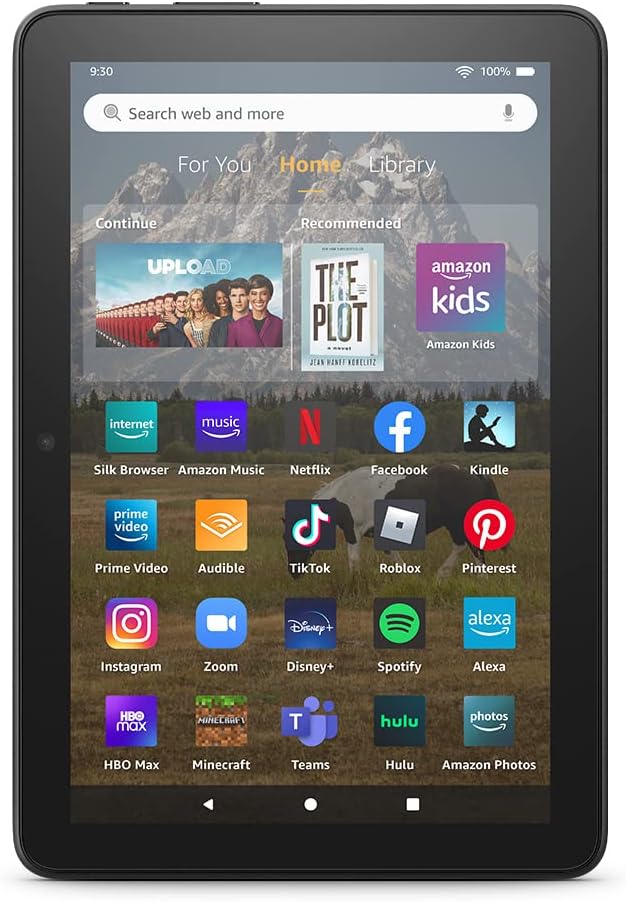
Image: The Fire HD 8 home screen, showing the intuitive Fire OS interface with quick access to apps and content.
The Fire HD 8 runs on Fire OS, providing a user-friendly interface. Swipe down from the top of the screen to access quick settings and notifications. The home screen features a "For You" section with personalized content, a "Home" tab for your apps, and a "Library" tab for quick access to recently viewed content like Kindle books or websaịtị.
Entertainment and Apps
Stream or download your favorite shows and movies from services like Prime Video, Netflix, Disney+, and HBO. Access a wide range of apps through Amazon's Appstore, including Facebook, Hulu, Instagram, and TikTok. Note that Google Play is not supported, and some apps may require a subscription.
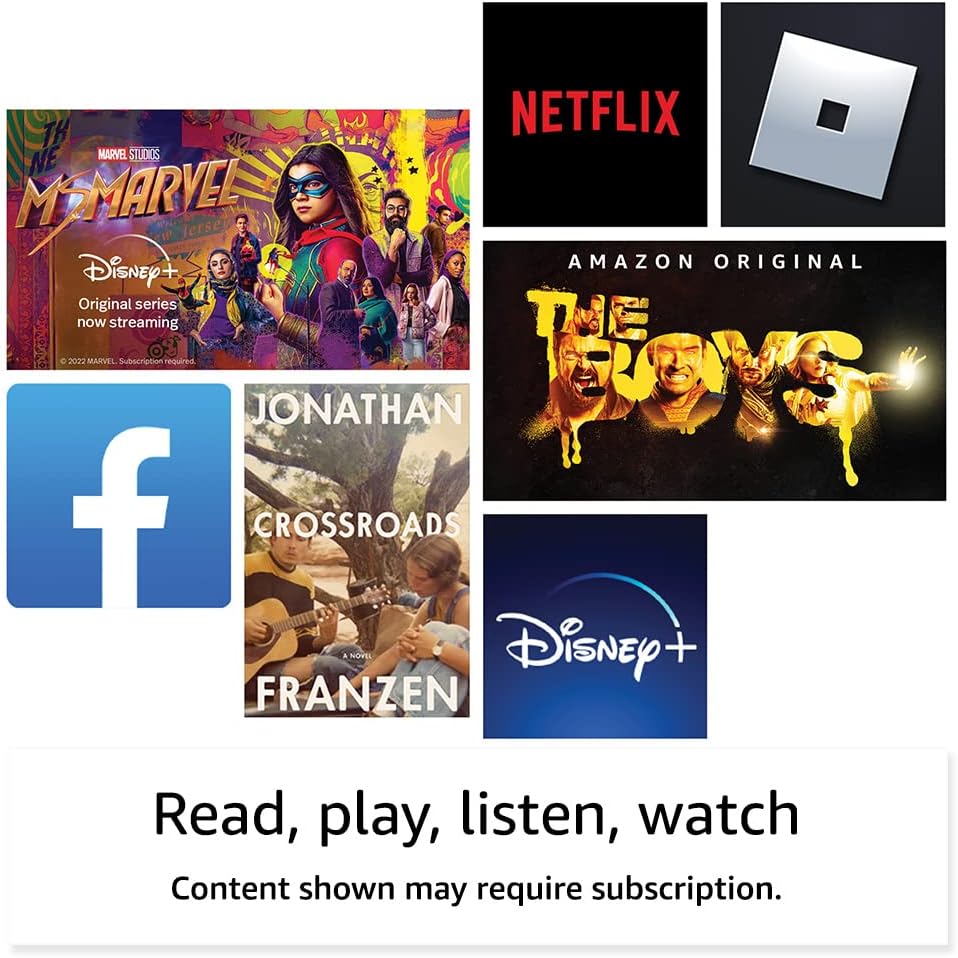
Foto: Examples of popular streaming services and content accessible on the Fire HD 8 tablet.
Reading and Audio
Enjoy reading e-books with the vibrant 8-inch HD display. The tablet also features integrated speakers and a 3.5 mm stereo jack for audio. You can listen to music, podcasts, and Audible books.

Image: The Fire HD 8 tablet is ideal for reading e-books anywhere.

Image: Using Alexa to control audio playback on the Fire HD 8 tablet.
Ngwakọta Alexa
Your Fire HD 8 tablet comes with Alexa built-in. Ask Alexa to play music, get news and weather updates, manage shopping lists, set reminders, and control smart home devices. You can also make video calls to friends and family using apps like Zoom.
Parental Controls with Amazon Kids
Amazon Kids offers easy-to-use parental controls, allowing you to manage content access and screen time. Subscribe to Amazon Kids+ for access to thousands of curated books, apps, games, videos, and Audible books suitable for children.

Image: The Fire HD 8 tablet is suitable for family use, especially with Amazon Kids features.
Nlekọta
Na-ehicha mbadamba ụrọ gị
To clean your Fire HD 8 tablet, use a soft, lint-free cloth. For stubborn smudges, slightly dampJiri mmiri kpuchie ákwà ahụ. Zere iji ihe nhicha, ihe mgbaze, ma ọ bụ ihe mkpuchi aerosol ozugbo na ngwaọrụ ahụ.
Nlekọta batrị
The tablet offers up to 13 hours of battery life for mixed use. To prolong battery lifespan, avoid extreme temperatures and fully discharging the battery frequently. Charge the device using the provided adapter or a compatible USB-C charger.
Njikwa nchekwa
Your Fire HD 8 comes with either 32 GB or 64 GB of internal storage. You can expand storage up to 1 TB using a microSD card. Regularly review ma hichapụ adịghị mkpa files or apps to optimize performance. Some apps may require installation on internal storage.
Nchọpụta nsogbu
Okwu na ngwọta nkịtị
| Okwu | Ngwọta |
|---|---|
| Ngwaọrụ anaghị agbanwu | Ensure the tablet is fully charged. Press and hold the power button for 20-30 seconds to perform a hard reset. |
| Nsogbu njikọ Wi-Fi | Lelee ma Wi-Fi agbanyere na ntọala. Malitegharịa rawụta gị na mbadamba. Chefuo netwọk ahụ ma jikọọ ọzọ. |
| Ngwa na-akụda ma ọ bụ na-ajụ oyi | Close and reopen the app. Clear the app's cache in settings. Restart the tablet. Ensure sufficient storage space. |
| Ịrụ ọrụ nwayọ | Close unused apps. Clear cache and data for frequently used apps. Free up internal storage. Restart the device regularly. |
For more detailed troubleshooting or persistent issues, visit the Amazon Device Support websaịtị ma ọ bụ kpọtụrụ ọrụ ndị ahịa Amazon.
Nkọwapụta

Image: Size comparison of various Amazon Fire tablet models, including the Fire HD 8.
| Njirimara | Nkọwa |
|---|---|
| Ngosipụta | 8” high-definition touchscreen; 1280 x 800 resolution at 189 ppi, HD video playback, with IPS technology |
| Nha | 7.94” x 5.40” x 0.37” (201.90mm x 137.34 mm x 9.60 mm) |
| Ibu | 11.88 ounce (337 grams) |
| CPU & RAM | Hexa-core 2.0GHz yana 2 GB nke RAM |
| Nchekwa | 32 GB or 64 GB internal storage; microSD slot for up to 1 TB additional storage |
| Ndụ batrị | Ruo awa iri na atọ nke ojiji agwakọtara |
| Oge ịkwụ ụgwọ | Under 5 hours (5W adapter); Under 3 hours (9W adapter); Under 2.5 hours (15W adapter) |
| Njikọ Wi-Fi | Njikọ abụọ 802.11a/b/g/n/ac (Anaghị akwado Wi-Fi 6) |
| ọdụ ụgbọ mmiri | USB-C (2.0) connector, microSD slot |
| Audio | 3.5 mm stereo jack, integrated speakers |
| Igwefoto | 2 MP front-facing, 2 MP rear-facing with 720p HD video recording |
| Bluetooth | Bluetooth 5.2 |
| Ọgbọ | 12th generation - 2022 release |
Atụmatụ nnweta
The Fire HD 8 tablet includes various accessibility features to personalize the device for different needs. These can be found under Ntọala → Nnweta.
- OluView onye na-agụ ihuenyo: Enables access for users who are blind or visually impaired.
- Ihe na-eme ka ihuenyo dịkwuo mma: Na-enye ndị ọrụ ohere ibugharị/ịpụpụ ma gbaa gburugburu ihuenyo ahụ.
- Pịa na Alexa: Provides access to Alexa via touch through on-screen tiles or a keyboard, including saving favorite actions.
- Nnweta ịgbanwee: Enables access for users with motor impairments via compatible Bluetooth devices.
- Gụọ Kindle n'olu dara ụda: Alexa nwere ike ịgụ akwụkwọ Kindle gị nke ọma.
- Atụmatụ ndị ọzọ gụnyere ntọala maka idetuo mkpụrụedemede emechiri emechi, nha mkpụrụedemede, nha ngosipụta, ederede dị elu, ntụgharị agba, mmezi agba, na ịtụgharị ụda stereo ka ọ bụrụ ụda Mono.
Akwụkwọ ikike na nkwado
Ozi akwụkwọ ikike
Your Fire HD 8 tablet comes with a 90-day limited warranty and service. Optional 1-year, 2-year, and 3-year extended warranties are available for U.S. customers and are sold separately. Use of the Fire HD 8 tablet is subject to Amazon's Conditions of Use and related terms.
Mmelite Nchekwa Software
This device receives guaranteed software security updates for at least four years after it is last available for purchase as a new unit on Amazon websaịtị. Maka ozi gbasara ngwaọrụ gị, gaa na Jikwaa ọdịnaya na ngwaọrụ gị.
Nkwado ndị ahịa
Maka enyemaka ndị ọzọ, gaa na nkwado Amazon website or contact Amazon customer service directly. You can find more information and support resources at amazon.com/devicesupport.


