1. Okwu mmalite
1.1 Ngwaahịa gafereview
The lightmaXX Vega BAT LED is a versatile, battery-powered uplight designed for various lighting applications. It features four 12-watt RGBAWUV (Red, Green, Blue, Amber, White, UV) LEDs, providing a broad spectrum of color mixing capabilities. With an 80W power output, this fixture supports both 6 and 10 DMX channels for precise control in professional setups. Operating modes include automatic programs, sound-activated effects, master/slave configurations, and convenient control via an infrared (IR) remote.
1.2 Ozi nchekwa
- Jikọọ ngwaọrụ mgbe ọ bụla na nkwụnye ọkụ kwụsịrị.
- Emepela ụlọ ahụ; ọ dịghị akụkụ ọ bụla a ga-eji rụọ ọrụ n'ime ya. Nye ndị ọrụ ruru eru ọrụ niile.
- Zere ikpughe anya ozugbo na isi iyi ọkụ.
- Gbaa mbọ hụ na ikuku ikuku zuru oke gburugburu unit ahụ iji gbochie ikpo oke ọkụ.
- Debe ngwaọrụ ahụ ka ọ ghara iru mmiri na oke okpomọkụ.
- Ngwa a ga-agbanyerịrị n'ala.
2. Ihe ngwugwu
Please check that all items listed below are present and in good condition upon unpacking:
- lightmaXX Vega BAT LED 4x12 W RGBAWUV unit
- Njikwa anya IR
- Igwe ọkụ ọkụ
- Akwụkwọ ntuziaka (akwụkwọ a)

Foto nke 2.1: Power cable with a standard European plug and a blue locking connector for the light fixture.
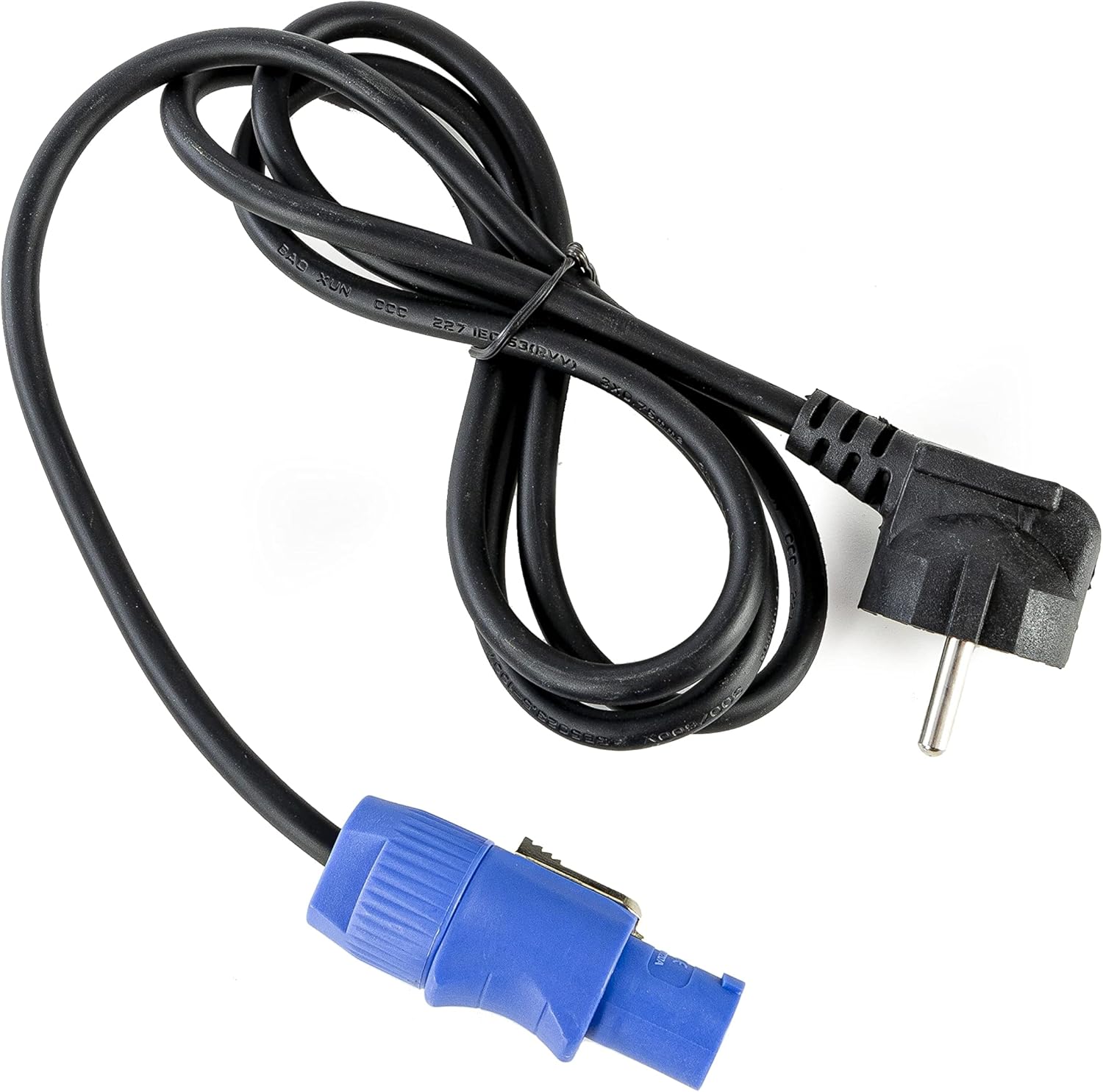
Foto nke 2.2: Infrared remote control with various color, mode, and numerical buttons for operating the LED spot.
3. Nhazi
3.1 Nchaji izizi
Before first use, fully charge the internal battery. Connect the provided power cable to the unit's power input and then to a suitable 240V AC power outlet. The charging indicator (if available on the display) will show the charging status. A full charge typically takes several hours.
3.2 Ntinye
Position the Vega BAT LED on a stable, flat surface or mount it using appropriate clamps and safety cables (not included) to a truss or stand. Ensure the unit is placed in a location with good air circulation and away from direct heat sources or flammable materials.
3.3 Njikọ
For standalone operation, simply power on the unit after charging. For DMX control, connect a DMX cable from your DMX controller to the DMX IN port of the Vega BAT LED. If linking multiple units, connect the DMX OUT of the first unit to the DMX IN of the next, and so on.

Foto nke 3.1: N'okpuru view of the light fixture showing the power input, DMX ports, and regulatory labels.
4. Ọrụ
4.1 Ogwe njikwa
The unit features an onboard control panel with a display and four buttons: MENU, DOWN, UP, and ENTER. This panel allows for direct access to settings and operating modes.

Foto nke 4.1: N'ihu view of the control panel with display and navigation buttons.

Foto nke 4.2: N'elu view of the control panel, showing the display and button layout.
- NchNhr: Cycles through the main menu options.
- N'okpuru: Decreases values or navigates down through menu options.
- Elu: Increases values or navigates up through menu options.
- Tinye: Na-akwado nhọrọ ma ọ bụ na-abanye na obere menu.
4.2 IR Remote Control
The included IR remote control provides convenient wireless operation for various functions, including color selection, mode changes, and power on/off.
- Gbanyụọ/gbanyụọ: Na-agbanye unit ahụ ma ọ bụ gbanyụọ.
- R, G, B, A, W, UV: Direct access to Red, Green, Blue, Amber, White, and Ultraviolet colors.
- 0-9: Numerical buttons for selecting specific programs or DMX addresses.
- UTgbọala: Na-eme ka ọnọdụ mmemme akpaka rụọ ọrụ.
- Nsogbu: Activates strobe effect.
- IHE: Na-eme ka ọnọdụ agbachapụ agba rụọ ọrụ.
- Ụda: Na-eme ka ọnọdụ agbanyere ụda rụọ ọrụ.
4.3 Ụdị arụ ọrụ
The Vega BAT LED offers several operating modes:
- Ụdị akpaaka: The unit cycles through pre-programmed color changes and effects. Selectable via the control panel or IR remote.
- Ọnọdụ ụda: The light reacts to ambient sound, creating dynamic effects. Sensitivity can often be adjusted via the control panel.
- Ụkpụrụ Nna-ukwu/Ohu: Link multiple units where one acts as the master, controlling all connected slave units. Connect DMX cables in a daisy chain.
- Ụdị DMX: For professional control using a DMX controller. The unit supports 6 or 10 DMX channels, allowing for granular control over color mixing, dimming, strobe, and internal programs. Set the DMX address via the control panel.

Foto nke 4.3: The light fixture emitting ultraviolet (UV) light.

Foto nke 4.4: The light fixture emitting amber-colored light.
5. Nlekọta
5.1 Nhicha
Regularly clean the lens and exterior housing with a soft, lint-free cloth. For stubborn dirt, a slightly damp cloth can be used. Do not use abrasive cleaners or solvents, as they may damage the finish or optical components.
5.2 Nlekọta batrị
To prolong battery life, avoid fully discharging the unit frequently. If storing the unit for an extended period, ensure the battery is charged to approximately 50-70% and recharge it every 3-6 months. Store in a cool, dry place.
5.3 Nchekwa
When not in use, store the Vega BAT LED in its original packaging or a suitable protective case to prevent damage from dust, moisture, and impacts.
6. Nchọpụta nsogbu
- Unit anaghị agbanye: Ensure the battery is charged or the power cable is securely connected to a live outlet. Check the power switch.
- No light output: Verify the unit is powered on and not in standby mode. Check selected operating mode and brightness settings.
- IR remote not working: Ensure there are no obstructions between the remote and the unit's IR receiver. Check the remote's battery.
- DMX control issues: Verify DMX cable connections, DMX address settings on the unit, and DMX channel mode. Ensure your DMX controller is functioning correctly.
- Battery life is short: The battery may require a full charge cycle. Over time, battery capacity can decrease; consider battery replacement if performance significantly degrades.
7. Nkọwapụta
| Njirimara | Nkọwapụta |
|---|---|
| Ụdị | ọkụmaXX |
| Nlereanya | Vega BAT LED 4x12 W RGBAWUV |
| Isi Iyi Ìhè | 4 x 12W RGBAWUV LEDs |
| Mkpokọta Wattage | 80W |
| Ọwa DMX | 6 ma ọ bụ 10 ọwa |
| Ụdị arụ ọrụ | Automatic, Sound, Master/Slave, DMX |
| Njikwa | Onboard display/buttons, IR Remote |
| Voltage | 240 Volt |
| Akụkụ ngwaahịa | 24.2 x 21 x 19.6 cm |
| Ntuziaka onye nrụpụta | LIG0016385-000 |
| Mba onye si | Germany |
| Mbụ Dị | Ọgọst 16, 2021 |
8. Akwụkwọ ikike na nkwado
For warranty information and technical support, please refer to the documentation provided at the time of purchase or contact your authorized lightmaXX dealer. Keep your proof of purchase for warranty claims.


