Okwu mmalite
Thank you for choosing the JBL Cinema SB190 Soundbar. This manual provides essential information for setting up, operating, and maintaining your soundbar system. Please read it thoroughly to ensure proper use and optimal performance.
Ozi nchekwa dị mkpa
Always follow these basic safety precautions when using your soundbar system:
- Gụọ ntuziaka ndị a nke ọma.
- Debe ntuziaka ndị a maka ntụnye aka n'ọdịnihu.
- Ṅaa ntị n'ịdọ aka ná ntị niile.
- Soro ntuziaka niile.
- Ejila ngwa a n'akụkụ mmiri.
- Jiri akwa kpọrọ nkụ hichaa naanị.
- Akwụsịla oghere ikuku ikuku ọ bụla. Wụnye dị ka ntuziaka onye nrụpụta si dị.
- Awụnyela n'akụkụ ebe okpomọkụ ọ bụla dị ka radiators, ndekọ okpomọkụ, stovu, ma ọ bụ ngwa ndị ọzọ (gụnyere amplifiers) nke na-emepụta okpomọkụ.
- Chebe eriri ọkụ ka ị ghara ịgagharị ma ọ bụ tuo ya, ọkachasị na plọg, ebe nchekwa dị mma, na ebe ha si na ngwa ahụ pụta.
- Jiri naanị mgbakwunye / ngwa ndị nrụpụta akọwapụtara.
- Kwupu ngwa a n'oge oke mmiri ozuzo ma ọ bụ mgbe ejighi ya ogologo oge.
- Tụtụ aka n'aka ndị ọrụ ruru eru. A na-achọ ọrụ mgbe ngwa ahụ mebiri emebi n'ụzọ ọ bụla, dị ka eriri ọkụ ma ọ bụ plọg mebiri emebi, mmiri mmiri wụfuru ma ọ bụ ihe dabara n'ime ngwa ahụ, ekpughere ngwa ahụ na mmiri ozuzo ma ọ bụ mmiri, anaghị arụ ọrụ nke ọma. , ma ọ bụ ahapụla ya.
Kedu ihe dị na Igbe ahụ
Your JBL Cinema SB190 package includes the following components:
- Igwe ụda ụda
- Subwoofer ikuku
- Jikwa batrị dị anya njikwa
- Power cords (region specific)
- HDMI eriri
- Ngwa ihe nkwado mgbidi nwere skru
- Ntuziaka mmalite ngwa ngwa
- Akwụkwọ ikike kaadị
- Mpempe akwụkwọ nchekwa

Image: Included accessories for the JBL Cinema SB190, featuring the remote control, HDMI cable, power cords, and wall-mount hardware.
Ngwaahịa gafereview
Soundbar Front and Top Panel

Foto: N'ihu view of the JBL Cinema SB190 Soundbar, showcasing ya sleek imewe.
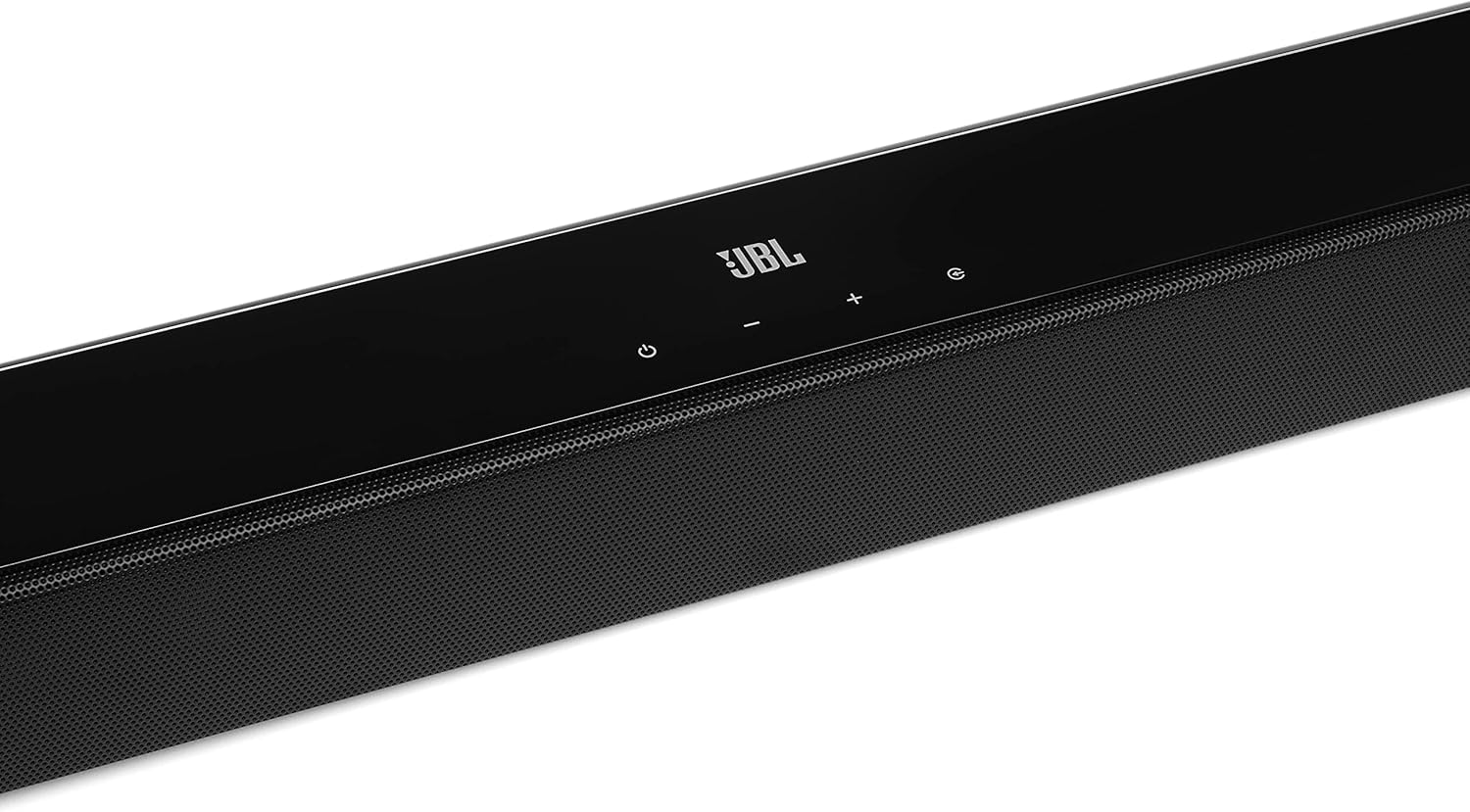
Image: Close-up of the top panel controls on the JBL Cinema SB190 Soundbar, including power, volume, and source selection buttons.
The soundbar features a minimalist design with essential controls located on the top panel for easy access. These include power, volume up/down, and input selection.
Soundbar Rear Panel Connections

Image: Rear panel of the JBL Cinema SB190 Soundbar, showing the power input, HDMI eARC, HDMI In, and Optical In ports.
The rear panel provides various connection options for your audio sources and TV, including HDMI eARC, HDMI In, and Optical In. A power input is also located here.
Subwoofer ikuku

Foto: N'ihu view of the JBL Cinema SB190 Wireless Subwoofer, featuring the JBL logo at the bottom.

Foto: N'azụ view of the JBL Cinema SB190 Wireless Subwoofer, showing the power input and pairing button.
The wireless subwoofer provides deep bass and connects automatically to the soundbar. Its rear panel includes the power input and a pairing button if manual pairing is required.
Njikwa anya
The included remote control allows full command over your soundbar system, including power, volume, input selection, sound modes (Music, Movie, News), Voice enhancement, and Bass level adjustment.
Melite
1. Ntinye
Ogwe ụda olu: Place the soundbar on a flat surface directly in front of your TV, centered. Ensure no objects obstruct the front of the soundbar. Alternatively, you can wall-mount the soundbar using the provided bracket kit.
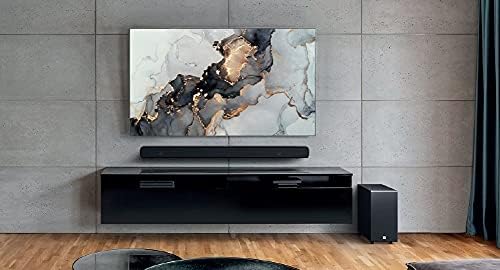
Image: The JBL Cinema SB190 Soundbar positioned below a television, with the wireless subwoofer to the side.
Subwoofers: The wireless subwoofer can be placed anywhere in the room, ideally within 50 feet (15 meters) of the soundbar, for optimal bass distribution. Avoid placing it in a corner directly, as this can sometimes lead to boomy bass.
2. Njikọ
Choose one of the following connection methods to connect your soundbar to your TV:
- HDMI eARC (Akwadoro): For the highest quality audio, connect an HDMI cable (included) from the HDMI eARC port on your soundbar to the HDMI eARC port on your TV. This connection supports Virtual Dolby Atmos and allows for TV remote control of the soundbar volume.

Image: HDMI icon, representing the HDMI eARC connection.
- Ngwa anya: If your TV does not have an HDMI eARC port, connect an optical cable (not included) from the OPTICAL IN port on your soundbar to the optical output on your TV.

Image: TV icon, indicating connection to a television.
- HDMI na: You can also connect an external device (e.g., Blu-ray player, game console) directly to the HDMI IN port on the soundbar. The video signal will pass through to your TV via the HDMI eARC/ARC connection.
3. Njikọ ike
- Connect the power cords to the soundbar and subwoofer.
- Plug the power cords into an AC outlet.
- The soundbar and subwoofer will automatically power on and attempt to pair. The subwoofer's LED indicator will turn solid white once successfully paired.
Na-arụ ọrụ ụda ụda gị
Gbanyụọ/ Gbanyụọ
Pịa Ike button on the soundbar or remote control to turn the system on or off.
Njikwa olu
Jiri ihe Mpịakọta + or Mpịakọta - bọtịnụ dị na ihe nrụaka ụda ma ọ bụ njikwa dịpụrụ adịpụ iji gbanwee ọkwa olu.
Nhọrọ ntinye
Pịa Isi mmalite button on the soundbar or the dedicated input buttons (HDMI IN, HDMI ARC, OPT, BT) on the remote control to switch between audio sources.
Ụdị ụda
The remote control features dedicated buttons for optimizing audio for different content types:
- Egwu: Enhances audio for music playback.
- Nkiri: Optimizes sound for cinematic experiences, including Virtual Dolby Atmos effects.
- Akụkọ: Enhances vocal clarity for news and dialogue-heavy content.
Voice and Bass Adjustment
The remote control allows for fine-tuning of voice clarity and bass levels:
- olu: Press the VOICE button repeatedly to cycle through different levels of voice enhancement. This helps make dialogue clearer.
- IHE: Press the BASS button repeatedly to adjust the subwoofer's bass output level.
Njikọ Bluetooth
To stream audio wirelessly from your mobile device:
- Pịa BT button on the remote control or soundbar. The soundbar's indicator will flash, indicating pairing mode.
- On your mobile device, enable Bluetooth and select "JBL Cinema SB190" from the list of available devices.
- Once connected, the indicator on the soundbar will turn solid. You can now stream audio from your device.

Image: Bluetooth icon, representing wireless audio streaming.
Nlekọta
To ensure the longevity and optimal performance of your JBL Cinema SB190 Soundbar:
- Nhicha: Jiri akwa dị nro ma kpọọ nkụ hichaa elu igwe ụda na subwoofer. Ejila ihe nhicha mmiri ma ọ bụ ihe abrasive, n'ihi na ha nwere ike imebi njedebe.
- Igwe ikuku: Ensure that the ventilation openings on the soundbar and subwoofer are not blocked to prevent overheating.
- Nchekwa: Ọ bụrụ na ị na-echekwa ngwaọrụ ahụ ruo ogologo oge, wepụ ya na ebe ọkụ eletrik ma debe ya n'ebe dị jụụ ma kpọọ nkụ.
Nchọpụta nsogbu
Ọ bụrụ na ị na-enwe nsogbu na ụda ụda gị, rụtụ aka na nsogbu na azịza ndị a na-ahụkarị:
Enweghị ụda sitere na Soundbar
- Hụ na e tinyere ụda olu na ya, nakwa na olu ya anaghị agbachi nkịtị ma ọ bụ dị ala nke ukwuu.
- Verify that the correct input source is selected on the soundbar (e.g., HDMI ARC, Optical, Bluetooth).
- Check all cable connections (HDMI, Optical) between the soundbar and your TV/source device. Ensure they are securely plugged in.
- If using HDMI ARC/eARC, ensure your TV's HDMI ARC/eARC feature is enabled in its settings.
- Try restarting both the soundbar and your TV.
Enweghị ụda sitere na Subwoofer
- Ensure the subwoofer is plugged into a power outlet and powered on.
- Check the LED indicator on the subwoofer. If it's not solid white, it may not be paired with the soundbar.
- Iji aka jikọta subwoofer:
- Press and hold the pairing button on the back of the subwoofer until the LED flashes rapidly.
- On the soundbar, press and hold the Ike button for 5 seconds. The soundbar will enter pairing mode.
- Once paired, the LED on the subwoofer will turn solid white.
Audio/Video Sync Issues
- If using HDMI eARC, this feature is designed to minimize sync issues. Ensure your TV's firmware is up to date.
- Some TVs have an audio delay setting (lip-sync) that can be adjusted. Consult your TV's manual.
- If connecting via Optical, audio lag can sometimes occur. Try connecting via HDMI eARC if available.
Nsogbu Njikọ Bluetooth
- Ensure Bluetooth is enabled on your mobile device and the soundbar is in pairing mode.
- Bugharịa ngwaọrụ gị nso na ụda ụda.
- Hichapụ ndepụta njikọta Bluetooth dị na ngwaọrụ gị wee gbalịa ijikọ ọzọ.
- Hụ na ngwaọrụ Bluetooth ndị ọzọ anaghị egbochi gị.
Nkọwapụta
| Njirimara | Nkọwa |
|---|---|
| Aha Nlereanya | Ihe nkiri SB190 |
| Ụdị Ọkà Okwu | Igwe ụda ụda |
| Nhazi ọwa ụda gburugburu | 2.1 |
| Total Speaker Power Output | 380 Watt |
| Dayameta nke subwoofer | 6.5 sentimita asatọ |
| Atụmatụ pụrụ iche | Bluetooth 5.1 streaming, Dedicated sound mode to enhance voice clarity, HDMI In and Optical In connection, HDMI eARC capable, Virtual Dolby Atmos technology |
| Teknụzụ Njikọta | Bluetooth, Wired (HDMI, Optical) |
| Usoro njikwa | Ime ime |
| Akụkụ ngwaahịa (Ogwe ụda) | 89.9W x 6.2D x 6.6H Centimetres |
| Ibu Ibu | 7.5 Kilograms (Total system) |
| Ihe onwunwe | Plastic |
| Agba | Nwa |
| Ngwa gụnyere | Soundbar, Wireless subwoofer, Remote control with batteries, Power cords, HDMI cable, Wall-mount bracket kit with screws, Quick start guide, Warranty card, Safety sheet |
Akwụkwọ ikike na nkwado
For detailed warranty information, please refer to the warranty card included in your product package. For technical support, product registration, or further assistance, please visit the official JBL support websaịtị ma ọ bụ kpọtụrụ ndị ahịa ha ọrụ.
Ị nwere ike ịchọta ozi ndị ọzọ na akụrụngwa nkwado na Ụlọ ahịa JBL dị na Amazon.


