1. Okwu mmalite
Thank you for choosing the MAXXMEE Cordless Screwdriver Model 2112. This manual provides essential information for the safe and efficient operation, maintenance, and troubleshooting of your new tool. Please read these instructions carefully before first use and keep them for future reference.
2. Ntuziaka nchekwa
Na-edebe nchekwa nchekwa mgbe niile mgbe ị na-eji ngwa eletrik iji belata ihe egwu nke ọkụ, ujo eletrik na mmerụ ahụ nkeonwe.
- Nchekwa mpaghara ọrụ: Debe ebe ọrụ gị ọcha na ọkụ nke ọma. Ebe mgbagwoju anya ma ọ bụ ọchịchịrị na-akpọ ihe mberede. Ejila ngwaọrụ ike rụọ ọrụ n'ime ikuku mgbawa, dị ka n'ihu mmiri ọkụ, gas, ma ọ bụ uzuzu.
- Nchekwa Eletriki: Zenarị mmetụ ahụ n'elu ala ala ma ọ bụ n'ala dị ka ọkpọkọ, radiators, ranges, na friji. Ewepụla ngwaọrụ ike na mmiri ozuzo ma ọ bụ ọnọdụ mmiri.
- Nchekwa nkeonwe: Yiri nchebe anya mgbe niile. Jiri akụrụngwa nchekwa kwesịrị ekwesị dị ka ihe mkpuchi uzuzu, akpụkpọ ụkwụ nchekwa na-abụghị skid, okpu siri ike, ma ọ bụ nchebe ịnụ ihe mgbe ọ dị mkpa. Yi uwe nke ọma; zere uwe na-adịghị mma ma ọ bụ ọla.
- Iji na Nlekọta Ngwa: Amanyela ngwá ọrụ ike. Jiri ngwa ike ziri ezi maka ngwa gị. Kwụpụ plọg site na isi iyi ọkụ na/ma ọ bụ ngwungwu batrị site na ngwa ike tupu ime mgbanwe ọ bụla, ịgbanwe ngwa ma ọ bụ ichekwa ngwa ike.
- Nchekwa batrị: This tool contains an integrated rechargeable battery. Do not incinerate the battery even if it is severely damaged or completely worn out. Batteries can explode in a fire. Do not short-circuit the battery.
3. Ihe ngwugwu
Biko lelee na ihe niile dị na ọ dịkwa mma:
- 1 x MAXXMEE Cordless Screwdriver Model 2112
- 1 x 30-piece Bit Set (various screwdriver bits and drill bits)
- 1 x eriri chaja (USB)
- 1 x Akwụkwọ ntuziaka onye ọrụ

Foto 3.1: The included 30-piece bit set, featuring various screwdriver and drill bits for diverse applications.
4. Ngwaahịa gafereview
Familiarize yourself with the components of your MAXXMEE Cordless Screwdriver.
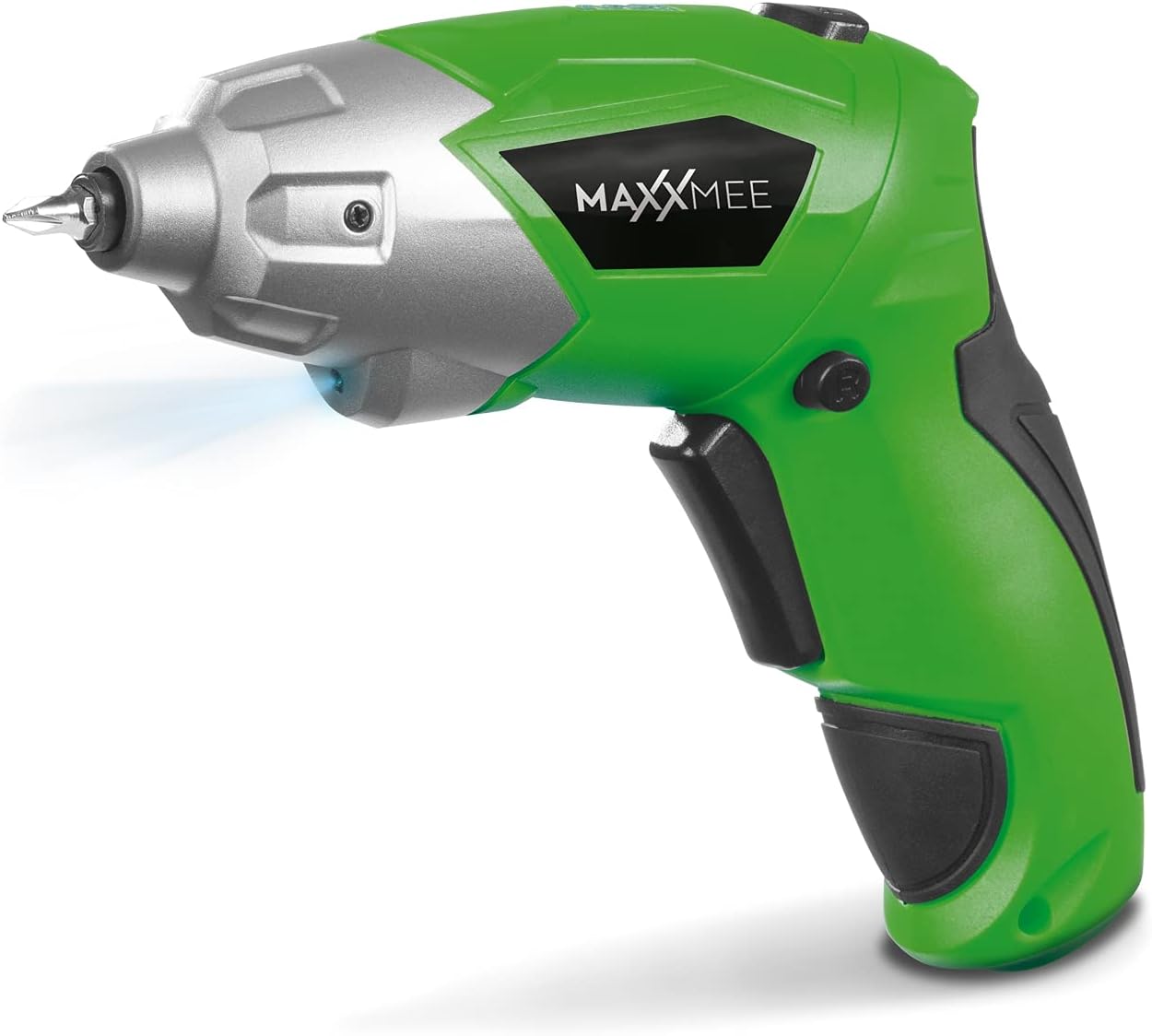
Foto 4.1: N'ihu view of the MAXXMEE Cordless Screwdriver, highlighting its compact design.

Foto 4.2: The cordless screwdriver demonstrating its flexible handle position, integrated LED light, and forward/reverse rotation switch.
- Bit Holder (Magnetic)
- Ọkụ ọrụ LED
- Ngbanwe ntụgharị ntụgharị / tụgharịa
- Flexible Handle Release Button
- Mgbanwe na -akpalite
- Nchaji ọdụ ụgbọ mmiri
- Ihe ngosi ọkwa batrị
5. Nhazi
5.1. Charging the Screwdriver
Before first use, fully charge the screwdriver's integrated battery. The battery is not fully charged at the time of purchase.
- Connect the provided charging cable to the charging port on the screwdriver.
- Connect the other end of the USB charging cable to a suitable USB power adapter (not included) or a powered USB port.
- The battery indicator lights will show the charging status. Allow several hours for a full charge.
- Ozugbo chajịrị chaja zuru oke, kwụpụ eriri nchaji.
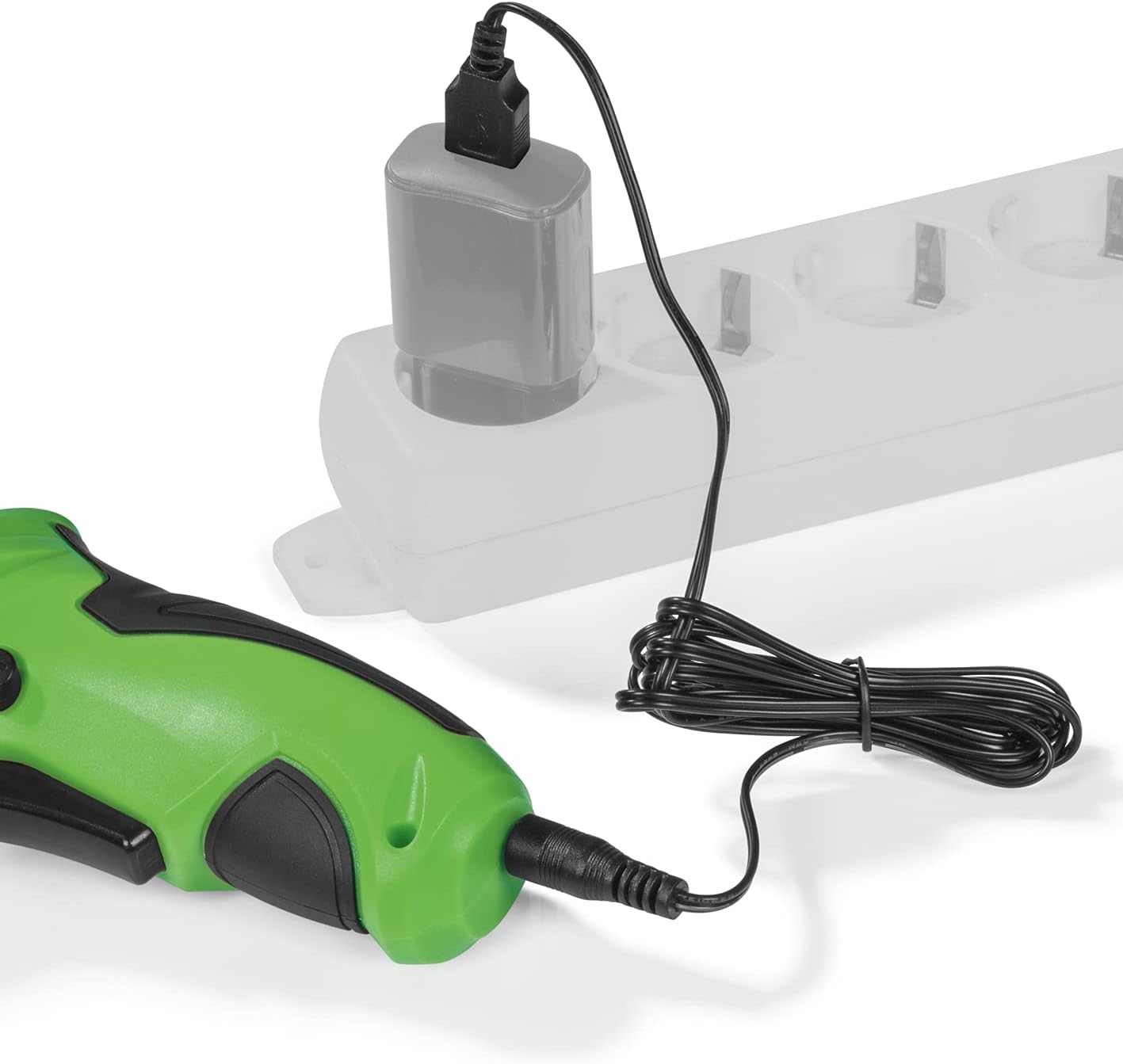
Foto 5.1: Connecting the charging cable to the screwdriver and a power source.
5.2. Inserting Screwdriver Bits
The screwdriver features a magnetic bit holder for quick and easy bit changes.
- Ensure the screwdriver is turned off and the forward/reverse switch is in the neutral (locked) position.
- Select the appropriate bit from the 30-piece set.
- Insert the bit firmly into the magnetic bit holder until it is securely seated.
- To remove, simply pull the bit out.
6. Ntuziaka ọrụ
6.1. Powering On/Off and Rotation Direction
The trigger switch activates the screwdriver, and the forward/reverse switch controls the rotation direction.
- To drive screws (forward rotation), push the forward/reverse switch to the left.
- To remove screws (reverse rotation), push the forward/reverse switch to the right.
- To lock the trigger and prevent accidental activation, place the switch in the center position.
- Press the trigger switch to operate the screwdriver. Release to stop.
6.2. Adjusting the Flexible Handle
The screwdriver features a variable curved handle for optimal comfort and access in different working conditions.
- Ensure the screwdriver is off.
- Press the flexible handle release button (refer to Figure 4.2 for location).
- Adjust the handle to the desired position (straight or pistol grip).
- Release the button to lock the handle in place. Ensure it is securely locked before use.
6.3. Using the LED Work Light
The integrated LED work light illuminates the work area for improved visibility, especially in dark or confined spaces.
- The LED light automatically activates when the trigger switch is pressed.
- It turns off when the trigger is released.
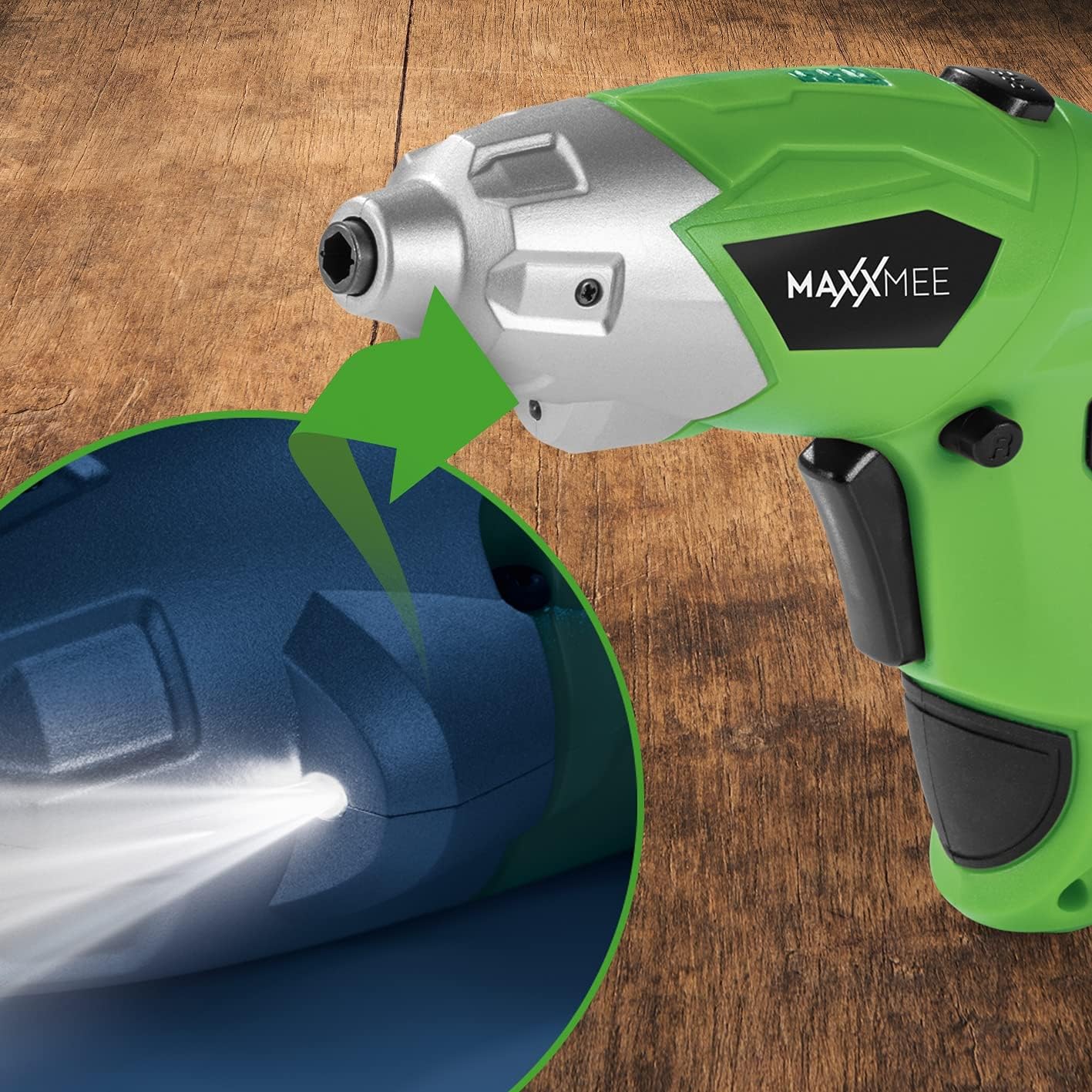
Foto 6.1: Agara nso view of the LED work light illuminating the work surface.
6.4. Ihe ngosi ọkwa batrị
The battery level indicator provides a visual representation of the remaining battery charge.
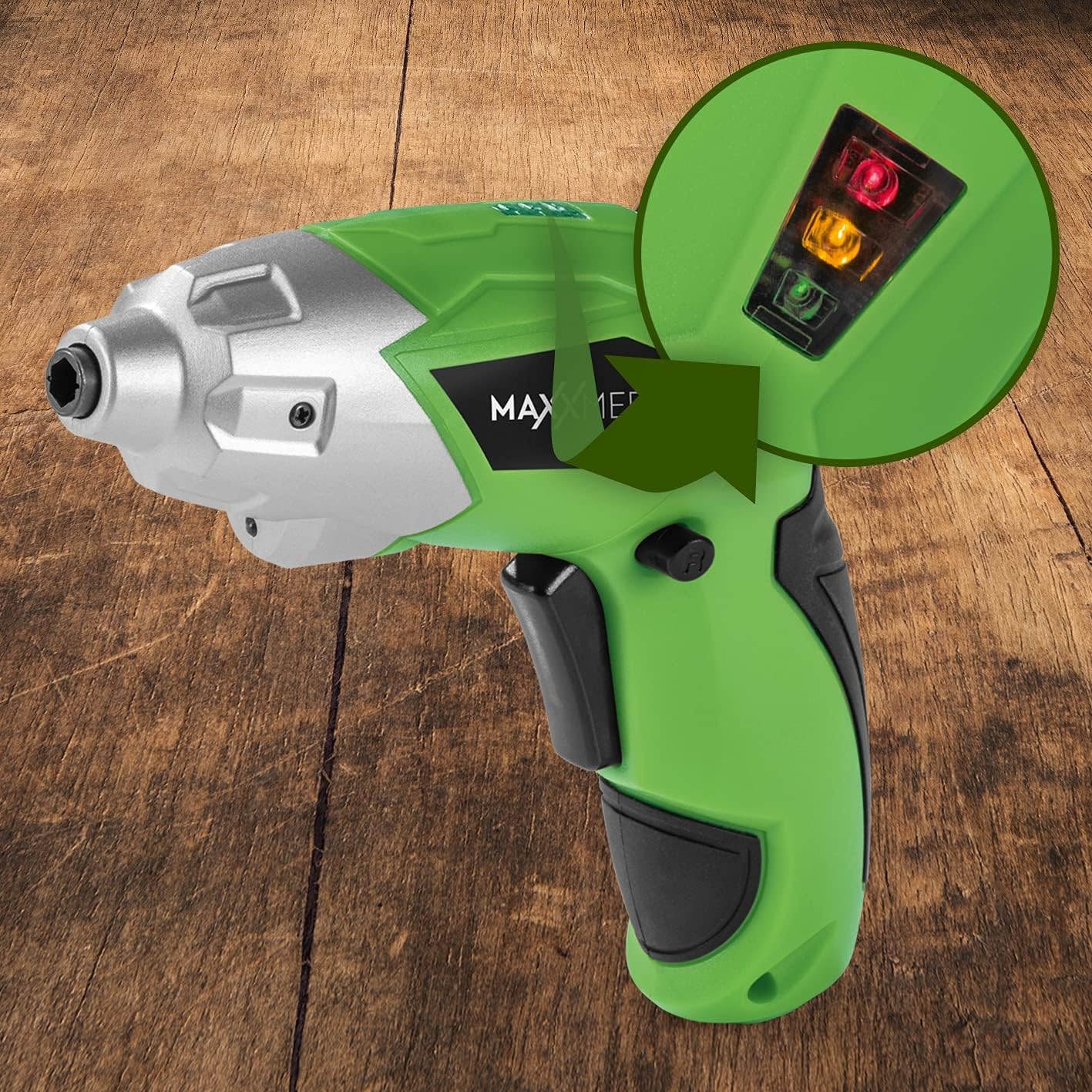
Foto 6.2: The battery level indicator showing the charge status with colored lights.
- Green light: High charge.
- Yellow light: Medium charge.
- Red light: Low charge, recharge soon.
For optimal performance, recharge the screwdriver when the indicator shows a low charge.
7. Nlekọta
Proper maintenance ensures the longevity and optimal performance of your screwdriver.
- Nhicha: Always disconnect the screwdriver from any power source before cleaning. Use a soft, damp cloth to wipe down the exterior. Do not use harsh chemicals or abrasive cleaners. Keep ventilation openings free from dust and debris.
- Nchekwa: Store the screwdriver and its accessories in a dry, cool place, away from direct sunlight and moisture. Keep it out of reach of children.
- Nlekọta batrị: For long-term storage, it is recommended to charge the battery to approximately 50% every few months to maintain battery health.
8. Nchọpụta nsogbu
Ọ bụrụ na ị hụ nsogbu na skrudị gị, lee nsogbu na ngwọta ndị a na-ahụkarị:
| Nsogbu | Ihe nwere ike ime | Ngwọta |
|---|---|---|
| Screwdriver anaghị agbanwuo. | Agbanyụrụ batrị. | Chajie batrị zuru oke. |
| Screwdriver enweghị ike. | Obere ụgwọ batrị. | Fanye batrị. |
| Bit is loose or falls out. | Bit not fully inserted or incorrect bit size. | Ensure the bit is fully inserted into the magnetic holder. Use appropriate bit size. |
| Handle does not lock in place. | Release button not fully engaged or debris preventing lock. | Ensure the release button is fully pressed and released. Check for obstructions. |
Ọ bụrụ na nsogbu ahụ dịgidere mgbe ịnwale azịza ndị a, biko kpọtụrụ nkwado ndị ahịa.
9. Nkọwapụta
| Njirimara | Nkọwapụta |
|---|---|
| Nọmba nlereanya | 2112 |
| Ụdị | MAXXMEE |
| Voltage | 3.6 volts |
| Max Torque | 4 Nm |
| Isi Iyi Ike | Battery-powered (Rechargeable) |
| Ihe onwunwe | Ọla |
| Atụmatụ pụrụ iche | Cordless, Flexible Handle, LED Work Light |
| Ngwa gụnyere | 1 Cordless Screwdriver, 30-piece Bit Set, Charging Cable |
| Akụkụ ngwugwu | 15 x 15 x 7.2 cm |
| Ibu | 800 grams |
10. Akwụkwọ ikike na nkwado
MAXXMEE products are manufactured to high-quality standards. In the unlikely event of a defect or malfunction, please refer to your purchase documentation for warranty details. For technical support, spare parts, or service inquiries, please contact your retailer or the MAXXMEE customer service department. Please have your model number (2112) and purchase date available when contacting support.


