1. Okwu mmalite
This manual provides instructions for the installation, operation, and maintenance of your Tork Matic Hand Towel Roll Dispenser with Intuition Sensor, Model 461202. This touch-free dispenser is designed for hygienic, one-at-a-time dispensing of hand towels, suitable for various commercial environments.
The dispenser features an Intuition Sensor for automatic towel delivery, an LED refill indicator, and adjustable sheet length settings to optimize towel consumption. It is ADA Compliant and designed for use with Tork H1 roll towels.
2. Ozi nchekwa dị mkpa
Biko gụọ ntuziaka niile nke ọma tupu echichi na iji. Jido akwụkwọ ntuziaka a maka ntụnye aka n'ọdịnihu.
- Ensure the dispenser is securely mounted to a stable surface to prevent injury or damage.
- Use only the specified battery type (3 x C alkaline batteries). Do not mix old and new batteries, or different types of batteries.
- Keep hands clear of moving parts during operation and maintenance.
- Ejila ihe nkesa na mmiri ma ọ bụ kpughee ya na oke mmiri.
- This dispenser is intended for use with Tork H1 roll towels only. Use of other refills may impair performance and void warranty.
- Maka ihicha, jiri nro dị nro, damp akwa . Zere ihe nhicha ma ọ bụ ihe mgbaze.
3. Ihe ngwugwu
Chọpụta na ihe niile dị na ngwugwu:
- Tork Matic® Hand Towel Dispenser - with Intuition™ Sensor
- Installation hardware (screws, anchors)
- Key for smart lock (if applicable)
- Akwụkwọ ntuziaka
4. Ntọala na nwụnye
4.1 Mgbidi Mgbidi
The dispenser is designed for easy wall mounting. Ensure the installation surface is level and capable of supporting the dispenser's weight when full.
- Choose a suitable location, ensuring adequate clearance for operation and maintenance.
- Open the dispenser cover using the provided key or by pressing the release button (if keyless).
- Jiri oghere ndị na-etinye ihe na-ekesa ihe mee akara n'ebe a na-egwupụta ihe n'elu mgbidi ahụ.
- Drill holes and insert appropriate wall anchors.
- Secure the dispenser to the wall using the provided screws.
- Mechie mkpuchi ihe nkesa.
4.2 Ntinye batrị
The dispenser requires three (3) C alkaline batteries for operation.
- Mepee mkpuchi ihe nkesa.
- Locate the battery compartment, typically on the inside back panel.
- Insert three new C alkaline batteries, ensuring correct polarity (+/-).
- Mechie mkpuchi oghere batrị.
4.3 Loading Paper Towels
This dispenser is compatible with Tork H1 roll towels.
- Mepee mkpuchi ihe nkesa.
- Place the new Tork H1 roll towel onto the internal spindle, ensuring it rotates freely.
- Feed the leading edge of the towel into the dispensing mechanism as indicated by internal guides.
- Ensure the towel is properly engaged and a small portion is visible at the dispensing opening.
- Mechie mkpuchi ihe nkesa.

Figure 4.3: Illustration of paper towel roll loading.
4.4 Adjusting Sheet Length
The dispenser allows for adjustable sheet lengths to optimize consumption. Available lengths are typically 10, 12, 14, or 18 inches.
- Mepee mkpuchi ihe nkesa.
- Locate the sheet length adjustment mechanism, usually a switch or dial inside the dispenser.
- Select the desired sheet length.
- Mechie mkpuchi ihe nkesa.

Ọgụgụ 4.4: Ime view highlighting adjustable sheet length and other features.
5. Ntuziaka ọrụ
5.1 Touch-Free Dispensing
The Tork Matic dispenser utilizes an Intuition Sensor for automatic, touch-free operation.
- Place your hand in front of the sensor located on the front of the dispenser.
- The dispenser will automatically present a single sheet of towel.
- Take the dispensed towel. The sensor will reset for the next use.
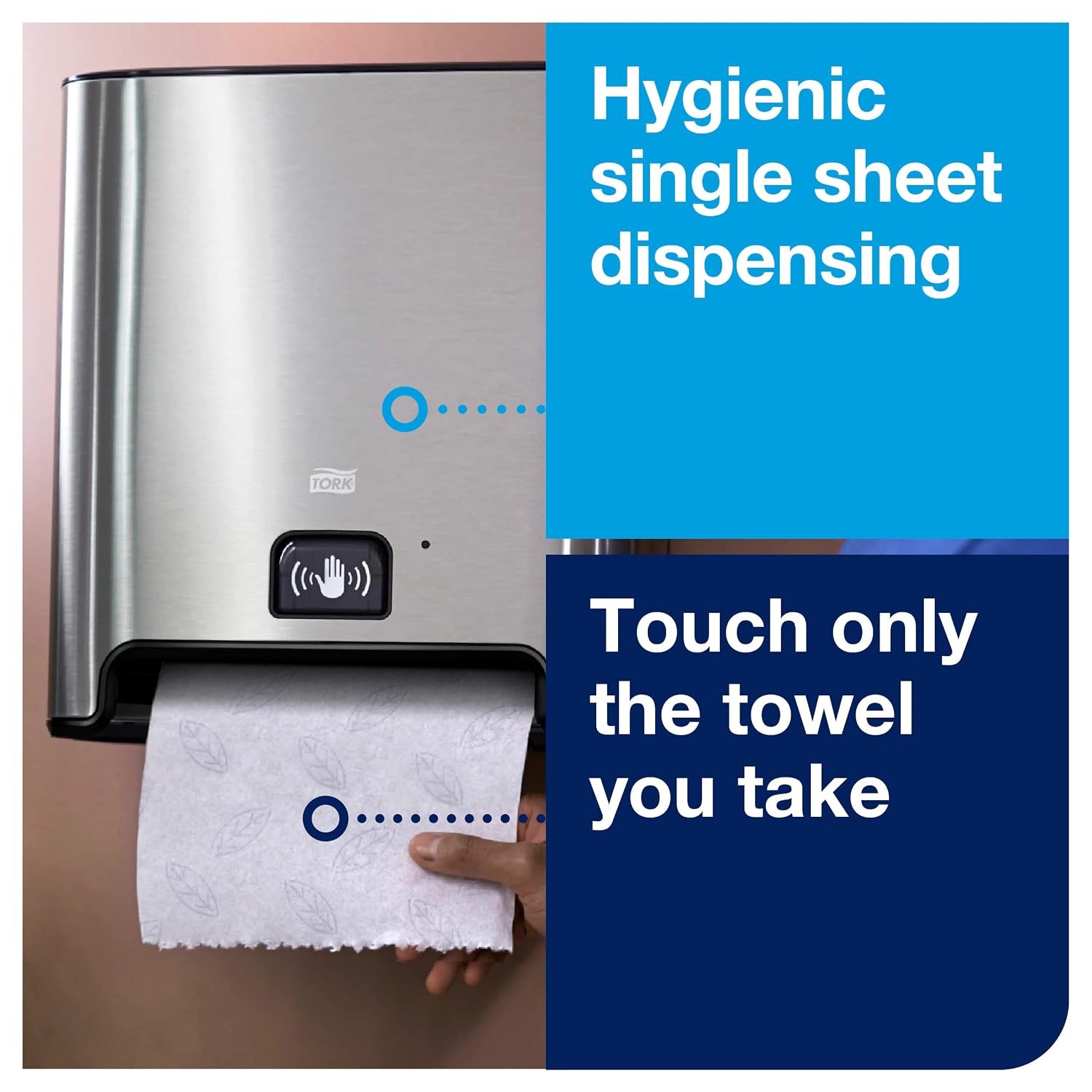
Figure 5.1: Touch-free dispensing in action.
5.2 LED Refill Indicator
The dispenser is equipped with an LED indicator to signal when a refill is needed.
- A solid green light indicates sufficient towel supply.
- A flashing yellow or red light indicates that the towel roll is low and requires replacement soon.
- A solid red light indicates the towel roll is empty or batteries are low.
6. Nlekọta
6.1 Nhicha
Ịsacha mgbe niile na-enyere aka ịnọgide na-adị ọcha ma na-arụ ọrụ nke ọma.
- Mepee mkpuchi ihe nkesa.
- Wipe down all surfaces, including the sensor area, with a soft, damp akwa .
- For stubborn marks, use a mild, non-abrasive cleaning solution. Avoid harsh chemicals or solvents.
- Ensure all surfaces are dry before closing the cover.
6.2 Refilling
When the LED indicator signals a low towel supply, replace the roll as described in Section 4.3.

Ọgụgụ 6.2: Ọpụamples of compatible Tork H1 roll towels.
7. Nchọpụta nsogbu
| Nsogbu | Ihe nwere ike ime | Ngwọta |
|---|---|---|
| Dispenser not dispensing towels. | Batrị dị ala ma ọ bụ nwụrụ anwụ. Towel roll empty or improperly loaded. Sensọ gbochiri ma ọ bụ ruru unyi. | Dochie batrị. Load a new towel roll correctly. Hichaa mpaghara ihe mmetụta. |
| Towel dispenses too short or too long. | Incorrect sheet length setting. | Adjust the sheet length setting (refer to Section 4.4). |
| Towel jams frequently. | Towel roll not loaded correctly. Using incompatible towel type. Internal mechanism dirty or damaged. | Re-load towel roll, ensuring it feeds smoothly. Ensure you are using Tork H1 roll towels. Clean internal components. If problem persists, contact support. |
| LED indicator shows low battery/refill but dispenser is working. | Sensor malfunction or temporary error. | Open and close the dispenser cover to reset. If issue persists, check batteries or contact support. |
8. Nkọwapụta
| Njirimara | Nkọwa |
|---|---|
| Akụkụ ngwaahịa | 15"L x 10"W x 13.6"D (approximate) |
| Ibu | 10.85 pound |
| Nọmba nlereanya | 461202 |
| Ihe onwunwe | Igwe anaghị agba nchara, Plastic |
| Agba | Ọlaọcha |
| Ụdị nkwụnye | Ugwu mgbidi |
| Isi Iyi Ike | 3 x C Alkaline Batteries |
| Compatible Towels | Tork H1 Roll Towels (e.g., 290094, 290096, 290095, 290092A, 290089, 290088) |
| Na-ekesa | Touch-free, One-at-a-Time |
| Atụmatụ | Intuition Sensor, LED Refill Indicator, Adjustable Sheet Length, Smart Lock |

Figure 8.1: Dispenser dimensions.
9. Akwụkwọ ikike na nkwado
This Tork dispenser comes with a 5-year extended warranty. Registration is required for eligibility.
For warranty registration and further support, please visit the official Tork websaịtị:

Figure 9.1: Warranty information.


