Ngwaahịa gafereview
The JCB 210mm Mitre Saw is a powerful and versatile tool designed for precise cutting of various materials including steel, aluminum, wood (with embedded nails), and plastic. It features an 1100W motor, a 210mm 24T carbide tipped (TCT) blade, and a laser guide for enhanced accuracy and safety. The saw is equipped with 4 mitre cut settings and a dust collection feature for a cleaner working environment.

Nyocha 1: N'eluview of the JCB 210mm Mitre Saw, showing the main unit, blade guard, and dust collection bag.
Ntuziaka nchekwa dị mkpa
Always follow basic safety precautions when using this power tool to reduce the risk of fire, electric shock, and personal injury. Read all instructions before operating.
- Nchekwa mpaghara ọrụ: Debe ebe a na-arụ ọrụ ọcha na ọkụ nke ọma. Ebe mgbagwoju anya ma ọ bụ ọchịchịrị na-akpọ ihe mberede. Ejila ngwaọrụ ike rụọ ọrụ n'ime ikuku mgbawa, dị ka ọnụnọ mmiri ọkụ nwere ike ire ọkụ, gas ma ọ bụ uzuzu.
- Nchekwa Eletriki: Plọg ngwaọrụ ike ga-adabarịrị na mpụta. Agbanwela plọg ahụ n'ụzọ ọ bụla. Ewepụla ngwaọrụ ike na mmiri ozuzo ma ọ bụ ọnọdụ mmiri.
- Nchekwa nkeonwe: Always wear eye protection (safety glasses or goggles) and hearing protection. Use a dust mask if operations create dust. Dress properly; avoid loose clothing or jewelry.
- Iji na Nlekọta Ngwa: Amanyela ngwá ọrụ ike. Jiri ngwa ike ziri ezi maka ngwa gị. Kwụpụ plọg na isi iyi ọkụ tupu ime mgbanwe ọ bụla, ịgbanwe ngwa ma ọ bụ ichekwa ngwa ike.
- Nchekwa laser: The laser wavelength is 650nm. Avoid direct eye exposure to the laser beam. Do not stare into the laser aperture.
Ntọala na Mgbakọ
Before first use, ensure all components are present and properly assembled. Refer to the diagram below for component identification.

Figure 2: Key features of the JCB Mitre Saw, including laser guide, maximum cutting depth, aluminum guard, bevel range, and blade diameter.
- Iwepu: Carefully remove the mitre saw and all accessories from the packaging. Inspect for any shipping damage.
- Ịkwanye: Secure the mitre saw to a stable workbench using appropriate clamps or bolts through the base mounting holes. Ensure the saw is level and stable.
- Dust Bag Attachment: Attach the provided dust bag to the dust port located at the rear of the blade guard assembly. Ensure it is securely fastened to collect sawdust effectively.
- Ntinye Agụba (ọ bụrụ na etinyereghị ya mbụ): Ensure the saw is unplugged. Follow the instructions in the blade replacement section to safely install the 210mm TCT blade.
- Njikọ ike: Connect the saw to a suitable 240V AC power outlet. Ensure the power switch is in the OFF position before plugging in.
Ntuziaka ọrụ
Isi ọrụ
- Ndokwa ihe: Place the workpiece firmly against the fence and the saw base. Use clamps to secure smaller pieces.
- Na-agbanye ike: Depress the trigger switch on the handle to start the motor. Allow the blade to reach full speed before beginning the cut.
- Na-eme ịkpụ: Slowly lower the blade through the workpiece with a steady, controlled motion. Do not force the saw.
- Agbanyụọ: Release the trigger switch to stop the motor. Wait for the blade to come to a complete stop before raising the blade or removing the workpiece.
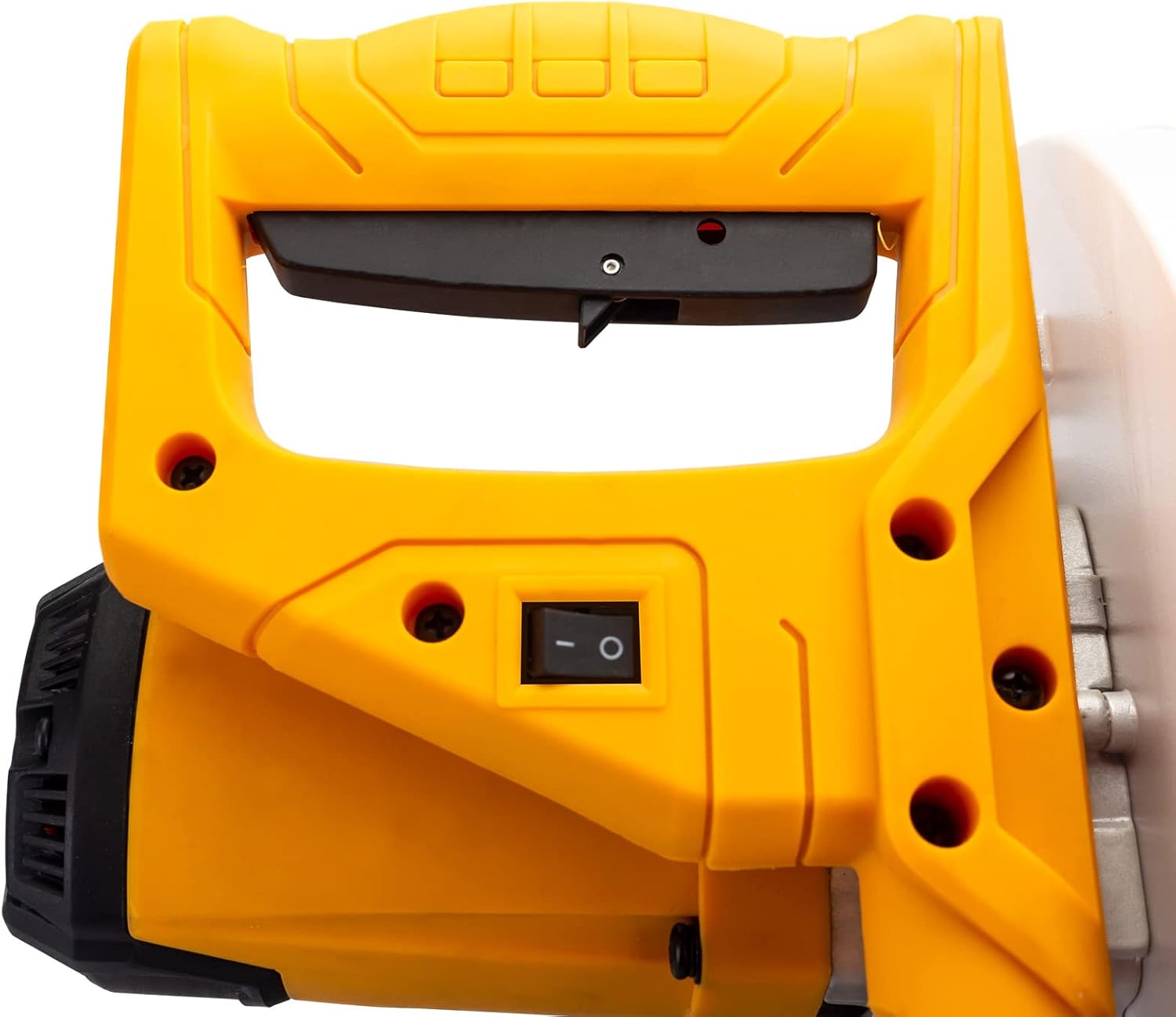
Figure 3: The ergonomic handle and power switch for operating the mitre saw.
Laser Guide Operation
The integrated laser guide projects a line onto the workpiece, indicating the exact cutting path of the blade. This enhances accuracy and allows for precise alignment before cutting.
- The laser guide is powered by the mains via a safety isolating transformer.
- To activate the laser, ensure the saw is plugged in and the laser switch (if separate) is turned on.
- Align the projected laser line with your desired cut mark on the workpiece.
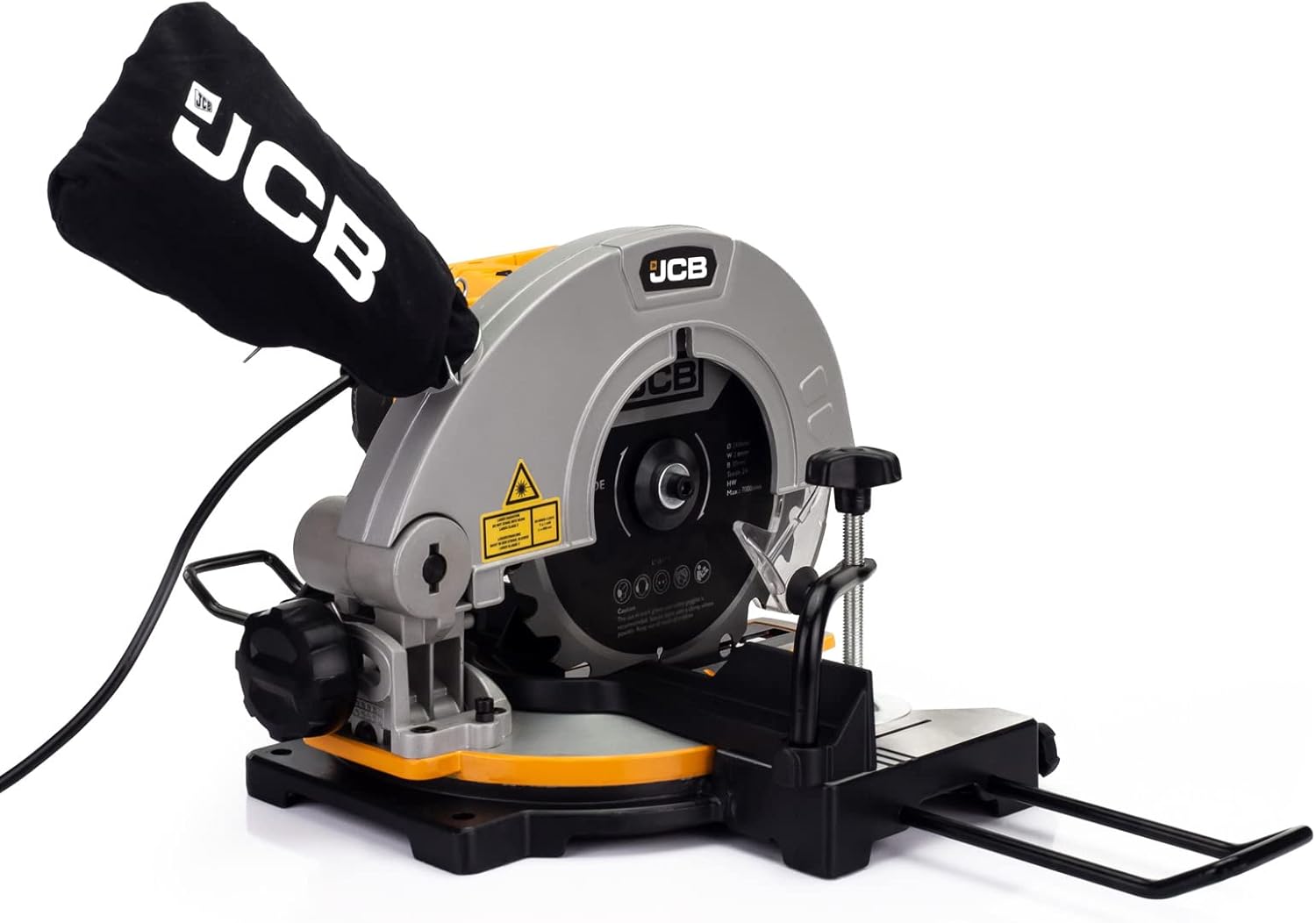
Figure 4: The laser guide mechanism, which projects a precise cutting line onto the workpiece.
Na-emezi Miter Angles
The saw offers a cut range of -45° / 0° / +45° for various mitre cuts.
- Loosen the mitre lock knob located on the front of the saw base.
- Rotate the turntable to the desired angle indicated on the mitre scale.
- Tighten the mitre lock knob firmly to secure the turntable in position before making a cut.
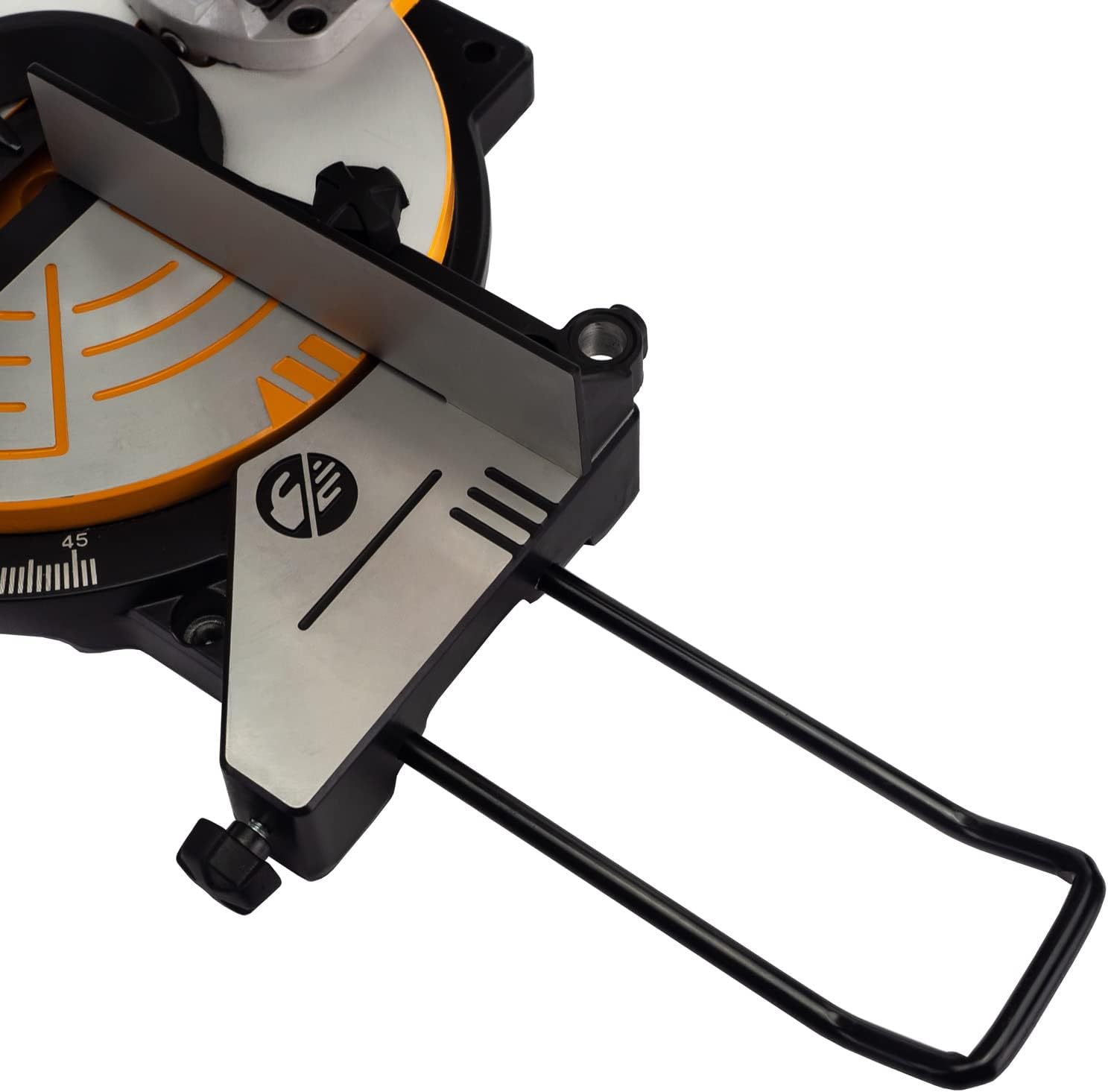
Ọgụgụ 5: Zuru ezu view of the saw base, showing the mitre angle scale and locking mechanism for precise adjustments.
Nlekọta
Regular maintenance ensures the longevity and optimal performance of your JCB Mitre Saw. Always unplug the saw before performing any maintenance.
- Nhicha: After each use, clean the saw thoroughly. Remove sawdust and debris from the blade guard, motor vents, and base. Use a soft brush or compressed air.
- Akpa uzuzu: Empty the dust bag regularly to maintain effective dust collection. Clean the bag periodically to prevent clogging.
- Nyocha agụba: Inspect the blade for sharpness, damage, or missing teeth before each use. A dull or damaged blade can cause kickback and poor cuts.
- Ndochi agụba: To replace the blade, ensure the saw is unplugged. Use the provided wrench to loosen the arbor nut while holding the blade lock button. Carefully remove the old blade and install the new 210mm blade, ensuring the teeth are oriented correctly. Tighten the arbor nut securely.
- mmanu mmanu: Jiri mmanụ igwe dị nro mee ihe mgbe niile n'akụkụ ndị na-agagharị na ebe a na-atụgharị iji hụ na ọrụ ha dị mma.
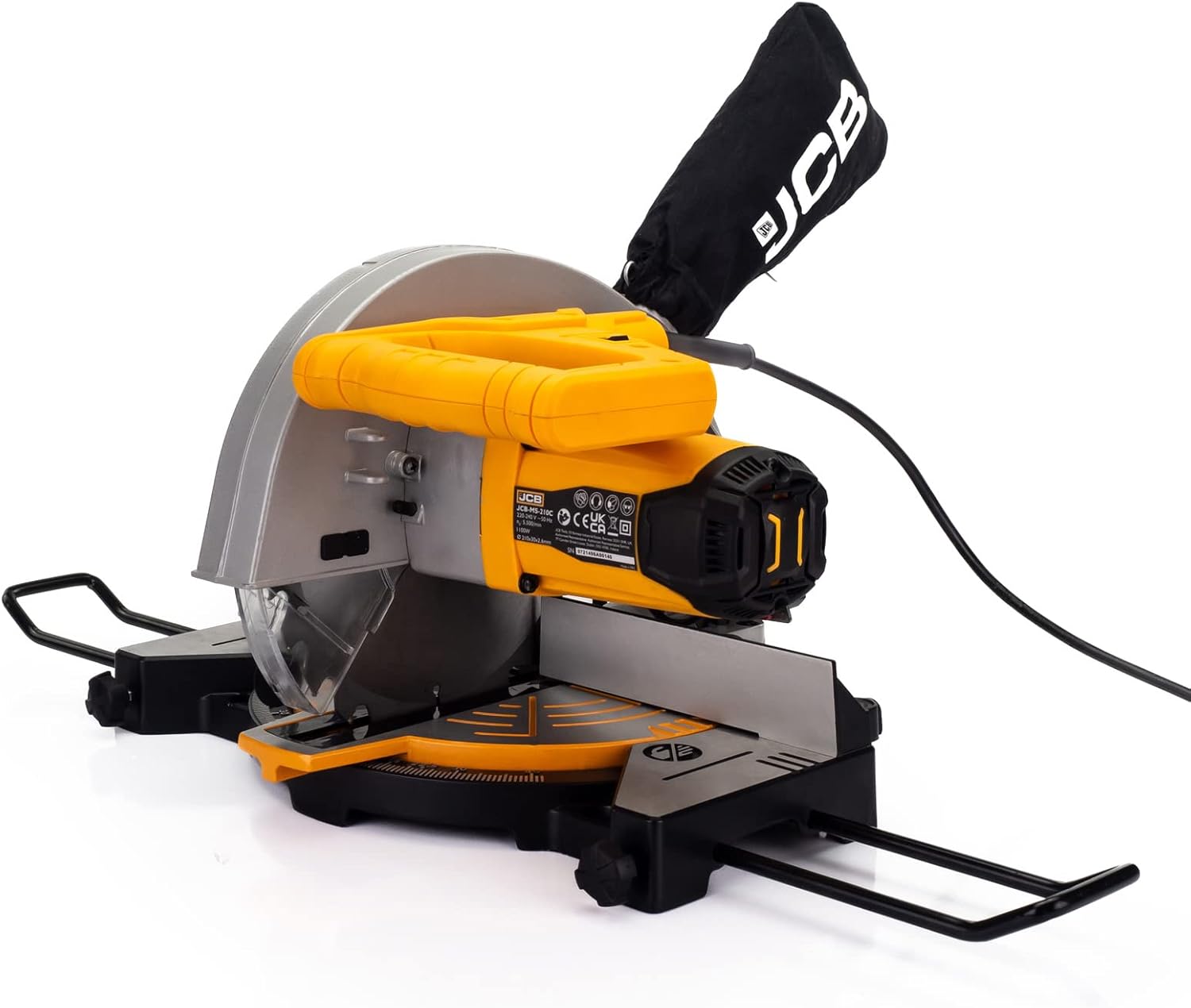
Figure 6: The dust collection bag attached to the mitre saw, essential for maintaining a clean work environment.
Nchọpụta nsogbu
This section addresses common issues you might encounter with your JCB Mitre Saw.
| Nsogbu | Ihe nwere ike ime | Ngwọta |
|---|---|---|
| Saw anaghị amalite | Enweghị ọkụ ọkụ; Mgbanwe na-ezighi ezi; Ibufe moto. | Check power cord and outlet. Ensure switch is fully engaged. Allow motor to cool if overheated. |
| Blade not cutting cleanly | Dull or damaged blade; Incorrect blade for material; Blade installed backward. | Replace blade. Ensure correct blade type for material. Check blade orientation. |
| Oke ịma jijiji ma ọ bụ mkpọtụ | Loose blade; Damaged blade; Unstable mounting. | Tighten blade arbor nut. Replace damaged blade. Securely mount saw to workbench. |
| Laser guide not visible | Laser switch off; Dirty laser lens; Bright ambient light. | Turn on laser switch. Clean laser lens. Reduce ambient light if possible. |
| Nchịkọta uzuzu na-adịghị mma | Dust bag full; Dust port clogged; Dust bag not properly attached. | Empty dust bag. Clear any clogs from dust port. Re-attach dust bag securely. |
Nkọwa nka nka
| Nkọwapụta | Nkọwa |
|---|---|
| Nọmba nlereanya | 21-MS-210-C |
| Isi Iyi Ike | Igwe ọkụ eletrik |
| Voltage | 240 volts |
| Wattage | 1100 Watt |
| Dayameta agụba | 210 mm |
| Agụba Bore | 30 mm |
| Ọkpụrụkpụ agụba | 2.6 mm |
| Number of Teeth (Blade) | 24T (TCT) |
| Ọsọ enweghị ibu | 5500 RPM (max 7000/min) |
| Mitre Cut Range | -45° / 0° / +45° |
| Ogologo ogologo Laser | 650 nm |
| Ibu Ibu | 9 g |
| Akụkụ ngwugwu | 48.4 x 32.2 x 29 cm |
Akwụkwọ ikike na nkwado
This JCB Mitre Saw is backed by a JCB 3 Year Warranty. Akwụkwọ ikike a na-ekpuchi ntụpọ dị na ngwa na arụ ọrụ n'okpuru ojiji nkịtị.
For warranty claims, technical assistance, or spare parts, please contact JCB customer support. UK support is available to assist with any queries or issues you may encounter.
Biko dowe ihe akaebe nke ịzụrụ ihe maka nkwado akwụkwọ ikike.


