1. Okwu mmalite
This manual provides detailed instructions for the proper use, setup, and maintenance of your cellularline Key In-Ear True Wireless Earbuds. Please read this manual thoroughly before using the product to ensure optimal performance and longevity.
2. Ihe ngwugwu
- cellularline Key In-Ear True Wireless Earbuds (Left and Right)
- Charging Case with LED Display
- USB-C eriri USB
- Akwụkwọ ntuziaka onye ọrụ
3. Ngwaahịa gafereview
The cellularline Key In-Ear True Wireless Earbuds offer a compact design with intuitive touch controls and a convenient LED display charging case.

Foto 3.1: The cellularline Key In-Ear True Wireless Earbuds resting in their charging case.

Foto 3.2: The charging case features an LED display that indicates the current battery level.

Foto 3.3: The compact and lightweight design of the charging case allows for easy portability.
4. Ịchaji ihe ntị na akpa
To ensure optimal performance, fully charge your earbuds and charging case before first use.
4.1. Ịchaji ekwe ntị
- Tinye earbuds n'ime oghere ha dị iche iche na nchaji.
- Ensure the charging case has sufficient power. The earbuds will begin charging automatically.
4.2. Ịchaji ikpe nchaji
- Jikọọ eriri chaja USB-C enyere na ọdụ chaja dị na akpa ahụ.
- Jikọọ nsọtụ nke ọzọ nke eriri USB-C na isi iyi ike USB dakọtara (dịka ọmụmaatụ, ihe nkwụnye mgbidi, ọdụ USB kọmputa).
- The LED display on the case will show the current charge level. A full charge takes approximately 4 hours.
The earbuds provide up to 4 hours of continuous playback on a single charge, with an additional 12 hours of playtime available from the fully charged case, totaling 16 hours of battery life.
5. Ntọlite na Pairing
Follow these steps to pair your cellularline Key Earbuds with your device.
5.1. Mmakọ mbụ
- Hụ na e nwere chajị ọkụ na ntị gị.
- Mepee igbe nchaji. Igwe ntị ga-agbanye na-akpaghị aka wee banye ọnọdụ njikọta.
- Na ekwentị gị ma ọ bụ ngwaọrụ Bluetooth, gaa na ntọala Bluetooth.
- Chọọ maka available devices and select "cellularline Key" from the list.
- Ozugbo ejikọrọ, ị ga-anụ nkwenye a na-anụ, na ntị ntị ga-adị njikere maka ojiji.
5.2. Automatic Reconnection
Mgbe ejikọtara ya na mbụ, ekweisi ga-ejikọ na ngwaọrụ ikpeazụ ejikọtara ozugbo mgbe ewepụchara ya na akpa chaja, ma ọ bụrụhaala na etinyere Bluetooth na ngwaọrụ ahụ.

Foto 5.1: The earbuds are designed for seamless wireless connection with your smartphone for music and calls.
6. Ntuziaka ọrụ
The cellularline Key Earbuds feature intuitive touch controls for managing calls, music, and volume.
6.1. Aka njikwa
| Ọrụ | Omume |
|---|---|
| Kpọọ/kwụsịtụ egwu | Otu mgbata na ntị ntị |
| Track na-esote | Pịa bọtịnụ ntị aka nri ugboro abụọ |
| Egwu gara aga | Kpatụ ntị ugboro abụọ n'akụkụ aka ekpe |
| Zaa/Kwụsị Oku | Otu mgbata na ntị ntị |
| Jụ oku | Pịa ma jide otu ntị ntị maka sekọnd 2 |
| Mee ka onye enyemaka olu rụọ ọrụ | Triple tap on either earbud (functionality may vary by device) |
6.2. Double Master Function
The earbuds support a double master function, allowing you to use either the left or right earbud independently for calls or music playback. This provides flexibility and convenience.
7. Nlekọta na nlekọta
Proper care will extend the life of your earbuds.
- Debe earbuds na chaja dị ọcha ma kpọọ nkụ.
- Use a soft, dry cloth to wipe the surfaces. Avoid using abrasive cleaners or solvents.
- Chekwaa ntị ntị n'akpa chaja ha mgbe anaghị eji ya iji chebe ha ma debe ya ebubo.
- Zere oke okpomọkụ yana ìhè anyanwụ kpọmkwem.
- Do not attempt to disassemble the product, as this will void the warranty.
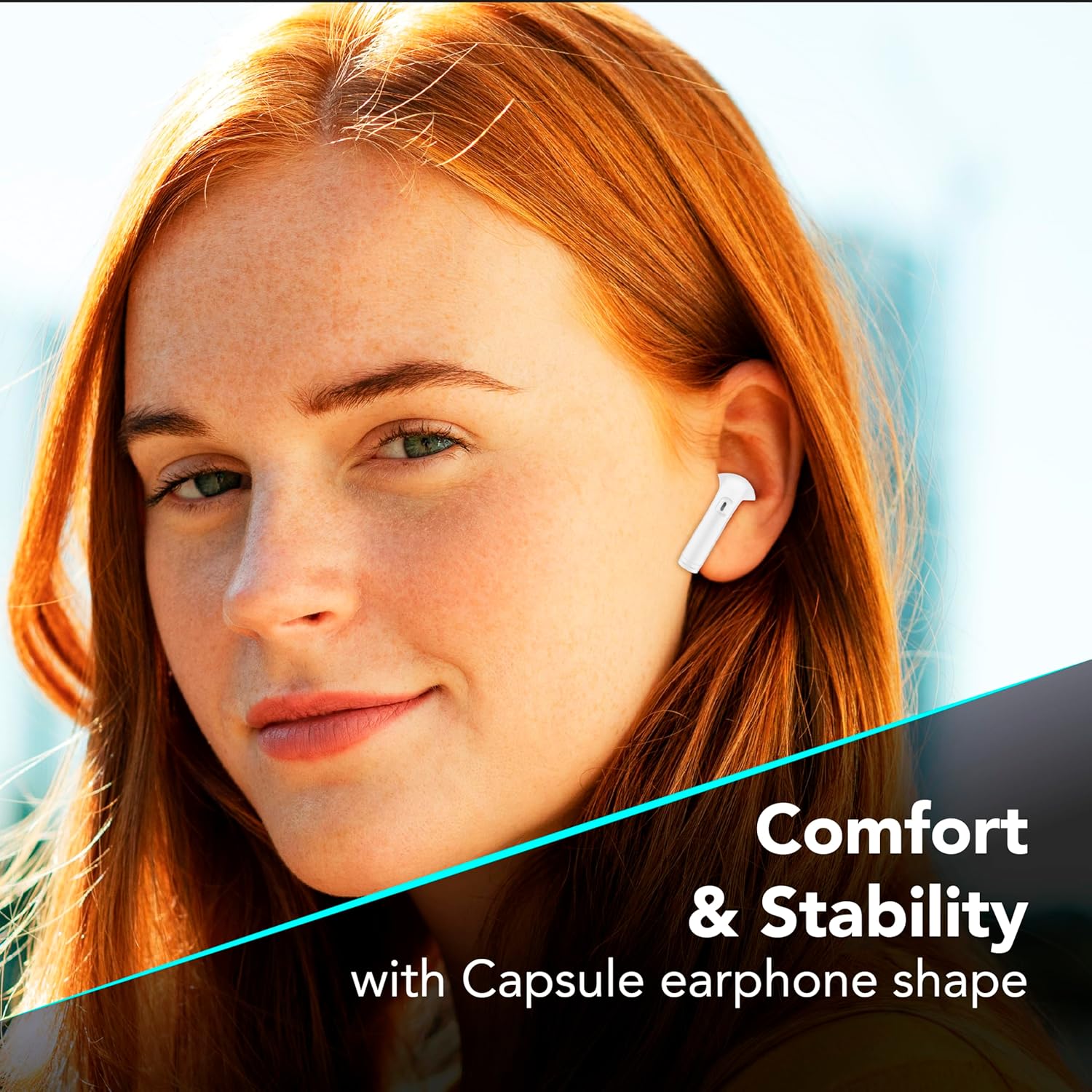
Foto 7.1: The in-ear design provides a comfortable and stable fit for extended wear.
8. Nchọpụta nsogbu
If you encounter issues with your earbuds, refer to the following common solutions.
| Nsogbu | Ngwọta enwere ike |
|---|---|
| Igwe ntị anaghị ejikọta ọnụ |
|
| Enweghị ụda sitere na otu ntị ntị |
|
| Nchaji anaghị akwụ ụgwọ |
|
| Njikwa mmetụ anaghị aza |
|
9. Nkọwapụta
| Njirimara | Nkọwa |
|---|---|
| Nọmba nlereanya | BTKEYTWSW |
| Njikọta | Bluetooth 5 |
| Ndụ batrị earbud | Ruo awa 4 (ụgwọ otu) |
| ngụkọta oge egwuregwu (ya na ikpe) | Ruo awa iri abụọ |
| Oge Njikere (Ikpe) | Ihe dị ka awa 4 |
| Nchaji ọdụ ụgbọ mmiri | USB-C |
| Ihe onwunwe | Plastic |
| Atụmatụ pụrụ iche | True Wireless, Touch Control, LED Display Charging Case, Double Master Function |
10. Akwụkwọ ikike na nkwado
Your cellularline Key In-Ear True Wireless Earbuds are covered by a standard manufacturer's warranty. For specific warranty details, please refer to the warranty card included in your product packaging or visit the official cellularline websaịtị.
For technical support, troubleshooting assistance beyond this manual, or warranty claims, please contact cellularline customer service through their official channels.


