1. Ngwaahịa gafereview
The MediaCom MCI SB01 is a versatile Bluetooth soundbar designed to enhance your audio experience. It features an elegant wooden casing and comes equipped with dual microphone inputs, making it suitable for various entertainment and communication needs. With multiple connectivity options, it seamlessly integrates with a wide range of devices.
Akụkụ ndị bụ isi:
- Elegant wooden casing for enhanced aesthetics and sound quality.
- Two dedicated microphone inputs for karaoke or public speaking.
- 30W RMS output power for clear and robust audio.
- Bluetooth connectivity for wireless streaming from smartphones, tablets, and laptops.
- Multiple input options: Bluetooth, Optical, SD card, and AUX (RCA/3.5mm).
- Universal compatibility with various television models.
2. Ozi nchekwa
Please read all safety instructions carefully before using this product. Retain this manual for future reference.
- Isi mmalite ike: Jiri naanị ihe nkwụnye ike akọwapụtara. Hụ na vol ahụ dị.tage is compatible with your region.
- Igwe ikuku: Akwụsịla oghere ikuku ikuku ọ bụla. Wụnye dị ka ntuziaka onye nrụpụta si dị.
- Mmiri na mmiri: Etinyela ihe ndị e ji mmiri mee, dị ka ite, n'elu ihe a.
- Okpomọkụ: Awụnyela n'akụkụ ebe okpomọkụ ọ bụla dị ka radiators, ndekọ okpomọkụ, stovu, ma ọ bụ ngwa ndị ọzọ (gụnyere amplifiers) nke na-emepụta okpomọkụ.
- Nhicha: Jiri akwa kpọrọ nkụ hichaa naanị.
- Ije ozi: Anwala ịnye ngwaahịa a n'onwe gị. Tụtụ aka n'aka ndị ọrụ ruru eru.
3. Ihe ngwugwu
Chọpụta na ihe niile dị na ngwugwu:
- MediaCom MCI SB01 Soundbar
- Wired Microphones (x2)
- Ihe nkwụnye ọkụ
- Akwụkwọ ntuziaka onye ọrụ
- Njikwa anya (ọ bụrụ na etinyere ya)
- Audio Cables (e.g., Optical, AUX - if included)
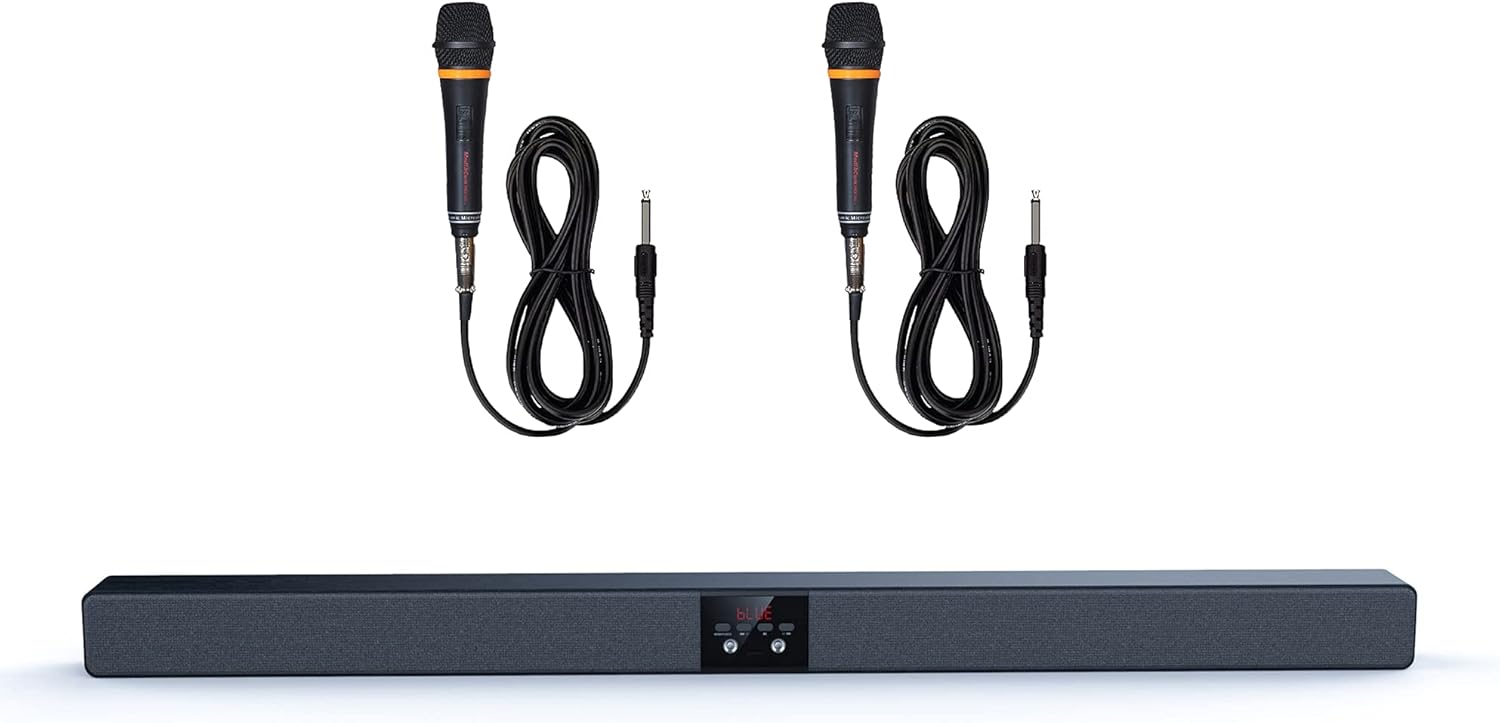
Image 1: The MediaCom MCI SB01 Soundbar shown with its two accompanying wired microphones.
4. Nhazi
4.1 Jikọọ ụda ụda
Choose one of the following methods to connect your soundbar to a TV or other audio source:
- Njikọ anya: For the best audio quality, connect an optical cable (not always included) from your TV's Optical Out port to the soundbar's Optical In port. Select 'Optical' input on the soundbar.
- AUX (RCA/3.5mm) Connection: Use an AUX cable to connect your TV's Audio Out (RCA L/R or 3.5mm headphone jack) to the soundbar's AUX In port. Select 'AUX' input on the soundbar.
- Njikọ Bluetooth: Power on the soundbar and switch to Bluetooth mode. On your device (smartphone, tablet, laptop), enable Bluetooth and search for 'MCI SB01'. Pair with the soundbar.
- Kaadị SD: Insert an SD card with audio files into the designated slot on the soundbar. The soundbar will automatically switch to SD card mode and begin playback.
4.2 Na-agbanye ike
Connect the power adapter to the soundbar's DC input and then to a wall outlet. Press the Power button on the soundbar or remote control to turn it on.

Onyonyo 2: Otu akụkụ view of the soundbar, highlighting its wooden top panel and front speaker grille.

Image 3: A different angled perspective of the soundbar, featuring the MediaCom brand logo on the right end.
5. Ntuziaka ọrụ
5.1 Njikwa ntọala
- Bọtịnụ ike: Na-agbanye ma ọ bụ gbanyụọ ụda ụda.
- Input/Mode Button: Cycles through available input modes (Bluetooth, Optical, AUX, SD).
- Elu elu/ala: Na-edozi ọkwa olu nna ukwu.
- Gwuo/kwụsịtụ: Controls playback in Bluetooth or SD card mode.
- Egwu gara aga/ na-esote: Skips to the previous or next track in Bluetooth or SD card mode.
5.2 Using Microphones
Connect the wired microphones to the designated microphone input jacks on the soundbar. Adjust the microphone volume using the dedicated controls on the soundbar or remote (if available). Ensure the soundbar's main volume is set to a comfortable listening level before using the microphones.
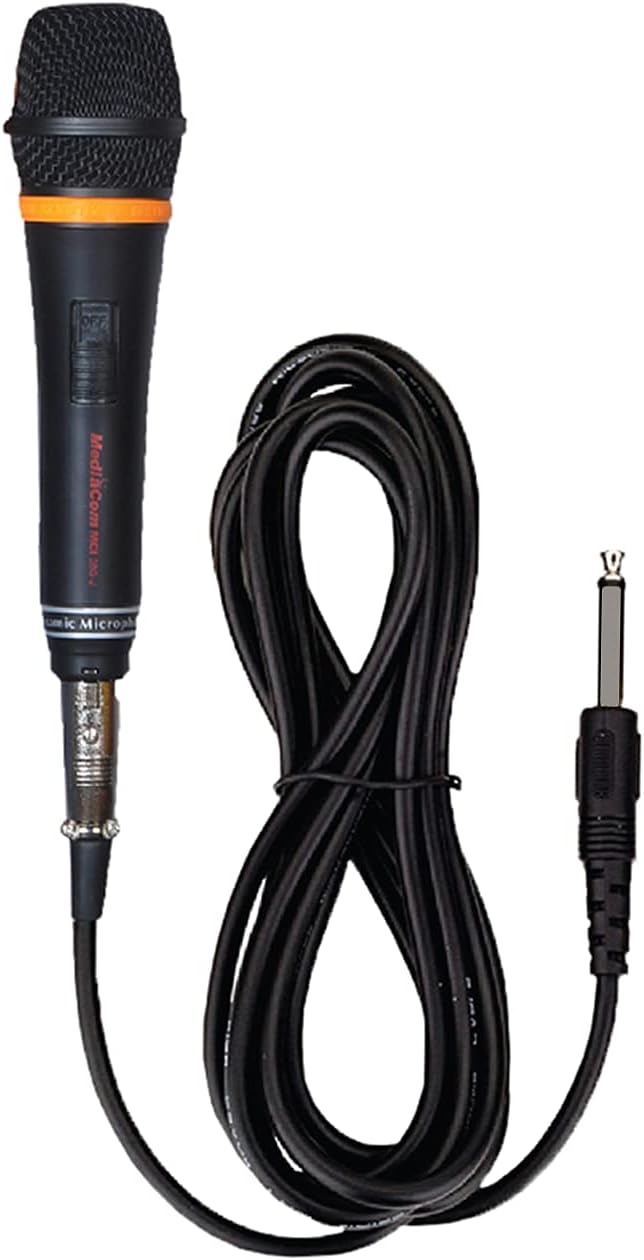
Foto 4: nkọwa zuru ezu view of one of the wired microphones included with the soundbar, showing its cable and audio jack.
6. Nlekọta
Proper care ensures the longevity of your soundbar:
- Nhicha: Wipe the soundbar with a soft, dry cloth. Do not use liquid cleaners or aerosol sprays.
- Nchekwa: If storing for an extended period, disconnect from power and store in a cool, dry place.
- Zenarị ihe mgbochi: Do not place objects on top of the soundbar that could block the speakers or ventilation.
7. Nchọpụta nsogbu
Ọ bụrụ na ị na-enwe nsogbu, rụtụ aka na nsogbu ndị a na-ahụkarị na ngwọta ndị a:
| Nsogbu | Ihe nwere ike ime | Ngwọta |
|---|---|---|
| Enweghị ike | Power cable not connected; outlet not working | Gbaa mbọ hụ na ejikọrọ eriri ọkụ na nchekwa. Gbalịa nweta ike dị iche. |
| Enweghị ụda | Incorrect input mode; volume too low; cable issues | Select the correct input mode. Increase volume. Check audio cables for secure connection. |
| Njikọ Bluetooth adaghị | Soundbar not in pairing mode; device too far | Ensure soundbar is in Bluetooth mode and discoverable. Move device closer to soundbar. |
| Igwe okwu anaghị arụ ọrụ | Microphone not connected; microphone volume low | Ensure microphone is fully plugged in. Increase microphone volume. |
8. Nkọwapụta
Detailed technical specifications for the MediaCom MCI SB01 Soundbar:
- Aha nlereanya: MCI SB-01
- Akara: MediaCom
- Ụdị ọkà okwu: Igwe ụda ụda
- Teknụzụ Njikọta: Bluetooth, Optical Fiber, RCA, Auxiliary
- Ike Nwepu Ọkà Okwu Kachasị: 30 Watt
- Ụkpụrụ mmepụta ụda: Stereo
- Ihe: Osisi
- Ụdị nkwụnye: Wall Mount (hardware not always included)
- Akụkụ ngwaahịa: 100 x 75 x 65 cm
- Ibu ihe: 5 n'arọ
- Atụmatụ pụrụ iche: Bluetooth, Integrated Speakers, Dual Microphone Inputs
- Eji akwadoro: Smartphones, Tablets, Laptops, Televisions

Foto 5: N'ihu view of the soundbar, visually confirming key features such as dual microphone inputs, wooden construction, and speaker configuration.
9. Akwụkwọ ikike na nkwado
For warranty information and customer support, please refer to the warranty card included with your product or visit the official MediaCom websaịtị. Debe nnata nzụta gị dị ka ihe akaebe nke ịzụrụ maka nkwupụta ikike.
For technical assistance or inquiries, please contact MediaCom customer service through the contact details provided on their official webngwugwu saịtị ma ọ bụ ngwaahịa.


