1. Okwu mmalite
Thank you for choosing the HOCO BS37 Dancer Outdoor Wireless Speaker. This manual provides detailed instructions for the safe and efficient operation of your device. Please read this manual thoroughly before use and retain it for future reference.
The HOCO BS37 is a versatile outdoor wireless speaker featuring Bluetooth V5.0 connectivity, TWS (True Wireless Stereo) support, FM radio, USB playback, and AUX input. It includes a wired microphone for karaoke functions and independent colored lights to enhance your audio experience.
2. Ihe ngwugwu
Biko lelee ngwungwu maka ihe ndị a:
- HOCO BS37 Dancer Outdoor Wireless Speaker
- Igwe okwu Wired
- Eriri Nchaji (USB)
- Akwụkwọ ntuziaka onye ọrụ
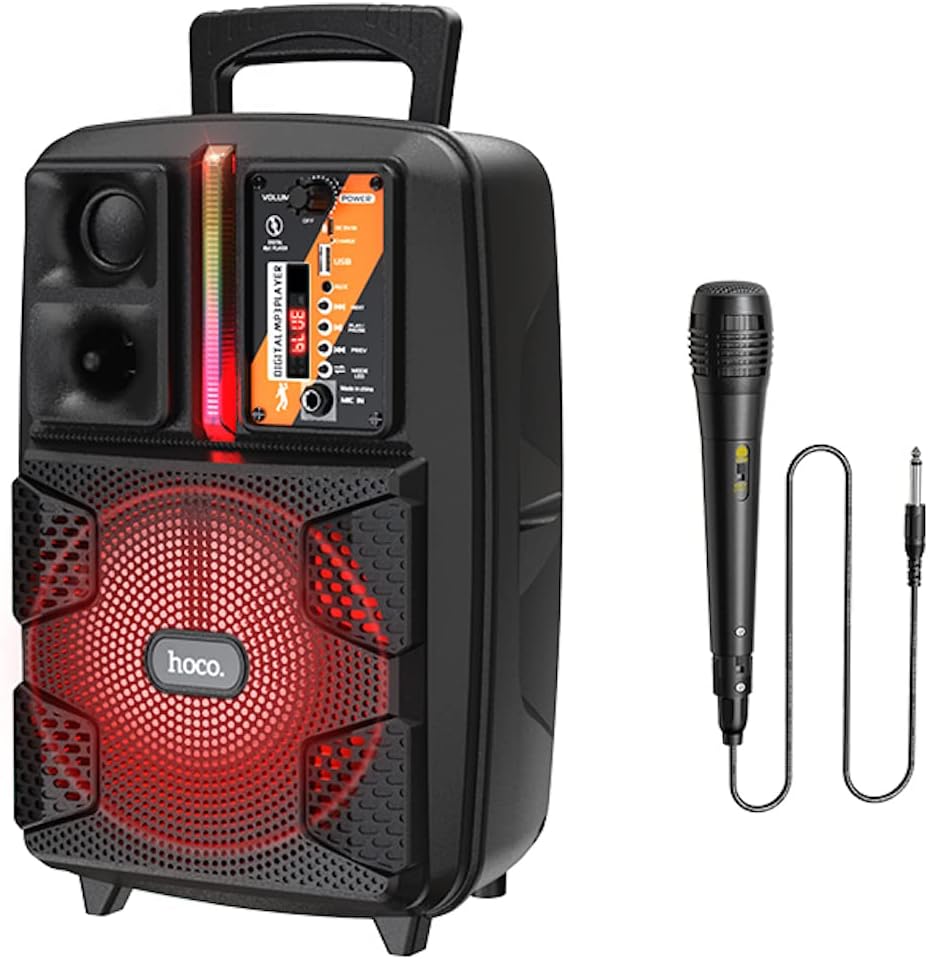
Image: The HOCO BS37 speaker shown with its included wired microphone.
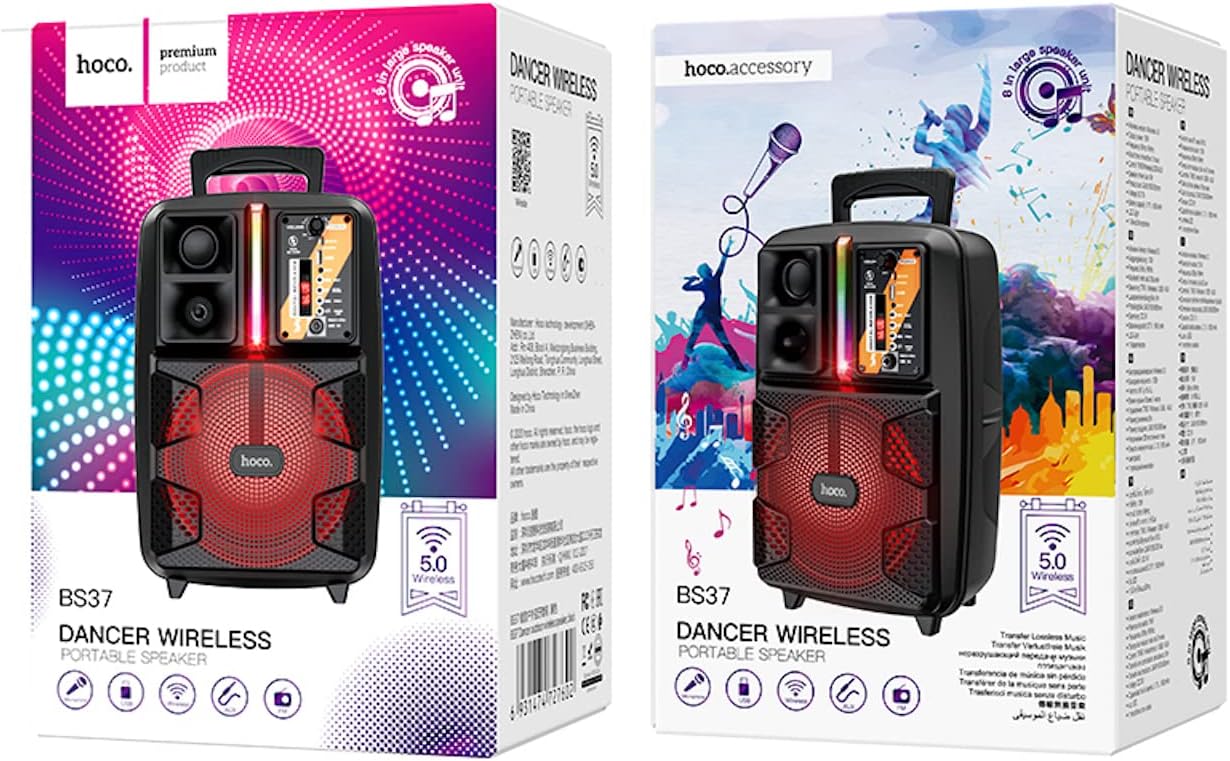
Image: The retail packaging for the HOCO BS37 Dancer Outdoor Wireless Speaker.
3. Ngwaahịa gafereview
The HOCO BS37 speaker features an 8-inch speaker unit and a control panel for various functions. Familiarize yourself with the layout of the speaker's controls and ports.

Foto: nkọwa zuru ezu view of the HOCO BS37 speaker's control panel, showing volume knob, power switch, USB port, AUX input, microphone input, and mode selection buttons.
Atụmatụ Panel Control:
- Mpịakọta olu: Adjusts the overall speaker volume.
- Mgbanwe IKE: Gbanyụọ ma ọ bụ gbanyụọ ọkà okwu.
- DC 5V n'ime: Ọdụ chaja maka ọkà okwu.
- Ọdụ ụgbọ mmiri USB: Maka ịkpọghachi draịva flash USB.
- Nkeji oge: Ntinye ọdịyo 3.5mm maka ngwaọrụ mpụga.
- MIC N'ime: Ntinye 6.35mm maka igwe okwu waya.
- Bọtịnụ MODE: Switches between Bluetooth, FM, USB, and AUX modes.
- Bọtịnụ Kwụsị/ Kwụsị: Na-egwu ma ọ bụ kwụsịtụ ịkpọghachi ọdịyo.
- Bọtịnụ BỤRỤ/ỌZỌ: Ọ na-agafe n'okporo ụzọ/ọdụ gara aga ma ọ bụ nke na-esote.
- Mgbanwe ọkụ: Controls the independent colored lights.
4. Nhazi
4.1 Nchaji izizi
Before first use, fully charge the speaker. Connect the provided charging cable to the DC 5V IN port on the speaker and the other end to a suitable USB power adapter (not included). The charging time is approximately 2.5 hours.
4.2 Gbanyụọ/ gbanyụọ
Iji gbanye ọkà okwu ahụ, mịpụ ya IKE switch to the "ON" position. To power off, slide it to the "OFF" position.
5. Ntuziaka ọrụ
5.1 Njikọ Bluetooth
- Turn on the speaker. It will automatically enter Bluetooth pairing mode, indicated by an audible prompt or flashing indicator light.
- Kwado Bluetooth na ngwaọrụ mkpanaka gị (smartphone, tabletị, wdg).
- Chọọ maka "HOCO BS37" in the list of available Bluetooth devices.
- Select "HOCO BS37" to connect. Once connected, you will hear a confirmation sound.
The speaker supports Bluetooth V5.0 for stable and efficient wireless connection.
5.2 TWS (True Wireless Stereo) Interconnection
To connect two HOCO BS37 speakers for a stereo sound experience:
- Ensure both HOCO BS37 speakers are powered on and not connected to any Bluetooth device.
- N'otu n'ime ndị ọkà okwu (nke a ga-abụ ọkà okwu mbụ), pịa ma jide MODE button or a dedicated TWS button (if available, refer to specific button labels on your device) until you hear a pairing prompt.
- Ndị ọkà okwu abụọ ahụ ga-anwa ijikọ onwe ha. Ozugbo ejikọtara ha nke ọma, ị ga-anụ ụda nkwenye.
- Now, connect your mobile device to the primary speaker via Bluetooth as described in section 5.1. Audio will play in stereo through both speakers.
Ọnọdụ redio FM 5.3
- Pịa MODE button repeatedly until you enter FM radio mode.
- Pịa KWURU/Kwụsịa button once to automatically scan and save available FM stations.
- Jiri ihe PREV na OSOTE bọtịnụ ka ịnyagharịa n'etiti ọdụ ndị echekwara.
5.4 USB playback
- Fanye draịva USB nwere ọdịyo MP3 files n'ime Ọdụ ụgbọ mmiri USB.
- The speaker will automatically switch to USB mode and begin playing audio. If not, press the MODE bọtịnụ ka ịhọrọ ọnọdụ USB.
- Jiri ihe KWURU/Kwụsịa, PREV, na OSOTE bọtịnụ iji jikwaa ịkpọghachi.
5.5 Ụdị AUX
- Jikọọ ngwaọrụ ọdịyo dị n'èzí (dịka ọmụmaatụ, MP3 player, laptọọpụ) na ngwaọrụ ọdịyo dị n'èzí. ỌXụ IN port using a 3.5mm audio cable (not included).
- Pịa MODE bọtịnụ ka ịhọrọ ọnọdụ AUX.
- Jikwaa ọkpụkpọ egwu site na ngwaọrụ mpụga gị ejikọtara.

Image: The HOCO BS37 speaker highlighting its multiple playback options: Bluetooth, USB, and AUX.
5.6 Microphone Usage (Karaoke)
- Jikọọ igwe okwu wired na MIC NA ọdụ ụgbọ mmiri na ọkà okwu.
- Ensure the microphone's ON/OFF switch is in the "ON" position.
- Adjust the main Mpịakọta knob on the speaker to control the microphone's output level.
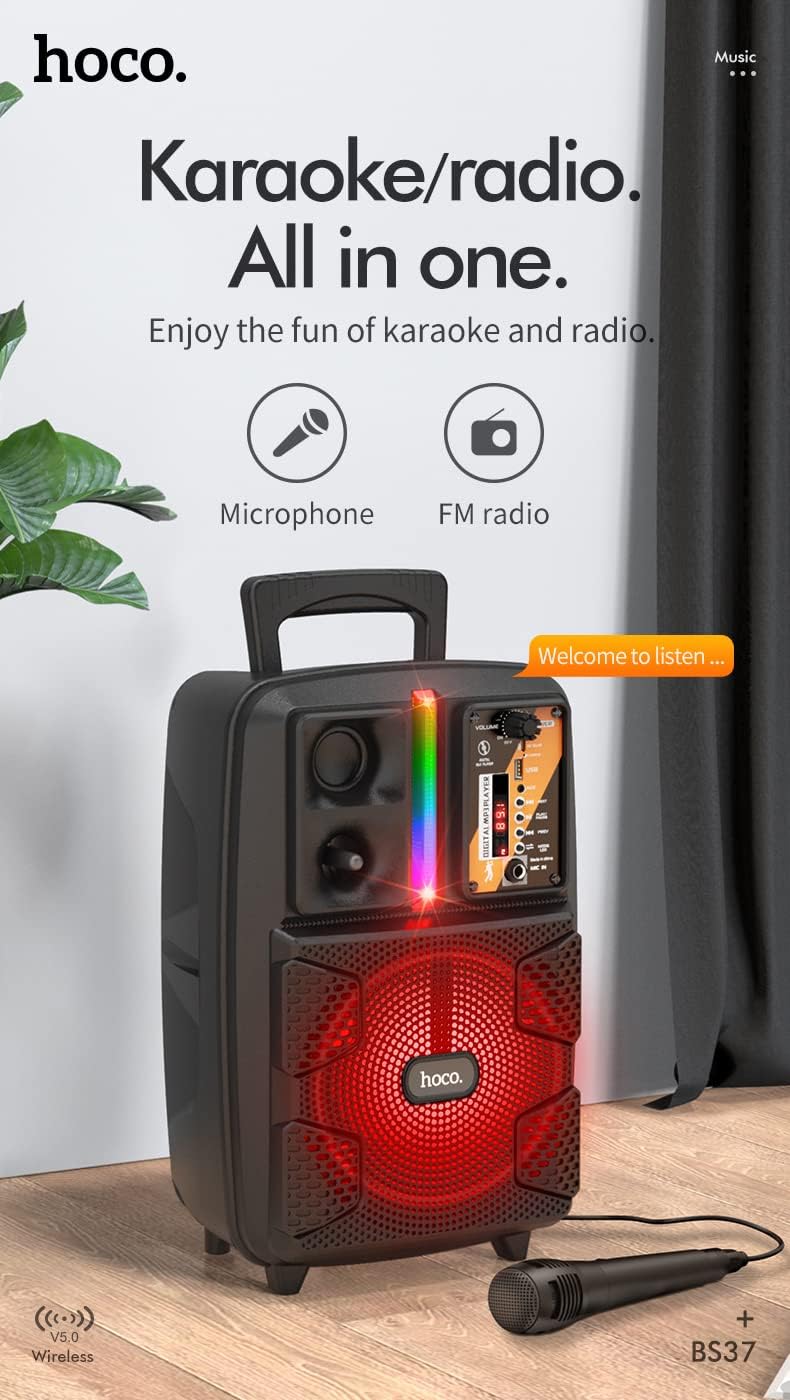
Image: The HOCO BS37 speaker with the wired microphone connected, illustrating its karaoke and radio capabilities.
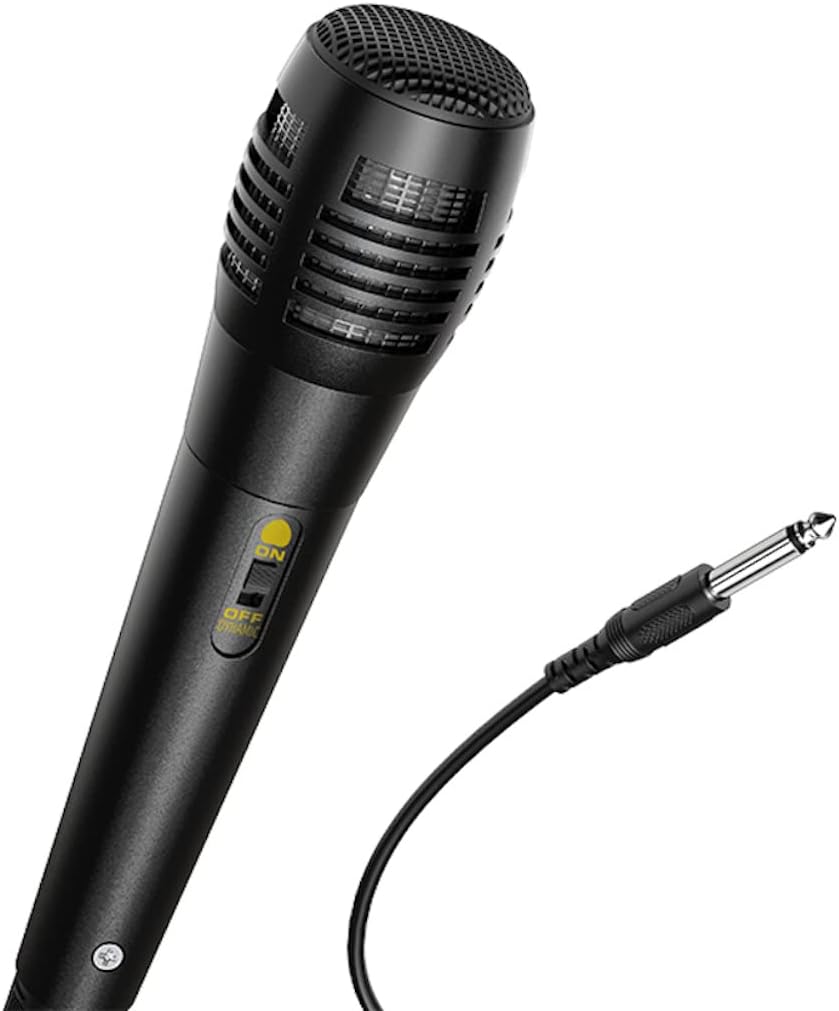
Foto: A nso nso view of the wired microphone included with the HOCO BS37 speaker, showing its ON/OFF switch and connector.
5.7 Mmetụta ọkụ
The speaker features independent colored lights. Use the dedicated Mgbanwe ọkụ on the control panel to turn the lights ON or OFF, or to cycle through different light modes (if applicable).

Image: The HOCO BS37 speaker displaying its colorful breathing light effects.
6. gingchaji Okwu Okwu
When the battery is low, the speaker may indicate this with an audible prompt or a flashing indicator light. To charge:
- Jikọọ eriri nchaji na DC 5V n'ime ọdụ ụgbọ mmiri na ọkà okwu.
- Connect the other end of the charging cable to a standard USB power source (e.g., wall adapter, computer USB port).
- The charging indicator light will illuminate. Once fully charged (approximately 2.5 hours), the indicator light may change or turn off.
A full charge provides approximately 3 hours of music playback at 80% volume.
7. Nlekọta
- Jiri akwa dị nro hichaa ọkà okwu. Ejila ihe nchacha abrasive ma ọ bụ ihe mgbaze.
- Keep the speaker away from water, moisture, and extreme temperatures.
- Chekwaa ọkà okwu n'ebe dị jụụ ma kpọọ nkụ mgbe ọ naghị eji ya ogologo oge.
- Zere idobe ma ọ bụ idobe ọkà okwu na mmetụta siri ike.
8. Nchọpụta nsogbu
| Nsogbu | Ihe nwere ike ime | Ngwọta |
|---|---|---|
| Ọkà okwu anaghị agbanwuo. | Batrị agwụla. | Chajie ọkà okwu ahụ ruo opekata mpe nkeji iri atọ. |
| Enweghị ike ijikọ site na Bluetooth. | Igwe okwu anọghị n'ụdị njikọta; Bluetooth agbanyụrụ na ngwaọrụ; ngwaọrụ ahụ dị oke anya. | Ensure speaker is in pairing mode. Turn Bluetooth off/on on your device. Move device closer to speaker (within 10 meters). |
| Enweghị ụda sitere na ọkà okwu. | Volume is too low; incorrect mode selected; cable not connected properly. | Mee ka olu igwe okwu na ngwaọrụ dịkwuo elu. MODE button to select correct input. Check all cable connections. |
| Igwe okwu anaghị arụ ọrụ. | Microphone switch is off; not plugged in correctly. | Ensure microphone switch is ON. Plug microphone firmly into MIC NA ọdụ ụgbọ mmiri. |
9. Nkọwapụta
| Nlereanya | BS37 Dancer |
| Ngalaba Ọkà Okwu | 8 inch, 2Ω10W |
| Akụkụ (L x W x H) | 367 x 243 x 196 mm (14.45 x 9.57 x 7.72 inch) |
| Ibu | 1.9KG (4.19 lbs) |
| Ụdị Bluetooth | V5.0 (Blue trum 5322) |
| Ike batrị | 1800mAh (A grade 18650) |
| Oge Egwu Egwu | Ihe dị ka awa 3 (na olu 80%) |
| Oge Nchaji | Ihe dị ka awa 2.5 |
| Nhọrọ njikọta | Bluetooth, TWS, FM Radio, USB, AUX |
| Ngwa gụnyere | Igwe okwu Wired |
| Ngwa dakọtara | Desktọpụ, Laptọọpụ, MP3 Player, Ama ekwentị, Mbadamba |
10. Ozi nchekwa
- Do not expose the speaker to rain or moisture to prevent electric shock or fire.
- Ewepụla, rụkwaa ma ọ bụ gbanwee ngwaọrụ n'onwe gị. Kpọtụrụ ndị ọrụ ruru eru ọrụ niile.
- Avoid placing the speaker near heat sources, such as radiators, heat registers, stoves, or other apparatus that produce heat.
- Jiri naanị chaja akọwapụtara voltage na ugbua.
- Debe ebe ụmụaka na-apụghị iru.
- Ịge ntị ogologo oge n'ogo dị elu nwere ike imebi ihe ntị.
11. Akwụkwọ ikike na nkwado
This product is covered by a limited warranty. Please refer to the warranty card included with your purchase or contact your local HOCO distributor for details regarding warranty terms and conditions.
For technical support or service inquiries, please contact the retailer where you purchased the product or visit the official HOCO websaịtị maka ozi kọntaktị.


