Okwu mmalite
This manual provides comprehensive instructions for the setup, operation, and maintenance of your Alecto DVM-150C Additional Baby Camera. The DVM-150C is designed to expand your existing Alecto DVM-150 baby monitor system, allowing you to monitor multiple children or different rooms simultaneously with a secure and interference-free connection.

Image: The Alecto DVM-150C camera unit shown alongside the DVM-150 parent unit, demonstrating the complete monitoring system.
Ihe ngwugwu
Gbaa mbọ hụ na ihe niile dị na ngwugwu:
- Alecto DVM-150C Camera Unit
- Ihe nkwụnye ọkụ
- Akwụkwọ ntuziaka (akwụkwọ a)
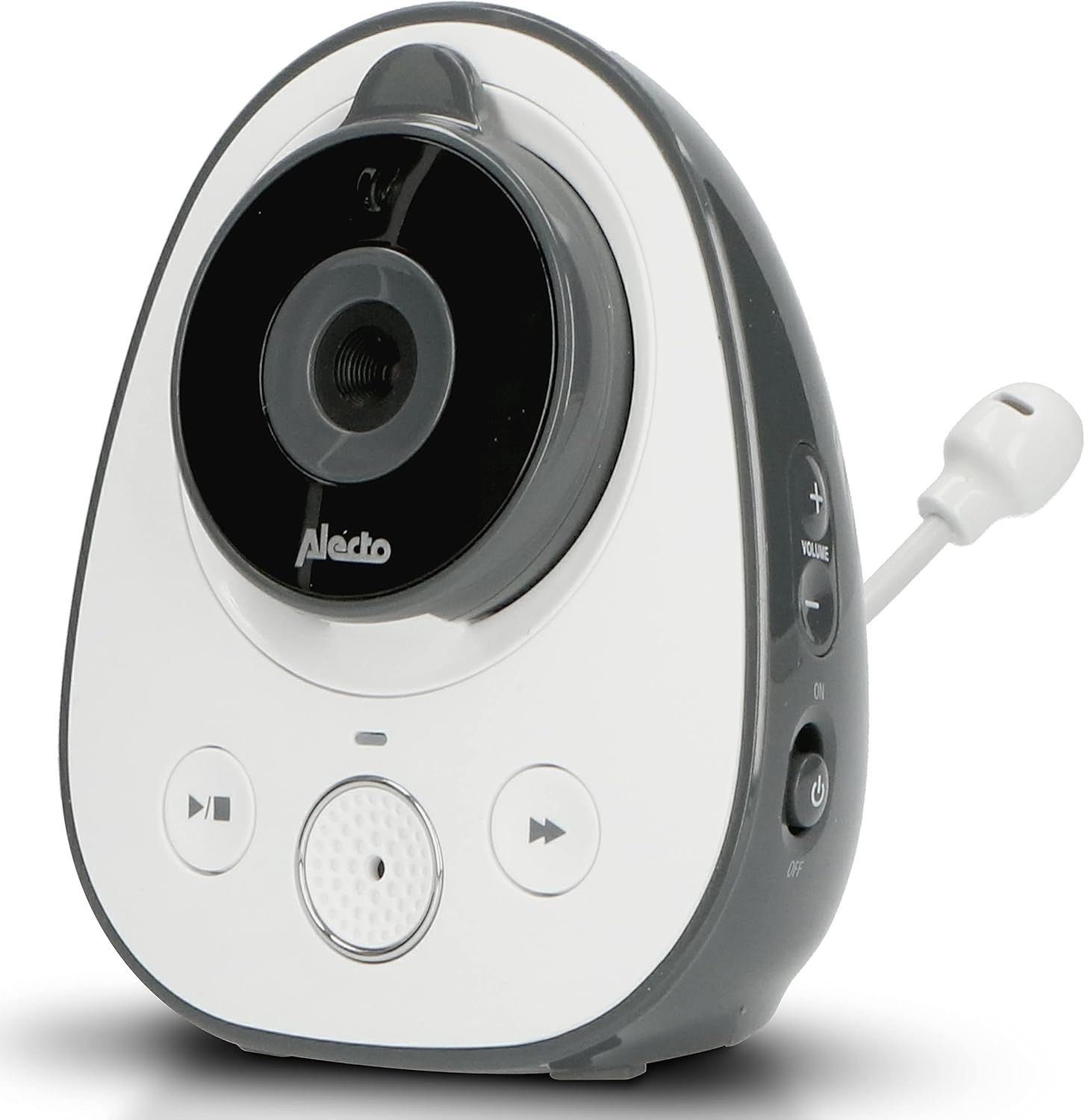
Image: The Alecto DVM-150C camera unit, highlighting its design and flexible antenna.
Melite
Follow these steps to set up your additional camera unit:
- Nkwanye: Place the DVM-150C camera unit in the desired room, ensuring it has a clear view of the area you wish to monitor. For optimal performance, place it within 50 meters indoors or 300 meters outdoors from the parent unit.
- Njikọ ike: Connect the provided power adapter to the camera unit's power input port and then plug it into a standard electrical outlet. The camera will power on automatically.
- Pairing with Parent Unit:
- Turn on your DVM-150 parent unit.
- Navigate to the camera pairing menu on the parent unit (refer to your DVM-150 parent unit manual for specific steps).
- Press and hold the pairing button on the DVM-150C camera unit until the indicator light flashes, signaling it is in pairing mode.
- Confirm pairing on the parent unit. Once successfully paired, the camera's video feed will appear on the parent unit's screen.

Image: The Alecto DVM-150C camera unit securely mounted on a wall, demonstrating a typical installation scenario.
Ntuziaka ọrụ
The DVM-150C camera unit operates in conjunction with your DVM-150 parent unit. All primary controls and viewing functions are managed via the parent unit.
- Nhọrọ igwefoto: If you have multiple cameras paired, use the parent unit's controls to switch between camera views or activate split-screen mode to view multiple cameras simultaneously.
- Ọhụụ abalị: The DVM-150C automatically activates infrared night vision in low-light conditions, providing a clear image even in complete darkness.
- Ụkpụrụ Eco: To conserve energy, enable Eco Mode on your parent unit. This feature reduces power consumption when no sound is detected from the baby unit.
- Nkwukọrịta ụzọ abụọ: Use the talk-back function on your parent unit to speak through the camera unit to your child.

Image: The Alecto DVM-150C camera unit positioned on a shelf in a nursery, demonstrating its discreet placement.
Nlekọta
Proper maintenance ensures the longevity and optimal performance of your camera unit.
- Nhicha: Wipe the camera unit with a soft, dry cloth. Do not use abrasive cleaners or solvents. Ensure the lens is clean for clear image quality.
- Nchekwa: Ọ bụrụ na ị na-echekwa unit ahụ ruo ogologo oge, kwụpụ ya na ike ma chekwaa ya n'ebe dị jụụ na nkụ.
- Ọnọdụ gburugburu: Avoid exposing the camera to extreme temperatures, direct sunlight, or moisture. This unit is designed for indoor use only.
Nchọpụta nsogbu
| Nsogbu | Ihe nwere ike ime | Ngwọta |
|---|---|---|
| No image on parent unit. | Camera not powered on or not paired. | Ensure the camera is plugged in and powered. Re-pair the camera with the parent unit if necessary. |
| Imagedị mma adịghị mma. | Dirty lens or insufficient lighting. | Clean the camera lens. Ensure adequate lighting or check night vision activation. |
| Ntinye aka ma ọ bụ mgbaàmà adịghị ike. | Too far from parent unit or obstacles. | Move the camera closer to the parent unit. Remove large obstacles between units. |
Nkọwapụta
| Njirimara | Nkọwa |
|---|---|
| Nlereanya | DVM-150C |
| Ụdị | Alexo |
| Teknụzụ Njikọta | Ikuku |
| Njirimara Pụrụ Iche | Ọhụụ abalị |
| Ojiji ime ime/n'èzí | Ime ụlọ |
| Ụdị nkwụnye | Ugwu mgbidi |
| Ihe onwunwe | Plastic |
| Akụkụ (Ngwugwu) | 18 x 17.9 x 8.3 cm; 354 grams |
| Akwadoro ojiji | Nleba anya nwa |
| Range (Indoor) | Up to 50 meters (as per feature bullets) |
| Range (Outdoor) | Up to 300 meters (as per feature bullets) |
Akwụkwọ ikike na nkwado
For warranty information and technical support, please refer to the official Alecto websaịtị ma ọ bụ kpọtụrụ ndị ahịa ha ọrụ. Debe nnata nzụta gị dị ka ihe akaebe nke ịzụrụ maka nkwupụta ikike.
Onye na-ere ahịa: Commaxx BV
Iwu nloghachi: 30-day refund/replacement (as per buybox_winner data).
Maka enyemaka ọzọ, gaa na: Commaxx B.V. Seller Information