1. Ntuziaka nchekwa
Please read these instructions carefully before installation and use. Keep this manual for future reference.
- Gbaa mbọ hụ na agbapụrụ ọkụ ọkụ tupu echichi ma ọ bụ mmezi.
- This product is designed for indoor use unless otherwise specified.
- Do not expose the LED strip to direct water or excessive humidity unless it is specifically rated for such conditions (IP65 rating indicates protection against water jets, but not submersion).
- Do not cut the LED strip unless marked with designated cutting points. Cutting elsewhere may damage the strip.
- Use only the provided power adapter. Using an incompatible adapter may cause damage or fire.
- Avoid bending the LED strip sharply, as this can damage the internal circuitry.
- Debe ebe ụmụaka na-apụghị iru.
2. Ihe ngwugwu
Chọpụta na akụrụngwa niile dị na ngwugwu:
- 1x Avide RGB LED Strip (5 meters)
- 1 x nkwụnye ọkụ (12V)
- 1x njikwa anya

Image: The Avide RGB LED Strip Light Kit, showing the coiled 5-meter LED strip, the included remote control, and the power adapter. Key specifications like 330 lumen/m, 7.2W/meter, 1650 lumen total, and IP65 rating are visible on the packaging.
3. Nhazi
- Kwadebe elu: Ensure the surface where the LED strip will be mounted is clean, dry, and smooth. Dust or uneven surfaces can affect the adhesive.
- Unroll the LED Strip: Carefully unroll the entire 5-meter LED strip. Avoid kinking or twisting the strip.
- Connect the Strip to the Controller: Connect the 4-pin connector of the LED strip to the corresponding 4-pin port on the RGB controller (usually a small white box attached to the adapter cable). Ensure the arrows on both connectors align.
- Jikọọ ihe nkwụnye ọkụ: Plug the DC output of the 12V power adapter into the input port of the RGB controller.
- Tinye eriri LED: Peel off the protective backing from the adhesive tape on the back of the LED strip. Carefully press the strip onto the desired surface, applying even pressure along its length.
- Tinye n'ime Ike: Once the strip is securely mounted and all connections are made, plug the power adapter into a standard electrical outlet.
4. Ntuziaka ọrụ
Use the included remote control to operate the LED strip:
- Gbanyụọ/gbanyụọ: Pịa ON button to turn the lights on, and the Gbanyụọ button to turn them off.
- Nhọrọ agba: Press the colored buttons (R, G, B, W, and other color swatches) to select a static color.
- Ndozi ihie: Use the brightness up (v) and brightness down (▼) buttons to adjust the intensity of the selected color or mode.
- Ụdị dị ike:
- FLASH: Cycles through colors rapidly.
- Nsogbu: Flashes a single color.
- IHE: Na-agbanwe agbanwe nke ọma n'etiti agba.
- ỤWA: Provides a gradual, continuous color change.
Ensure the remote control is pointed towards the IR receiver on the LED strip controller for optimal response.
5. Nlekọta
- Nhicha: Disconnect power before cleaning. Gently wipe the LED strip with a dry, soft cloth. Do not use harsh chemicals or abrasive cleaners.
- Nchekwa: If storing the LED strip, ensure it is clean and dry. Coil it loosely to prevent damage to the internal wiring. Store in a cool, dry place.
- Nyocha: Periodically inspect the strip and connections for any signs of damage or wear.
6. Nchọpụta nsogbu
- LED strip does not light up:
- Check if the power adapter is securely plugged into both the wall outlet and the controller.
- Ensure the 4-pin connector between the strip and controller is correctly aligned and fully inserted.
- Verify the remote control batteries are functional and correctly inserted.
- Pịa bọtịnụ ON na remote.
- Njikwa ime obodo anaghị arụ ọrụ:
- Ensure there are no obstructions between the remote and the IR receiver on the controller.
- Replace the remote control battery if necessary.
- Ensure the remote is pointed directly at the IR receiver.
- Colors are incorrect or inconsistent:
- Check the 4-pin connector for proper alignment. Misalignment can cause incorrect color display.
- Ensure the strip is not damaged.
7. Nkọwapụta
| Njirimara | Nkọwapụta |
|---|---|
| Nlereanya | Avide RGB LED Strip Light Kit |
| Ntinye Voltage | 12V |
| Oriri ike | 7.2 Watts per meter |
| Mkpokọta oriri ike | 36 Watts (5m x 7.2W/m) |
| Ogologo | 5 mita |
| Flux na-egbuke egbuke | 330 lumen/meter (1650 lumen total) |
| Ogo IP | IP65 |
| Klas arụmọrụ ike | A+ |
| Nha Ngwaahịa (Ngwugwu) | 27 x 21.5 x 8 cm |
| Ibu Ibu | 400 grams |
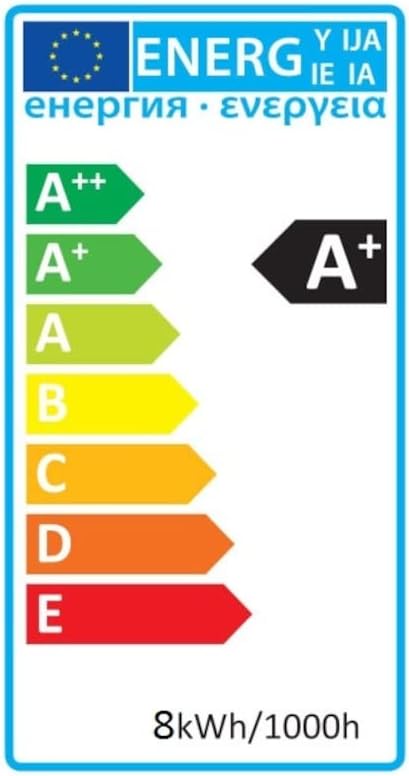
Image: Energy efficiency label indicating an A+ rating for the LED strip, with an energy consumption of 8kWh/1000h.
8. Akwụkwọ ikike na nkwado
For warranty information, technical support, or service inquiries, please refer to the documentation provided at the point of purchase or contact your retailer. Keep your proof of purchase for warranty claims.