Okwu mmalite
Thank you for choosing the Sony WF-1000XM4 Truly Wireless Noise Canceling Earbud Headphones. This manual provides essential information for setting up, operating, maintaining, and troubleshooting your device to ensure optimal performance and longevity. These earbuds feature industry-leading noise canceling, exceptional sound quality with the Integrated Processor V1, crystal-clear call quality, IPX4 water resistance, and extended battery life with wireless charging.
Kedu ihe dị na Igbe ahụ
- Sony WF-1000XM4 ekwe ntị
- Akpa nchaji ikuku
- Eartips (nha dị iche iche)
- USB-C eriri USB
- Akwụkwọ ntuziaka (akwụkwọ a)

Image: Sony WF-1000XM4 earbuds shown inside their charging case.
Ngwaahịa gafereview
The WF-1000XM4 earbuds are designed for a comfortable and secure fit, featuring an ergonomic surface design. The compact charging case provides additional battery life and supports convenient wireless charging.

Foto: A nso nso view of the Sony WF-1000XM4 earbuds, highlighting their design and ear tips.
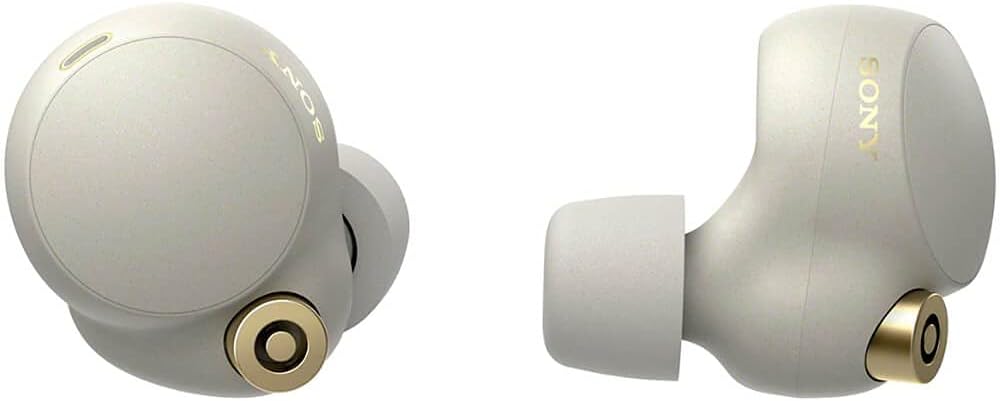
Foto: Akụkụ profile of the Sony WF-1000XM4 earbuds, showing their angled design.
Melite
1. Ịchaji ihe ntị na akpa
Before first use, fully charge the earbuds and the charging case. The charging case can be charged via the supplied USB-C cable or wirelessly using a Qi-compatible wireless charger.
- Wired Nchaji: Connect the USB-C cable to the charging case and a USB power adapter. The indicator light on the case will show charging status.
- Nchaji ikuku: Place the charging case on a Qi-compatible wireless charging pad. Ensure the case is centered on the pad for optimal charging.

Image: The Sony WF-1000XM4 charging case placed on a white wireless charging pad, indicating wireless charging capability.
2. Njikọ Bluetooth
To pair your WF-1000XM4 earbuds with a new device:
- Tinye ntị abụọ ntị na ntị gị.
- Touch and hold the touch sensors on both earbuds for at least 5 seconds. You will hear a notification sound and the voice guidance saying "Bluetooth pairing" from both units.
- On your device (smartphone, tablet, etc.), go to Bluetooth settings and select "WF-1000XM4" from the list of available devices.
- Confirm pairing on your device if prompted.
Video: Instructions on how to connect Sony WF-1000XM4 headphones to a device.
3. Ngwa Jikọọ Ekweisi Sony
Download the "Sony Headphones Connect" app from your device's app store. This app allows you to customize sound settings, manage noise canceling, and access additional features.

Image: A person smiling while using Sony WF-1000XM4 earbuds and interacting with a smartphone app, likely the Sony Headphones Connect app.
Ntuziaka ọrụ
1. Aka njikwa
The WF-1000XM4 earbuds feature customizable touch controls. You can assign different functions (e.g., playback control, volume control, ambient sound control) to single, double, or triple taps on each earbud via the Sony Headphones Connect app.
2. Noise Canceling and Ambient Sound
The earbuds offer industry-leading noise canceling to block out distractions and an Ambient Sound mode to let in surrounding sounds. You can switch between these modes or turn them off using the touch controls or the app. The app also allows for adaptive sound control, which automatically adjusts settings based on your activity or location.

Image: A graphic depicting a person wearing headphones with sound waves being blocked, illustrating noise canceling.
3. Speak-to-Chat
With Speak-to-Chat technology, the earbuds automatically reduce music volume and activate Ambient Sound mode when they detect your voice, allowing for quick conversations without removing the earbuds.
4. In-ear Detection
The earbuds feature in-ear detection. Music playback will automatically pause when you remove an earbud and resume when you put it back in.
5. Onye enyemaka olu
The WF-1000XM4 has Alexa built-in and supports Google Assistant. You can activate your preferred voice assistant hands-free or via touch controls for various functions like playing music, making calls, or getting information.
Ogo ụda
Experience exceptional sound quality with the new Integrated Processor V1 and support for the LDAC codec, enabling High-Resolution Audio Wireless. The Sony Headphones Connect app provides a customizable equalizer to fine-tune your audio preferences.
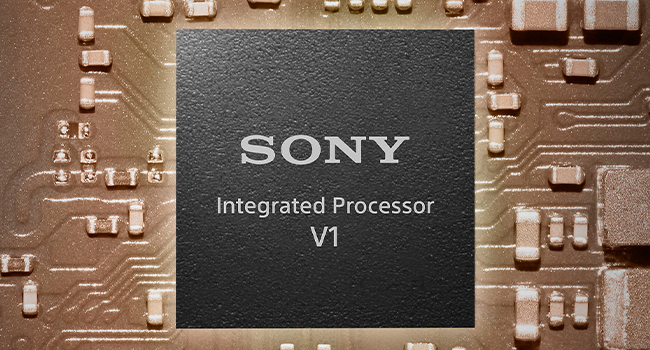
Image: A graphic showing the Sony Integrated Processor V1 chip, highlighting its role in sound quality.
dabara na nkasi obi
The earbuds feature an ergonomic surface design for a stable and comfortable fit. They come with different sizes of noise-isolating ear tips to ensure a proper seal for optimal sound and noise canceling performance. The Sony Headphones Connect app can help you determine the best ear tip size for your ears.

Image: A close-up of the ergonomic surface design of the earbud, emphasizing comfort and fit.
Mmiri Nguzogide
The WF-1000XM4 earbuds have an IPX4 water resistance rating, protecting them from sweat and splashes. This makes them suitable for everyday use and light workouts, but they are not designed for swimming or submersion in water.

Image: A person running outdoors in the rain while wearing Sony WF-1000XM4 earbuds, illustrating their water resistance.
Ndụ batrị
Enjoy up to 8 hours of continuous music playback with noise canceling activated, or up to 12 hours with noise canceling off. The charging case provides additional charges, extending the total battery life to up to 24 hours. A quick 5-minute charge can provide up to 60 minutes of playback.

Image: A graphic illustrating 24 hours of battery life with a quick charge feature.
Nlekọta
Iji nọgide na-arụ ọrụ kacha mma na ịdị ọcha:
- Regularly clean the ear tips and the mesh filters of the earbuds with a dry, soft cloth.
- Wipe the charging case with a soft, dry cloth.
- Avoid exposing the earbuds and case to extreme temperatures, humidity, or direct sunlight.
- Store the earbuds in their charging case when not in use.
Nchọpụta nsogbu
- Enweghị ogo ụda/adịghị mma: Ensure earbuds are properly seated in your ears with the correct ear tip size. Check Bluetooth connection and device volume.
- Okwu Njikọta: Turn off and on your device's Bluetooth. Re-pair the earbuds. Ensure earbuds are charged.
- Noise Canceling Not Effective: Ensure ear tips provide a good seal. Check noise canceling settings in the app.
- Earbuds anaghị akwụ ụgwọ: Ensure the charging cable is securely connected or the wireless charging pad is properly aligned. Clean charging contacts on earbuds and case.
Nkọwapụta
| Njirimara | Nkọwa |
|---|---|
| Aha Nlereanya | WF-1000XM4 |
| Teknụzụ Njikọta | Ikuku (Bluetooth 5.2) |
| Njikwa mkpọtụ | Nkagbu mkpọtụ nọ n'ọrụ |
| Codec ọdịyo | LDAC, AAC, SBC |
| Battery Life (Earbuds ANC On) | Ruo awa iri abụọ |
| Battery Life (Earbuds ANC Off) | Ruo awa iri abụọ |
| Mgbakọta ndụ batrị (ya na igbe) | Ruo awa iri abụọ |
| Nchaji ngwa ngwa | Chajị nkeji 5 maka igwu egwu nkeji 60 |
| Oge Nchaji | Ihe ruru. awa 1.5 |
| Mmiri Nguzogide | IPX4 |
| Ibu (Eti ntị) | Approx. 7.3g x 2 |
| Ibu (Ikpe Nchaji) | Ihe ruru. 41g |
| Ngalaba ọkwọ ụgbọ ala | 6mm Dynamic ọkwọ ụgbọ ala |
| Igwe okwu | Beamforming microphone, Bone-conduction sensor |
| Nkwado Onye enyemaka olu | Alexa Built-in, Google Assistant |
Akwụkwọ ikike & Nkwado
Your Sony WF-1000XM4 earbuds come with a standard manufacturer's warranty. Please refer to the warranty card included in your package for specific terms and conditions. For technical support, troubleshooting assistance, or to register your product, visit the official Sony support websaịtị ma ọ bụ kpọtụrụ ndị ahịa ha ọrụ.


