Okwu mmalite
Thank you for choosing the mDesign L-Shape Home Office Corner Desk. This manual provides essential information for the safe assembly, proper use, and maintenance of your new desk. Please read all instructions carefully before beginning assembly and retain this manual for future reference.

Image: The mDesign L-Shape Home Office Corner Desk, featuring a gray wash wood top and black metal frame, set up in a home office with a laptop, lamp, and decorative items.
Ozi nchekwa
- Na-achịkọta tebụl ahụ mgbe niile n'elu ebe dị nro ma dị ọcha iji gbochie ọkọ.
- Gbaa mbọ hụ na akpọchiela skru na fasteners niile nke ọma tupu ejiri ya. Lelee oge ụfọdụ wee mechie ọzọ ka achọrọ ya.
- Do not overload the desk or shelves. Refer to specifications for weight limits.
- Debe obere akụkụ na ihe nkwakọba ihe n'ebe ụmụaka nọ na anụ ụlọ iji gbochie ihe egwu ịkpagbu.
- Zere iguzo ma ọ bụ ịnọdụ ala n'elu tebụl.
- Use caution when moving the assembled desk to prevent injury or damage.
Ihe ngwugwu
Please verify that all components and hardware are present before beginning assembly. If any parts are missing or damaged, please contact customer support.

Foto: A doro anya view of the mDesign L-Shape Home Office Corner Desk, showing its gray wash wood top and black metal frame structure with two integrated shelves.
Ntuziaka Mgbakọ
Assembly is required for this product. It is recommended to have two people for easier and safer assembly. Please follow these steps:
- Wepu akụrụngwa: Carefully remove all parts from the packaging and lay them out on a clean, soft surface. Identify each component using the provided parts list (if applicable).
- Mkpọkọta Frame: Begin by connecting the metal frame pieces according to the diagrams. Ensure all connections are aligned before tightening screws.
- Tinye akwa akwa: Secure the two integrated shelves to the designated frame sections.
- Install Desktop: Place the L-shaped desktop onto the assembled frame, aligning the pre-drilled holes. Secure the desktop with the provided screws.
- Mmechi ikpeazụ: Once all parts are in place, gently tighten all screws and fasteners. Do not overtighten.
- Desktọpụ ọnọdụ: Jiri nlezianya bugharịa tebụl ahụ e ji aka chịkọta gaa ebe ọ chọrọ.
Video: An official mDesign video showcasing various metal and wood workspace solutions, including the L-Shape Home Office Corner Desk, demonstrating its features and potential arrangements.
Ntuziaka ọrụ
The mDesign L-Shape Home Office Corner Desk is designed for versatile use in various settings. Its L-shape configuration maximizes corner space, providing ample surface area for a computer, monitor, and other office essentials. The integrated shelves offer convenient storage for books, files, ma ọ bụ ihe ịchọ mma.
- Nkwanye: Position the desk in a corner to optimize space. Ensure it is on a level surface to prevent wobbling.
- Elu ọrụ: Utilize the spacious desktop for your computer, writing tasks, or crafting.
- Nchekwa: The two open shelves provide easy access storage for office supplies, books, or personal items.
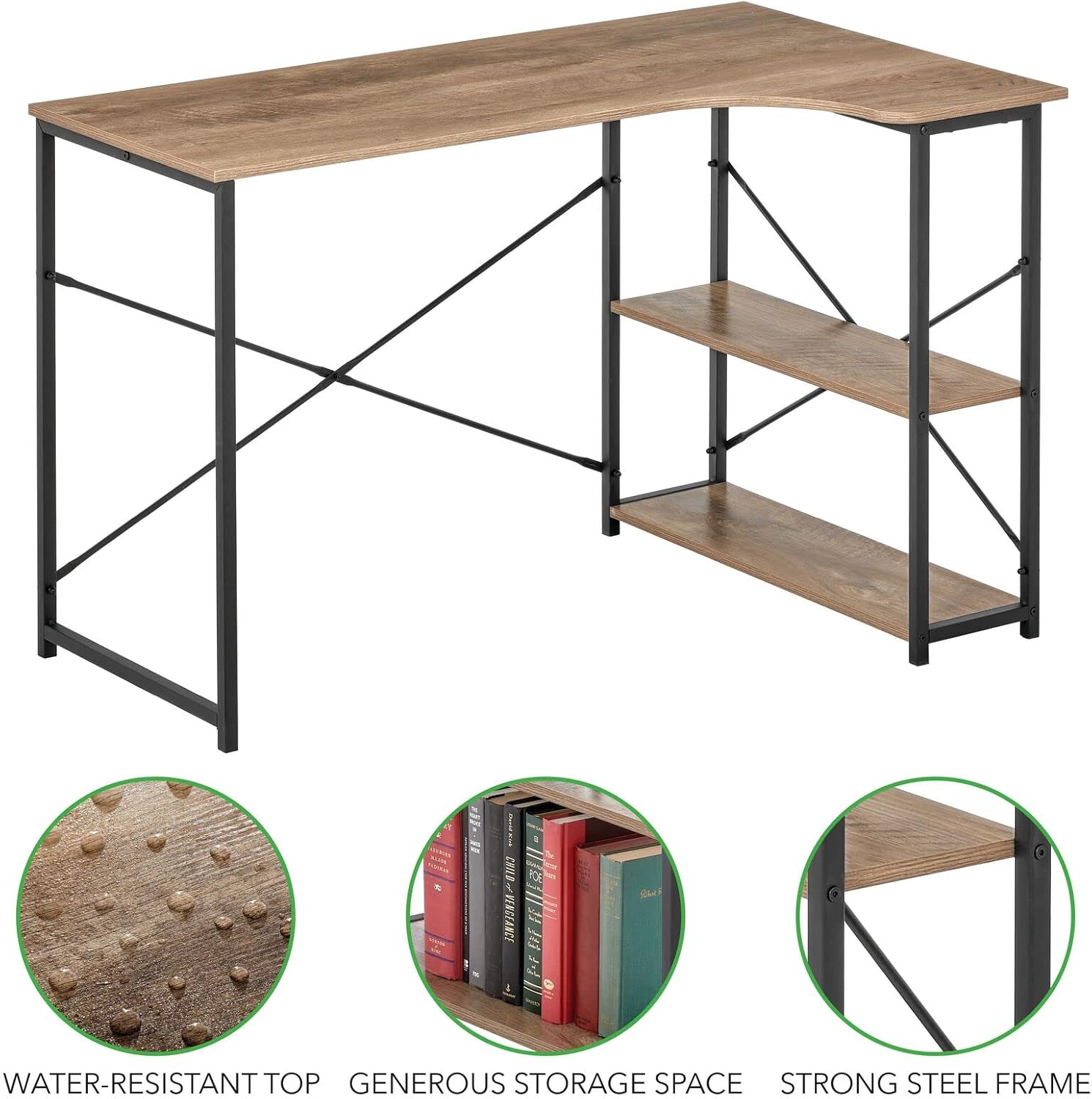
Image: The mDesign L-Shape Home Office Corner Desk, showcasing its functional design with books and a desk lamp on the shelves and main surface.
Nlekọta na nlekọta
To ensure the longevity and appearance of your mDesign L-Shape Home Office Corner Desk, follow these care instructions:
- Nhicha: Jiri nwayọ hichaa ihe dị n'elu tebụl, damp akwa . Zere kemịkalụ siri ike ma ọ bụ ihe nhicha abrasive, nke nwere ike imebi njedebe.
- Mwụfu: Immediately wipe up any spills to prevent staining, especially on the wood top. The top is water-resistant, but prolonged exposure to liquids should be avoided.
- Nyocha: Lelee skru na njikọ niile iji hụ na ha kwụgidere. Tinyegharịa ọzọ ma ọ dị mkpa.
- Ìhè anyanwụ: Avoid prolonged exposure to direct sunlight to prevent fading or warping of the wood finish.
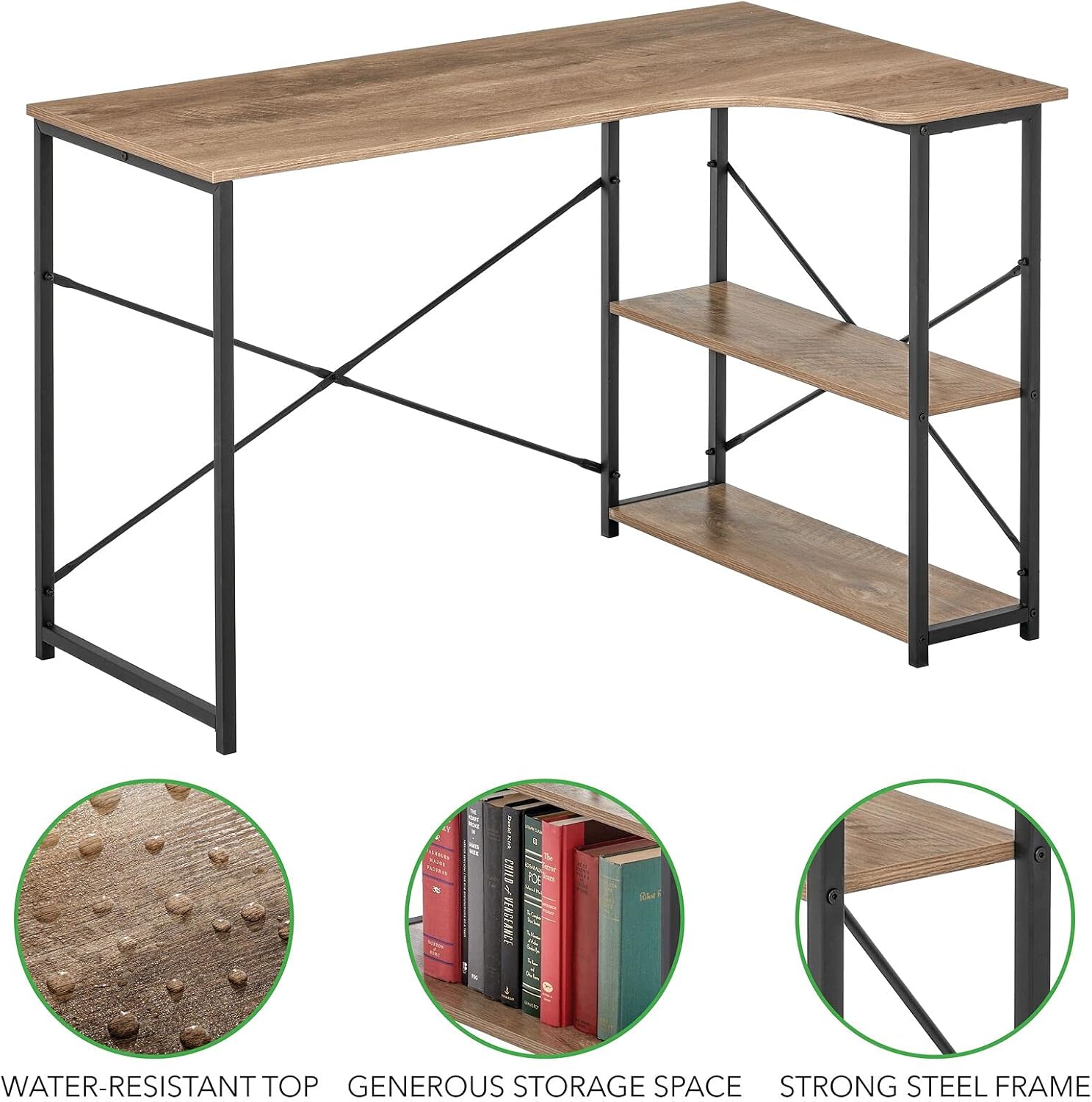
Foto: Zuru ezu view highlighting the water-resistant top, generous storage space, and strong steel frame of the mDesign L-Shape Home Office Corner Desk.
Nchọpụta nsogbu
Ọ bụrụ na ị na-enwe nsogbu ọ bụla na tebụl gị, rụtụ aka na ndụmọdụ nchọpụta nsogbu ndị a:
- Desktọpụ dị egwu:
- Hụ na skru na ihe njide niile siri ike nke ọma.
- Verify the desk is placed on a flat, even surface. Adjust floor glides if present.
- Akụkụ Ndị A Na-anaghị Ahazi n'Oge A Na-ejikọta Ha:
- Double-check that you are using the correct parts for each step as per the assembly diagrams.
- Loosen all screws slightly, adjust the alignment, and then re-tighten.
- Akụrụngwa na-efu efu:
- Carefully check all packaging materials. Small parts can sometimes be overlooked.
- Kpọtụrụ nkwado ndị ahịa maka akụkụ nnọchi.
Nkọwapụta
| Ụdị | mDesign |
| Nọmba nlereanya | 17125MDHS |
| Akụkụ (D x W x H) | 28.74" x 47.27" x 29.53" (73cm x 120cm x 75cm) |
| Ihe onwunwe | Ọla, Osisi |
| Agba | Black/Gray Wash |
| Nhazi oche | Oche Kọmputa L-ụdị |
| Mgbakọ chọrọ | Ee |
| Ntuziaka nlekọta | Wepu Damp Akwa |

Image: A technical diagram illustrating the precise dimensions of the mDesign L-Shape Home Office Corner Desk in both inches and centimeters.
Akwụkwọ ikike na nkwado
For warranty information or customer support, please refer to the product packaging or visit the official mDesign website. If you have any questions or require assistance with your product, do not hesitate to contact our customer service team.


