Okwu mmalite
This manual provides essential information for the safe and efficient use of your Cecotec EnergySilence 3000 Pro Industrial Fan. Please read these instructions carefully before operating the appliance and retain them for future reference.
Atụmatụ igodo
- Professional-grade fan with maximum power for high airflow.
- AirFlow3 Pro system with 3 metal blades (40 cm / 16 inches diameter) for efficient fresh air distribution.
- EnergySilence Technology for immediate fresh air with maximum quietness and comfort.
- CopperEngine: High-efficiency 100% copper motor for reliability and durability, including ThermoSafe safety system.
- 3Speed Function: Select from low, medium, or high operating speeds.
- TotalControl: Adjustable tilt for customized airflow direction.
- Comprehensive SecuritySystem: Safety grille preventing access to blades and a highly stable base.
- High-quality metallic finishes suitable for industrial, commercial, and outdoor environments.

Foto 1: N'ihu view of the Cecotec EnergySilence 3000 Pro Industrial Fan.
This image shows the Cecotec EnergySilence 3000 Pro Industrial Fan from the front, highlighting its robust metal construction and three large blades. The central Cecotec logo is visible on the fan's hub.
Ntuziaka nchekwa dị mkpa
Iji belata ihe egwu nke ọkụ, ujo eletrik, ma ọ bụ mmerụ ahụ, na-agbaso usoro nchekwa nchekwa ndị a mgbe niile:
- Gụọ ntuziaka niile tupu i jiri fan.
- Gbaa mbọ hụ na voltage indicated on the fan's rating label matches your local power supply.
- Do not operate the fan with a damaged cord or plug. If damaged, contact qualified service personnel.
- Keep fingers, pencils, or any other objects out of the fan grille when it is operating.
- Wepụ ihe mkpuchi fan ahụ na ebe a na-anaghị eji ya eme ihe, mgbe ị na-ebugharị ya site n'otu ebe gaa na nke ọzọ, nakwa tupu ị hichaa ya.
- Do not use the fan near a window, as rain may create an electrical hazard.
- Adịnyela fan n'ime mmiri ma ọ bụ mmiri mmiri ọ bụla ọzọ.
- Ezubere ngwa a maka iji ndị mmadụ (gụnyere ụmụaka) nwere ike anụ ahụ, mmetụta uche ma ọ bụ nke uche, ma ọ bụ enweghị ahụmịhe na ihe ọmụma, ma ọ bụrụ na enyereghị ha nlekọta ma ọ bụ ntụziaka gbasara iji ngwa ahụ site n'aka onye na-ahụ maka nchekwa ha.
- Ekwesịrị ilekọta ụmụaka ka ha hụ na ha ejighi ngwa eji egwu egwu egwu.
- The fan complies with current safety and environmental protection regulations.

Figure 2: Fan in a typical living room environment.
The fan is positioned on the floor in a modern living room, demonstrating its compact size and how it blends into a home environment. A person is seated on a sofa in the background.
Ngwa ngwaahịa
The Cecotec EnergySilence 3000 Pro Industrial Fan typically includes the following main components:
- Fan Body (with motor and blades)
- Front Safety Grille
- Rear Safety Grille
- Control Dial (for speed selection)
- Stable Base/Stand
- Ụdọ ọkụ
- Akwụkwọ ntuziaka onye ọrụ

Figure 3: Close-up of fan motor and blades.
This detailed shot focuses on the fan's internal components, showing the robust motor housing and the metal blades behind the protective grille, emphasizing the CopperEngine technology.
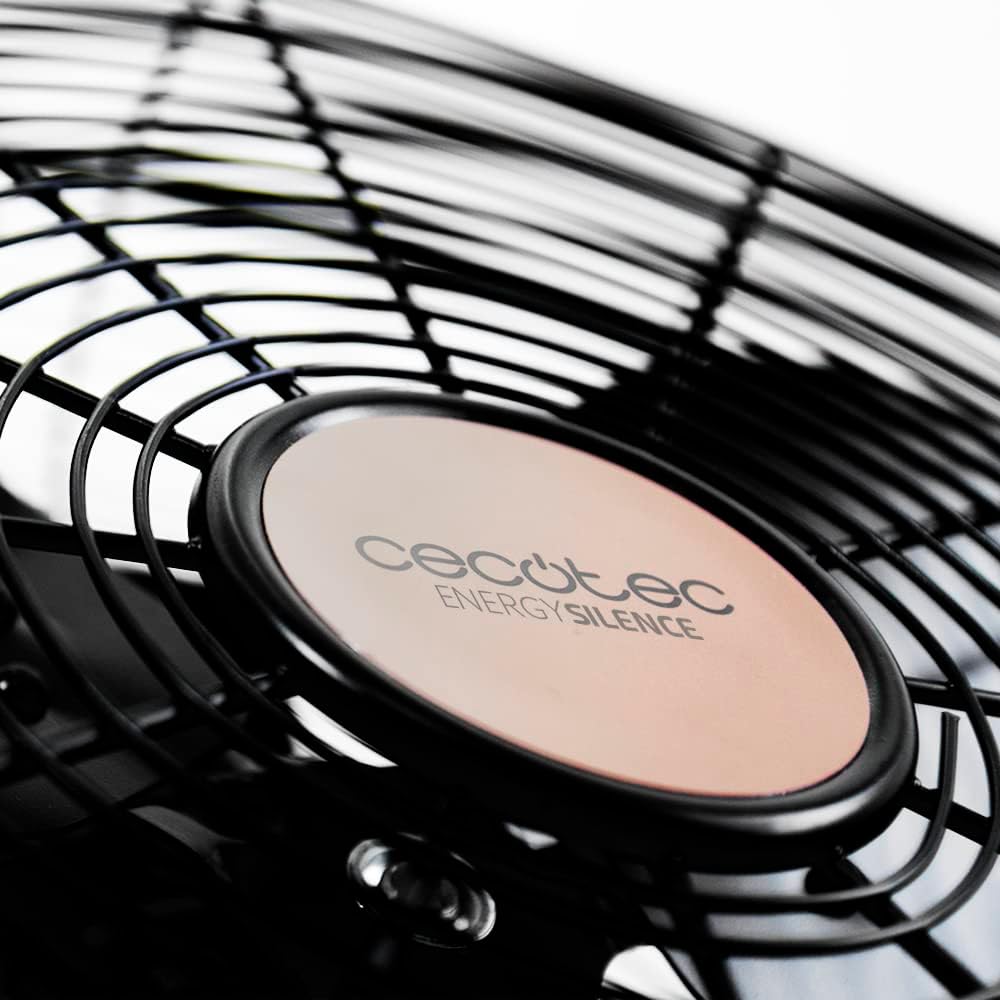
Figure 4: Cecotec EnergySilence logo on the fan hub.
A nso-elu view of the fan's central hub, featuring the "Cecotec EnergySilence" branding, highlighting the product's design and brand identity.
Ntọala na Mgbakọ
The Cecotec EnergySilence 3000 Pro Industrial Fan comes largely pre-assembled. Follow these steps for initial setup:
- Iwepu: Carefully remove the fan from its packaging. Retain packaging materials for future storage or transport.
- Nkwanye: Place the fan on a flat, stable, and dry surface. Ensure there is adequate space around the fan for proper air circulation and to prevent obstruction of the grilles.
- Njikọ ike: Plug the power cord into a suitable electrical outlet. Ensure the outlet voltage matches the fan's requirements.
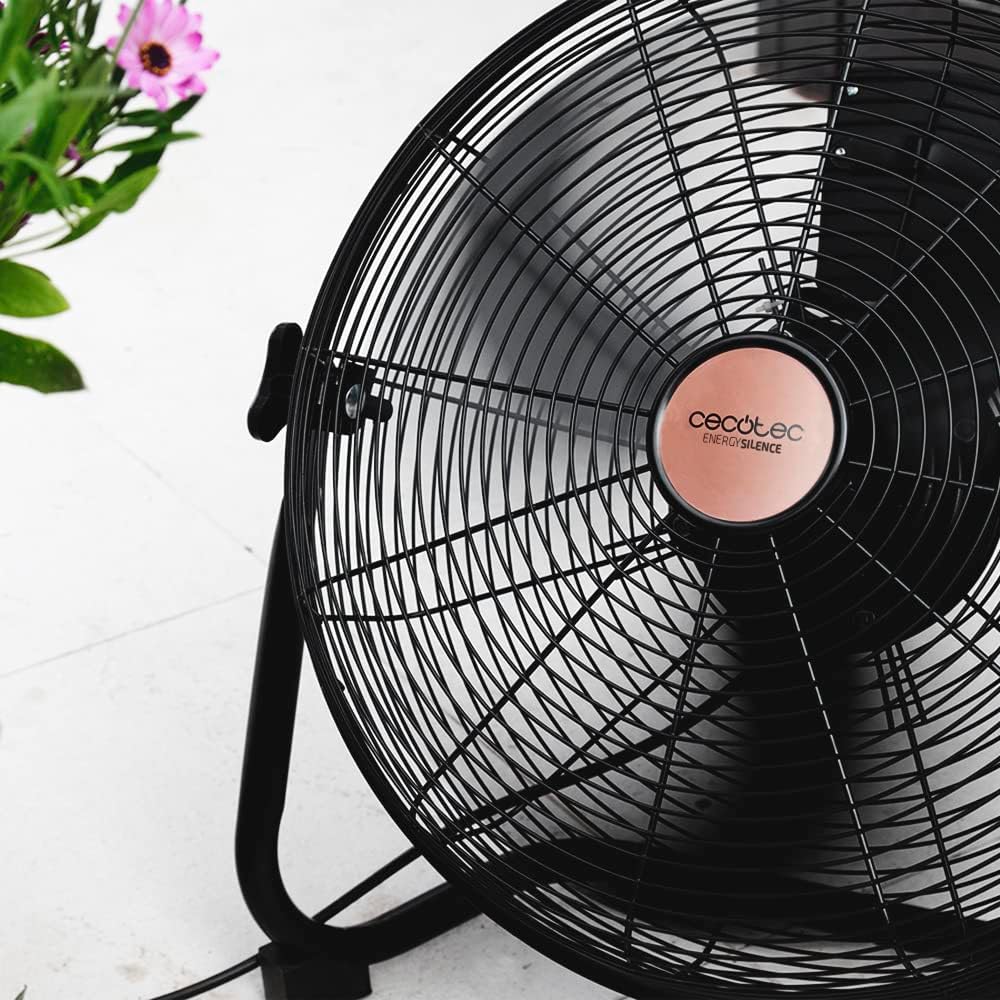
Figure 5: Fan showing its stable base.
Foto a na-enye a view of the fan from a low angle, emphasizing the sturdy and stable design of its base, which ensures secure placement during operation.
Ntuziaka ọrụ
Ịgbanyụ/ Gbanyụọ
To turn the fan on, rotate the control dial located on the fan body from the "0" (Off) position to your desired speed setting. To turn the fan off, rotate the dial back to "0".
Njikwa ọsọ
The fan features 3 speed settings:
- V1 (Low): For gentle air circulation.
- V2 (Medium): For moderate airflow.
- V3 (High): For maximum air circulation.
Rotate the control dial to select the appropriate speed for your needs.

Figure 6: Adjusting the fan speed.
This image shows a hand turning the rotary dial on the fan, illustrating how to select between the different speed settings (V1, V2, V3) and the off position (0).
Na-edozi Tilt
The fan's head can be tilted to direct airflow. Gently push or pull the fan head to adjust its angle. Ensure the fan is stable after adjustment.

Figure 7: Fan on a wooden desk.
The fan is shown on a wooden desk, demonstrating its suitability for various environments, including home offices, and its ability to be placed on elevated surfaces.
Nlekọta na nlekọta
Regular cleaning and proper care will ensure the longevity and optimal performance of your fan.
Nhicha
- Wepụ ọkpọkọ fan ahụ mgbe niile site na ebe a na-esi n'ọkụ eletrik tupu e hichaa ya.
- Jiri nwayọọ, damp ákwà iji hichaa elu mpụta nke fan ahụ. Ejila ihe nhicha ma ọ bụ ihe mgbaze.
- For dust accumulation on the grilles or blades, use a vacuum cleaner with a brush attachment or compressed air. Do not attempt to remove the grilles or blades unless specifically instructed by the manufacturer.
- Hụ na akụkụ niile kpọrọ nkụ kpamkpam tupu ị gbanyeghachi fan ahụ.
Nchekwa
Mgbe a naghị eji ya ogologo oge, chekwaa fan ahụ n'ebe dị jụụ, nke kpọrọ nkụ, ọkacha mma na nkwakọ ngwaahịa mbụ ya, iji chebe ya pụọ na uzuzu na mmebi.
Nchọpụta nsogbu
If you encounter any issues with your Cecotec EnergySilence 3000 Pro Industrial Fan, refer to the table below for common problems and their solutions.
| Nsogbu | Ihe nwere ike ime | Ngwọta |
|---|---|---|
| Onye ofufe anaghị agbanwuo. | Not plugged in; Power outlet not working; Speed dial set to "0". | Ensure fan is securely plugged in; Test outlet with another device; Rotate speed dial to V1, V2, or V3. |
| Ikuku ikuku adịghị ike. | Fan speed too low; Grilles or blades are dirty. | Increase fan speed; Clean grilles and blades as per maintenance instructions. |
| Mkpọtụ na -adịghị ahụkebe. | Fan not on a stable surface; Obstruction in blades/grille. | Place fan on a firm, level surface; Unplug and check for obstructions, remove if safe. |
| Fan stops unexpectedly. | Overheating (ThermoSafe system activated); Power interruption. | Unplug and let cool down for 30 minutes; Check power supply. |
Nkọwa nka nka
| Njirimara | Nkọwapụta |
|---|---|
| Nlereanya | EnergySilence 3000 Pro (05933) |
| Ike | 90W |
| Dayameta agụba | 40 cm / 16 inch |
| Ọnụọgụ agụba | 3 (Metal) |
| Ụdị moto | 100% Copper Engine |
| Ntọala ọsọ | 3 (Ọ dị ala, Ọkara, Elu) |
| Akụkụ ngwaahịa | 47.3 x 19.5 x 47.5 cm |
| Ibu ngwaahịa | 1 kilogram |
| Mechaa | Ọla ọla |
| Ọkwa mkpọtụ | 1 dB |
Akwụkwọ ikike na nkwado
Your Cecotec EnergySilence 3000 Pro Industrial Fan comes with a manufacturer's warranty. Please refer to the warranty card included in your product packaging for specific terms and conditions.
Maka nkwado teknụzụ, akụkụ ma ọ bụ akwụkwọ ikike, biko kpọtụrụ ọrụ ndị ahịa Cecotec site na gọọmentị ha websaịtị ma ọ bụ ozi kọntaktị enyere na akwụkwọ ngwaahịa gị.
You can also visit the official Cecotec store on Amazon for more information: Cecotec Amazon Store.


