1. Okwu mmalite
Thank you for choosing the HUTT DDC55 Window Cleaner Robot. This intelligent device is designed to simplify window cleaning, offering powerful suction and smart navigation for various smooth surfaces. Please read this manual thoroughly before operating the device to ensure safe and efficient use.
2. Ozi nchekwa dị mkpa
- Always connect the provided 5-meter professional climbing safety rope to the robot and secure it to a stable anchor point to prevent accidents in case of suction loss.
- The robot is designed to maintain suction for 20 to 30 minutes and sound an alarm in the event of an unexpected power failure. Do not attempt to remove the robot during a power outage until it has been safely retrieved.
- Ensure cleaning cloths are wrung dry before attachment. If the fiber mops are too wet, the robot may slip, compromising its cleaning performance and safety.
- For optimal performance and safety, it is recommended to perform daily maintenance cleaning. If windows have not been cleaned for an extended period, a manual pre-cleaning may be necessary before using the robot to remove heavy dirt accumulation.
- Do not use the robot on cracked, damaged, or uneven surfaces.
- Debe aka, ntutu isi na uwe na-adịghị mma pụọ na akụkụ ndị na-akpụ akpụ.
- This appliance is for household use only. Do not use outdoors in adverse weather conditions (rain, strong winds).
3. Ihe ngwugwu
Biko lelee igbe maka ihe ndị a:
- HUTT DDC55 Robot Cleaner Window
- Njikwa anya
- Ihe nkwụnye ọkụ na eriri
- Safety Rope (5 meters)
- Microfiber Cleaning Cloths (12 pieces)
- Akwụkwọ ntuziaka (akwụkwọ a)
4. Ngwaahịa gafereview
The HUTT DDC55 is equipped with advanced features for efficient window cleaning.

Figure 4.1: HUTT DDC55 Window Cleaner Robot and Accessories. This image displays the main robot unit, the remote control, and a stack of microfiber cleaning cloths, illustrating the complete package.
Akụkụ ndị bụ isi:
- AI Navigation: Built-in AI chip intelligently identifies window frames and obstacles, ensuring comprehensive cleaning coverage.
- 3800Pa Strong Suction: The robot automatically detects dirt levels and adjusts suction power for effective cleaning, especially on heavily soiled glass.
- Automatic Path Recognition & Obstacle Avoidance: The robot plans its cleaning path efficiently and avoids obstructions.
- Automatic Suction Adjustment: Suction power adapts based on the type of dirt or surface, from rain stains to oil stains, ensuring optimal adhesion and cleaning.
- Powerful Mop Twisting: Two microfiber mops rotate continuously, pushing dirt towards the central intake hood for thorough cleaning.
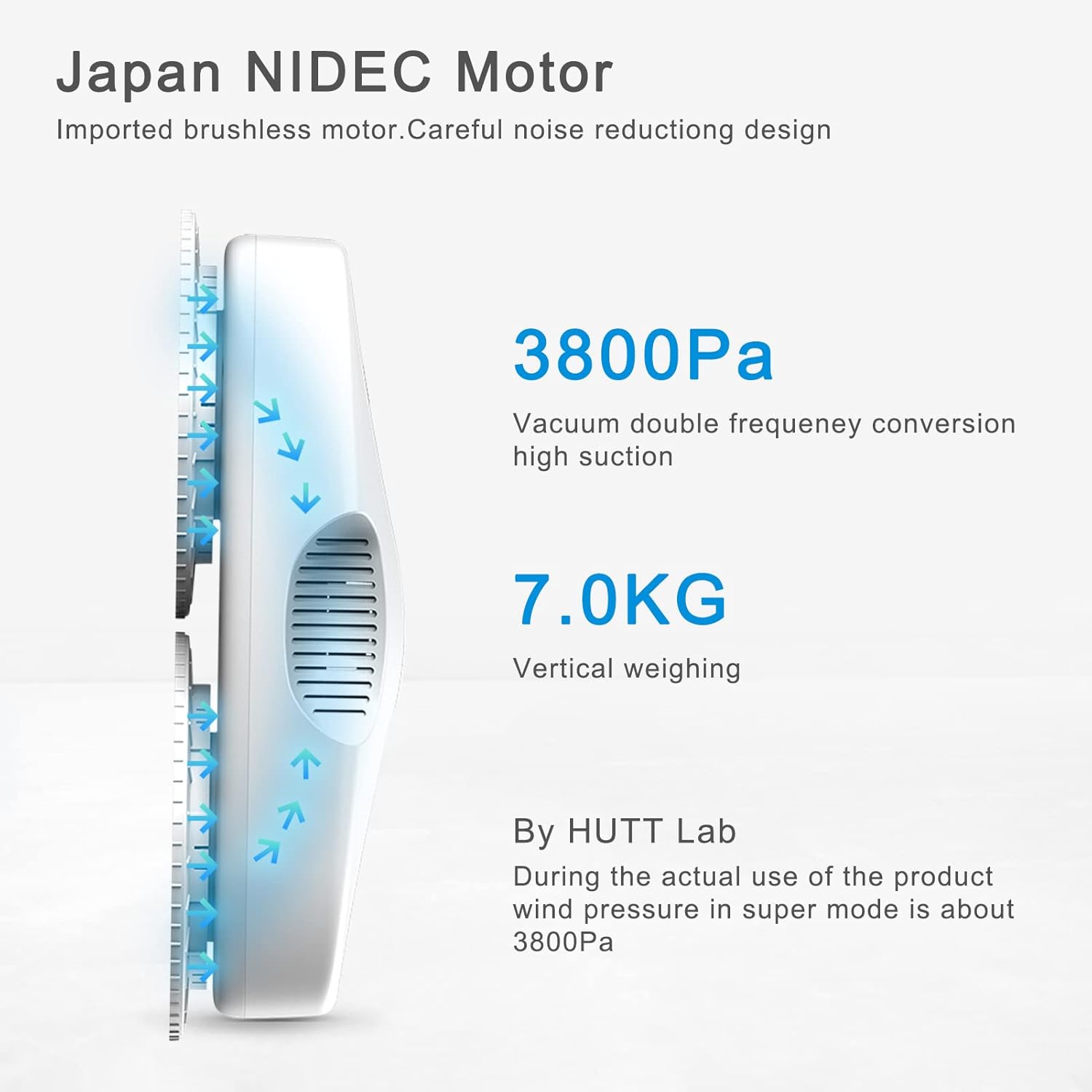
Figure 4.2: Powerful Suction and Motor. This diagram illustrates the 3800Pa vacuum double frequency conversion high suction and 7.0KG vertical weighing capability, powered by a Japan NIDEC Motor with noise reduction design.

Figure 4.3: Intelligent Path Planning. This image shows the robot's dimensions and a visual representation of its automatic path recognition and flexible obstacle avoidance system, demonstrating its efficient cleaning pattern.

Figure 4.4: Adaptive Suction Power. This graphic illustrates how the HUTT DDC55 automatically adjusts its suction power (from 2600Pa to 3800Pa) based on the type of dirt encountered, such as rain stains, sand dust, mud spots, insect droppings, wall ash, and oil stains.
5. Ntuziaka Nhazi
Follow these steps for initial setup before operating your HUTT DDC55.
- Prepare Cleaning Cloths: Wet a microfiber cleaning cloth and wring it thoroughly until it is only damp, not dripping wet. Excessively wet cloths can cause the robot to slip.
- Attach Cloths: Securely place the prepared cleaning cloth over the designated cleaning pads on the underside of the robot.
- Connect Safety Rope: Attach the safety rope to the robot's safety rope attachment point. Secure the other end of the safety rope to a sturdy, immovable object indoors, such as a heavy piece of furniture or a window frame anchor.
- Jikọọ ọkọnọ ike: Plug the power adapter into the robot and then into a wall outlet. The robot requires continuous power during operation; the internal battery is for backup during power interruptions.
- Ike Na: Place the robot on the window surface you wish to clean. Press the power button on the robot or the remote control to turn on the machine. Ensure the robot adheres firmly to the surface before releasing ya.

Figure 5.1: Step-by-Step Setup. This visual guide demonstrates the five essential steps for preparing the HUTT DDC55 for operation: wetting and wringing the cloth, attaching it to the robot, securing the safety rope, plugging in the power supply, and finally, turning on the machine.
6. Ntuziaka ọrụ
6.1 Usoro nhicha
For best results, follow these two cleaning steps:
- Step 1: Dry Cleaning (Dust Removal): Attach dry fiber mops to the robot. Place the robot on the window and initiate a cleaning cycle to remove loose dust and larger particles. This prevents smearing during the wet cleaning phase.
- Step 2: Wet Cleaning (Deep Clean): Replace the dry mops with freshly wringed wet fiber mops. Initiate another cleaning cycle. The robot will now perform a deeper clean, removing stubborn dirt and leaving surfaces sparkling.
The HUTT DDC55 is suitable for cleaning windows, mirrors, shower screens, wooden doors, tiles, and other smooth surfaces.
6.2 Ụdị nhicha
The robot offers three cleaning modes, selectable via the remote control:
- Site n'aka ekpe gaa n'aka nri: The robot cleans horizontally from left to right across the surface.
- Akanri gaa n'aka ekpe: The robot cleans horizontally from right to left across the surface.
- Nhicha ncha: For concentrated cleaning of a specific area.
Upon completion of its cleaning cycle, the HUTT window cleaner robot will automatically return to its initial starting position.

Figure 6.1: Remote Control Operation. This image shows a hand holding the remote control, demonstrating how easily glass cleaning can be initiated and managed. The robot stops automatically once its work is complete.
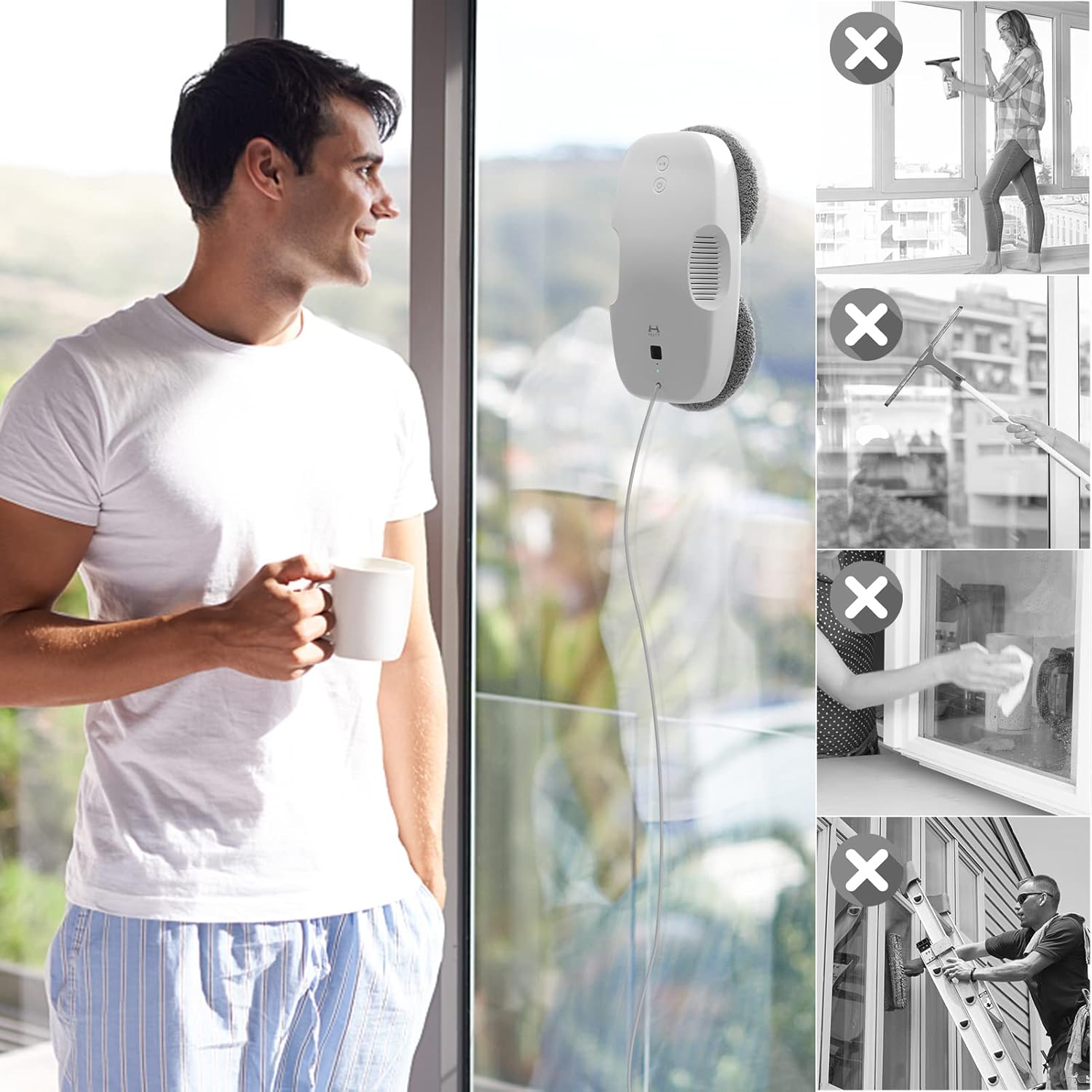
Figure 6.2: Automated Cleaning Advantage. This image highlights the convenience of the HUTT DDC55 by contrasting it with traditional, more laborious manual window cleaning methods, which are shown crossed out.
7. Nlekọta
7.1 Cleaning Microfiber Mops
The microfiber mops can be easily removed from the robot and are machine washable. For best results, wash them regularly to maintain their cleaning effectiveness.
7.2 Nlekọta n'ozuzu
- Wipe the robot's body with a soft, dry cloth after each use to remove any dust or residue.
- Store the robot and its accessories in a cool, dry place away from direct sunlight when not in use.
- Ensure the power cable is not tangled or damaged during storage.
8. Nchọpụta nsogbu
If you encounter issues with your HUTT DDC55, refer to the following common problems and solutions:
| Nsogbu | Ihe nwere ike ime | Ngwọta |
|---|---|---|
| Robot slips or does not adhere properly. | Cleaning cloths are too wet. Surface is too dirty or uneven. | Ensure cleaning cloths are wrung dry. Pre-clean heavily soiled windows manually. Ensure surface is smooth and intact. |
| Streaks or rings are left on the window. | Cloths are dirty or too wet. Residual dirt from initial placement/removal. | Use clean, damp (not wet) cloths. Perform a dry cleaning pass first. Wipe off any marks left at the robot's start/end point manually. |
| Corners or edges are not fully cleaned. | Robot's design limits reach into sharp corners. | This is a design limitation. Manual touch-up may be required for extreme corners or very narrow frames. |
| Robot stops unexpectedly or gets stuck in a wobble pattern. | Temporary software confusion or minor obstruction. | Press "Pause" on the remote, then select a new direction or "Play" to resume. Monitor the robot during operation, especially on complex window layouts. |
| Robot does not operate on battery power. | The internal battery is for backup only. | The robot requires continuous power from the wall outlet for normal operation. The battery provides suction backup during power interruptions to prevent falling. |
9. Nkọwapụta
| Njirimara | Nkọwa |
|---|---|
| Ụdị | HUTT |
| Nọmba nlereanya | DDC55 |
| Njirimara Pụrụ Iche | Wet na akọrọ ihicha |
| Agba | DDC55 (White) |
| Ngwa gụnyere | Remote Control, Power Adapter, Safety Rope, Microfiber Cloths |
| Ụdị nzacha | Akwa |
| Battery Life (Backup) | Approximately 30 Minutes (for suction backup during power failure) |
| Isi Iyi Ike | Battery Powered (Backup), AC Powered (Main Operation) |
| Ụdị Ihe | Robotic |
| UPC | 635998869706 |
| Ibu Ibu | 2 n'arọ 410 g |
10. Akwụkwọ ikike na nkwado
For warranty information and customer support, please refer to the documentation provided with your purchase or visit the official HUTT websaịtị. Debe ihe akaebe nke ịzụrụ ihe maka akwụkwọ ikike ọ bụla.


