Okwu mmalite
This instruction manual provides comprehensive guidance for the SOAR NFL True Wireless Earbuds V.4. These earbuds feature Bluetooth 5.0 technology, a built-in microphone, and touch controls, offering 3-4 hours of playtime per charge. The included charging case ensures portability and extended use. Please read this manual thoroughly before using your earbuds to ensure proper operation and longevity.
Kedu ihe dị na Igbe ahụ
Upon opening your SOAR NFL True Wireless Earbuds V.4 package, you should find the following items:
- One (1) Pair of True Wireless Earbuds
- One (1) Charging Case
- One (1) Micro-USB Charging Cable

The image above displays the SOAR NFL True Wireless Earbuds V.4 in their retail packaging. The package includes the earbuds, the charging case, and a micro-USB charging cable.
Ngwaahịa gafereview
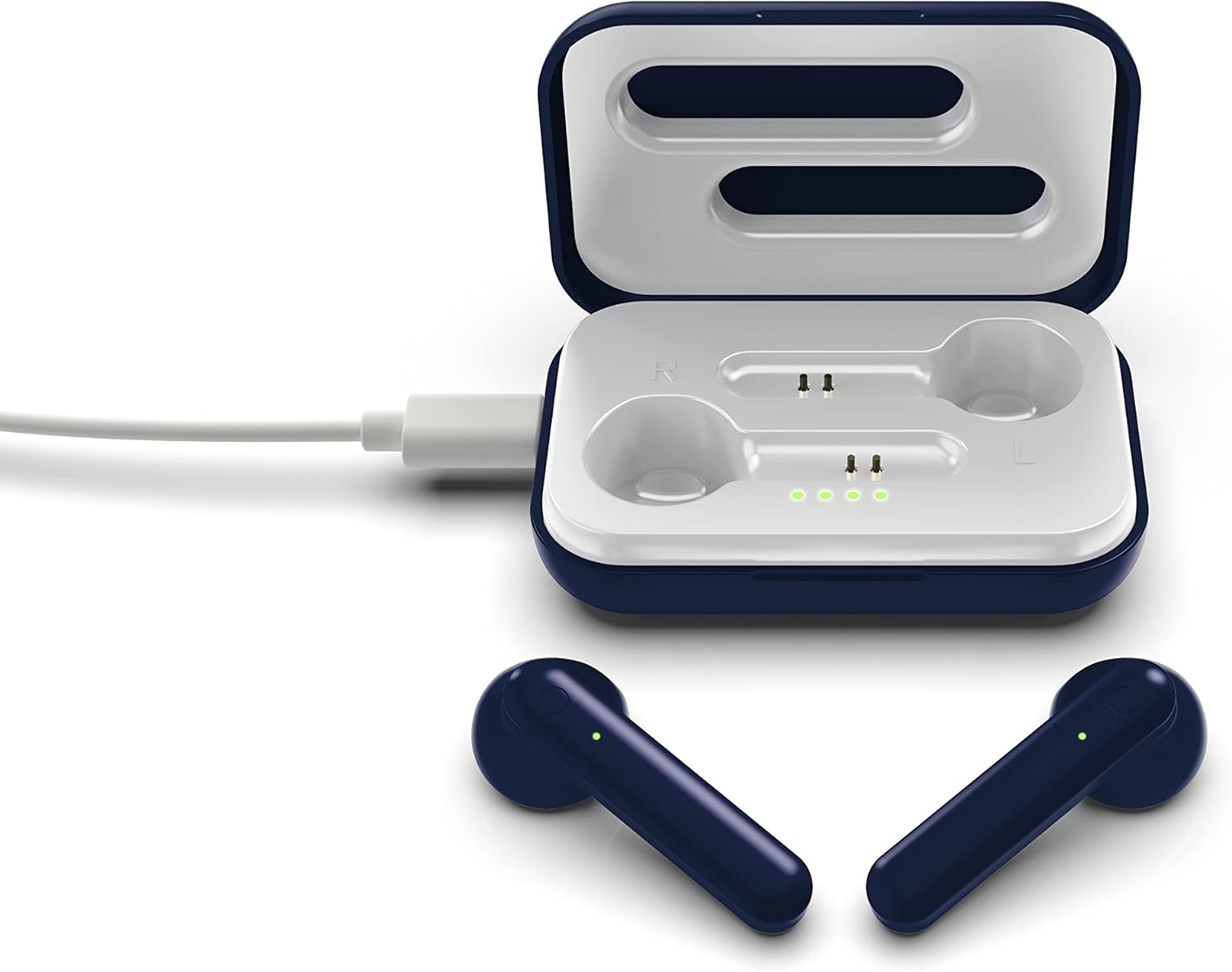
The SOAR NFL True Wireless Earbuds V.4 consist of two individual earbuds and a portable charging case. Each earbud features a touch-sensitive area for controls and an LED indicator. The charging case has a lid, charging ports for the earbuds, and LED indicators to show its battery status.

This image shows the earbuds outside their charging case, which is open and connected to a charging cable. The charging case has designated slots for each earbud (Left and Right) and LED indicators for charging status.
The image above illustrates the earbuds securely placed within their charging case. The illuminated LED lights on the case indicate the charging status of both the case and the earbuds.
Melite
1. Ịchaji ihe ntị na akpa
Tupu i jiri ya nke mbụ, chajie ma ekweisi na ihe mkpuchi chaja ahụ nke ọma.
- Ịchaji ikpe ahụ: Connect the provided Micro-USB cable to the charging port on the case and the other end to a USB power source (e.g., computer, wall adapter). The LED indicators on the case will illuminate to show charging progress.
- Ịchaji ekwe ntị: Place the earbuds into their respective slots in the charging case. Ensure they are correctly seated. The earbuds will begin charging automatically from the case's internal battery. The LED indicators on the earbuds will show their charging status.
- A full charge provides approximately 3-4 hours of playtime.
2. Njikọ Bluetooth
Iji jikọọ ekweisi gị na ngwaọrụ:
- Gbaa mbọ hụ na ebubo na ekwe ntị.
- Open the charging case. The earbuds will automatically power on and enter pairing mode. The LED indicator on one earbud will flash, indicating it is ready to pair.
- Na ngwaọrụ gị (smartphone, mbadamba, wdg), gbanye Bluetooth.
- Chọọ maka available Bluetooth devices and select "SOAR TWS4" from the list.
- Once connected, the earbud LED indicator will stop flashing. You will hear an audible confirmation.
- Ekwe ntị ndị a ga-ejikọghachi na ngwaọrụ ikpeazụ ejikọtara na akpa ahụ ozugbo ewepụrụ ha na akpa ahụ, ọ bụrụ na Bluetooth agbanyere na ngwaọrụ ahụ.
Ntuziaka ọrụ
The SOAR NFL True Wireless Earbuds V.4 feature touch controls for easy management of audio and calls.
Gbanyụọ/ Gbanyụọ
- Ike Na: Mepee igbe chaja, ma ọ bụ pịa ebe aka dị na ntị abụọ ahụ ruo sekọnd atọ.
- Gbanyụọ: Tinyeghachi ekweisi n'ime akpa chaja ma mechie mkpuchi ahụ, ma ọ bụ pịa ebe aka dị na ekweisi abụọ ahụ ruo sekọnd ise.
Egwu Egwu
- Gwuo/kwụsịtụ: Otu mgbata na ntị ntị.
- Track na-esote: Kpatụ ntị ntị aka nri ugboro abụọ.
- Gara aga Track: Kpatụ ntị ntị aka ekpe ugboro abụọ.
Njikwa Oku
- Azịza/Kwụsị Oku: Otu pịa ma ọ bụ ekwe ntị n'oge oku mbata ma ọ bụ oku nọ n'ọrụ.
- Jụ oku: Long-press on either earbud for 2 seconds during an incoming call.
Onye enyemaka olu
- Mee ka onye enyemaka olu rụọ ọrụ: Pịa ugboro atọ na ntị ntị.
Nlekọta
Proper care will extend the life of your earbuds.
- Nhicha: Jiri ákwà dị nro ma kpọọ nkụ hichaa ntị ntị na ihe mkpuchi chaja. Ejila kemịkal siri ike ma ọ bụ ihe ndị na-emebi emebi.
- Nchekwa: Mgbe ejighị ya, chekwaa earbuds n'ime akpa nchaji ha iji chebe ha ma debe ha ebubo.
- Nguzogide mmiri: Igwe ntị ndị a bụ ọ bụghị mmiri na-eguzogide. Avoid exposure to liquids, moisture, and extreme temperatures.
- Ịchaji: Use only the provided Micro-USB cable or a certified equivalent for charging.
Nchọpụta nsogbu
Ọ bụrụ na ị hụ nsogbu na ntị ntị gị, lee ihe ngwọta ndị a na-ahụkarị:
| Nsogbu | Ngwọta |
|---|---|
| One earbud is not connecting or producing sound. |
|
| Earbuds are not pairing with my device. |
|
| Earbuds anaghị akwụ ụgwọ. |
|
Nkọwapụta
| Njirimara | Nkọwa |
|---|---|
| Aha Nlereanya | Ezi ekwe ntị ikuku ikuku V.4 |
| Nọmba Nlereanya ihe | NFL-TWS4-SHKS |
| Teknụzụ Njikọta | Bluetooth, Ikuku |
| Teknụzụ nzikọrịta ozi ikuku | Bluetooth 5.0 |
| Oke Bluetooth | Ruo 30 ụkwụ (mita 9.14) |
| Ndụ Batrị (Oge Egwuregwu) | 3-4 awa kwa ụgwọ |
| Ụdị njikwa | Metụ, Njikwa mgbasa ozi |
| Njirimara Pụrụ Iche | Igwe okwu gụnyere |
| Ntinye ntị | Na Ntị |
| Ọkwa Nguzogide mmiri | Ọ bụghị mmiri na-eguzogide |
| Ihe onwunwe | Plastic |
| Akụkụ ngwaahịa | 1.25 x 4.5 x 6.5 sentimita asatọ |
| Ibu Ibu | 3.52 ounces |
| Onye nrụpụta | Ụlọ ọrụ Prime Brands Group, Inc. |
| UPC | 192129070757 |
Vidiyo ngwaahịa ngwaahịa
Vidiyo a na-enye nkọwa zuru okeview of the SOAR TWS4 True Wireless Earbuds V.4, highlighting key features such as the wireless charging case, touch controls, and Bluetooth 5.0 technology. It demonstrates the product's design and functionality.
Akwụkwọ ikike na nkwado
Your SOAR NFL True Wireless Earbuds V.4 are covered by a Akwụkwọ ikike nke afọ 1. This warranty covers manufacturing defects and issues arising from normal use. It does not cover damage caused by misuse, accidents, unauthorized modifications, or exposure to liquids.
For warranty claims, technical support, or further assistance, please contact the manufacturer, Prime Brands Group, Inc., or visit their official websaịtị. Debe ihe akaebe nke ịzụrụ ihe maka nkwado akwụkwọ ikike.


