1. Okwu mmalite
The Thomson WEAR7701 Bluetooth HiFi Earbuds provide a wireless audio experience with high-fidelity sound. Designed for comfort and convenience, these lightweight in-ear headphones feature touch controls, voice assistant compatibility, and IPX4 splash protection, making them suitable for various activities, including sports.
This manual provides detailed instructions for setting up, operating, and maintaining your WEAR7701 earbuds to ensure optimal performance and longevity.

2. Ihe ngwugwu
Biko lelee ma ihe niile dị na ngwugwu ahụ:
- 1x Thomson WEAR7701 Bluetooth Earbuds
- 1 x Akpa nchaji
- 3x Pairs of Silicone Ear Tips (Sizes S, M, L)
- 1x Micro USB Nchaji USB
- 1x Akwụkwọ ntuziaka onye ọrụ
3. Nhazi
3.1 Nchaji izizi
Tupu ojiji nke mbụ, chajie nke ọma ekwe ntị na akpa nchaji.
- Connect the supplied Micro USB cable to the charging port on the charging case and to a suitable USB power source.
- Place the earbuds into the charging case. Ensure they are correctly seated; indicator lights on the earbuds or case will confirm charging status.
- A full charge for the case takes approximately 3 hours. The earbuds charge within the case.
The charging case provides up to 3 additional full charges for the earbuds, extending their usage time.
3.2 Ijikọ na ngwaọrụ Bluetooth
For the first connection, it is crucial to remove both earbuds from the charging case simultaneously to ensure proper stereo pairing with your smartphone.
- Ensure your smartphone's Bluetooth function is enabled.
- Wepụ ekweisi abụọ ahụ n'ime akpa chaja. Ha ga-agbanwu ma banye na ọnọdụ njikọta na akpaghị aka.
- On your smartphone, search for available Bluetooth devices.
- Select "Thomson WEAR7701" (or similar name) from the list of found devices.
- Ozugbo ejikọtara ya, ngwaọrụ gị ga-egosi njikọ na-aga nke ọma.
Ihe ndetu dị mkpa: If only one earbud connects, place both earbuds back into the charging case, close the lid, wait a few seconds, then remove both simultaneously and repeat the pairing process.

4. Ntuziaka ọrụ
4.1 Gbanyụọ ma ọ bụ gbanyụọ
- Ike Na: Igwe ntị ntị na-agbanye na-akpaghị aka mgbe ewepụrụ ya na igbe nchaji.
- Gbanyụọ: The earbuds automatically power off when placed back into the charging case and the lid is closed.
4.2 Njikwa mmetụ
The earbuds feature intuitive touch controls for managing music playback and calls.
- Kpọọ/Kwụsị Egwu: Otu mgbata na ntị ntị.
- Track na-esote: Pịa bọtịnụ ntị aka nri ugboro abụọ.
- Gara aga Track: Kpatụ ntị ugboro abụọ n'akụkụ aka ekpe.
- Azịza/Kwụsị Oku: Otu mgbata na ntị ntị.
- Jụ oku: Pịa ma jidesie ntị nke ọ bụla n'ime ha maka sekọnd abụọ.
- Mee ka onye enyemaka olu rụọ ọrụ (Siri/onye enyemaka Google): Pịa ugboro atọ na ntị ntị.

4.3 Yiri ekwe ntị
Select the ear tips that provide the most comfortable and secure fit. The package includes three sizes (S, M, L) of Mushroom-shaped silicone ear tips to ensure a proper seal for optimal sound quality and stability, even during physical activity.
- Jiri nwayọọ tinye ntị ntị n'ime ọwa ntị gị.
- Rotate the earbud slightly until it feels secure and comfortable.
- If the fit is not ideal, try a different size of ear tip.
5. Nlekọta
5.1 Nhicha
- Jiri akwa dị nro, kpọrọ nkụ na-adịghị na-ehicha ntị ntị na chaja mgbe niile.
- Wepu ndụmọdụ ntị wee jiri ncha na mmiri dị nro hichaa ha, wee kpochaa nke ọma tupu itinyeghachi ya.
- Ejila ihe mkpocha abrasive, mmanya, ma ọ bụ ihe mgbaze kemịkal.
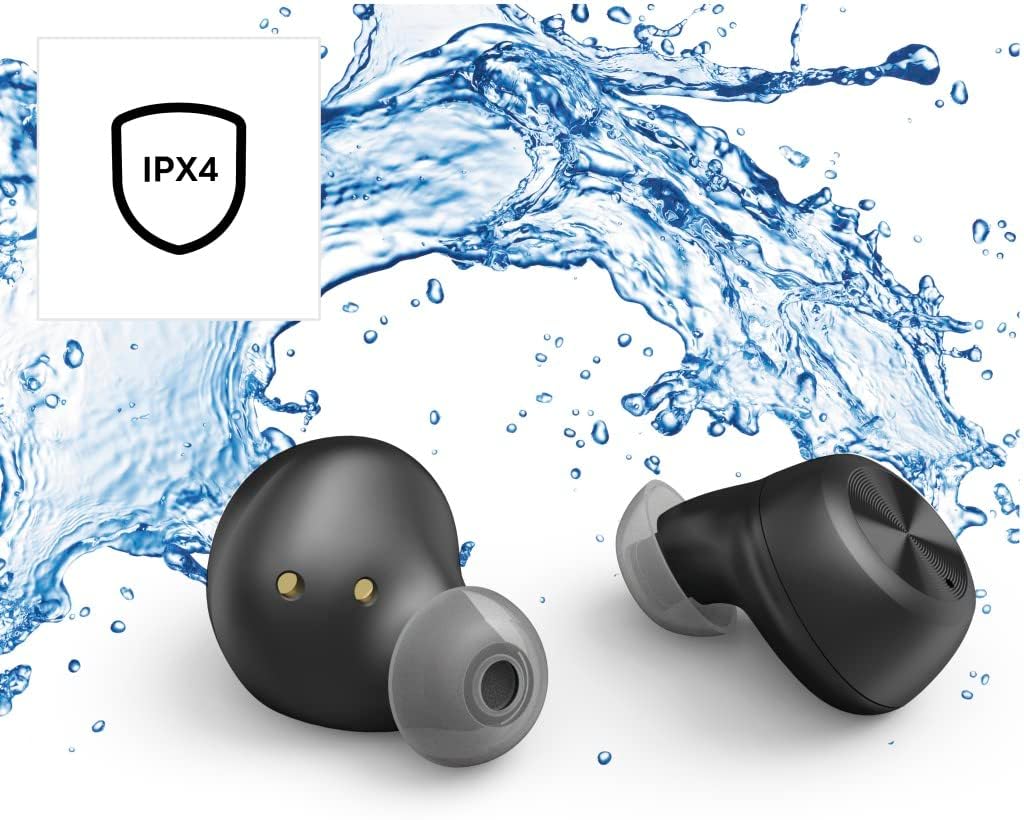
5.2 Mgbochi mmiri (IPX4)
The Thomson WEAR7701 earbuds are rated IPX4, meaning they are protected against splashing water from any direction. This makes them suitable for use during workouts or in light rain.
- Ejila nkpu ntị ntị n'ime mmiri.
- Do not expose them to pressurized water or high-velocity water, such as showering or swimming.
- Ensure the earbuds are dry before placing them back into the charging case to prevent damage to the charging contacts.
5.3 Nchekwa
Mgbe ejighị ya, chekwaa earbuds n'ime akpa nchaji ha iji chebe ha ma debe ha ebubo.
6. Nchọpụta nsogbu
6.1 Earbuds Not Pairing or Only One Earbud Connects
- Gbaa mbọ hụ na ejirila ekwe ntị abụọ a chaja nke ọma.
- Place both earbuds back into the charging case, close the lid, wait a few seconds, then remove both simultaneously.
- Delete the earbuds from your device's Bluetooth list ("Forget Device") and attempt to pair again from scratch.
- Ensure the earbuds are within Bluetooth range of your device (up to 10 meters).
6.2 Enweghị ụda ma ọ bụ olu dị ala
- Lelee ọkwa olu dị na ma ngwaọrụ gị ejikọtara ma ekweisi.
- Ensure the earbuds are properly seated in your ears and that the ear tips provide a good seal.
- Jikọọkwa ntị ntị na ngwaọrụ gị.
- Hichaa irighiri ihe ọ bụla sitere na igwe okwu ntị.
6.3 Okwu nchaji
- Gbaa mbọ hụ na ejikọrọ eriri chajị na echekwabara na ikpe ahụ yana isi iyi ike.
- Hụ na isi iyi ike ahụ na-arụ ọrụ.
- Hichaa kọntaktị chajị dị na ntị ma na nke dị n'ime igbe chajị.
- Try a different Micro USB charging cable.
7. Nkọwapụta
| Aha Nlereanya | WERE7701 |
| Nọmba nlereanya | 132568 |
| Agba | Nwa |
| Njikọta | Bluetooth 5.0 |
| Klas Bluetooth | Klas 2 |
| Ugboro ugboro | 2402-2480 MHz |
| Earbud Frequency Range | 20 Hz - 20 kHz |
| Oke igwe okwu | 100 Hz - 5 kHz |
| Earbud Impedance | 32 Ω |
| Mgbochi igwe okwu | 2.2 kΩ |
| Ogologo nnyefe | 10 m |
| Earbud Sensitivity | 92dB +/- 3 dB |
| Mmetụta igwe okwu | -42dB ± 3 dB |
| Max. Talk Time | awa 4 |
| Max. Music Playback Time | awa 4 |
| Oke. Oge Njikere | awa 150 |
| Nchaji Nchaji N'ime Akpa Nchaji | Ruo ugboro 3 |
| Average Charging Time (Case) | awa 3 |
| Ụdị Nchaji | Micro USB |
| Ọnọdụ igweokwu | Ejikọtara |
| Ụdị igwe okwu | Omnidirectional |
| Njikwa olu | Apple Siri / Onye enyemaka Google |
| Bluetooth Pro na -akwadofiles | A2DP V1.3/AVRCP V1.6/HFP V1.7/SPP V1.2 |
| Atụmatụ pụrụ iche | Finger-Touch Sensor, QuickPair, Call Answer Button, True Wireless |
| Ogo Nguzogide Mmiri | IPX4 (anaghị agbaze agbaze) |
| Ibu (kwa ekwe ntị) | 4 g |
| Mkpokọta ibu | 41 g (earbuds + case) |
| Akwadoro ojiji | Egwuregwu |
8. Akwụkwọ ikike na nkwado
Thomson products are manufactured with attention to quality and performance. For information regarding warranty coverage, please refer to the warranty card included with your product or visit the official Thomson websaịtị.
For technical support, troubleshooting assistance, or to inquire about replacement parts, please contact Thomson customer service through their official channels. Contact details can typically be found on the product packaging or the manufacturer's websaịtị.
Biko dowe ihe akaebe nke ịzụrụ ihe maka akwụkwọ ikike.


