Okwu mmalite
Daalụ maka ịzụrụasing the DELTACO GAMING Chair, Model GAM-080. This ergonomic gaming chair is designed to provide comfort and support during long gaming sessions, featuring adjustable components and integrated RGB lighting. Please read this manual carefully before assembly and use to ensure proper operation and longevity of your chair.
Ozi nchekwa
- Gbaa mbọ hụ na etinyere akụrụngwa niile nke ọma tupu ejiri ya.
- Akwụsịla n'oche.
- Ejila oche ahụ ma ọ bụrụ na akụkụ ọ bụla emebie ma ọ bụ efuo.
- Debe aka na mkpịsị aka gị ka ha ghara ịgagharị n'ebe dị iche iche mgbe ị na-ahazi ya.
- This chair is designed for a maximum weight of 120 kg (264 lbs). Exceeding this limit may cause damage or injury.
- The RGB lighting requires a USB power source. Ensure the cable is not pinched or damaged.
Ihe ngwugwu
Tupu ịmalite mgbakọ, chọpụta na akụkụ niile dị na enweghị mmebi. Ọ bụrụ na akụkụ ọ bụla na-efu ma ọ bụ mebie, biko kpọtụrụ nkwado ndị ahịa.
- Azụ azụ
- Oche oche
- Ogwe aka (2)
- Isi Star
- Ndị na -akpụ akpụ (5)
- Silinda ebuli gas
- Ihe mkpuchi ebuli gas
- Efere Mechanism
- Kushion Lumbar
- Ohiri isi isi
- Assembly Hardware (screws, washers, Allen key)
- Njikwa Remote RGB
- USB Power Cable for RGB
Ntọala na Mgbakọ
Please follow these steps carefully for proper assembly. It is recommended to assemble the chair on a soft, clean surface to prevent damage.
- Tinye ihe ndọta na ntọala kpakpando: Tinye nke ọ bụla n'ime ihe nkedo ise ahụ n'ime oghere ndị dị na njedebe nke ntọala kpakpando ahụ ruo mgbe ha pịa ya nke ọma.
- Tinye Gas ebuli: Tinye silinda mmanụ ụgbọala n'ime oghere etiti nke ntọala kpakpando ahụ. Kpuchie ya na mkpuchi mmanụ ụgbọala ụgbọala.
- Tinye efere usoro na ntọala oche: Align the mechanism plate with the pre-drilled holes on the underside of the seat base. Ensure the front of the mechanism plate faces the front of the seat. Secure with screws.
- Tinye ihe nkwado aka na ntọala oche: Secure the armrests to the sides of the seat base using the provided screws. Ensure they are firmly attached.
- Tinye ihe mkpuchi azụ na ntọala oche: Hazie ihe nkwado azụ ya na ihe nkwado ndị dị n'okpuru oche ahụ. Jiri skru kpuchie ya.
- Jikọọ Oche na Igwe Mbuli Gas: Jiri nlezianya tinye oche na ihe mkpuchi azụ a chịkọtara n'elu silinda ebuli gas, hụ na ọ dị n'etiti ma kwụsie ike.
- Attach Headrest and Lumbar Cushions: Secure the headrest pillow and lumbar cushion to the chair using their respective straps.

Image: The DELTACO GAMING Chair fully assembled, showcasing its ergonomic design and RGB lighting strips along the edges.
Ntuziaka ọrụ
Ndozi elu
To adjust the chair's height, pull the lever located on the right side of the seat upwards. While seated, lift your weight off the chair to raise it, or remain seated to lower it. Release the lever to lock the height.
Nọdụ ala azụ azụ
The backrest can be reclined between 90 and 180 degrees. Pull the recline lever, typically located on the right side of the chair, and lean back or forward to achieve your desired angle. Release the lever to lock the backrest in position.

Image: An illustration demonstrating the chair's ability to recline from an upright position to a nearly flat position, indicated by an orange arrow.
RGB Lighting Operation
The chair features integrated RGB lighting with 332 LED modes. To activate the lighting, connect the chair's USB cable to a 5V USB power source (e.g., a power bank, computer USB port, or USB wall adapter). Use the included remote control to change colors, modes, and brightness.
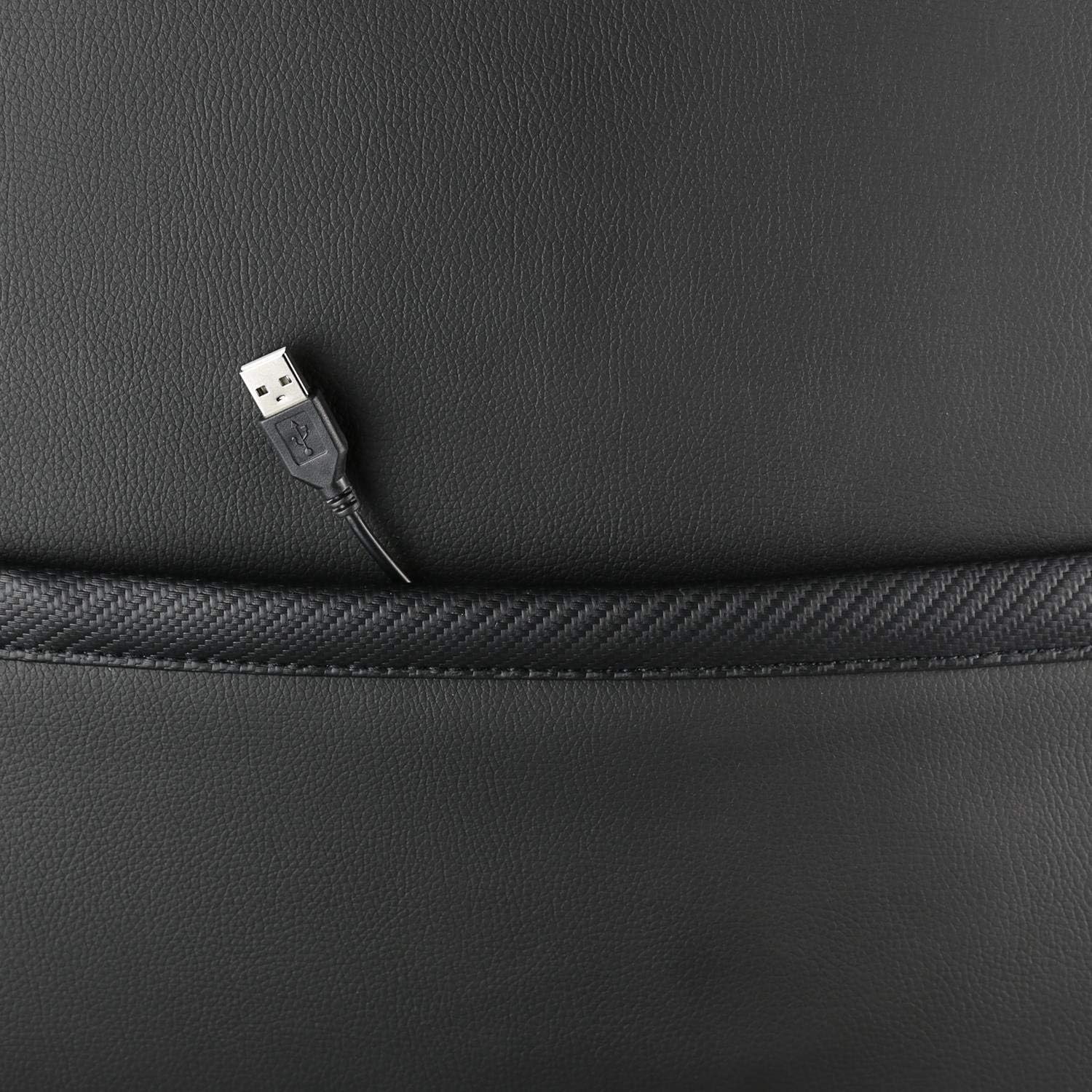
Foto: A nso nso view showing the USB power cable emerging from a pocket on the chair, used to power the RGB lighting.

Foto: Ofeview image of the DELTACO GAMING RGB Gaming Chair highlighting features such as remote control for RGB lights, adjustable headrest, included lumbar cushion, and adjustable backrest from 90-180 degrees, along with 332 LED modes.
Nlekọta na nlekọta
- Nhicha: Jiri mgbasa ozi hichaa ọchaamp cloth. Do not use harsh chemicals or abrasive cleaners, as this may damage the faux leather.
- Nyocha: Na-elele skru na bolts niile iji hụ na ha siri ike. Tinyegharịa ọzọ ma ọ dị mkpa.
- Nchekwa: Store the chair in a cool, dry place away from direct sunlight to prevent material degradation.
- USB USB: Ensure the USB power cable for the RGB lighting is not kinked or damaged.
Nchọpụta nsogbu
| Nsogbu | Ihe nwere ike ime | Ngwọta |
|---|---|---|
| Oche anaghị agbanwe ogologo ya. | Ọ dịghị arụ ọrụ na silinda ebuli gas ma ọ bụ ihe eji ejide ya. | Hụ na e dọkpụrụ ihe nkwụnye nhazi elu ahụ kpamkpam. Ọ bụrụ na nsogbu ahụ anọgide, ihe nkwụnye gas nwere ike ịchọ mgbanwe. |
| Azụ azụ adịghị nọdụ ala ma ọ bụ kpochie. | Recline mechanism jammed or lever not engaged. | Check for obstructions around the recline mechanism. Ensure the recline lever is fully engaged. |
| RGB ọkụ anaghị arụ ọrụ. | USB power not connected, cable damaged, or remote control battery low. | Verify the USB cable is securely connected to a working 5V power source. Check the cable for damage. Replace remote control battery if necessary. |
| Chair is wobbly. | Loose screws or casters not fully inserted. | Tighten all assembly screws. Ensure all casters are fully inserted into the star base. |
Nkọwapụta
| Njirimara | Nkọwa |
|---|---|
| Aha Nlereanya | GAM-080 |
| Ụdị | Egwuregwu DELTACO |
| Agba | Nwa |
| Ihe onwunwe | Faux leather, Foam |
| Nkwanye ịdị arọ kacha | 120 Kilogram (264 lbs) |
| Akụkụ ngwaahịa (L x W x H) | 22.44 x 26.77 x 57.87 sentimita asatọ |
| Ibu Ibu | 46.2 pound |
| Atụmatụ pụrụ iche | RGB Lighting, Adjustable Backrest (90-180°), Adjustable Height, Lumbar Cushion, Headrest Pillow |
| Power Source for RGB | USB 5V |
Akwụkwọ ikike na nkwado
This DELTACO GAMING Chair (Model GAM-080) comes with a 1-year spare part availability duration within the EU, as per manufacturer specifications.
For technical support, warranty claims, or inquiries regarding spare parts, please contact DELTACO GAMING customer support. Refer to your purchase documentation for specific contact details or visit the official DELTACO GAMING websaịtị.
Note: Proof of purchase may be required for warranty services.