1. Okwu mmalite
This manual provides essential instructions for the safe and efficient operation of your Itel TV A3210IE 80cm (32-inch) HD Ready Smart TV. Please read this manual thoroughly before using your television and retain it for future reference.
2. Ozi nchekwa
Iji hụ na arụ ọrụ nchekwa ma gbochie mmebi, debe ihe ndị a akpachara anya:
- Do not expose the TV to rain or moisture to prevent fire or electric shock.
- Akwụsịla oghere ikuku. Gbaa mbọ hụ na oghere zuru oke gburugburu TV maka ikuku ikuku kwesịrị ekwesị.
- Debe TV n'elu kwụsiri ike, dị larịị ka ọ ghara ịda.
- Chebe eriri ọkụ ka ị ghara ịgagharị ma ọ bụ tuo ya.
- Kwụpụ TV n'oge oké ifufe ọkụ ma ọ bụ mgbe ejighi ya ogologo oge.
- Tụtụ aka n'aka ndị ọrụ ruru eru.
3. Ihe ngwugwu
Chọpụta na ihe niile dị na ngwugwu:
- Itel TV A3210IE 80cm (32-inch) HD Ready Smart TV
- Njikwa anya
- TV Stand (if applicable for desktop placement)
- Ụdọ ọkụ
- Akwụkwọ ntuziaka (akwụkwọ a)
- Screws for stand assembly (if applicable)
4. Nhazi
4.1 Nhazi anụ ahụ
Your Itel TV A3210IE can be placed on a stand or wall-mounted. Ensure the TV is placed on a stable surface or securely mounted to a wall.
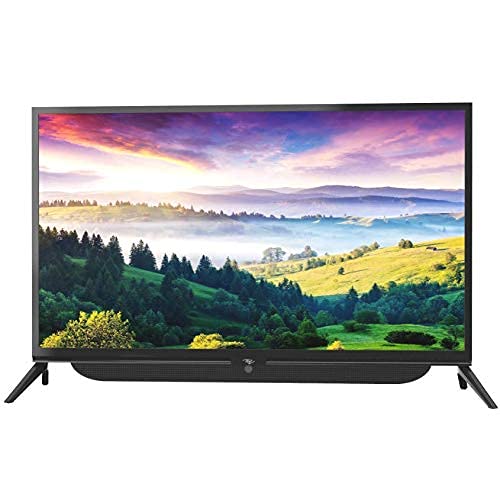
Foto 4.1: N'ihu view of the Itel TV A3210IE with its stand. The television features a slim bezel design and a central stand for stable placement on a flat surface.
For wall mounting, use a compatible VESA mount (not included) and follow the instructions provided with the mount. The TV's sleek design with slim bezels allows for a modern aesthetic in any room.
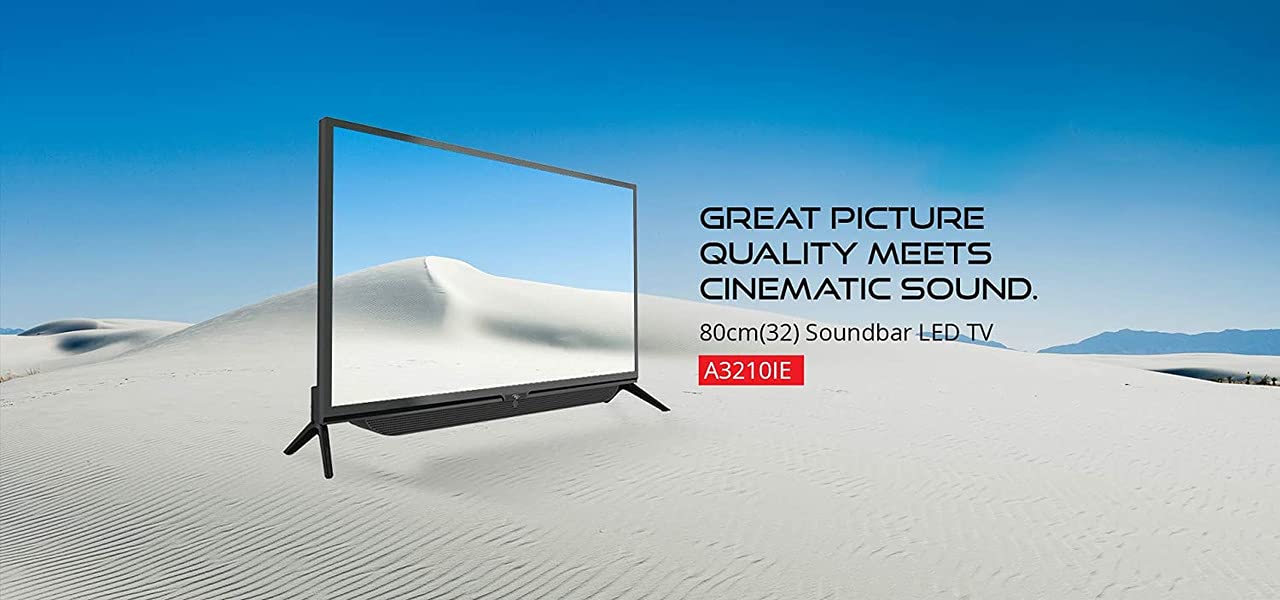
Foto 4.2: Akụkụ view of the Itel TV A3210IE, highlighting its slim profile. Nke a view demonstrates the television's compact design, suitable for various living spaces.
4.2 Ike mbido
- Jikọọ eriri ọkụ na TV wee banye na nkwụnye ọkụ.
- Pịa bọtịnụ ike na njikwa anya ma ọ bụ na TV n'onwe ya.
- Follow the on-screen instructions to complete the initial setup, including language selection and time zone.
4.3 Njikọ netwọkụ
Iji nweta atụmatụ Smart TV, jikọọ TV gị na ịntanetị:
- Navigate to the "Settings" menu on your TV.
- Select "Network" or "Wi-Fi Settings".
- Choose your Wi-Fi network from the list and enter the password.
- Once connected, the TV will indicate a successful internet connection.
5. Na-arụ ọrụ na TV
5.1 Ọrụ ndị bụ isi
- Gbanyụọ/ Gbanyụọ: Jiri bọtịnụ ike dị na ime ime ma ọ bụ TV.
- Njikwa olu: Use the Volume Up/Down buttons on the remote.
- Isi mmalite ntinye: Press the "Source" or "Input" button on the remote to switch between HDMI, USB, and other connected devices.
- Ntugharị: Use the arrow keys and "OK" button on the remote to navigate menus.
5.2 Smart TV atụmatụ
The Itel TV A3210IE runs on Android OS, providing access to a range of smart features:
- Ọrụ gụgharia: Access popular streaming applications directly from the TV's home screen.
- Web Ihe nchọgharị: Use the built-in browser to surf the internet.
- Ụlọ ahịa ngwa: Download and install additional applications from the integrated app store.
- Ngosipụta ihuenyo: Share content from compatible smartphones or tablets to the TV screen.
5.3 Ijikọ ngwaọrụ mpụga
TV nwere ọtụtụ ụzọ njikọ:
- ọdụ ụgbọ mmiri HDMI: Connect gaming consoles, Blu-ray players, set-top boxes, or laptops.
- ọdụ ụgbọ mmiri USB: Connect USB drives to play media files (photos, videos, music).
- VGA ọdụ ụgbọ mmiri: Connect older computers or laptops.

Figure 5.1: A user engaged in gaming on the Itel TV A3210IE. This illustrates the TV's capability to connect with gaming consoles for an immersive entertainment experience.
6. Nlekọta
Mmezi kwesịrị ekwesị na-eme ka TV gị dị ogologo oge:
- Na-ehicha ihuenyo: Jiri nwayọ hichaa ihuenyo ahụ site na iji akwa dị nro, kpọrọ nkụ, akwa enweghị akwa. Maka akara isi ike, ntakịrị dampen akwa na mmiri ma ọ bụ ihuenyo Cleaner kpọmkwem maka TV. Afesala mmiri mmiri ozugbo na ihuenyo.
- Na-ehicha kabinet: Jiri akwa dị nro dị nro hichaa kabinet TV. Zere iji ihe nhicha ma ọ bụ ihe mgbaze.
- Igwe ikuku: Gbaa mbọ hụ na oghere ikuku na-ekpochapụ nke uzuzu na ihe mgbochi.
- eriri ike: Lelee eriri ọkụ mgbe niile maka mmebi ọ bụla.
7. Nchọpụta nsogbu
Rụtụ aka na ngalaba a maka okwu nkịtị na azịza ha:
| Nsogbu | Ihe nwere ike ime | Ngwọta |
|---|---|---|
| Enweghị ike | Power cord disconnected; Power outlet not working | Lelee njikọ eriri ọkụ eletrik; Nwalee oghere site na iji ngwaọrụ ọzọ |
| Enweghị foto, mana ụda dị | Incorrect input source selected; Backlight issue | Press "Source" button to select correct input; Contact support if backlight is faulty |
| Enweghị ụda, mana foto dị | Volume muted or too low; External audio device issue | Unmute or increase volume; Check connections to external audio devices |
| Njikwa anya anaghị arụ ọrụ | Batteries depleted; Obstruction between remote and TV | Replace batteries; Remove obstructions; Ensure remote is pointed at TV sensor |
| Enweghị ike ijikọ na Wi-Fi | Paswọọdụ ezighi ezi; Nsogbu rawụta; TV dị anya na rawụta | Verify password; Restart router; Move TV closer to router or use a Wi-Fi extender |
8. Nkọwapụta
Key technical specifications for the Itel TV A3210IE:
- Akara: Itel
- Aha nlereanya: A3210IE
- Nha ihuenyo: 80cm (32-inch)
- Mkpebi: HD dị njikere (pikselụ 1366 x 768)
- Sistemụ nrụọrụ: Android
- Atụmatụ pụrụ iche: Smart TV, Android OS
- Teknụzụ Njikọta: HDMI, USB, VGA
- Ngwa ngwa ngwa: USB, USB ụdị C
- Ụkpụrụ mmepụta ụda: Stereo
- Wattage: 16 Watt
- Viewn'akuku n'akuku: 178 ogo
- Akụkụ akụkụ: 16:9
- Ụdị nkwụnye: Ugwu mgbidi
- Ibu ihe: 6 n'arọ 500 g
- Akụkụ ngwugwu: 74.2 x 56.5 x 34.5 cm
9. Akwụkwọ ikike na nkwado
For warranty information and technical support, please refer to the warranty card included with your product or visit the official Itel customer support websaịtị. Debe nnata nzụta gị dị ka ihe akaebe nke ịzụrụ maka nkwupụta ikike.


