1. Okwu mmalite
This manual provides detailed instructions for the installation, operation, and maintenance of your Mars Gaming MC500 ATX PC Case. Please read this guide thoroughly before beginning assembly or use to ensure proper functionality and safety. The MC500 is designed for high-performance computing, featuring exceptional cooling capabilities and a stylish FRGB lighting system.

Figure 1: Mars Gaming MC500 PC Case with tempered glass design.
2. Ihe ngwugwu
Chọpụta na akụrụngwa niile dị na ngwugwu:
- Mars Gaming MC500 ATX PC Case
- Accessory box (screws, standoffs, cable ties)
- Akwụkwọ ntuziaka (akwụkwọ a)
3. Ntọala na nwụnye
Follow these steps for proper assembly of your PC components within the MC500 case.
3.1 Na-akwado ikpe ahụ
- Jiri nlezianya wepụ akpa ahụ na nkwakọ ngwaahịa ya.
- Debe igbe ahụ n'elu elu kwụsiri ike ma dịkwa larịị.
- Remove the tempered glass side panel by unscrewing the thumb screws at the rear of the case.
3.2 Nwụnye motherboard
- Wụnye ihe mkpuchi I/O n'ime oghere tray motherboard.
- Align the motherboard with the pre-installed standoffs. Ensure the standoffs match your motherboard's form factor (ATX, Micro-ATX, Mini-ITX).
- Chekwaa motherboard site na skru ndị enyere.
3.3 Ntinye draịva nchekwa
The MC500 supports up to 4 x 2.5" SSDs or 2 x 3.5" HDDs.
- For 2.5" SSDs: Locate the dedicated mounting points on the motherboard tray or drive cages. Secure the SSDs with screws.
- For 3.5" HDDs: Utilize the drive cages located in the dual chamber design. Slide the HDDs into the trays and secure them.

Figure 2: Internal layout showing storage drive mounting locations.
3.4 Ngwa na-enye ike (PSU) nwụnye
- Install the PSU into the dedicated compartment at the bottom rear of the case.
- Chekwaa PSU site na skru site n'azụ ikpe ahụ.
3.5 Kaadị eserese na ntinye kaadị mgbasawanye
- Wepu ihe mkpuchi oghere PCIe dị mkpa n'azụ ikpe ahụ.
- Tinye kaadị eserese gị ma ọ bụ kaadị mgbasa ozi ndị ọzọ n'ime oghere PCIe kwesịrị ekwesị na motherboard.
- Chekwaa kaadị ndị ahụ na skru.
3.6 Njikwa eriri
Jiri ihe e ji ewepụ eriri na ebe e ji ejikọta eriri ndị dị n'azụ tray motherboard jikwaa eriri ndị ahụ. Nke a na-eme ka ikuku na ịma mma dịkwuo mma.
4. Ntuziaka ọrụ
4.1 Na-agbanye ike
After all components are installed and connected, close the side panel. Connect your monitor, keyboard, mouse, and power cable. Press the power button on the top I/O panel to start your system.
4.2 Fans arụ ọrụ
The MC500 comes with two pre-installed 18cm XXL FRGB fans at the front, providing excellent airflow. These fans operate automatically once the system is powered on, drawing cool air into the case.
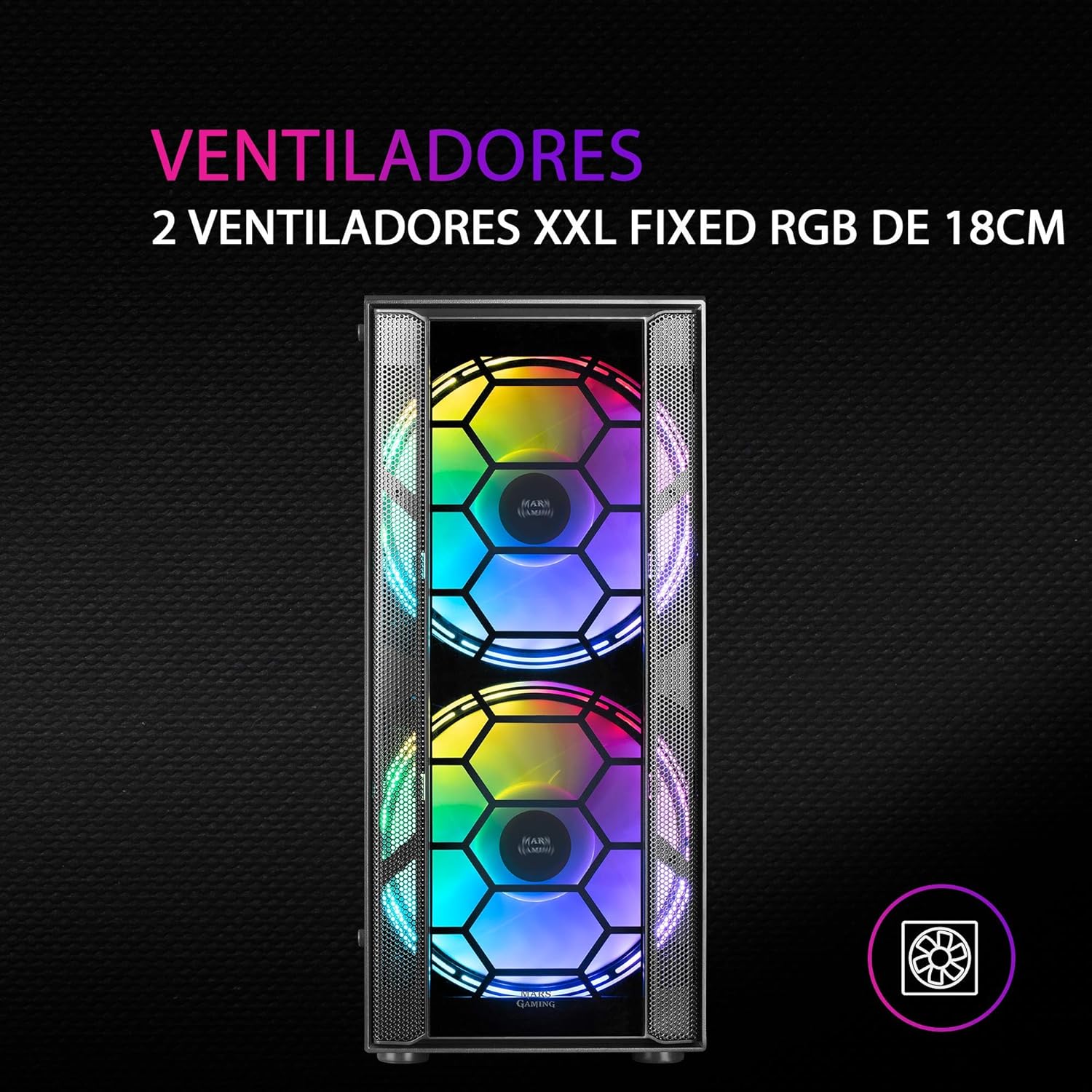
Foto 3: N'ihu view highlighting the two 18cm XXL FRGB fans.
4.3 FRGB Lighting
The front fans feature Fixed RGB (FRGB) lighting. This lighting system provides a constant stream of colors and activates automatically when the fans receive power. No additional software or controller is required for its operation.
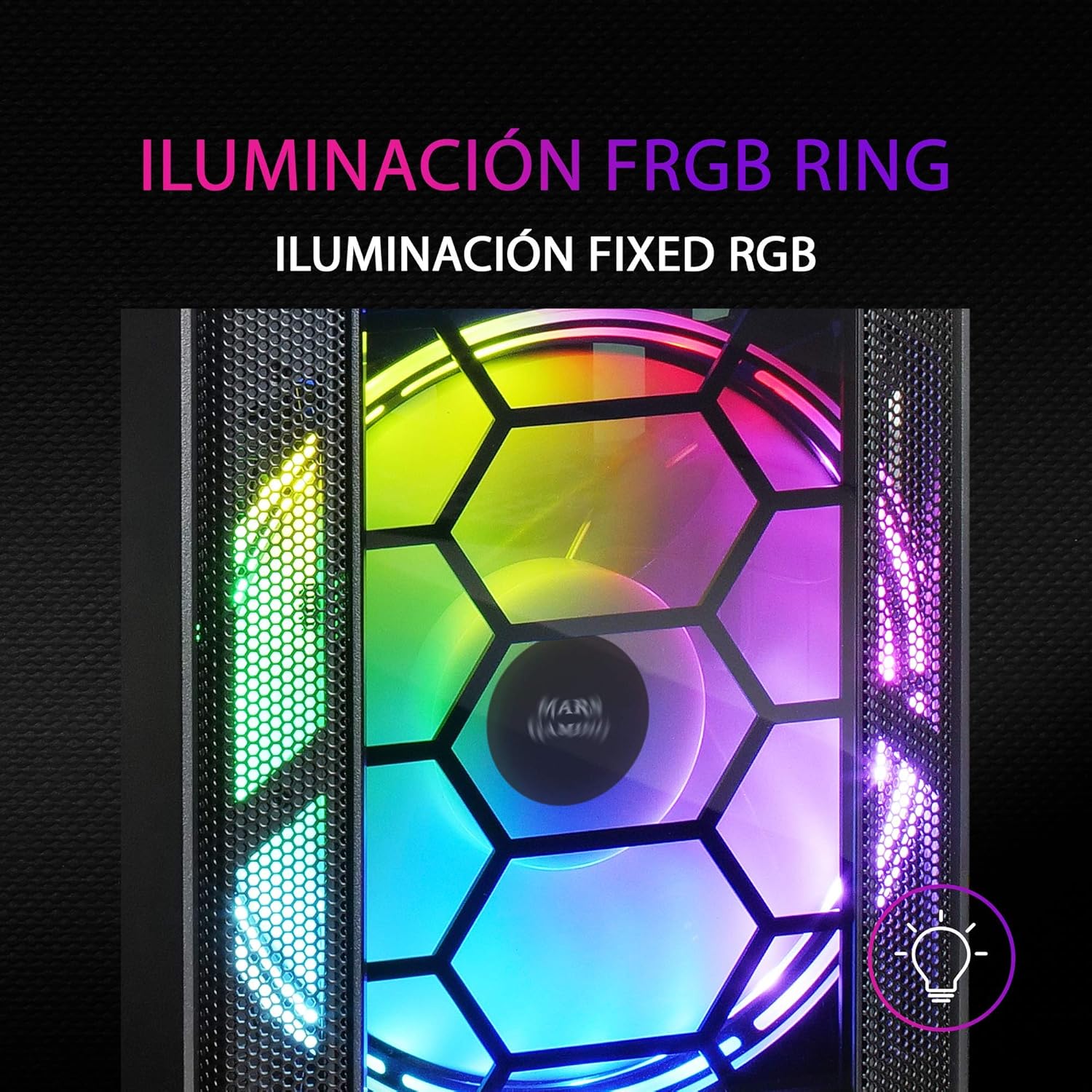
Figure 4: Detail of the FRGB ring lighting on the fans.
5. Nlekọta
Ndozi mgbe niile na-eme ka arụmọrụ kachasị mma na ogologo oge nke ihe mkpuchi PC gị.
5.1 Nhicha uzuzu uzuzu
The MC500 is equipped with two removable dust filters to prevent dust buildup inside the case. It is recommended to clean these filters periodically (e.g., monthly) depending on your environment.
- Gbanyụọ kọmputa gị wee gbanyụọ eriri ọkụ eletrik ahụ.
- Gently remove the dust filters (typically located on the top and bottom/front of the case).
- Clean the filters using compressed air or by rinsing them with water. If using water, ensure they are completely dry before re-installing.
- Re-install the dust filters.

Figure 5: Removable dust filter for easy cleaning.
5.2 Nhicha izugbe
Jiri ihe dị nro hichaa mpụta nke akpa ahụ, damp ákwà. Zere iji kemịkalụ siri ike ma ọ bụ ihe ndị na-emebi ihe nke nwere ike imebi ihe mkpuchi ahụ ma ọ bụ iko ahụ dị ọkụ.
6. Nchọpụta nsogbu
If you encounter issues with your MC500 PC case, consider the following common solutions:
- Sistemụ anaghị arụ ọrụ: Ensure all power cables (24-pin ATX, 8-pin CPU, GPU power) are securely connected to the motherboard and components. Verify the PSU switch is in the 'ON' position. Check front panel header connections to the motherboard.
- Ndị Fans anaghị agba ọsọ: Confirm that the fan power cables are correctly connected to the motherboard fan headers or a fan controller. Check BIOS settings for fan speed control.
- FRGB Lighting Not Working: Since the FRGB lighting is fixed and powered by the fans, ensure the fans are spinning and receiving power.
- Ikuku ikuku na-adịghị mma/ekpo oke ọkụ: Ensure all case fans are oriented correctly (intake/exhaust). Clean dust filters regularly. Verify no cables are obstructing airflow.
- Ngwa ndị tọgbọrọ chakoo: If you hear rattling, check that all screws for the motherboard, drives, and expansion cards are tightened.
For persistent issues, consult the documentation for your individual PC components (motherboard, PSU, etc.) or contact Mars Gaming support.
7. Nkọwapụta
| Njirimara | Nkọwapụta |
|---|---|
| Ụdị | Ịgba egwu Mars |
| Nlereanya | MC500 |
| Akụkụ ngwaahịa | 37.5 x 44.8 x 20.2 cm |
| Ibu Ibu | 5.1 n'arọ |
| Ụdị Ihe | ATX |
| Ndakọrịta Motherboard | ATX, Micro-ATX, Obere-ITX |
| Ụdị ikpe | Ụlọ elu |
| Ihe onwunwe | Glass |
| Ndị Fans gụnyere | 2 x 18cm XXL FRGB Fans (Front) |
| Nkwado Nkwado Mmiri Liquid | 240/120mm (Top), 120mm (Rear) |
| Ebe nchekwa | Up to 4 x 2.5" SSDs or 2 x 3.5" HDDs |
| Ihe nzacha uzuzu | 2 (Removable) |
| Agba | Nwa |
8. Akwụkwọ ikike na nkwado
8.1 Ozi akwụkwọ ikike
For detailed warranty information regarding your Mars Gaming MC500 PC Case, please refer to the official Mars Gaming websaịtị ma ọ bụ kaadị akwụkwọ ikike gụnyere na ịzụrụ gị. Usoro na ọnọdụ ikike nwere ike ịdị iche site na mpaghara.
8.2 Nkwado nka na ụzụ
If you require technical assistance or have questions not covered in this manual, please visit the official Mars Gaming support page or contact their customer service directly. Contact information can typically be found on their websaịtị.


