Okwu mmalite
The RUN-CHICKEN T50 Automatic Chicken Coop Door Opener is designed to provide a secure and convenient solution for managing your poultry. This device automates the opening and closing of your chicken coop door, ensuring the safety of your flock from predators and offering peace of mind for chicken keepers. It features robust aluminum construction, battery power, and flexible programming options including timer, light sensor, and GPS modes.

Image: The RUN-CHICKEN T50 Automatic Chicken Coop Door Opener, highlighting its sleek design and app connectivity.
Njirimara ngwaahịa
- Plug and Play Technology: Easy installation in under 10 minutes with no complex wiring.
- Arụ ọrụ batrị: Long-lasting battery life (minimum 1 year) with 2x AA batteries included.
- Easily Programmable: Configure settings via a phone app, including Timer, Light Sensor, and GPS modes for automatic opening and closing.
- Works in Extreme Weather: Waterproof and resistant to temperatures from -15°F to 140°F (-26°C to 60°C).
- Nhazi niile n'otu: Constructed from high-quality, powder-coated aluminum for durability and visual appeal.
- Sistemụ mgbochi nhịahụ: Designed with safety in mind to prevent injury to chickens.
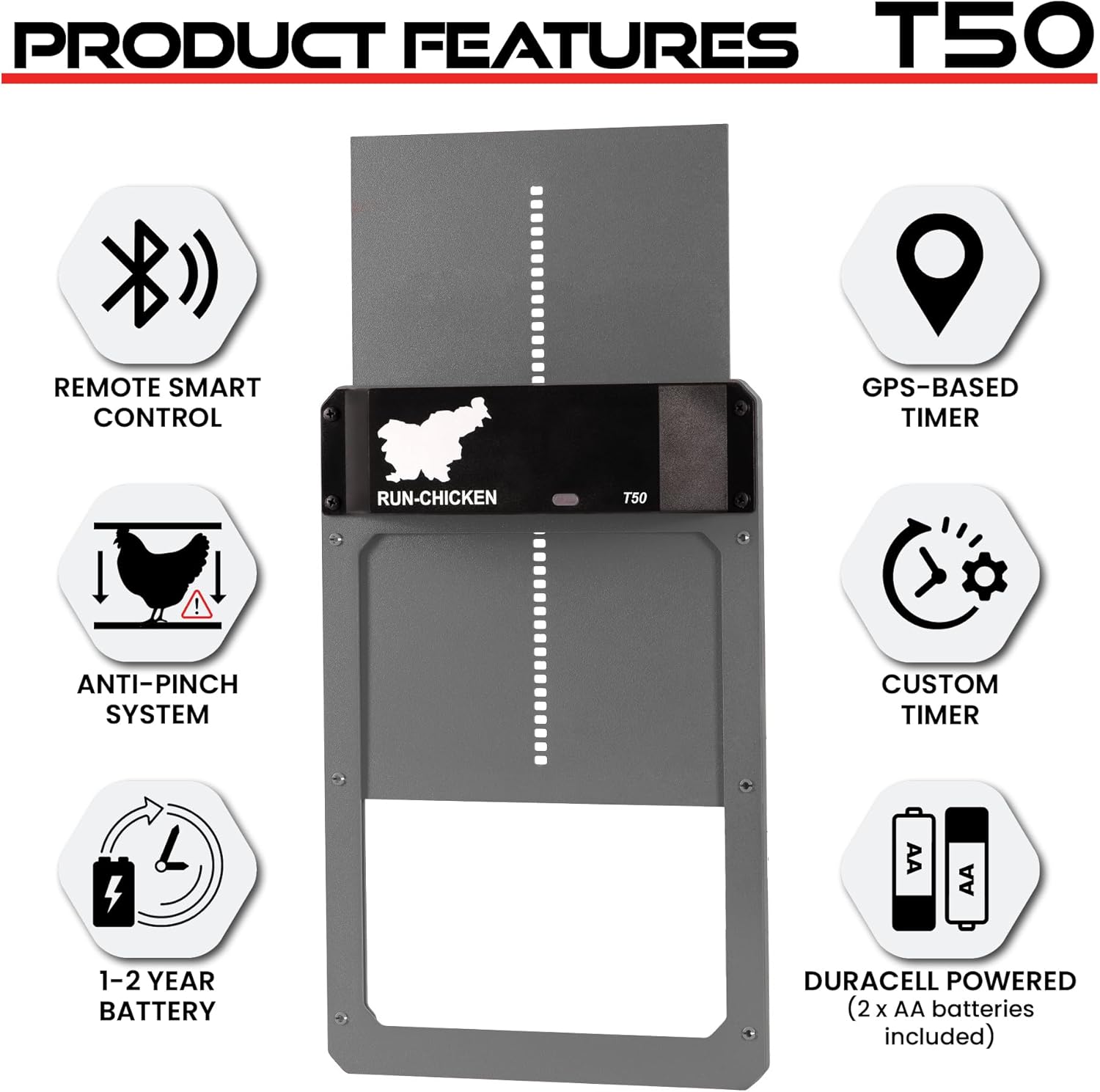
Image: Key features of the RUN-CHICKEN T50 door, highlighting its smart control, GPS timer, safety, and battery efficiency.
Ihe ngwugwu
Upon opening your RUN-CHICKEN T50 package, you should find the following items:
- RUN-CHICKEN T50 Automatic Chicken Coop Door Opener Unit
- Instructional Manual (this document)
- 2 x AA batrị
- Nwụnye kposara

Image: The RUN-CHICKEN T50 door as it appears in its packaging, ready for setup.
Ozi nchekwa
Please read all safety instructions before operating the device. Failure to follow these instructions may result in injury or damage to the product.
- Keep hands and loose clothing clear of the door path during operation.
- Ensure the installation area is clear of obstacles that could impede door movement.
- Do not attempt to force the door open or closed manually while it is operating automatically.
- Jiri naanị ụdị batrị akọwapụtara (AA) wee hụ na polarity ziri ezi mgbe echichi.
- Tụfuo batrị eji arụ ọrụ dịka iwu obodo siri dị.
- The device is designed for outdoor use and is weather-resistant, but avoid submerging it in water.
Ntọala na nwụnye
The RUN-CHICKEN T50 is designed for quick and easy installation. Follow these steps to set up your automatic chicken coop door:
- Kwadebe mmeghe: Ensure your chicken coop or run has an opening suitable for the door. The door dimensions are approximately 13.8"L x 9.4"W x 1.3"H. The required opening size is approximately 9"x11".
- Debe ngalaba ahụ: Place the RUN-CHICKEN T50 unit over the prepared opening, ensuring it is level and securely aligned.
- Chekwaa na skru: Use the provided installation screws to firmly attach the unit to your chicken coop.
- Wụnye batrị: Open the battery compartment and insert the 2x AA batteries, observing correct polarity.
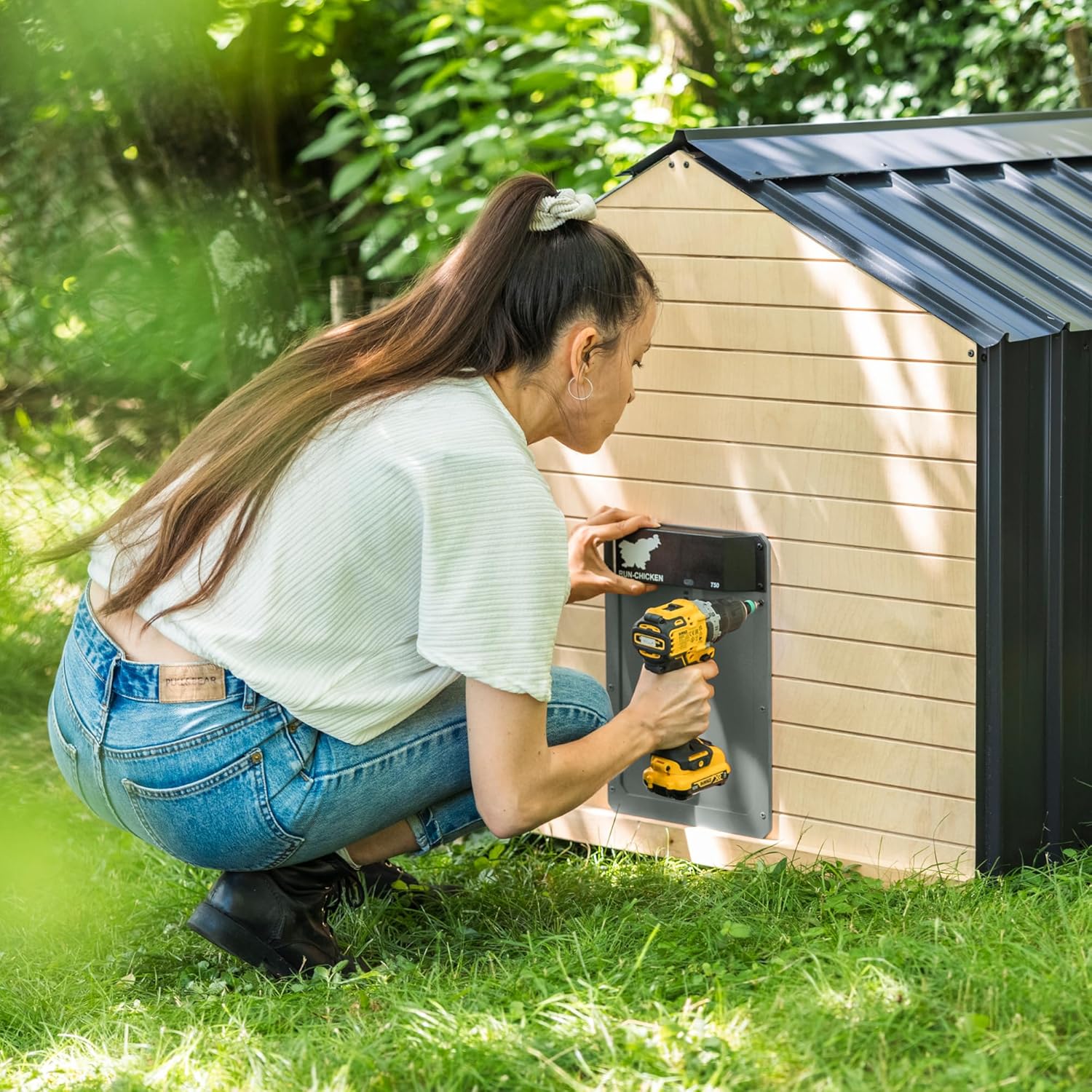
Image: A user installing the RUN-CHICKEN T50 door onto a chicken coop, demonstrating the ease of mounting.
Ntuziaka ọrụ
The RUN-CHICKEN T50 offers various modes for automatic operation. The default factory mode is suitable for most users, but you can customize settings using the RUN-CHICKEN app.
Programming with the RUN-CHICKEN App:
The RUN-CHICKEN app allows for personalized control over your coop door. Download the app from your device's app store:
- Tinye Ụdị nhazi: On the RUN-CHICKEN T50 unit, press and hold the button until the light sensor shines blue. Release, then press again to enter configuration mode.
- Mepee ngwa: Launch the RUN-CHICKEN app on your smartphone.
- Họrọ Nhọrọ: Within the app, you can choose from various opening and closing options:
- Ihe mmetụta ọkụ: Door opens after sunrise and closes after sunset.
- Ngụ oge: Set specific opening and closing times.
- Do Not Open/Close: Manually control the door by pressing the test button.
- Ntọala dị elu: Access advanced options to set morning opening delay, evening closing delay, or enable GPS mode. GPS mode calculates sunrise and sunset based on your location, overriding the light sensor.
- Malite mmemme: Once your desired settings are selected in the app, press the "Start Programming" button.
- Place Phone on Sensor: Place your phone onto the light sensor of the RUN-CHICKEN T50 unit. The light sensor will turn green and a beeping sound will play, indicating successful programming.

Image: Visual guide to programming the RUN-CHICKEN T50 door via the mobile app, illustrating the process from app download to final setup.
Video: This video demonstrates the configuration process of the RUN-CHICKEN T50 door using the mobile application, showing how to set opening and closing times and other advanced options.
Nlekọta
Regular maintenance ensures the longevity and optimal performance of your RUN-CHICKEN T50 door.
- Ngbanwe batrị: The device uses 2x AA batteries. While designed for a minimum of 1 year battery life, actual duration may vary. Replace batteries when the low battery indicator light appears or if the door's operation becomes sluggish. To replace, carefully unscrew the top control unit from the door frame to access the battery compartment.
- Nhicha: Periodically clean the door and its tracks to prevent debris buildup, which can hinder smooth operation. Use a soft, damp akwa . Zere ihe nhicha ma ọ bụ ihe mgbaze.
- Nyocha: Regularly inspect the door for any signs of wear or damage. Ensure all screws are tight and the unit is securely mounted.
Nchọpụta nsogbu
If you encounter issues with your RUN-CHICKEN T50, refer to the following common troubleshooting tips:
| Nsogbu | Ihe nwere ike ime | Ngwọta |
|---|---|---|
| Ọnụ ụzọ anaghị emeghe/emechi | Low batteries; Obstruction in path; Incorrect programming. | Replace batteries; Clear any obstructions; Re-program using the app. |
| Door operates erratically | Weak battery; Debris in tracks; Light sensor interference (if using light mode). | Replace batteries; Clean tracks; Ensure light sensor is not blocked or exposed to artificial light at night. |
| Ndụ batrị dị mkpụmkpụ | Extreme temperatures; Frequent manual overrides; Low-quality batteries. | Ensure good quality AA batteries are used; Minimize manual overrides; Consider protecting the unit from extreme cold if possible. |
| Programming issues with app | Phone not close enough to sensor; App not updated; Bluetooth interference. | Ensure phone is directly on the light sensor; Update app to latest version; Try again in an area with less interference. |
Nkọwapụta
| Njirimara | Nkọwa |
|---|---|
| Ụdị | NA-agba ọsọ-ọkụkọ |
| Aha Nlereanya | T50 |
| Ihe onwunwe | Aluminom |
| Agba | Brown (Note: Product images show Gray, but specification lists Brown.) |
| Akụkụ ngwaahịa (LxWxH) | 13.8" x 9.4" x 1.3" |
| Ibu Ibu | 1.76 pound |
| Batrị | 2 AA batrị achọrọ (gụnyere) |
| Oke okpomọkụ | -15°F ruo 140°F (-26°C ruo 60°C) |
| Atụmatụ pụrụ iche | Battery Operated, Waterproof, Weather Resistant, Durable, Fully Made of Aluminum |
| Onye nrụpụta | RUN-TIGER LLC |
| Mba onye si | Slovenia |

Image: Detailed dimensions of the RUN-CHICKEN T50 door, useful for planning installation space.
Akwụkwọ ikike na nkwado
For any problems, questions, or support regarding your RUN-CHICKEN T50 Automatic Chicken Coop Door Opener, please contact our customer support team. They are available to assist you.
Email: info@run-chicken.com
Please include your product model (T50) and a detailed description of your issue for faster assistance.


