1. Okwu mmalite
This manual provides detailed instructions for the safe and efficient use of your Hoco HC3 Bounce Sports Wireless Speaker. Please read this manual thoroughly before operating the device and retain it for future reference. The Hoco HC3 is a versatile portable speaker supporting Bluetooth, FM radio, TF card, USB, AUX, and TWS modes.

Figure 1: Hoco HC3 Bounce Sports Wireless Speaker. This image displays the speaker in a vertical orientation, showcasing its black mesh grille, the 'hoco' logo at the bottom right, and a braided carrying strap attached to the top left side. The control buttons are visible on the side panel.
2. Ihe ngwugwu
Gbaa mbọ hụ na ihe niile dị mgbe ị na-ewepụ igbe:
- Hoco HC3 Bounce Sports Wireless Speaker
- Igwe nchaji USB
- Akwụkwọ ntuziaka (akwụkwọ a)
- AUX Audio Cable (if included with your model)
3. Ngwaahịa gafereview
3.1 Akụkụ Ọkà Okwu

Figure 2: Rear panel of the Hoco HC3 speaker. This image highlights the various input ports and control buttons located on the back of the speaker. Visible elements include the power switch, USB port, TF card slot, AUX input, and LED indicator.
Mara onwe gị nke ọma na njikwa na ọdụ ụgbọ mmiri nke ọkà okwu ahụ:
- Bọtịnụ ike: Long press to power on/off. Short press to switch modes.
- Bọtịnụ Kwụsị/Kwụsị: Kpọọ ma ọ bụ kwụsịtụ ọdịyo. Zaa/kwụsị oku.
- Bọtịnụ egwu na-esote: Pịa obere oge maka egwu na-esote, pịa ogologo oge maka elu olu.
- Mpịakọta nke ala / bọtịnụ egwu gara aga: Pịa obere oge maka egwu gara aga, pịa ogologo oge maka mbelata olu.
- Bọtịnụ Ụdị (M): Short press to cycle through Bluetooth, FM, TF card, USB, and AUX modes.
- Ọdụ ụgbọ mmiri USB: Maka ịkpọghachi draịva USB.
- Oghere TF Kaadị: Maka ịkpọghachi kaadị TF (MicroSD).
- Ntinye AUX: 3.5mm jack for wired audio connection.
- Nchaji ọdụ ụgbọ mmiri: Ọdụ USB micro maka ịchaji ọkà okwu.
- Ihe ngosi LED: Displays charging status and operating mode.
3.2 Atụmatụ
- Bluetooth V5.0: Na-enye njikọ ikuku kwụsiri ike ma dị irè.
- Ụdị ịkpọghachi ọtụtụ: Supports Bluetooth, FM radio, TF card, USB drive, and AUX input.
- Ezi stereo ikuku ikuku (TWS): Allows two HC3 speakers to connect wirelessly for a stereo sound experience.
- Ogologo ndụ batrị: 2400mAh battery capacity offers up to 5 hours of music playback.
- Ndị na-ekwu okwu abụọ: Equipped with two 45mm speaker units, each with 5W power output.
- Kọmpat na ibugharị: Dimensions of 202*60*60mm and weight of 561g for easy transport.
4. Nhazi
4.1 Ịchaji ọkà okwu
- Jikọọ eriri USB chaja enyere na ọdụ chaja nke ọkà okwu.
- Connect the other end of the USB cable to a 5V USB power adapter (not included) or a computer's USB port.
- The LED indicator will illuminate to show charging status. It typically takes about 3 hours for a full charge.
- Once fully charged, the LED indicator will change or turn off (refer to specific LED behavior in the troubleshooting section if unsure).
Note: For optimal battery life, fully charge the speaker before first use.
4.2 Gbanyụọ/ gbanyụọ
- Iji gbanye: Long press the Power button until you hear an audible prompt and the LED indicator lights up.
- Iji gbanyụọ: Long press the Power button again until you hear an audible prompt and the LED indicator turns off.
5. Ntuziaka ọrụ
5.1 Njikọ Bluetooth
- Ensure the speaker is powered on and in Bluetooth mode (the LED indicator will typically flash blue, indicating it's ready for pairing). If not, short press the Mode (M) button to switch to Bluetooth mode.
- Mee ka Bluetooth rụọ ọrụ na ekwentị mkpanaaka gị (ama, mbadamba, kọmputa).
- Chọọ maka available Bluetooth devices. You should see "HC3" or "Hoco HC3" in the list.
- Select "HC3" to connect. Once paired, the speaker will emit an audible confirmation, and the LED indicator will stop flashing and remain solid blue.
- Ị nwere ike ugbu a kpọọ ụda site na ngwaọrụ gị site na ọkà okwu.
Rịba ama: Ọkà okwu ahụ ga-anwa ijikọghachi na ngwaọrụ ikpeazụ ejikọtara ozugbo mgbe agbanyere ya, ọ bụrụ na Bluetooth nke ngwaọrụ ahụ na-arụ ọrụ ma dịkwa n'ime oke.
Ọnọdụ redio FM 5.2
- Ike na ọkà okwu.
- Short press the Mode (M) button repeatedly until you enter FM radio mode.
- To auto-scan and save available FM stations, short press the Play/Pause button. The speaker will scan and store stations.
- Use the Volume Up / Next Track and Volume Down / Previous Track buttons to navigate between saved stations.
Kaadị TF 5.3 / Ịkpọghachi USB
- Ike na ọkà okwu.
- Insert a TF (MicroSD) card into the TF card slot or a USB flash drive into the USB port.
- The speaker should automatically switch to TF card or USB mode and begin playing audio files. If not, short press the Mode (M) button to select the correct mode.
- Use the Play/Pause, Volume Up / Next Track, and Volume Down / Previous Track buttons to control playback.
Note: Ensure your TF card or USB drive contains compatible audio files (e.g., MP3 format).
5.4 Ụdị AUX
- Ike na ọkà okwu.
- Connect one end of a 3.5mm audio cable (if included) to the speaker's AUX input port.
- Connect the other end of the audio cable to the audio output jack of your external device (e.g., MP3 player, computer).
- The speaker should automatically switch to AUX mode. If not, short press the Mode (M) button to select AUX mode.
- Control playback from your external device. Volume can be adjusted on both the speaker and the external device.
Ọrụ TWS (Ezigbo Stereo Ikuku) 5.5
The TWS function allows you to pair two Hoco HC3 speakers together for a true stereo sound experience.
- Ensure both HC3 speakers are powered off.
- Power on both speakers simultaneously. They should both enter Bluetooth pairing mode.
- On otu of the speakers (this will become the primary speaker), long press the Mode (M) button or a dedicated TWS button (if present, otherwise try the Play/Pause button for 3-5 seconds) until you hear a pairing tone. The speakers will attempt to connect to each other.
- Once successfully paired, you will hear a confirmation tone, and one speaker's LED will indicate it's the primary (e.g., flashing slowly), while the other's LED will be solid.
- Now, connect your mobile device to the nke mbụ speaker via Bluetooth as described in section 5.1.
- Audio ga-akpọzi na stereo site na ndị ọkà okwu abụọ ahụ.
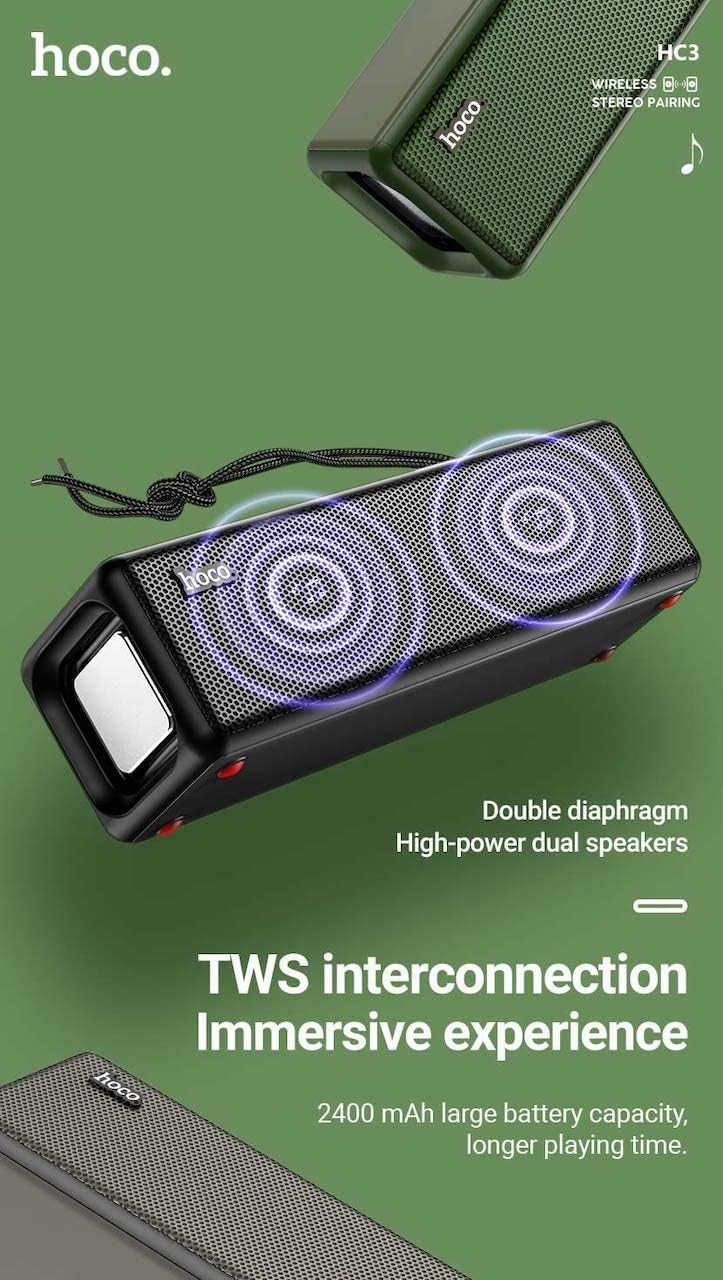
Figure 3: TWS Interconnection. This image illustrates the concept of two Hoco HC3 speakers wirelessly connected to provide a stereo audio experience, highlighting the dual speaker setup and the 2400 mAh battery capacity.
5.6 Njikwa oku
Mgbe ejikọrọ site na Bluetooth na ama:
- Oku azaa: Obere pịa bọtịnụ Play/kwụsịtụ.
- Oku ngwụcha: Mkpirisi pịa bọtịnụ Play/kwụsịtụ mgbe oku na-aga.
- Jụ oku: Pịa bọtịnụ Play/Pause ruo ogologo oge mgbe oku na-abata na-ada.
- Nọmba Ikpeazụ emegharịgharịrị: Pịa bọtịnụ Play/kwụsịtụ ugboro abụọ.
6. Nlekọta
- Nhicha: Use a soft, dry cloth to clean the speaker's surface. Do not use abrasive cleaners, alcohol, or other chemical solvents.
- Nchekwa: Chekwaa ọkà okwu n'ebe dị jụụ, kpọrọ nkụ na-adịghị na ìhè anyanwụ kpọmkwem na oke okpomọkụ.
- Nlekọta batrị: To prolong battery life, charge the speaker regularly, even if not in use for extended periods (e.g., once every 3 months). Avoid fully discharging the battery frequently.
- Nguzogide mmiri: While designed for sports, avoid submerging the speaker in water. Refer to product specifications for any IP rating.
- Zere Mmetụta: Protect the speaker from drops and strong impacts.
7. Nchọpụta nsogbu
If you encounter issues with your Hoco HC3 speaker, refer to the following table for common problems and solutions:
| Nsogbu | Ihe nwere ike ime | Ngwọta |
|---|---|---|
| Ọkà okwu anaghị agba ọkụ. | Batrị dị ala. | Chajie ọkà okwu ahụ ruo opekata mpe nkeji iri atọ. |
| Enweghị ike ijikọ site na Bluetooth. | Ekweghị Bluetooth na ngwaọrụ; ọkà okwu adịghị n'ụdị njikọta; ọ dị oke anya site na ngwaọrụ. | Ensure Bluetooth is on, speaker is in pairing mode (flashing blue LED), and devices are within 10 meters. Forget "HC3" on your device and try pairing again. |
| Enweghị ụda. | Olu dị oke ala; ahọpụtara ụdị na-ezighi ezi; ngwaọrụ anaghị akpọ ọdịyo. | Increase volume on both speaker and connected device. Verify correct mode (Bluetooth, AUX, TF, USB). Ensure audio is playing on the source device. |
| Nnabata redio FM adịghị mma. | Mgbaàmà na-adịghị ike; nnyonye anya gburugburu ebe obibi. | Move the speaker to a location with better reception. Re-scan for stations. |
| TF card/USB playback not working. | Card/drive not inserted correctly; incompatible file usoro; rụrụ arụ files. | Ensure card/drive is fully inserted. Check file formats (MP3 recommended). Try another card/drive. |
| Njikota TWS ada ada. | Speakers not in TWS pairing mode; too far apart. | Ensure both speakers are powered on and in TWS pairing mode. Keep them close during pairing. Refer to section 5.5. |
8. Nkọwapụta
| Njirimara | Nkọwa |
|---|---|
| Nlereanya | HC3 |
| Akụkụ | 202 x 60 x 60 mm |
| Ibu | 561 g |
| Ụdị Bluetooth | V5.0 (Chip: JLAC6928B) |
| Ike batrị | 2400mAh |
| Oge Nchaji | Ihe dị ka awa 3 |
| Oge Okwu/Egwu | Ruo awa iri abụọ |
| Ngalaba Ọkà Okwu | 45mm * 2 |
| Mbupute Ike Ọkà Okwu | 5W * 2 |
| Ụdị njikọ | Bluetooth, FM, TF card, USB, AUX, TWS |
| Ọnọdụ mmepụta ọdịyo | Gburugburu |
| Onye nrụpụta | Hoco |
| Mba onye si | China |
9. Akwụkwọ ikike na nkwado
Hoco products are manufactured to high quality standards. For information regarding warranty coverage, please refer to the warranty card included with your purchase or contact your local Hoco distributor or retailer. Keep your proof of purchase for any warranty claims.
For technical support or further assistance, please visit the official Hoco website or contact their customer service department. Contact details are typically available on the product packaging or the official websaịtị.


