1. Okwu mmalite
This manual provides essential information for the safe and efficient use of your Carina 88-Key Digital Piano LF-0088. Please read it thoroughly before operating the instrument and keep it for future reference.
2. Ngwaahịa gafereview
The Carina LF-0088 is an 88-key digital piano designed for both beginners and experienced players. Its wooden body and stylish design allow it to blend seamlessly into various environments. It offers a rich sound experience with numerous features.

Figure 2.1: Carina 88-Key Digital Piano LF-0088.
3. Atụmatụ
The LF-0088 digital piano is equipped with a comprehensive set of features to enhance your playing experience:
- Ụda dị oke mma: Features two 20W speakers and a French DREAM sound source, providing powerful, clear, and rich bass tones.
- Extensive Tones & Rhythms: Includes 380 different tones, 128 rhythm patterns, and 80 built-in demo songs.
- Polyphony: Offers a maximum polyphony of 128 notes, ensuring smooth play even with complex pieces or pedal use.
- Ọrụ dịgasị iche iche: Incorporates sustain, recording/playback, metronome, harmony, dual keyboard mode, mix tone, transpose, tempo adjustment, and touch sensitivity.
- Njikọta: Rear terminals include a sustain pedal connection, MIDI connection, audio input/output, a 3.5mm headphone jack, and a DC 9-12V power input. It also supports wireless MIDI.

Figure 3.1: Control panel displaying available tones, rhythms, and demo songs.
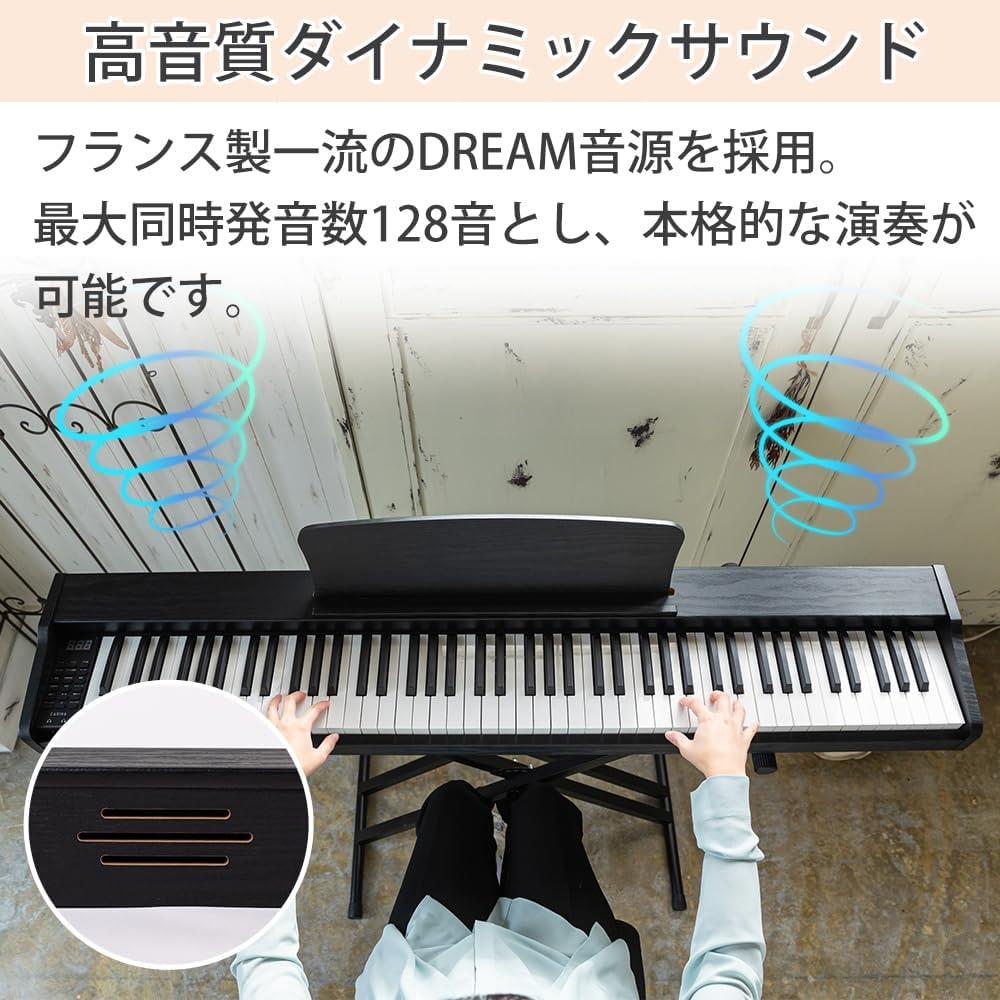
Figure 3.2: Integrated speakers for dynamic sound output.
Sound Demonstration
Experience the diverse range of sounds offered by the Carina 88-Key Digital Piano:
Video 3.1: Demonstration of various sounds on an 88-key electronic piano.
4. Nhazi
Your Carina 88-Key Digital Piano LF-0088 comes with all necessary accessories for immediate use. Please follow these instructions carefully for assembly.
4.1. Iwepu ọdịnaya
Ngwungwu ahụ gụnyere:
- Ahụ piano
- Egwu Egwu
- Ihe nkwụnye AC
- Keyboard Stand (requires assembly)
- Piano Chair (requires assembly)
- Akwụkwọ ntuziaka
- Pedal nkwado

Figure 4.1: Included accessories with the digital piano.
4.2. Stand and Chair Assembly
The keyboard stand and piano chair require assembly. Please exercise caution during assembly to prevent injury. It is recommended that an adult performs the assembly in a safe environment.
Ihe ndetu ndị dị mkpa:
- The fall prevention belt (approx. 16cm) and screw (approx. 5.9cm) are included. The screw may be slightly long and might not fully enter the piano's fixing screw hole. Depending on the stand's height setting, the belt may not reach the piano's screw hole. Avoid overstretching the belt to prevent breakage.
- The included stand is an assembly product. Compared to non-assembly products, there might be slight wobbling, gaps when placing the piano, or minor balance issues. These are not considered defects.
- The electronic piano, keyboard stand, and chair may be shipped separately, resulting in varying delivery dates.

Figure 4.2: Keyboard stand with adjustable height settings.

Figure 4.3: Piano chair with three adjustable height settings.
4.3. Stand Assembly Video
For detailed visual instructions on assembling the stand, please refer to the video below:
Video 4.1: Step-by-step guide for assembling the piano stand.
5. Ntuziaka ọrụ
This section guides you through the basic operation of your digital piano.
5.1. Gbanyụọ/ Gbanyụọ na olu
Connect the AC adapter to the DC 9-12V power input and a power outlet. Press the power button to turn the piano on or off. Adjust the master volume using the dedicated volume controls.
5.2. Selecting Tones, Rhythms, and Demo Songs
Use the control panel to navigate and select from the 380 tones, 128 rhythm patterns, and 80 demo songs. Refer to the display for current selections.
5.3. Iji Ọrụ
- Nkwado: Connect the included sustain pedal to the sustain pedal input for expressive playing.
- Metronome: Activate the metronome function to assist with timing during practice.
- Edekọ/nkpọghachi: Utilize the recording feature to capture your performances and play them back.
- Ọrụ ndị ọzọ: Explore harmony, dual keyboard, mix tone, transpose, tempo, and touch sensitivity settings to customize your sound and playing style.
5.4. Njikọta
The piano offers various connection options:
- Igwe ekweisi: Connect 3.5mm headphones to the headphone jack for private practice.
- Ntinye/Ọnụnụ: Use the audio input/output jacks to connect external audio devices.
- MIDI: Connect to other MIDI devices via the MIDI connection or use the wireless MIDI feature.
- USB: The USB port allows for connection to computers or other compatible devices.
6. Nlekọta
To ensure the longevity and optimal performance of your Carina Digital Piano, follow these maintenance guidelines:
- Nhicha: Use a soft, dry cloth to wipe the surface of the piano. Avoid abrasive cleaners or solvents that could damage the finish.
- Nchekwa: Store the piano in a cool, dry place away from direct sunlight, extreme temperatures, and humidity.
- Nchedo: When not in use, cover the piano to protect it from dust and spills.
- Isi nlekọta: The keys may have a lubricating cream between them; this is normal and not a defect.
7. Nchọpụta nsogbu
If you encounter any issues with your digital piano, please refer to the following common troubleshooting tips:
- Enweghị ụda: Check if the power is on, volume is up, and headphones are not connected (unless intended). Ensure all cables are securely connected.
- Ụda agbagọ: Lower the volume. Check external audio connections for proper setup.
- Igodo anaghị aza: Ensure the piano is powered on. If specific keys are unresponsive, contact customer support.
- Kwụsie ike: If the stand feels wobbly after assembly, re-check all connections and ensure screws are tightened. Ensure the piano is placed evenly on the stand.
Ọ bụrụ na nsogbu ahụ dịgidere, biko kpọtụrụ nkwado ndị ahịa maka enyemaka ọzọ.
8. Nkọwapụta
| Njirimara | Nkọwapụta |
|---|---|
| Nlereanya | LF-0088 |
| Ọnụọgụ igodo | 88 |
| Ụda | Ụdị 380 |
| Ụkpụrụ Rhythm | Ụdị 128 |
| Egwu ngosi | 80 |
| Max Polyphony | 128 ndetu |
| Ndị na-ekwu okwu | 2 x 20W |
| Ntinye ike | DC 9-12V (AC Adapter included) |
| Njikọta | Sustain Pedal, MIDI, Audio In/Out, 3.5mm Headphone, USB, Wireless MIDI |
| Piano Dimensions (W x D x H) | Ihe ruru. 128.6 cm x 24.5 cm x 9 cm |
| Piano Weight | Ihe ruru. 10.75 n'arọ |
| Keyboard Stand Weight | Ihe ruru. 3 n'arọ |
| Piano Chair Weight | Ihe ruru. 2.8 n'arọ |
9. Akwụkwọ ikike na nkwado
For warranty information, product registration, or technical support, please refer to the contact details provided with your purchase documentation or visit the official Carina website. Please note that product design, functions, and accessories may change without prior notice.


