Okwu mmalite
The SMOVE Pro Mobile X is an intelligent, lightweight, and compact 3-axis smartphone gimbal stabilizer designed to capture smooth, professional-grade video footage. It integrates an AI tracking module and an LED light, making it a versatile tool for videographers, vloggers, influencers, and content creators. This manual provides essential information for setting up, operating, and maintaining your SMOVE Pro Mobile X.
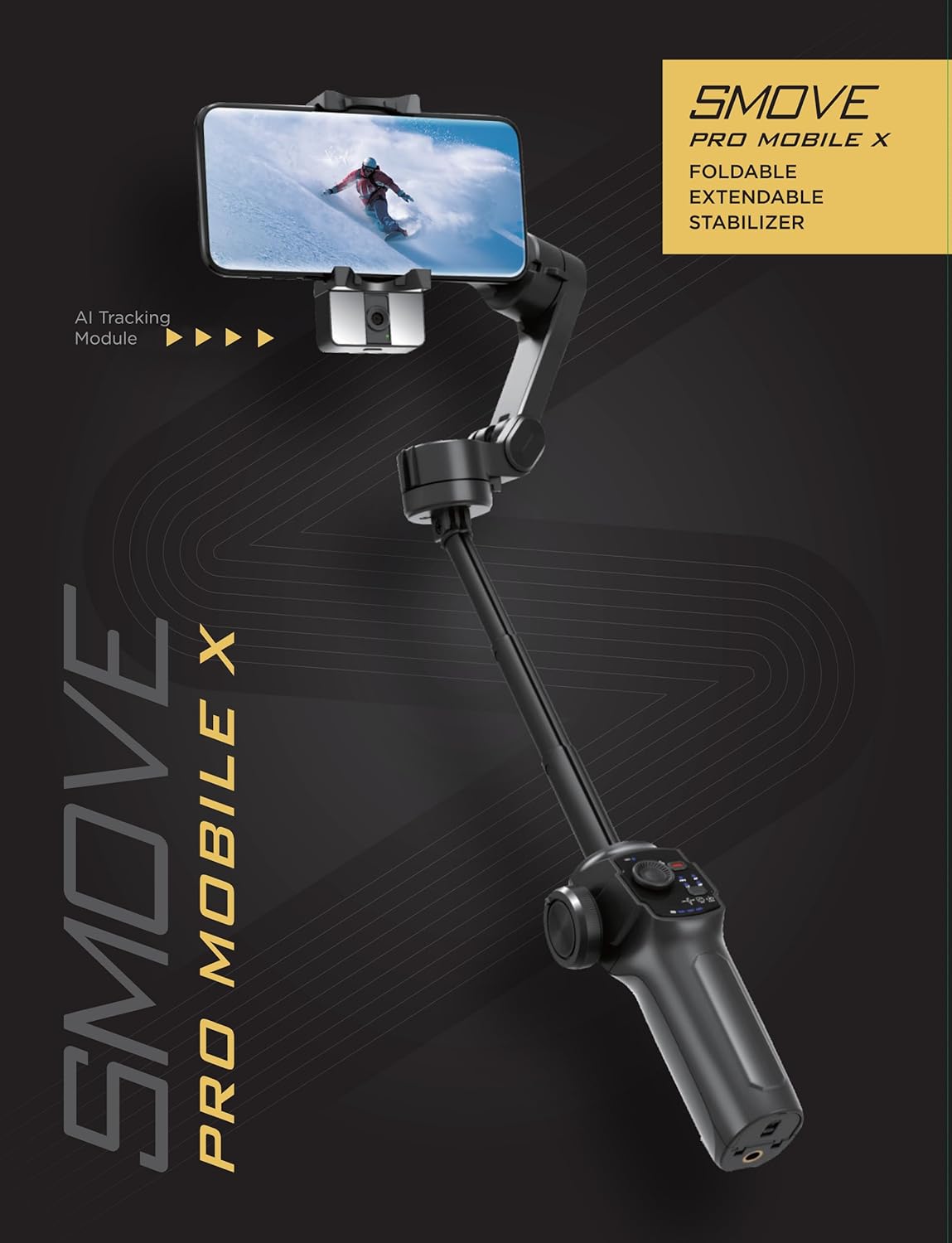
Image: The SMOVE Pro Mobile X gimbal stabilizer in its unfolded, ready-to-use state, showcasing its compact design and smartphone mount.
Kedu ihe dị na Igbe ahụ
Chọpụta na akụrụngwa niile dị na ngwugwu:
- SMOVE Pro Mobile X Gimbal Stabilizer
- AI Tracking Module/LED Light
- Jide Tripod
- Ụdị-C eriri USB
- Eriri aka
- Akwụkwọ ntuziaka onye ọrụ
Atụmatụ igodo
- 3-Axis Stabilization: Provides smooth, cinematic footage by compensating for unwanted movements across pan, tilt, and roll axes.
- Integrated AI Tracking Module: Automatically tracks subjects (e.g., faces) without requiring additional software, ensuring the subject remains in focus. Includes a built-in LED light for improved illumination.
- Njikwa mmegharị ahụ: Allows for hands-free operation and control of certain functions.
- Nhazi nke enwere ike ijikọ na mbugharị: Compact and lightweight (0.78 lbs / 355g) for easy transport and storage.
- Built-in Extension Rod: Features an adjustable extension rod for versatile shooting angles.
- Replaceable and Rechargeable Battery: Ensures extended usage and quick battery swaps for continuous shooting.
- Ndakọrịta na ama: Supports a wide range of iPhone and Android smartphones (refer to compatibility list in specifications).
- Moment Mode: Companion app feature offering one-tap templates like Inception, Dolly Zoom, Motion Timelapse, and Panoramas.
- Mgbanwe ngwa ngwa: Easily switch between portrait and landscape modes.
- Standard Tripod Mount: Features a 1/4" standard tripod mount for expanded accessory options.
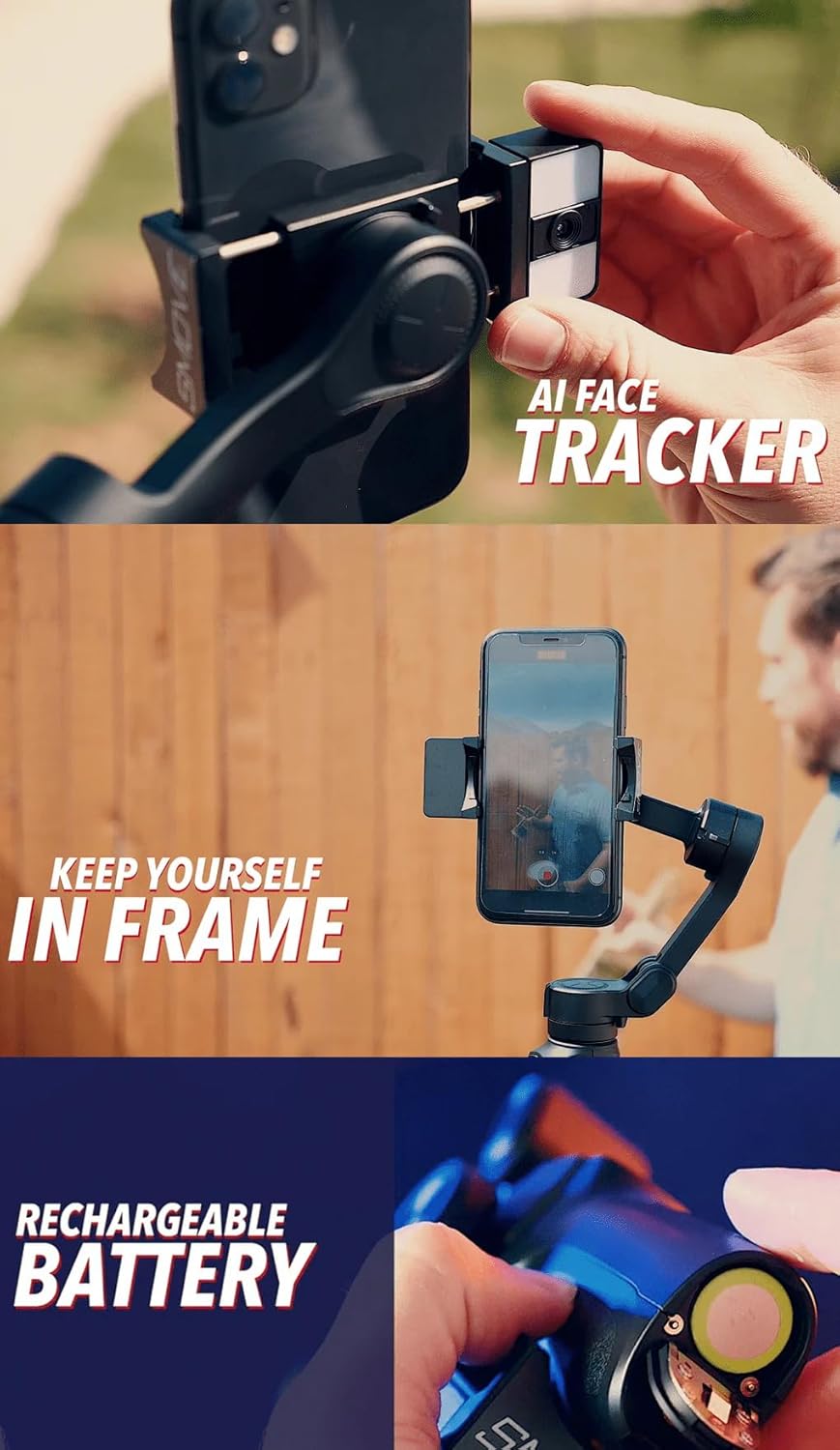
Image: Diagram illustrating key features of the SMOVE Pro Mobile X, including the 3-axis stabilization, AI tracking module, extension rod, and foldable design.
Ntuziaka nhazi
1. Ikpughe Gimbal
- Hold the gimbal handle firmly.
- Gently unfold the gimbal arm until it locks into place.
- Ensure all joints are securely extended.
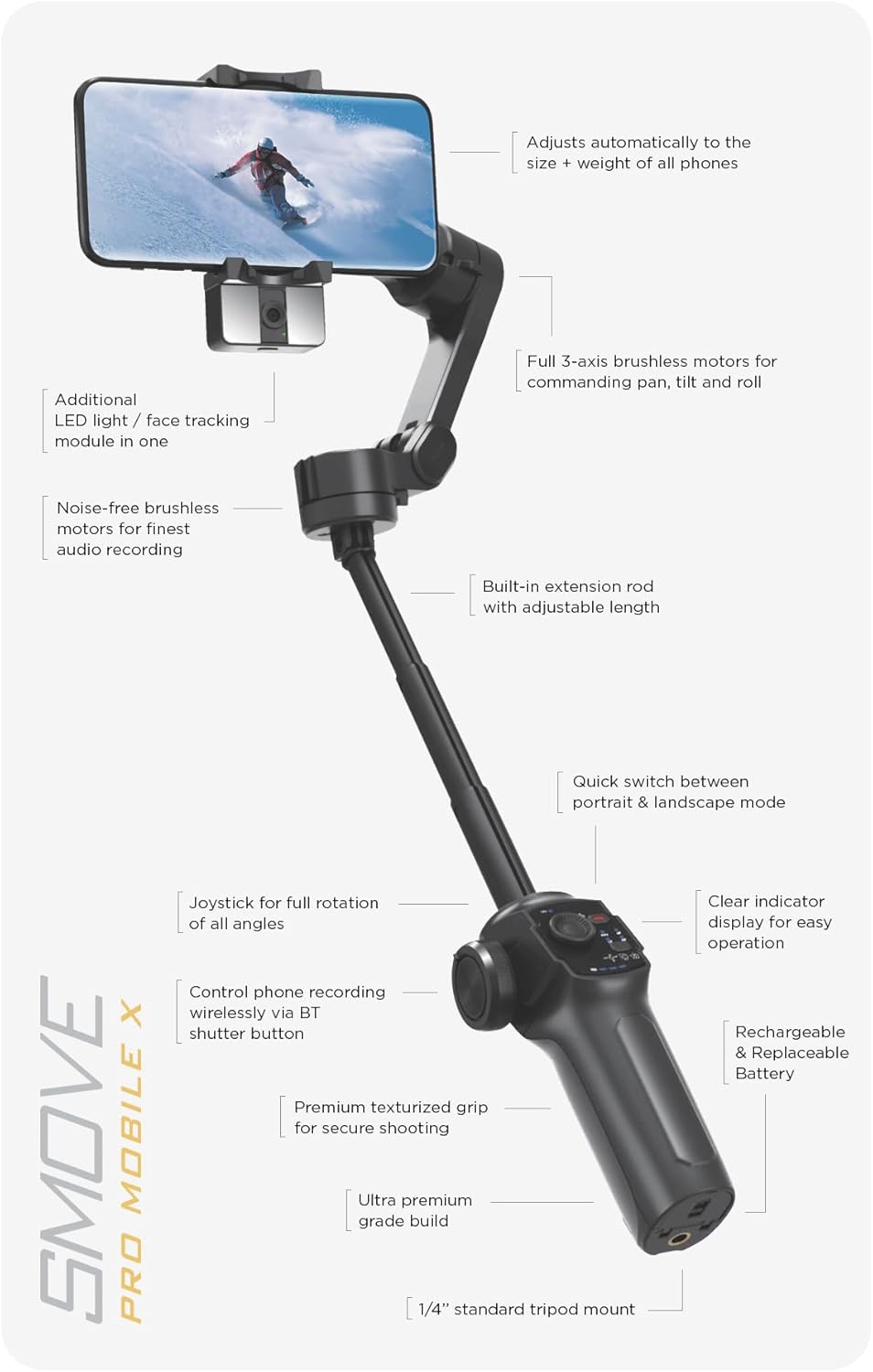
Image: The SMOVE Pro Mobile X gimbal in its fully unfolded position, ready for smartphone attachment.
2. Ịtinye ekwentị gị
- Gbasaa ekwentị clamp on the gimbal.
- Jiri nlezianya tinye ekwentị gị n'ime klamp, ensuring it is centered and secure. The gimbal automatically adjusts to the phone's size and weight.
- Ensure the phone is firmly seated and balanced. Balancing is not required if the smartphone is at the middle of the holder.
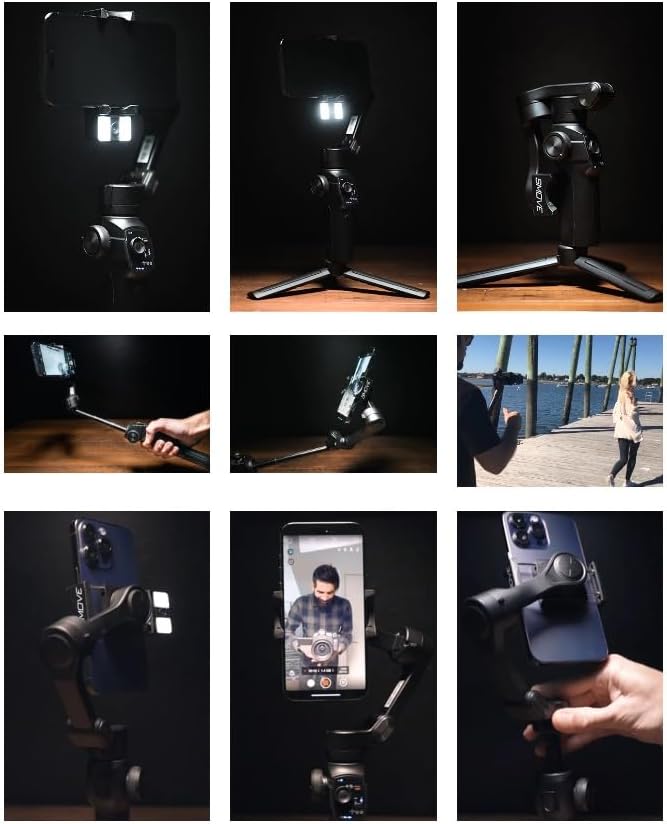
Image: A smartphone being securely attached to the clamp of the SMOVE Pro Mobile X gimbal.
3. Installing the AI Tracking Module/LED Light
- Locate the magnetic attachment point on the smartphone clamp.
- Attach the AI Tracking Module/LED Light to this point. It can be attached facing inwards or outwards.
- Press the button on the module to activate the LED light for low-light conditions.
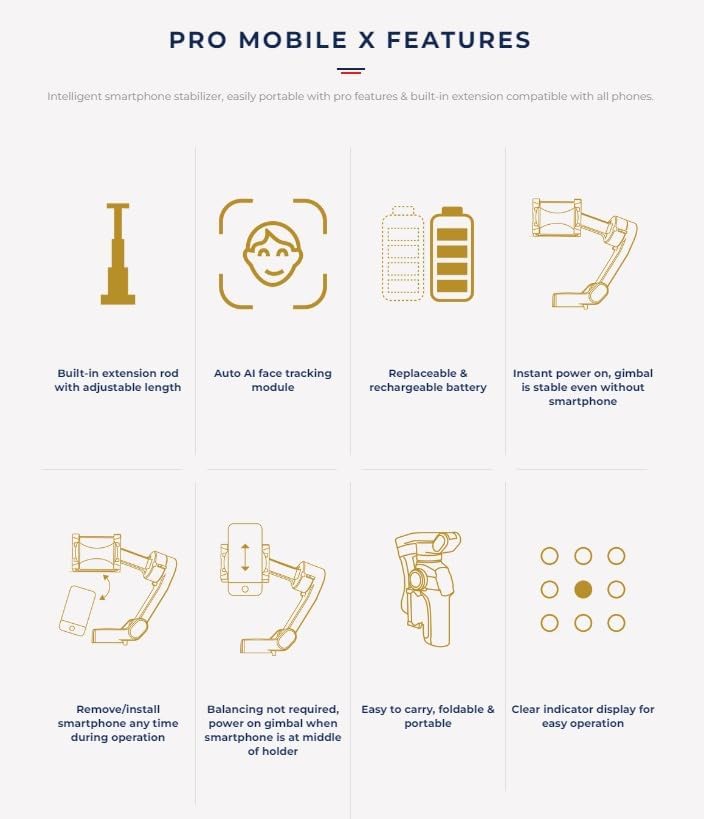
Image: The AI Tracking Module with integrated LED light attached to the SMOVE Pro Mobile X gimbal, positioned next to the smartphone.
4. Ịchaji batrị
Before first use, fully charge the gimbal battery using the provided Type-C USB power cable. The battery is replaceable, allowing for extended shooting sessions.
- Connect the Type-C cable to the gimbal's charging port.
- Connect the other end to a 5V/2A USB power adapter (not included).
- Oge nkwụ ụgwọ bụ ihe dịka 80 nkeji.
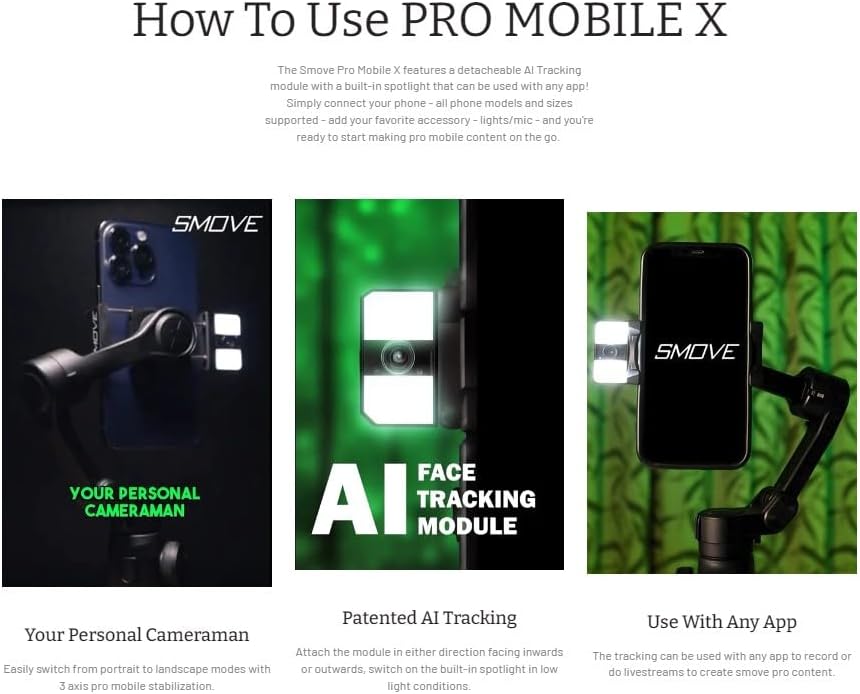
Foto: nso nso view of the SMOVE Pro Mobile X's replaceable battery compartment, showing the battery being inserted or removed.
Ntuziaka ọrụ
Gbanyụọ/ Gbanyụọ
- Ike Na: Pịa ma jide bọtịnụ ike ruo mgbe ọkụ ngosi ahụ na-enwu.
- Gbanyụọ: Pịa ma jide bọtịnụ ike ruo mgbe ọkụ ngosi ahụ gbanyụrụ.
Ụdị Gimbal
The SMOVE Pro Mobile X offers various operating modes to suit different shooting scenarios. Use the mode button to cycle through them. The status panel provides a clear indicator of the current mode.
- Auto-Inception Mode: Creates a spinning effect.
- Ụdị egwuregwu: Provides faster response for dynamic movements.
- All-Follow: All three axes follow your movements.
- Lock-Follow: Only the pan axis follows, tilt and roll are locked.
- Half-Follow: Pan and tilt axes follow, roll is locked.
- First-Person View (FPV): All three axes are unlocked, allowing for full control and immersive shots.
Nsochi AI na njikwa mmegharị ahụ
The AI tracking module automatically identifies and follows a subject (e.g., a face) within the frame. Gesture control allows for hands-free operation.
- Activating AI Tracking: Ensure the AI module is attached and powered on. The module will automatically detect and track faces.
- Njikwa mmegharị ahụ: Refer to the specific gestures detailed in the companion app or quick start guide for functions like starting/stopping recording or taking photos.
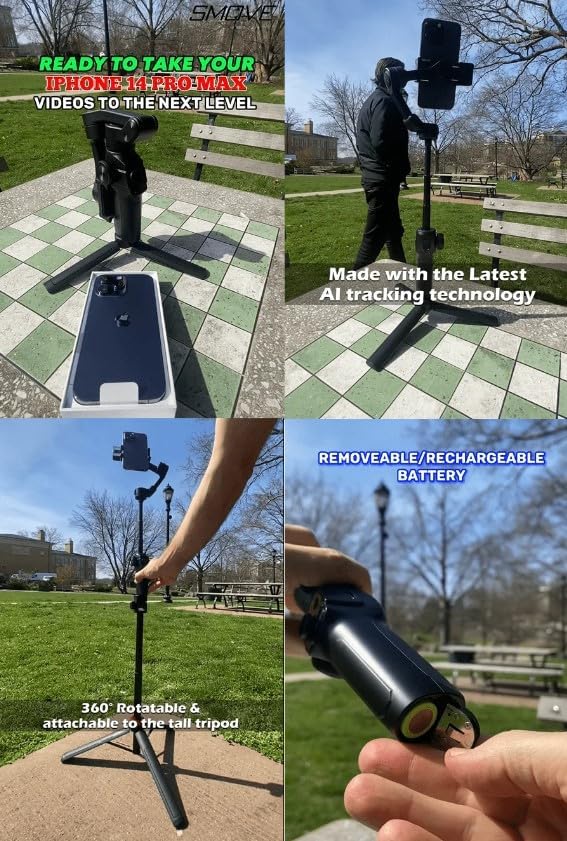
Image: A smartphone mounted on the SMOVE Pro Mobile X, demonstrating the AI tracking feature keeping a person in frame.
Using the Companion App (Optional)
While the gimbal can be used without an app, the SMOVE companion app unlocks additional features and controls.
- Download the "SMOVE" app from your smartphone's app store.
- Enable Bluetooth on your smartphone and connect to the gimbal.
- Explore features like "Moment Mode" for one-tap templates (Inception, Dolly Zoom, Motion Timelapse, Panoramas).
- The app also provides a status panel for battery power, system indicators, and gimbal mode.
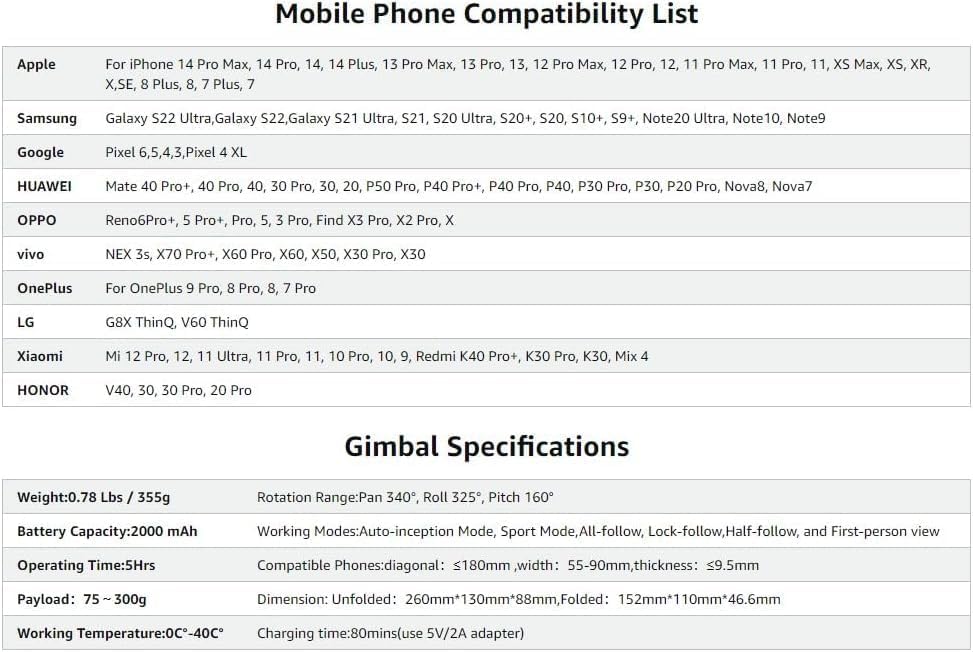
Image: A smartphone displaying the SMOVE companion app interface while mounted on the gimbal, showing various control options.
Njikwa agafelaview
- Joysticks: Controls pan and tilt movements for precise framing.
- Bọtịnụ mkpuchi: Triggers photo capture or video recording on your connected smartphone.
- Bọtịnụ ụkpụrụ: Cycles through different gimbal operating modes.
- Bọtịnụ ike: Powers the gimbal on/off.
Nlekọta
- Nhicha: Use a soft, dry cloth to clean the gimbal. Do not use liquid cleaners or solvents.
- Nchekwa: When not in use, fold the gimbal and store it in a dry, cool place away from direct sunlight.
- Nlekọta batrị:
- Chajịa batrị zuru oke tupu nchekwa ogologo oge.
- Tinyegharịa batrị kwa ọnwa 3 ma ọ bụrụ na ejighị ya mgbe niile iji kwado ahụike batrị.
- Jiri naanị eriri USB Type-C enyere maka ịchaji.
- Zere Mmetụta: Protect the gimbal from drops or impacts, which can damage the motors and internal components.
Nchọpụta nsogbu
Gimbal Not Powering On
- Gbaa mbọ hụ na batrị chajuru.
- Check if the battery is correctly inserted.
- Try replacing the battery if you have a spare.
Shaky Footage / Unstable Operation
- Ensure your smartphone is securely and centrally mounted in the clamp.
- Verify that the gimbal arms are fully unfolded and locked.
- Check for any obstructions preventing free movement of the gimbal axes.
- If using the app, ensure the gimbal firmware is up to date.
AI Tracking Not Working
- Ensure the AI tracking module is correctly attached and powered on.
- Verify that the subject (e.g., face) is clearly visible and well-lit.
- Ensure there are no obstructions between the module and the subject.
Smartphone Not Connecting via Bluetooth
- Ensure Bluetooth is enabled on both the gimbal and your smartphone.
- Restart both the gimbal and your smartphone.
- Try forgetting the device in your smartphone's Bluetooth settings and re-pairing.
App Functionality Issues
- Ensure you have the latest version of the SMOVE app installed.
- Clear the app's cache or reinstall the app.
- Check your smartphone's operating system for updates.
Nkọwapụta
| Njirimara | Nkọwa |
|---|---|
| Nlereanya | Pro Mobile X |
| Ibu | 0.78 lbs / 355 g |
| Nha agbakọtara | 5.98 x 4.33 x 1.83 sentimita (152mm x 110mm x 46.6mm) |
| Akụkụ agbasaghị | 260mm x 130mm x 88mm |
| Ike batrị | 2000mAh lithium ion |
| Oge ọrụ | Ruo awa iri abụọ |
| Oge Nchaji | Approx. 80 minutes (with 5V/2A adapter) |
| Ibu ibu | 75 g - 300 g |
| Oke ntụgharị | Pan 340°, Roll 325°, Pitch 160° |
| Okpomọkụ na-arụ ọrụ | 0°C - 40°C |
| Compatible Smartphone Dimensions | Diagonal: ≤180mm, Width: 55-90mm, Thickness: ≤9.5mm |
| UPC | 600300789270 |
Ndepụta ndakọrịta ekwentị
The SMOVE Pro Mobile X is compatible with a wide range of smartphones, including but not limited to:
- Apụl: iPhone 15 Pro Max, 15 Pro, 15, 14 Pro Max, 14 Pro, 14, 14 Plus, 13 Pro Max, 13 Pro, 13, 12 Pro Max, 12 Pro, 12, 11 Pro Max, 11 Pro, 11, XS Max, XS, XR, X, SE, 8 Plus, 8, 7 Plus, 7
- Samsung: Galaxy S22 Ultra, Galaxy S22, Galaxy S21 Ultra, S21, S20 Ultra, S20+, S20, S10+, S9+, Note20 Ultra, Note10, Note9
- Google: Pixel 6, 5, 4, 3, Pixel 4 XL
- Huawei: Mate 40 Pro+, 40 Pro, 30 Pro, 30, 20, P50 Pro, P40 Pro+, P40 Pro, P40, P30 Pro, P30, P20 Pro, Nova8, Nova7
- OPPO: Reno6 Pro+, 5 Pro+, 5 Pro, 3 Pro, Find X3 Pro, X2 Pro, X
- vivo: NEX 3s, X70 Pro+, X60 Pro, X60, X50, X30 Pro, X30
- OnePlus: OnePlus 9 Pro, 8 Pro, 8, 7 Pro
- LG: G8X ThinQ, V60 ThinQ
- Xiaomi: Mi 12 Pro, 12, 11 Ultra, 11 Pro, 11, 10 Pro, 10, 9, Redmi K40 Pro+, K30 Pro, K30, Mix 4
- Nsọpụrụ: V40, 30, 30 Pro, 20 Pro
Akwụkwọ ikike na nkwado
For warranty information, technical support, or service inquiries, please refer to the official SMOVE websaịtị ma ọ bụ kpọtụrụ ndị ahịa ha ozugbo. Debe nnata nzụta gị dị ka ihe akaebe nke ịzụrụ maka nkwupụta ikike.
Onye nrụpụta: SMOVE
Ụbọchị mbụ dị: Julaị 22, 2023


