1. Okwu mmalite
Thank you for choosing the KLARSTEIN VapoAir Opal Smart Humidifier. This device is designed to improve air quality and comfort in your home by adding moisture to dry air. It features smart control via an app, an ionizer, a large 5-liter water tank, and multiple mist levels. Please read this manual carefully before use to ensure proper operation and maintenance.
2. Ntuziaka nchekwa
- Always place the humidifier on a firm, flat, waterproof surface away from direct sunlight and heat sources.
- Etinyela ihe na-eme ka mmiri dị n'ime ụlọ ma ọ bụ ngwa ndị na-anaghị anabata mmiri.
- Debe ngwa ahụ ka ụmụaka na anụ ụlọ ghara iru.
- Etinyela otu ụlọ na mmiri ma ọ bụ mmiri ndị ọzọ.
- Wepụ ihe na-eme ka ihe na-ekpo ọkụ dị n'ime ọkụ eletrik ahụ tupu i jupụta ya, hichaa ya, ma ọ bụ bugharịa ya.
- Use only clean, cool tap water. Distilled or demineralized water is recommended to prevent mineral buildup.
- Do not add essential oils directly into the water tank; use the designated aroma diffuser tray.
- Ọ bụrụ na eriri ọkụ ahụ mebiri emebi, onye nrụpụta, onye na-ahụ maka ọrụ ya, ma ọ bụ ndị tozuru etozu ga-anọchi ya iji zere ihe egwu.
- Akwụsịla oghere alụlụ.
3. Ihe ngwugwu
Biko lelee ngwungwu maka ihe ndị a:
- KLARSTEIN VapoAir Opal Smart Humidifier
- Njikwa anya
- Akwụkwọ ntuziaka
- Cleaning Brush (may be included)
4. Ngwaahịa gafereview na akụrụngwa
Mara akụkụ ndị bụ isi nke ihe na-eme ka humidifier gị dị mma:

Foto: N'ihu view of the KLARSTEIN VapoAir Opal Smart Humidifier, showcasing its sleek design and LED display.
- Ebe alụlụ: Where the mist is released into the air.
- tank mmiri: Removable tank for water storage.
- Ngalaba ntọala: Contains the ultrasonic transducer and heating element.
- Control Panel/LED Display: Touch-sensitive buttons and digital display for settings.
- Aroma Diffuser Tray: Small tray for essential oils (located at the bottom/side).
- eriri ike: Maka ijikọ na oghere eletrik.

Image: The KLARSTEIN VapoAir Opal Smart Humidifier with its dimensions labeled: 23cm (depth), 18cm (width), 37cm (height).
5. Nhazi
5.1 Nwepu
Carefully remove all packaging materials. Retain the packaging for future storage or transport.
5.2 Ntinye
Place the humidifier on a flat, stable surface at least 15 cm away from walls and furniture. Ensure the mist outlet is not directed towards any objects or walls.
5.3 Na-ejuputa tank mmiri
- Ensure the humidifier is unplugged.
- Carefully lift the water tank from the base unit.
- Invert the water tank and unscrew the cap at the bottom.
- Fill the tank with clean, cool tap water. Distilled or demineralized water is recommended to minimize mineral residue. Do not fill past the MAX line.
- Kpuchie okpu ahụ nke ọma.
- Place the filled water tank back onto the base unit, ensuring it is seated correctly. The auto-stop function will prevent operation if the tank is not properly placed or if water is absent.
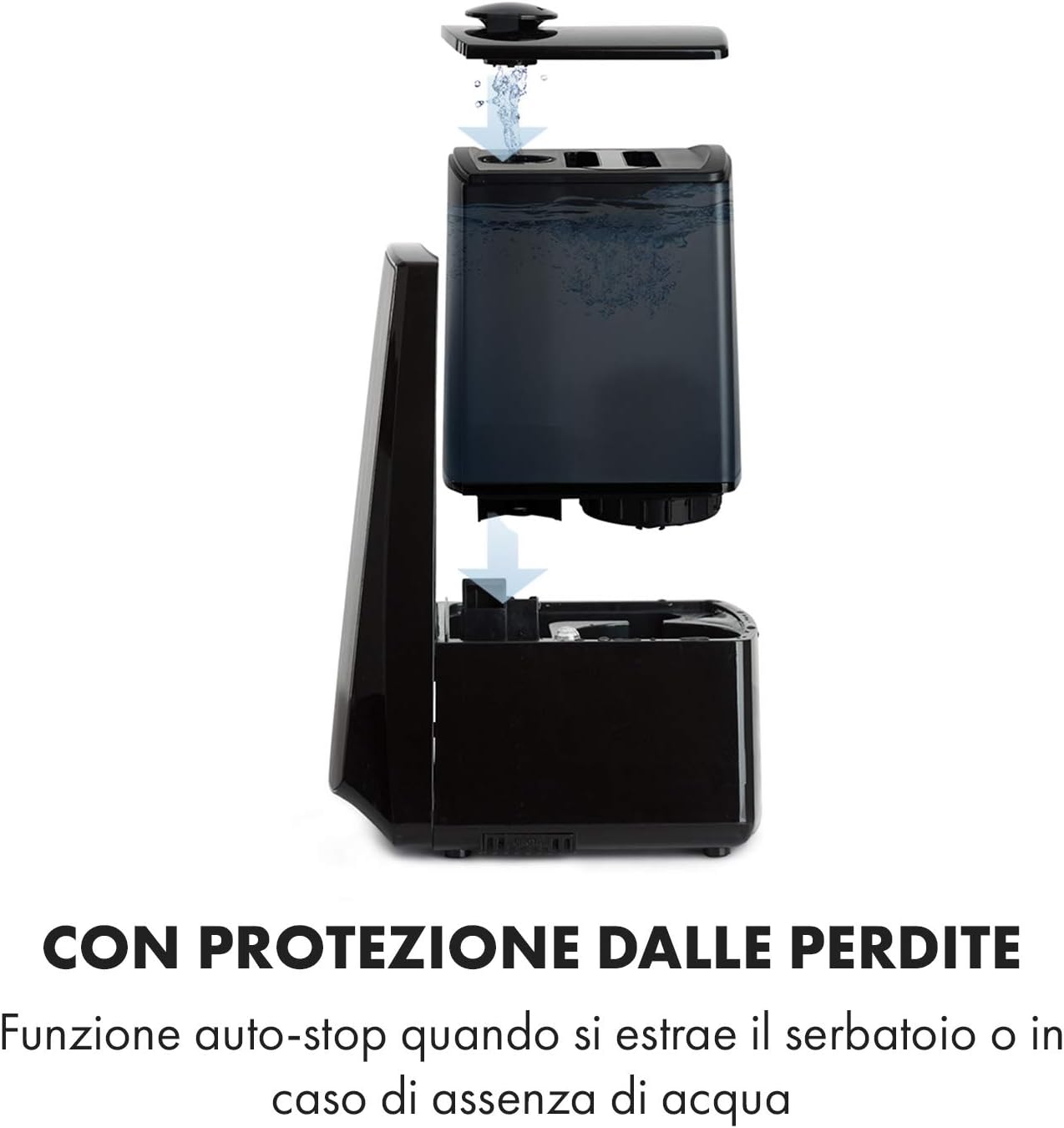
Image: Diagram illustrating the removal and refilling process of the water tank, highlighting the auto-stop feature when the tank is removed or empty.
5.4 Njikọ ike
Tinye eriri ọkụ n'ime oghere eletrik kwesịrị ekwesị (230V).
6. Ntuziaka ọrụ
6.1 Ogwe njikwa gafereview

Foto: A nso nso view of the humidifier's LED display and touch controls, showing a hand interacting with the buttons.
The LED display shows current humidity, temperature, and selected settings. The touch buttons allow control over various functions.
6.2 Gbanyụọ ma ọ bụ gbanyụọ
Pịa Gbanye/ Gbanyụọ bọtịnụ na akara njikwa ma ọ bụ remote control gbanye ma ọ bụ gbanyụọ unit.
6.3 Mgbanwe Ọkwa Ajị
The humidifier offers 7 levels of mist output. Press the MIST button repeatedly to cycle through the mist intensity levels. The current level will be displayed on the screen.
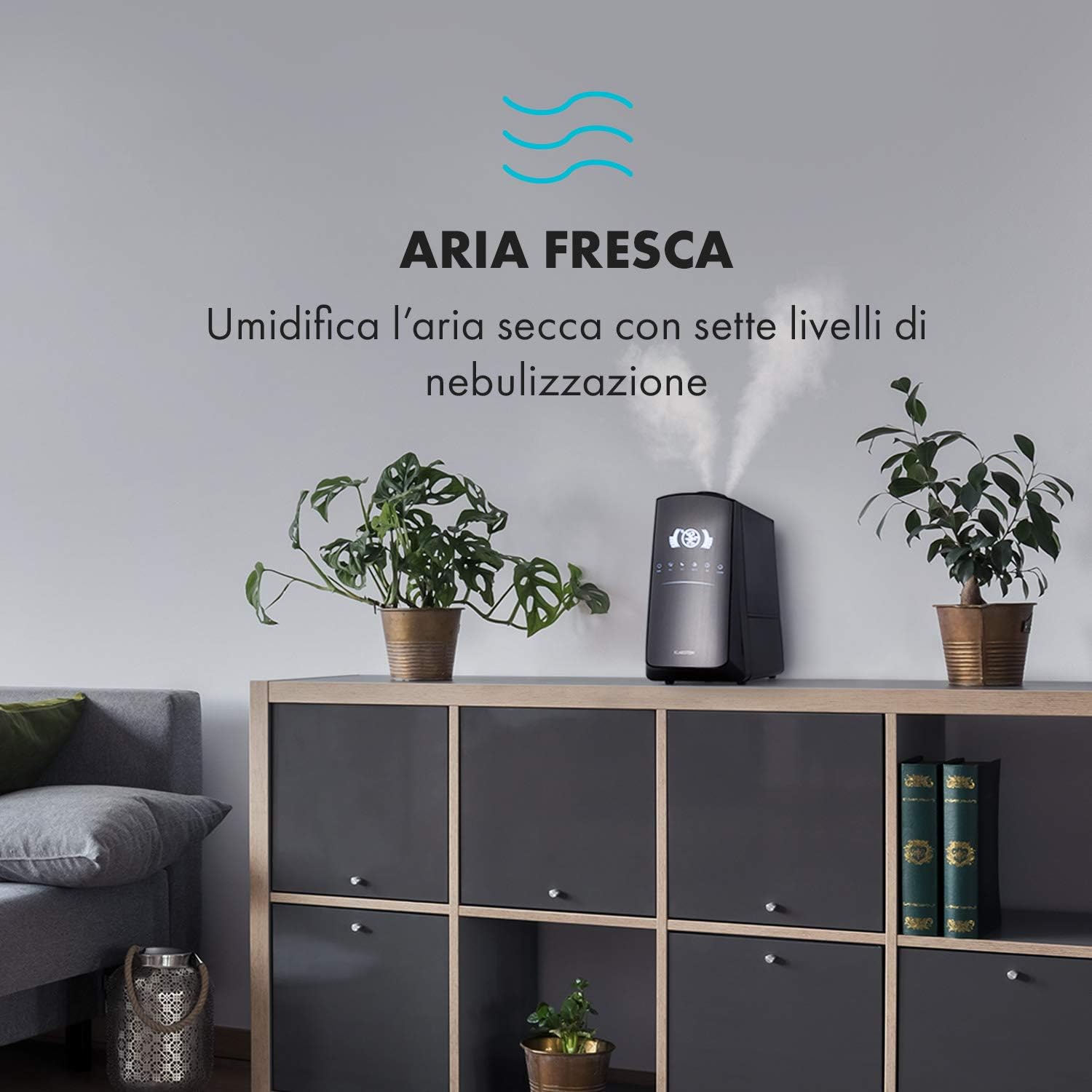
Image: The humidifier operating in a room, releasing mist to humidify the air.
6.4 Humidity Setting (Humidistat)
Pịa IHU URU button to set your desired humidity level (e.g., 40% to 80% RH). The unit will automatically maintain this level, turning on and off as needed.
6.5 Warm/Cool Mist
Pịa Okpomọkụ button to activate the warm mist function. Press again to switch back to cool mist. Warm mist can help raise room temperature slightly and is often preferred in colder climates.

Image: A close-up shot of the mist output, illustrating the option for either cool or warm mist.
6.6 Ọrụ ngụ oge
Pịa TIMER button to set an operating duration from 1 to 12 hours. The unit will automatically turn off after the set time.
Ọrụ ionizer 6.7
Pịa ION button to activate the ionizer. This function releases negative ions to help purify the air by attracting dust and other particles.
6.8 Aroma Diffuser
Pull out the aroma diffuser tray located at the bottom of the unit. Add a few drops of essential oil onto the sponge pad. Slide the tray back in. The mist will carry the aroma into the air.

Image: The integrated aroma diffuser tray, shown pulled out with an essential oil bottle and lemon slices nearby, indicating its use for adding scents.
6.9 Ụdị abalị
Pịa Abalị button to dim the LED display and reduce operational noise for undisturbed sleep.

Image: The humidifier in a modern living space, illustrating its versatile functions like auto mode, heating, health, baby, night mode, and timer.
7. Njikwa ngwa
The KLARSTEIN VapoAir Opal Smart Humidifier can be controlled via a dedicated smartphone application.

Image: A person using a smartphone with the Klarstein app open, showing controls for the humidifier's settings and current humidity levels.
7.1 nbudata ngwa
Chọọ maka the 'Klarstein App Experience' in your smartphone's app store (available for Android and iOS).
7.2 Jikọọ na Wi-Fi
- Ensure your humidifier is plugged in and turned on.
- Open the Klarstein App and follow the on-screen instructions to add a new device.
- The humidifier requires a 2.4 GHz Wi-Fi netwọkụ for connection. It is not compatible with 5 GHz networks. Ensure your router is configured to support 2.4 GHz or that your phone is connected to the 2.4 GHz band during setup.
- Once connected, you can control all humidifier functions remotely via the app.

Image: A smartphone displaying the Klarstein app interface, indicating smart home control via WiFi for Android and iOS devices.
8. Nlekọta na nhicha
Ịsacha mgbe niile dị mkpa maka ịrụ ọrụ nke ọma na ịdị ọcha.
Nlekọta 8.1 kwa ụbọchị
- Wụpụ ihe dị n'ime tank mmiri ahụ ma sachaa ya kwa ụbọchị.
- Wipe the inside of the water tank with a clean cloth.
8.2 Nhicha kwa izu
- Kwụpụ unit ahụ tupu ihicha.
- Wepụ tankị mmiri ahụ ma wụsa mmiri ọ bụla fọdụrụ na tankị ahụ na nke dị n'okpuru ya.
- Ichacha tank mmiri: Fill the tank with a mixture of water and white vinegar (1:1 ratio). Let it sit for 30 minutes, then rinse thoroughly.
- Nhicha nke Isi Ntọala: Gently wipe the ultrasonic transducer (the small disc in the center of the base) with a soft brush or cloth to remove mineral deposits. Do not scrape or use abrasive cleaners. You can use a cotton swab dipped in vinegar for hard-to-reach areas.
- Aroma Diffuser Tray: Remove and clean the sponge pad with mild soap and water. Allow it to dry completely before reinserting.
- Wipe all external surfaces with a soft, damp akwa .
8.3 Nchekwa
If the humidifier will not be used for an extended period, clean it thoroughly, ensure all parts are dry, and store it in its original packaging in a cool, dry place.
9. Nchọpụta nsogbu
| Nsogbu | Ihe nwere ike ime | Ngwọta |
|---|---|---|
| Enweghị alụlụụ ma ọ bụ alụlụ dị ala |
|
|
| Unit anaghị agbanwuo |
|
|
| Isi na-adịghị mma |
|
|
| Uzuzu ọcha gburugburu nkeji ahụ | Hard water with high mineral content | Use distilled or demineralized water. Clean the unit regularly. |
| Nsogbu njikọ Wi-Fi |
|
|
10. Nkọwapụta
| Njirimara | Nkọwapụta |
|---|---|
| Ụdị | KLARSTIN |
| Nọmba nlereanya | XJ3-VapoAirOpalSmart |
| Agba | Nwa |
| Akụkụ (L x W x H) | 23 x 18 x 37 cm |
| Ibu | 2.5 n'arọ |
| Ike | 110 Watt |
| Voltage | 230 volts |
| Ike tank mmiri | 5 lita |
| Oge ọrụ | Up to 2 hours (continuous, depending on mist level) |
| Atụmatụ pụrụ iche | Remote Control, Timer, App Control, Ionizer, LED Display, 7 Mist Levels, Warm/Cool Mist, Aroma Diffuser |
| Ụdị ụlọ | Ime ụlọ ezumike |
11. Akwụkwọ ikike na nkwado
KLARSTEIN products are covered by a manufacturer's warranty. For detailed warranty information, please refer to the warranty card included with your product or visit the official KLARSTEIN website. For technical support, spare parts, or service inquiries, please contact KLARSTEIN customer service through their official channels.
Biko dowe ihe akaebe nke ịzụrụ ihe maka akwụkwọ ikike.