Ngwaahịa gafereview
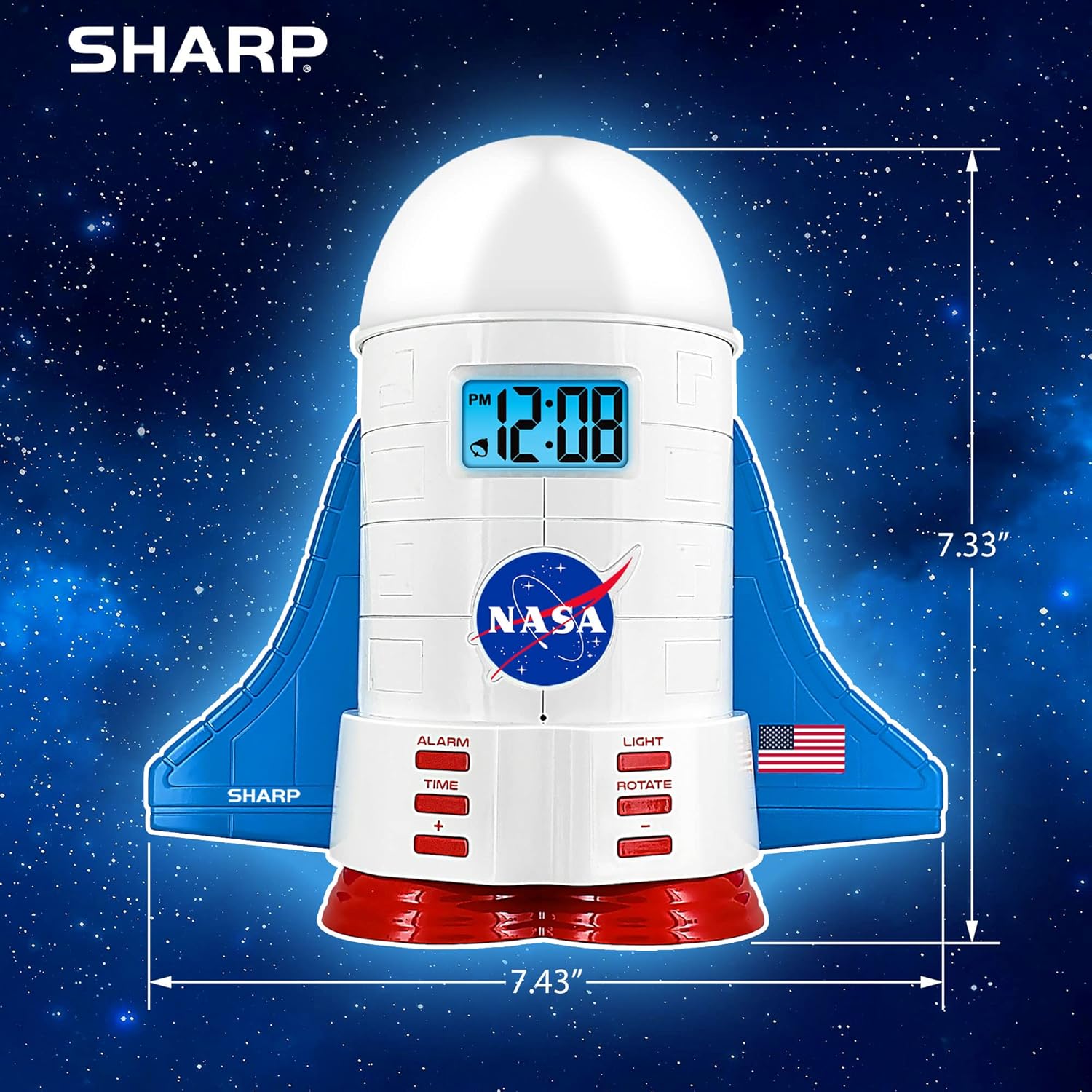
This manual provides instructions for the Sharp NASA Space Shuttle Night Light Alarm Clock. This device combines an alarm clock with a space-themed nightlight and projection feature, designed to enhance a child's bedroom environment.

Melite
Iwepu ngwongwo
- Jiri nlezianya wepụ ihe niile dị na nkwakọ ngwaahịa.
- Verify that all items listed in the "What's in the Box" section are present.
Njikọ Ike
The alarm clock can be powered via the included electric adapter. For continuous operation of all features, including the nightlight and projection, direct power is recommended.
For battery backup, insert appropriate batteries (not included) into the battery compartment located at the base of the unit. This ensures timekeeping and alarm function during power outages.

Ntuziaka ọrụ
Ịtọ oge
- Pịa OGE bọtịnụ.
- Jiri ihe + na - bọtịnụ iji hazie awa na nkeji.
- Pịa OGE ọzọ iji gosi.
Ịtọ ntọala mkpu
- Pịa Mkpu bọtịnụ.
- Jiri ihe + na - bọtịnụ iji tọọ oge mkpu achọrọ.
- Pịa Mkpu again to activate the alarm. An alarm icon will appear on the display.
Ọrụ snooze
To temporarily silence the alarm, tap the top of the unit. The alarm will sound again after a short interval.
Nightlight and Projection Features
The unit features light-up wings and a rocket booster base, along with a rotating projection cap.

Ọkụ na-arụ ọrụ
Pịa ÌHÈ button to cycle through the 4 color options for the wings and booster lights.
Projection Caps
The device includes two interchangeable space-themed projection caps and a frosted nightlight cap. Twist counter-clockwise to attach or remove caps.

Ntụle na-atụgharị
Pịa GỤgharịa button to activate or deactivate the rotation of the projected images.
Nlekọta
- Clean the unit with a soft, dry cloth. Avoid abrasive cleaners or solvents.
- Ensure the projection caps are free from dust or smudges for clear image projection.
- Replace batteries in the backup compartment as needed to maintain time settings during power interruptions.
Nchọpụta nsogbu
| Nsogbu | Ihe nwere ike ime | Ngwọta |
|---|---|---|
| Clock not displaying time | Enweghị ike | Ensure the electric adapter is securely plugged in. Check battery backup. |
| Oti mkpu anaghị ada ụda | Alarm not set or deactivated | Verify alarm time is set and activated (alarm icon visible). |
| Projection unclear or dim | Dust on cap or insufficient darkness | Clean the projection cap. Ensure the room is sufficiently dark for optimal projection. |
| Ntụle anaghị atụgharị | Rotate function off | Pịa GỤgharịa button to activate the rotation feature. |
Nkọwapụta
- Akara: Nkọ
- Nọmba nlereanya: Sharp NASA e Shuttle Alarm Clock
- Isi mmalite ike: Electric Adapter (Battery backup for timekeeping)
- Ụdị isi iyi ọkụ: Ikanam
- Nightlight Colors: 4 nhọrọ
- Projection Themes: 2 interchangeable space scenes
- Ngosipụta: LCD na-acha anụnụ anụnụ
- Akụkụ: 7.43 x 1.5 x 7.43 sentimita asatọ
- Arọ: 1.33 pound
- Ihe: Plastic
- Atụmatụ pụrụ iche: Color Changing, Snooze Function, Rotating Projection
Akwụkwọ ikike na nkwado
Maka ozi gbasara akwụkwọ ikike ma ọ bụ nkwado teknụzụ, biko gaa na onye nrụpụta ahụ. websaịtị ma ọ bụ kpọtụrụ ndị ahịa ha ọrụ.
Onye nrụpụta: Nkọ
UPC: 049353005447
ASIN: B08PL6K2C5


