1. Okwu mmalite
Thank you for choosing the Car and Driver Bluetooth 5.0 FM Transmitter Charger. This device allows you to stream audio from your Bluetooth-enabled devices to your car's FM radio, make hands-free calls, and charge multiple devices simultaneously with its fast-charging USB-A and USB-C ports. It is designed to enhance your driving experience by providing modern connectivity and charging capabilities in vehicles with a standard 12V/24V socket.
2. Ihe ngwugwu
Biko hụ na ihe niile dị na ngwugwu:
- Car and Driver Bluetooth 5.0 FM Transmitter Charger
- Akwụkwọ ntuziaka onye ọrụ
3. Ngwaahịa gafereview
The Car and Driver FM Transmitter Charger features a compact design with multiple ports and intuitive controls. Familiarize yourself with the device's components:
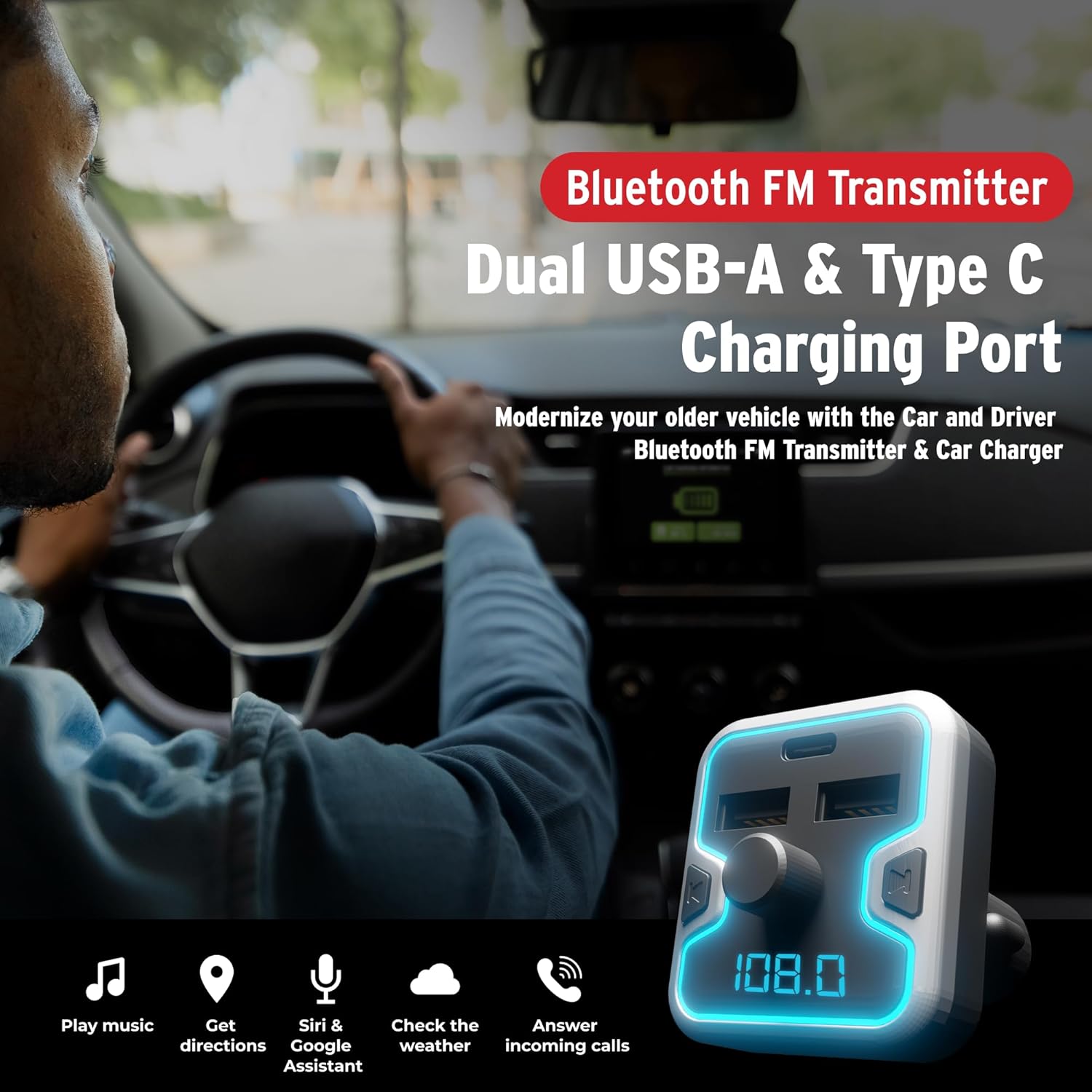
Foto nke 3.1: N'ihu view of the Car and Driver Bluetooth FM Transmitter Charger. This image shows the device with its dual USB-A ports, one USB-C port, central control knob, and LED display.
Akụkụ ndị bụ isi:
- Bluetooth Bluetooth: For stable wireless connection and audio streaming.
- Triple-Port Charging: Includes two USB-A ports (5V-2.4A and 5V-1A) and one USB-C PD 18W port for fast charging.
- Oku na-anaghị aka: Built-in microphone with Noise Suppression (CVC) technology.
- Multiple Music Sources: Supports Bluetooth, USB flash drive, and microSD card.
- Ndakọrịta ihe enyemaka olu: Access Mobile Alexa, Siri, or Google Assistant.
- Illuminated LED Accent & Display: 7 neon-color backlit options and an LED display for FM frequency and car battery voltage.
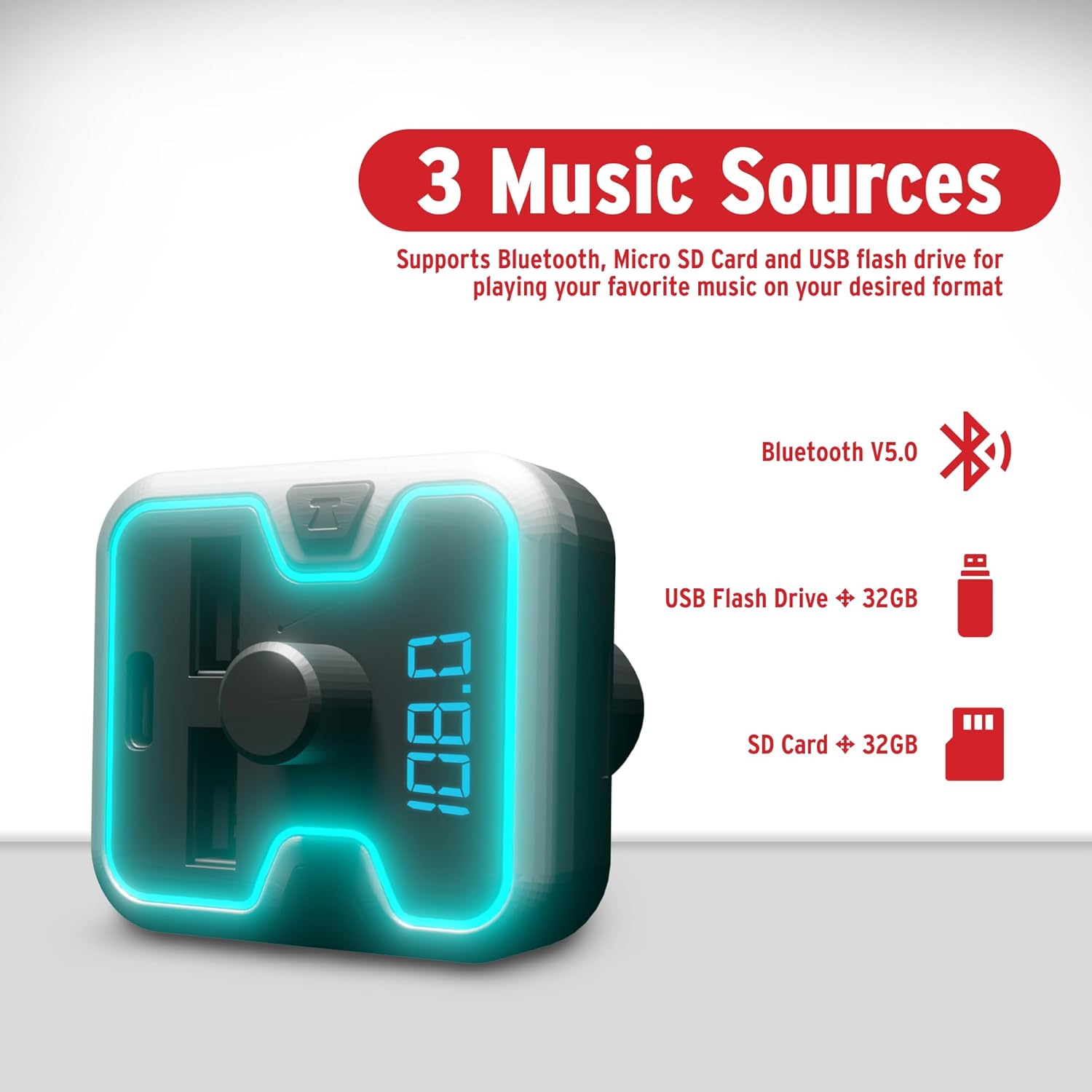
Foto nke 3.2: The FM Transmitter highlighting its three music sources: Bluetooth V5.0, USB Flash Drive (up to 32GB), and SD Card (up to 32GB).
Njikwa na egosi:
- Mkpọchi ọtụtụ ọrụ: Used for adjusting FM frequency, volume, and answering/ending calls.
- Ikanam Display: Shows current FM frequency and car battery voltage.
- Ọdụ ụgbọ mmiri USB-A: For charging devices and playing music from USB flash drives.
- Ọdụ ụgbọ mmiri USB-C PD: For fast charging compatible devices.
- Oghere Kaadị MicroSD: For playing music from microSD cards.
4. Nhazi
Follow these steps to set up your FM Transmitter Charger:
- Fanye n'ime oghere ụgbọ ala: Plug the FM transmitter into your vehicle's 12V/24V cigarette lighter socket. The device will power on automatically, and the LED display will light up.

Foto nke 4.1: The FM Transmitter being plugged into a car's cigarette lighter outlet, illustrating its "Plug and Play" functionality.
- Tune FM Frequency:
- Press the "CH" button (or similar button near the knob) to enter FM tuning mode. The frequency on the LED display will flash.
- Rotate the multi-function knob left or right to select an empty FM frequency (one with no active radio station) on your car radio.
- Match this empty frequency on your car's FM radio. For best audio quality, choose a frequency that is not occupied by a strong local radio station.
- Jikọọ Bluetooth:
- Na ekwentị mkpanaaka gị, gbanye Bluetooth wee chọọ ngwaọrụ dị.
- Select "Car and Driver" (or similar name displayed on the device) from the list to pair.
- Once paired, you will hear a confirmation sound, and the device will be ready for audio streaming and hands-free calls.
5. Ntuziaka ọrụ
5.1. Nghaghachi egwu
You can play music from your Bluetooth-enabled device, a USB flash drive, or a microSD card.
- Mgbasa ozi Bluetooth: After successful pairing, open your music player on your phone and start playback. Audio will be transmitted to your car's stereo via the selected FM frequency.
- USB Flash Drive/MicroSD Card: Insert a USB flash drive or microSD card (up to 32GB, supporting APE, WMA, MP3, WAV, and FLAC formats) into the corresponding slot. The device will automatically detect and play music files. Use the multi-function knob to navigate tracks (short press for next/previous, long press for folder selection).
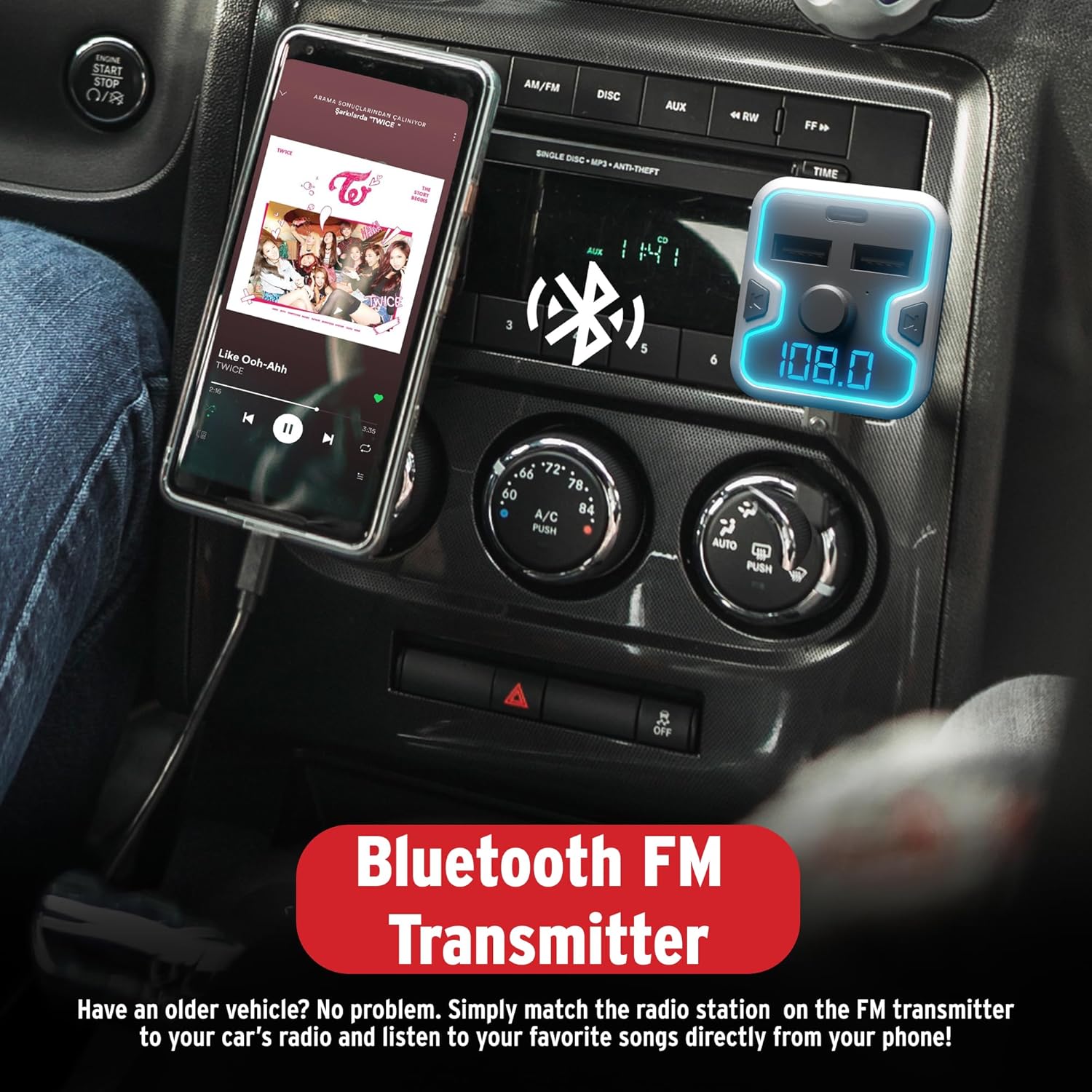
Foto nke 5.1: A smartphone mounted in a car, displaying a music player, connected to the Bluetooth FM Transmitter for audio playback through the car's stereo.
5.2. Oku na-enweghị aka
The device supports hands-free calling for safer driving.
- Oku azaa: When an incoming call rings, short press the multi-function knob to answer.
- Oku ngwụcha: During a call, short press the multi-function knob to end the call.
- Jụ oku: When an incoming call rings, long press the multi-function knob to reject the call.
- Agbagharị: Double-press the multi-function knob to redial the last number.
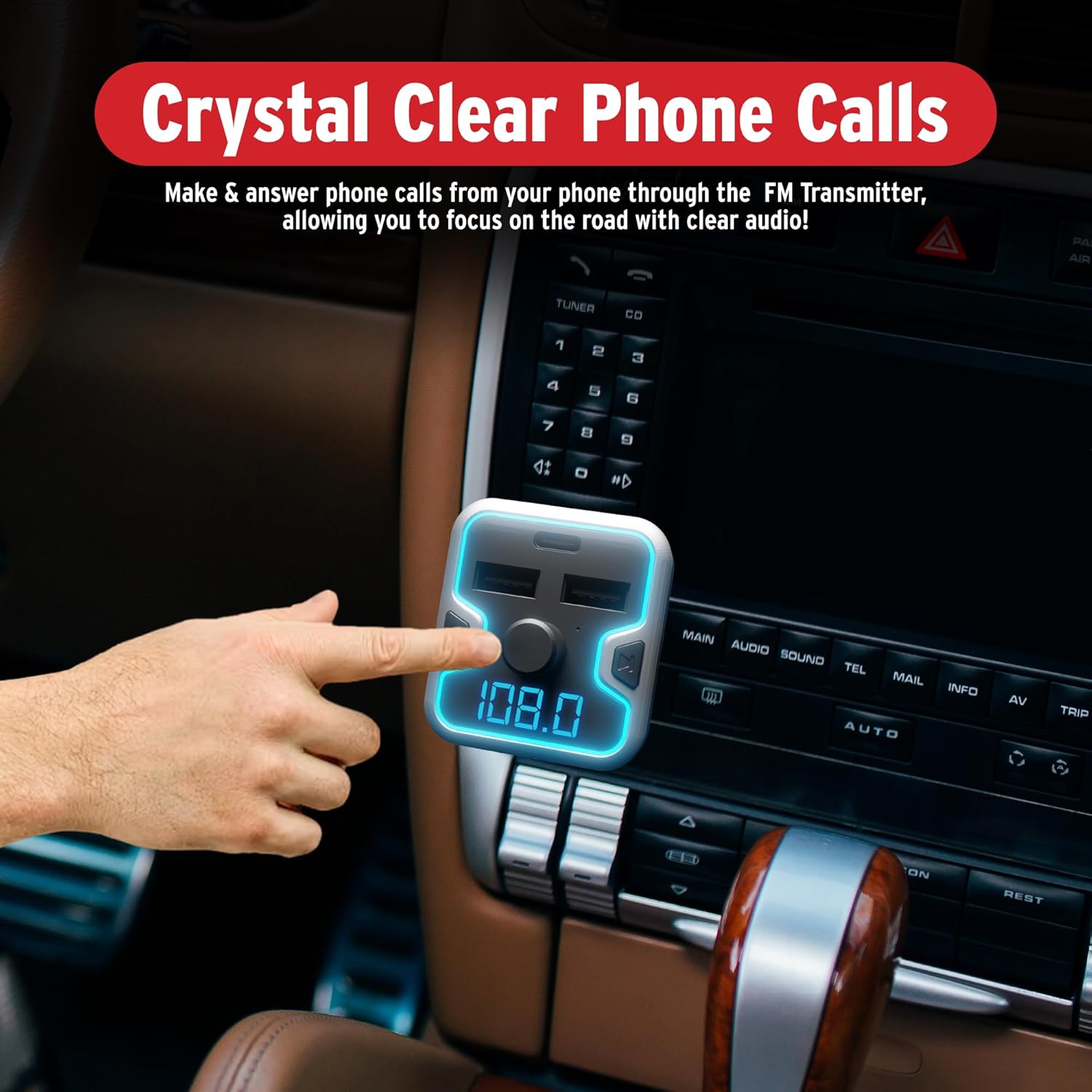
Foto nke 5.2: A hand interacting with the FM Transmitter's control knob, indicating its use for making and answering phone calls with clear audio.
5.3. Mmelite Onye Enyemaka Olu
Access your mobile device's voice assistant (Siri, Google Assistant, Alexa) through the transmitter.
- Mee ọrụ: Long press the multi-function knob to activate your phone's voice assistant. You can then issue commands through the transmitter's microphone.
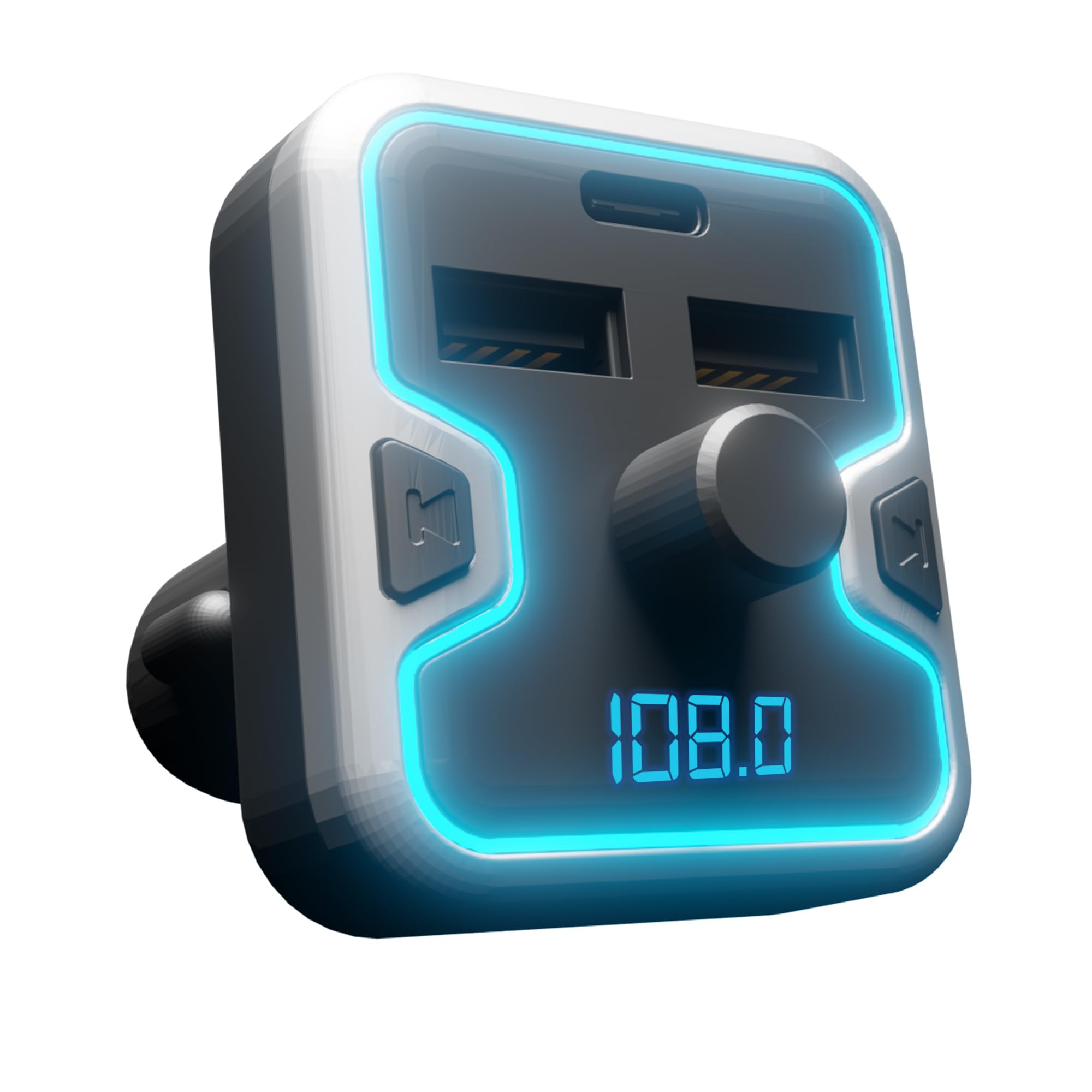
Foto nke 5.3: The FM Transmitter shown with icons for Google Assistant, Siri, and Alexa, indicating compatibility with these voice assistants.
Vidio 5.1: Demonstration of the Car and Driver Bluetooth 5.0 FM Transmitter's features, including setup, hands-free calling, and voice assistant integration. This video shows the device in use within a vehicle, highlighting its functionality for modernizing older car audio systems.
5.4. Ngwa ịchaji
The transmitter provides three charging ports:
- USB-A (2.4A): Standard charging for most devices.
- USB-A (1A): Standard charging, also suitable for USB flash drives.
- USB-C PD (18W): Power Delivery port for rapid charging of compatible devices.
Simply connect your device's charging cable to the appropriate USB port on the transmitter.
5.5. LED Display and Ambient Light
- The LED display shows the current FM frequency and the car's battery voltage upon startup.
- The device features a multicolor light border with 7 neon-color backlit options (Red, Blue, Turquoise, Yellow, Green, Purple, White). These can be cycled or set to a preferred color (refer to device specific controls, usually a dedicated button or long press on the CH button).
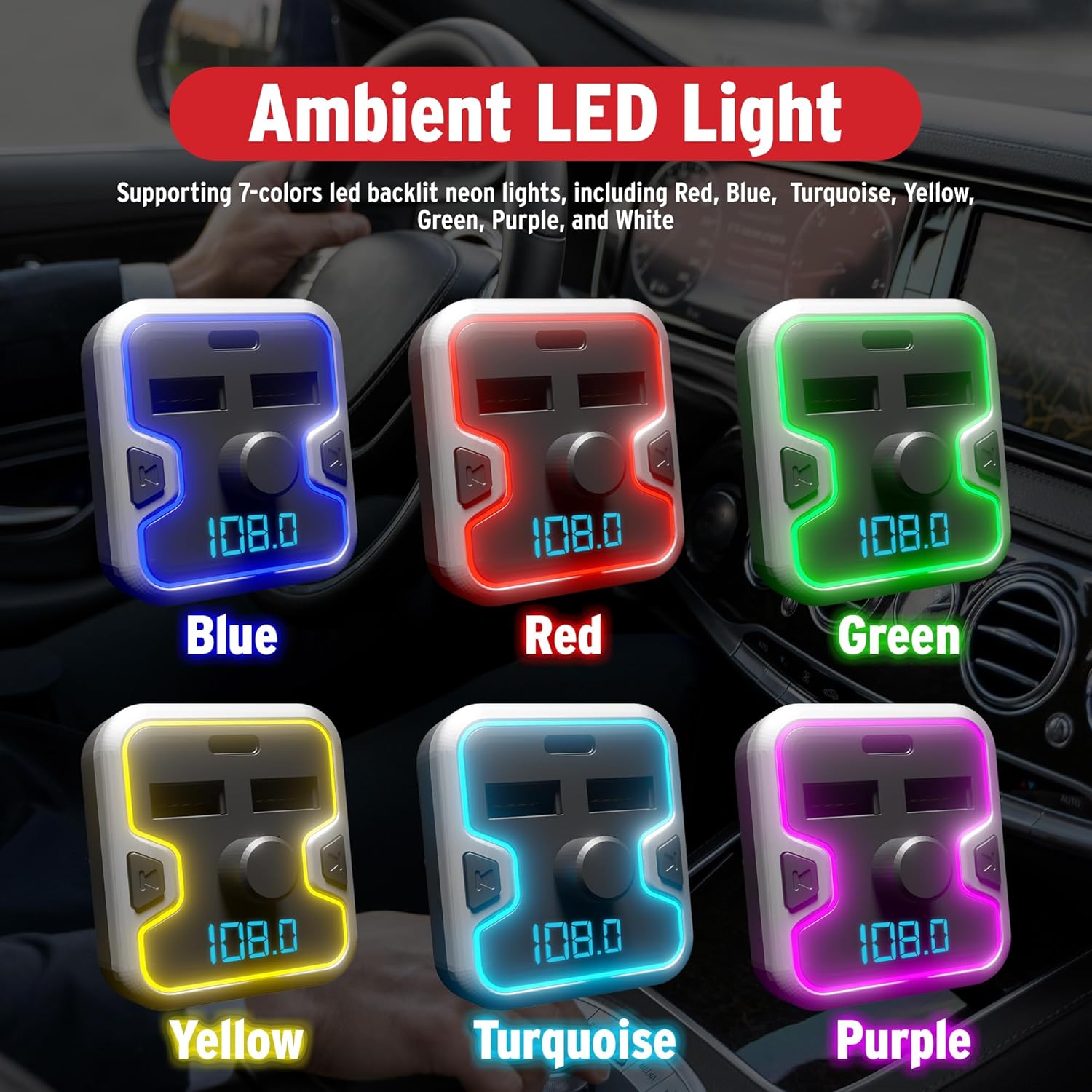
Foto nke 5.4: A collage showing the FM Transmitter with its ambient LED light border illuminated in various colors: Blue, Red, Green, Yellow, Turquoise, and Purple.
6. Ozi nchekwa
Biko gụọ ma soro ntuziaka nchekwa ndị a:
- Use the device only when it is safe and legal to do so.
- Ensure the device is securely plugged in to prevent it from becoming a distraction while driving.
- Be aware of and comply with all local laws and regulations regarding the use of wireless devices and mobile phones while operating a vehicle.
- Regularly check your car battery voltage using the device's display to monitor your vehicle's electrical system.
- Do not disassemble, modify, or repair the device yourself. Contact qualified service personnel for assistance.
- Zere ikpughe ngwaọrụ ahụ na oke okpomọkụ, ìhè anyanwụ kpọmkwem, ma ọ bụ mmiri mmiri.
7. Nlekọta
To ensure optimal performance and longevity of your FM Transmitter Charger:
- Debe ngwaọrụ ahụ ọcha site na iji akwa dị nro na-ehichapụ ya.
- Zere iji kemịkalụ siri ike ma ọ bụ ihe nchacha.
- Chekwaa ngwaọrụ ahụ n'ebe dị jụụ, kpọrọ nkụ mgbe ọ naghị eji ya ogologo oge.
- Ensure the cigarette lighter socket is free of debris before inserting the transmitter.
8. Nchọpụta nsogbu
If you encounter issues with your FM Transmitter Charger, refer to the following common problems and solutions:
| Nsogbu | Ihe nwere ike ime | Ngwọta |
|---|---|---|
| No power/Device not turning on. | Loose connection; vehicle socket issue; blown fuse. | Ensure the device is firmly inserted into the cigarette lighter socket. Check if the vehicle's cigarette lighter socket is functional. Inspect vehicle's fuse box for a blown fuse related to the power outlet. |
| Static or poor audio quality. | FM frequency interference; volume too low/high; weak Bluetooth connection. | Change to a different, unoccupied FM frequency on both the transmitter and your car radio. Adjust the volume on both the transmitter and your car stereo. Ensure your phone is close to the transmitter for a strong Bluetooth signal. |
| Bluetooth not pairing. | Agbanyeghi Bluetooth na ekwentị; ngwaọrụ na-adịghị na pairing mode; ọtụtụ ngwaọrụ ejikọtara ọnụ. | Ensure Bluetooth is enabled on your mobile device. Restart the transmitter and your phone. Forget previous Bluetooth connections on your phone and try pairing again. |
| Nchaji ngwa ngwa anaghị arụ ọrụ. | Device not compatible with fast charging; cable issue; port issue. | Ensure your device supports USB Power Delivery (PD) for the USB-C port. Use a high-quality, compatible charging cable. Try a different charging port or cable. |
| Onye enyemaka olu anaghị aza. | Not activated correctly; phone settings. | Long press the multi-function knob to activate the voice assistant. Ensure your phone's voice assistant is enabled and configured correctly. |
9. Nkọwapụta
| Njirimara | Nkọwa |
|---|---|
| Nọmba nlereanya | CAD-6005 |
| Ụdị Bluetooth | 5.0 |
| Oke ugboro FM | 87.5 MHz - 108.0 MHz |
| Ntinye Voltage | 12V / 24V DC |
| USB-A mmepụta 1 | 5V-2.4A |
| USB-A mmepụta 2 | 5V-1A (also for USB flash drive) |
| USB-C PD mmepụta | Nnyefe ike 18W |
| Music Formats Supported | APE, WMA, MP3, WAV, FLAC |
| MicroSD/USB Flash Drive Capacity | Ruo 32GB |
| Ibu Ibu | 5.6 ounces (0.16 Kilogram) |
| Akụkụ ngwugwu | 6.85 x 3.58 x 2.8 sentimita asatọ |
10. Akwụkwọ ikike na nkwado
For warranty information or technical support, please refer to the contact details provided with your purchase or visit the official Car and Driver websaịtị. Debe ihe akaebe nke ịzụrụ ihe maka akwụkwọ ikike ọ bụla.


