1. Okwu mmalite
Thank you for choosing the Xtorm Power Bank 20W Fuel Series 4 (FS402). This manual provides essential information for the safe and efficient use of your power bank. Please read these instructions carefully before use and retain them for future reference.
The Xtorm FS402 is a high-capacity portable charger designed to provide fast and reliable power to your mobile devices, including smartphones and tablets, on the go.
2. Ngwaahịa gafereview
The Xtorm Power Bank FS402 features a robust design and multiple charging ports to keep your devices powered throughout the day.

Foto 2.1: Elu-ala view of the Xtorm Power Bank FS402, showcasing its textured surface and port layout.
Akụkụ ndị bụ isi:
- Ike dị elu: Batrị 20,000mAh maka ọtụtụ ụgwọ ngwaọrụ.
- Nchaji ngwa ngwa: 20W USB-C Power Delivery (PD) and 18W USB-A Quick Charge (QC) 3.0 outputs.
- Ọtụtụ ọdụ ụgbọ mmiri: Two USB-A output ports and one USB-C input/output port.
- Atụmatụ nchekwa: Automatic shut-off to prevent overcharging and overheating.
- Nhazi kọmpat: Portable and travel-friendly dimensions.

Image 2.2: The Xtorm Power Bank FS402 highlighting its universal compatibility with various devices via USB-A and USB-C ports.
3. Nhazi
Nchaji Mbụ nke Ụlọ Nchekwa Ike:
- Connect the provided USB-C cable to the USB-C port on the power bank.
- Connect the other end of the USB-C cable to a compatible USB wall charger (not included). For fastest charging, use a 20W Power Delivery charger.
- Ihe ngosi LED na ụlọ akụ ọkụ ga-enwu enwu iji gosi ọkwa nchaji. Kwe ka ụlọ akụ ike kwụọ ụgwọ n'ụzọ zuru ezu tupu ojiji mbụ ya.
4. Ntuziaka ọrụ
Ịchaji ngwaọrụ gị:
The Xtorm Power Bank FS402 allows you to charge up to three devices simultaneously.
- Connect your device's charging cable to one of the USB-A output ports or the USB-C input/output port on the power bank.
- Jikọọ nsọtụ nke ọzọ nke eriri na ngwaọrụ gị.
- Ụlọ akụ ọkụ ga-amalite chajị ngwaọrụ gị ozugbo. Ọ bụrụ na ọ bụghị, pịa bọtịnụ ike otu ugboro ka ịmalite ịchaji.
- The LED indicators will show the remaining battery level of the power bank.
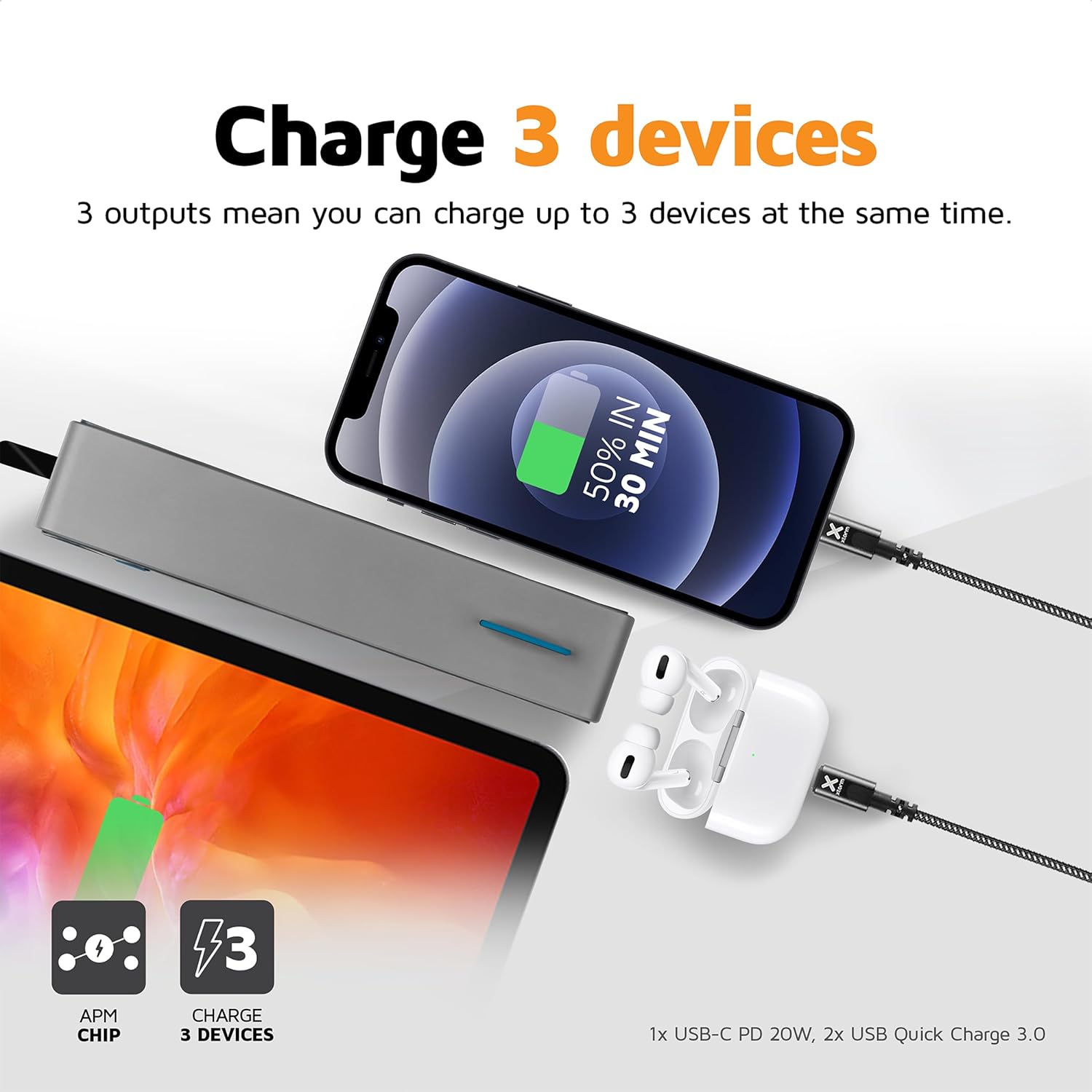
Image 4.1: The Xtorm Power Bank FS402 demonstrating its ability to charge three devices concurrently using its USB-C and two USB-A ports.
Ike Nchaji ngwa ngwa:
The power bank supports Power Delivery (PD) via the USB-C port and Quick Charge (QC) 3.0 via the USB-A ports, enabling rapid charging for compatible devices.
- USB-C PD (20W): Ideal for fast charging modern smartphones and tablets.
- USB-A QC 3.0 (18W): Provides quick charging for a wide range of Android devices.

Image 4.2: Visual representation of the Xtorm Power Bank FS402's 20W fast charging capability, showing a device reaching 50% charge in 30 minutes.
5. Ozi nchekwa
Your safety is paramount. The Xtorm Power Bank FS402 incorporates several safety features to ensure reliable operation.
- Ewepụla ụlọ akụ ike ka ọ bụrụ oke okpomọkụ, ìhè anyanwụ kpọmkwem, ma ọ bụ ọkụ.
- Zere idobe ma ọ bụ idobe ụlọ akụ ike na mmetụta siri ike.
- Anwala ịkwasa, rụkwaa ma ọ bụ gbanwee ngwaọrụ ahụ.
- Debe ebe ụmụaka na-apụghị iru.
- Tụfuo ụlọ akụ ike nke ọma dịka iwu obodo siri dị.
Atụmatụ nchekwa agbakwunyere:
- Nchekwa obere okirikiri: Na-egbochi mmebi site na mkpụmkpụ eletriki.
- Nchekwa oke ụgwọ: Automatically stops charging when the battery is full.
- Njikwa okpomọkụ: Na-enyocha ma na-achịkwa okpomọkụ dị n'ime iji gbochie ikpo oke ọkụ.
- Batrị A-Class: Utilizes high-quality lithium-polymer cells for enhanced safety and performance.

Image 5.1: Diagram illustrating the Xtorm Power Bank FS402's internal safety mechanisms, including control chip, A-Class batteries, temperature control chip, short-circuit protection, and battery temperature sensor.
6. Nlekọta
- Jiri akwa dị nro hichaa ụlọ akụ ike. Ejila ihe nchacha abrasive ma ọ bụ ihe mgbaze.
- Chekwaa ụlọ akụ ọkụ ahụ n'ebe dị jụụ, kpọrọ nkụ na-adịghị na ìhè anyanwụ na mmiri.
- If storing for extended periods, charge the power bank to approximately 50% every three months to maintain battery health.
7. Nchọpụta nsogbu
Okwu na azịza ndị nkịtị:
- Ụlọ akụ ọkụ anaghị akwụ ụgwọ: Ensure the charging cable is securely connected to both the power bank and the wall charger. Try a different cable or wall charger.
- Ngwaọrụ anaghị akwụ ụgwọ site na ụlọ akụ ọkụ: Ensure the power bank has sufficient charge. Press the power button to activate charging. Try a different cable or port.
- Nchaji nwayọ: Verify that your device and cable support fast charging. Ensure you are using the correct port (USB-C for PD, USB-A for QC).
- Ihe ngosi LED anaghị arụ ọrụ: The power bank might be fully discharged or require a reset. Try charging it for a few hours.
8. Nkọwapụta
| Nkọwapụta | Uru |
|---|---|
| Aha Nlereanya | FS402 |
| Ụdị | Xtorm |
| Ike batrị | 20,000 mAh |
| Ngwakọta batrị | Lithium-polymer |
| Mbupute/Ntinye USB-C | Nnyefe Ike 20W (PD) |
| Mmepụta USB-A (x2) | 18W Quick Charge (QC) 3.0 |
| Ụdị njikọ | USB Ụdị C, USB Ụdị A |
| Akwadoro ojiji | Smartphone, Mbadamba ụrọ |
| Ibu Ibu | 376 grams |
| Agba | Agba ntụ |

Image 8.1: The Xtorm Power Bank FS402 showcasing its compact dimensions (136mm x 71mm x 26mm) and travel-friendly features, including its weight of 379 grams.
9. Akwụkwọ ikike na nkwado
The Xtorm Power Bank 20W Fuel Series 4 (FS402) comes with a 2-afọ akwụkwọ ikike site na ụbọchị ịzụrụ, na-ekpuchi ntụpọ nrụpụta.

Image 9.1: The Xtorm Power Bank FS402 highlighting its design and the included 2-year warranty.
For warranty claims, technical support, or any questions regarding your product, please contact Xtorm customer service through their official website or your retailer's support channels. Please have your proof of purchase and product model number (FS402) ready.


