1. Okwu mmalite
The SAMOTECH SM215-TRD switch cover is designed to address a common challenge in smart homes: preventing accidental deactivation of smart lights by the physical wall switch. This cover ensures your smart lighting system remains powered and functional 24/7, while still allowing access to the underlying physical switch when necessary. Its installation is straightforward and does not require any electrical modifications.
2. Akụrụngwa Ngwaahịa
- Universal smart cover design with unique functionalities.
- Covers existing light switches to facilitate the installation of TRÅDFRI wireless dimmers and shortcut buttons.
- Prevents accidental power-off, ensuring smart lights remain active and functional around the clock.
- Intelligent design and broad compatibility simplify the installation process.
- Elegant and unique aesthetic that integrates seamlessly into various home environments.
3. Ihe ngwugwu
Ngwungwu a na-agụnyekarị:
- 1 x SAMOTECH SM215-TRD Switch Cover
- Mounting screws (longer than standard)
- Washers for spacing adjustment
- Small screwdriver (may be included)

Image 1: SAMOTECH SM215-TRD Switch Cover and its retail packaging.
4. Ndakọrịta
This cover is specifically designed for compatibility with:
- IKEA TRÅDFRI ikuku dimmer
- IKEA TRÅDFRI Wireless Shortcut Button

Image 2: The SM215-TRD cover shown with compatible IKEA TRÅDFRI dimmer and shortcut buttons.
5. Ntọala na nwụnye
Soro usoro ndị a maka ntinye dị mfe:
- Prepare the Existing Switch: Carefully unscrew the two fixing screws on your existing wall light switch plate.
- Debe mkpuchi ahụ: Place the SAMOTECH SM215-TRD cover over the existing switch plate. Ensure it aligns correctly.
- Chekwaa mkpuchi ahụ: Using the longer screws provided in the package, screw the cover and the existing switch plate into the wall. Use the included washers if necessary to achieve a flush fit and prevent bending of the interior mechanism.
- Attach Smart Button/Dimmer: Insert your compatible IKEA TRÅDFRI smart button or dimmer into the designated slot on the cover. The cover features a built-in magnetic plate to securely hold the smart device in place.
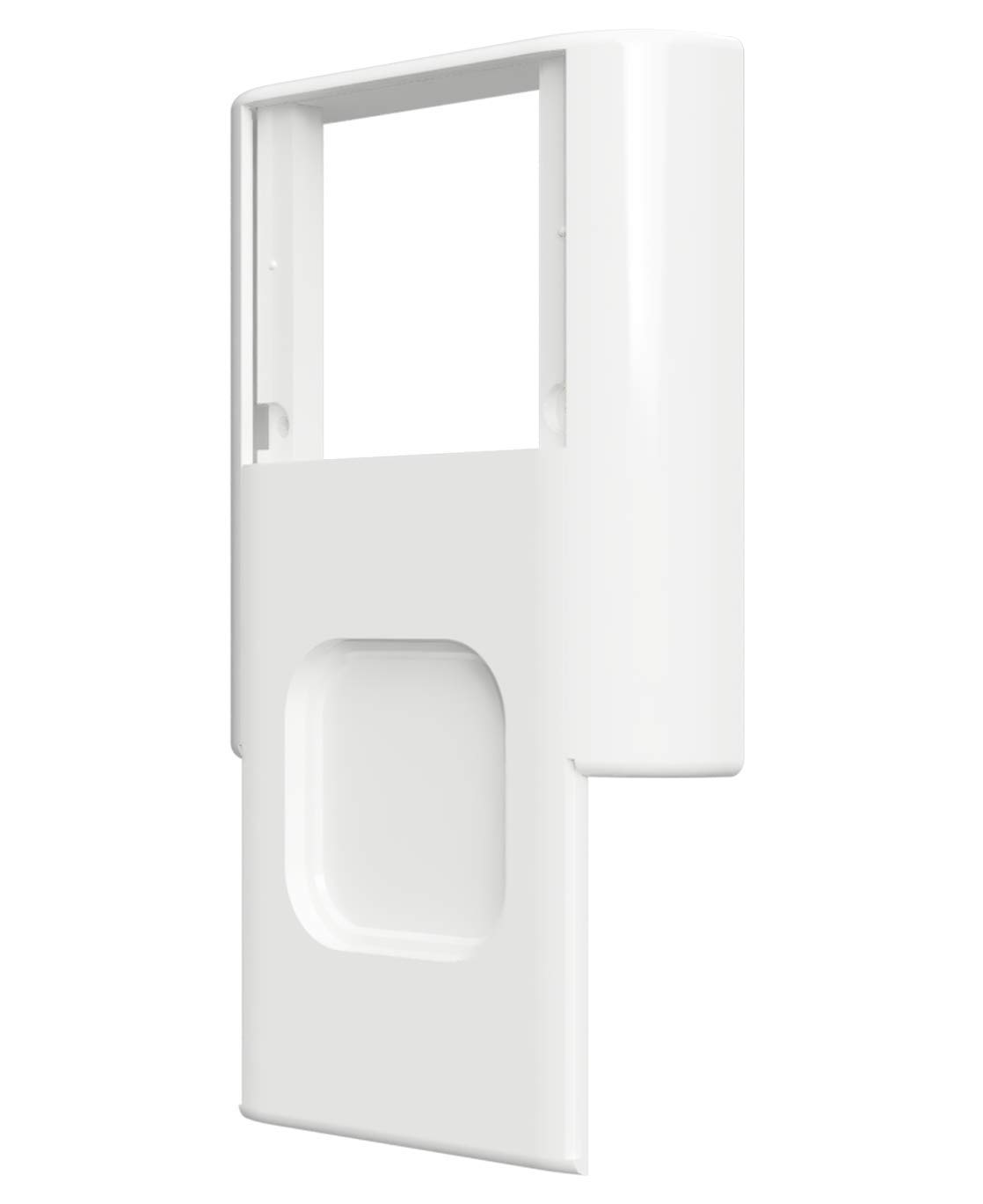
Foto 3: N'azụ view of the SM215-TRD cover, illustrating the mounting points and internal structure for installation.
6. Ọrụ
Once installed, the SAMOTECH SM215-TRD cover allows you to use your TRÅDFRI wireless dimmer or shortcut button while protecting the physical switch. The cover is designed with a sliding mechanism that allows you to reveal the underlying physical switch for emergency use or for initial pairing processes, without needing to remove the entire cover.

Foto 4: N'ihu view of the SM215-TRD cover, showing the recess for the smart button.
7. Nlekọta
The SAMOTECH SM215-TRD switch cover is made from durable ABS plastic and requires minimal maintenance.
- Nhicha: Jiri nwayọ hichaa elu ya, damp akwa . Zere iji ihe nhicha ma ọ bụ ihe mgbaze, n'ihi na ndị a nwere ike imebi njedebe.
- Nyocha: Periodically check that the cover remains securely fastened to the wall.
8. Nchọpụta nsogbu
- Cover not flush with wall: Ensure the provided washers are used correctly to fill any gaps between the existing switch plate and the wall, allowing the cover to sit flat.
- Smart button not staying in place: Verify that your smart button has its magnetic backing intact and that it is correctly aligned with the magnetic plate within the cover.
- Difficulty accessing the physical switch: If the sliding mechanism feels stiff, ensure no debris is obstructing its movement. If the cover was overtightened during installation, it might slightly deform; loosening the screws slightly and readjusting with washers can help.
9. Nkọwapụta
| Njirimara | Uru |
|---|---|
| Ụdị | SAMOTECH |
| Nọmba Nlereanya ihe | SM215-TRD |
| Akụkụ ngwaahịa (L x W x H) | 10.5 x 9.5 x 2.2 cm |
| Ibu | 70 grams |
| Ihe onwunwe | ABS Plastic |
| Ngwa kọntaktị | ABS Plastic |
| Ụdị nkwụnye | Ugwu mgbidi |
| Ogo nchekwa mba ụwa | IP00 |
| Onye nrụpụta | SAMOTECH |
10. Akwụkwọ ikike na nkwado
Specific warranty information for the SAMOTECH SM215-TRD switch cover is not provided in the product details. For warranty claims or technical support, please refer to the retailer where the product was purchased or visit the official SAMOTECH websaịtị maka ozi kọntaktị.


