1. Okwu mmalite
This manual provides essential information for the proper use and maintenance of your Soundcore Anker Life 2 Neo Wireless Headphones. Please read it thoroughly before using the product to ensure optimal performance and longevity.
2. Kedu ihe dị na Igbe ahụ
- Soundcore Anker Life 2 Neo Wireless Headphones
- USB-C eriri USB
- 3.5mm Audio USB
- Akwụkwọ ntuziaka (akwụkwọ a)
3. Akụrụngwa Ngwaahịa
- 100% More Bass: Oversized 40mm titanium-coated drivers with BassUp technology for enhanced bass output.
- Hi-Res Audio: Delivers sound up to 40 kHz for a rich listening experience.
- Ogologo oge egwuregwu: Ruo awa 60 nke ịkpọgharị na-aga n'ihu n'otu ụgwọ.
- Nchaji ngwa ngwa: 5-minute charge provides 5 hours of listening via the high-speed USB-C port.
- Nhazi dị mma: Features memory foam earcups, an adjustable headband, and flexible earcups for extended wear.
- Njikọta: Bluetooth 5.0 for wireless connection and a 3.5mm audio jack for wired listening.
- Nhazi a na-agbanwe agbanwe: Kọmpat na obere maka nchekwa na ibufe dị mfe.

Image: Soundcore Life 2 Neo Headphones highlighting Hi-Res Audio certification.

Image: Diagram illustrating the BassUp Technology within the Soundcore Life 2 Neo Headphones.
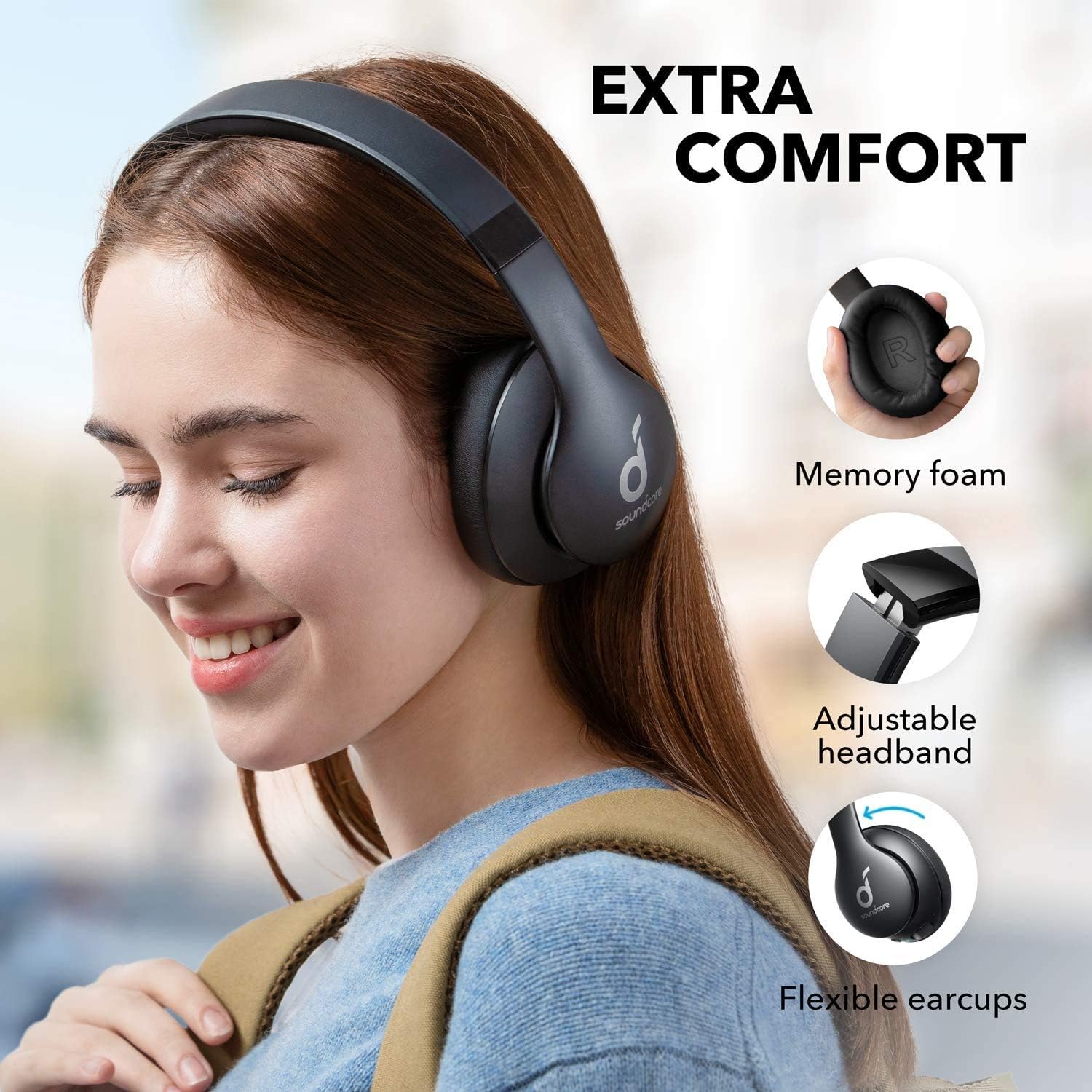
Image: Soundcore Life 2 Neo Headphones demonstrating memory foam, adjustable headband, and flexible earcups for extra comfort.
4. Nhazi
4.1 Ịchaji ekweisi
Before first use, fully charge your headphones. Connect the provided USB-C cable to the charging port on the headphones and the other end to a compatible USB power source (e.g., wall adapter, computer USB port). The LED indicator will show charging status.
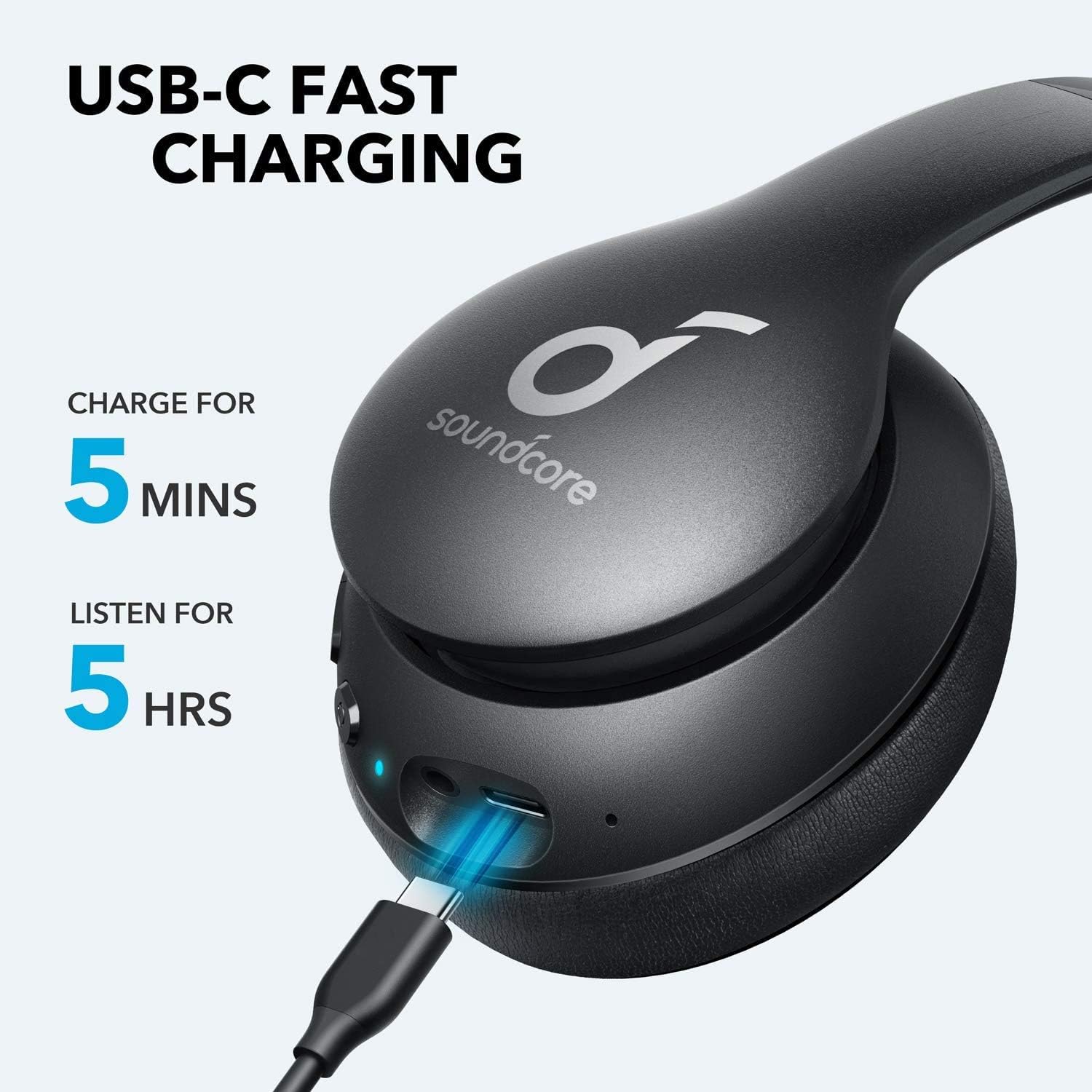
Image: Soundcore Life 2 Neo Headphones being charged via USB-C cable, illustrating the fast charging capability.
4.2 Gbanyụọ/ gbanyụọ
- Iji gbanye: Pịa ma jide bọtịnụ ike ruo mgbe ihe ngosi LED na-enwu.
- Iji gbanyụọ: Pịa ma jide bọtịnụ ike ruo mgbe ihe ngosi LED gbanyụrụ.
4.3 Njikọ Bluetooth
- Gbaa mbọ hụ na agbanyụrụ ekweisi.
- Press and hold the Power button for approximately 3-5 seconds until the LED indicator flashes blue, indicating pairing mode.
- Na ngwaọrụ gị (smartphone, tabletị, kọmpụta), mee ka Bluetooth nwee ike wee chọọ ngwaọrụ dị.
- Select "Soundcore Life 2 Neo" from the list of devices.
- Ozugbo ejikọrọ, ihe ngosi LED ga-atụgharị na-acha anụnụ anụnụ.
4.4 Njikọ wired
If Bluetooth is not available or the battery is depleted, you can use the provided 3.5mm audio cable. Plug one end into the headphone's audio jack and the other end into your device's 3.5mm audio output.
5. Ntuziaka ọrụ
5.1 Njikwa
Ekweisi nwere njikwa dị mfe nghọta dị na earcup:
- Bọtịnụ ike: Power on/off, play/pause music, answer/end calls.
- Elu elu (+): Increase volume, skip to next track (long press).
- Mpịakọta ọnụ (-): Decrease volume, skip to previous track (long press).
- Bọtịnụ BassUp: Activate/deactivate BassUp mode for enhanced bass.
5.2 Yiri ekweisi
The Soundcore Life 2 Neo headphones are designed for over-ear comfort. Adjust the headband to fit snugly on your head, ensuring the earcups fully cover your ears. The earcups are marked 'L' for left and 'R' for right for correct orientation.

Image: A person wearing Soundcore Life 2 Neo Headphones, demonstrating proper fit and comfort.
6. Nlekọta
- Jiri akwa dị nro hichaa ekweisi mgbe niile.
- Zere ikpughe ekweisi na oke okpomọkụ, iru mmiri, ma ọ bụ ìhè anyanwụ kpọmkwem.
- Ejila ihe nchacha abrasive ma ọ bụ ihe mgbaze.
- Debe ekweisi n'ebe dị jụụ ma kpọọ nkụ mgbe a naghị eji ya. Nhazi a na-apịachi apịachi na-enye ohere maka obere ebe nchekwa.
7. Nchọpụta nsogbu
7.1 Enweghị ike ijikọ na ngwaọrụ
- Hụ na ekweisi ndị ahụ dị n'ụdị njikọ (LED na-acha anụnụ anụnụ).
- Gbaa mbọ hụ na agbanyere Bluetooth na ngwaọrụ gị.
- Bugharịa ekweisi nso na ngwaọrụ gị.
- Gbalịa ịmalitegharịa ma ekweisi na ngwaọrụ gị.
- Kpochapụ njikọ Bluetooth gara aga na ngwaọrụ gị wee nwaa ijikọ ọzọ.
7.2 Enweghị ụda ma ọ bụ olu dị ala
- Lelee ọkwa olu na ma ekweisi yana ngwaọrụ ejikọrọ.
- Ensure the headphones are properly paired or connected via the 3.5mm audio cable.
- If using a wired connection, ensure the cable is fully inserted into both jacks.
- Nwalee site na iji isi iyi ma ọ bụ ngwaọrụ ọdịyo dị iche.
7.3 Okwu nchaji
- Hụ na eriri USB-C ejikọtara ya nke ọma na ekweisi na isi iyi ike.
- Gbalịa iji eriri USB-C dị iche ma ọ bụ nkwụnye ọkụ.
- Verify the power source is functioning correctly.
8. Nkọwapụta
| Njirimara | Nkọwa |
|---|---|
| Aha Nlereanya | Ndụ 2 Neo |
| Ụdị | Soundcore |
| Teknụzụ Njikọta | Wireless (Bluetooth), Wired (3.5mm) |
| Teknụzụ nzikọrịta ozi ikuku | Bluetooth 5.0 |
| Nha ọkwọ ụgbọ ala ọdịyo | 40 millimeters |
| Ndụ batrị | Awa 60 |
| Oge Nchaji | Nkeji 5 maka awa 5 nkwughachi |
| Ụdị njikwa | Njikwa Mgbasa Ozi, Olu |
| Ntinye ntị | N'elu Ntị |
| Ihe onwunwe | Faux Leather, Metal, Plastic |
| Ibu Ibu | 0.5 Kilogram (1.1 pound) |
| Njirimara Pụrụ Iche | Foldable, USB connectivity, Wireless |
9. Akwụkwọ ikike na nkwado
For warranty information and customer support, please refer to the documentation included with your purchase or visit the official Soundcore webEbe nrụọrụ weebụ. Usoro nkwa akọwapụtara nwere ike ịdị iche site na mpaghara na onye na-ere ahịa.