1. Okwu mmalite
This manual provides detailed instructions for the installation, operation, and maintenance of your Overmax Camspot 3.7 Full HD Wireless Indoor Camera. Please read this manual thoroughly before using the product to ensure proper function and safety. Keep this manual for future reference.
2. Ihe ngwugwu
Chọpụta na akụrụngwa niile dị na ngwugwu:
- Overmax Camspot 3.7 Wireless Indoor Camera
- Power Cable with Adapter
- Mounting Kit (screws, wall plugs, bracket)
- Akwụkwọ ntuziaka (akwụkwọ a)
3. Ngwaahịa gafereview
Familiarize yourself with the camera's components and interfaces.
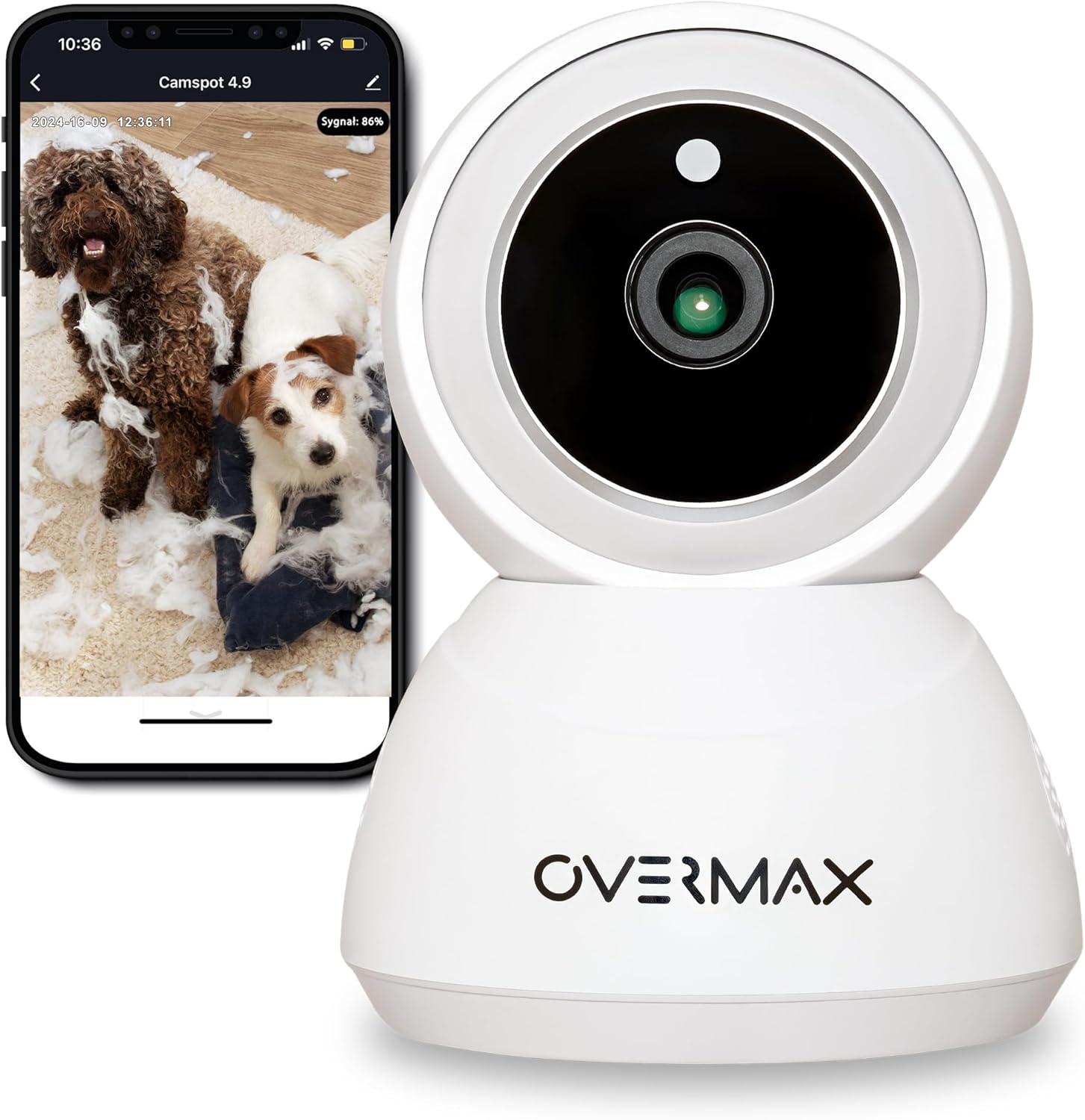
Foto 3.1: N'ihu view of the Overmax Camspot 3.7 camera with a smartphone showing the live video feed.

Foto 3.2: Akụkụ view of the Overmax Camspot 3.7 camera, showing its dome shape and speaker grille.

Ọgụgụ 3.3: N'azụ view of the camera, highlighting the LAN port, Reset button, and DC 5V power input.

Foto 3.4: View of the camera with the microSD card slot visible, located beneath the lens assembly.
4. Nhazi
4.1 Nwụnye anụ ahụ
The Camspot 3.7 can be placed on a flat surface or mounted to a wall or ceiling.
- Họrọ ebe: Select a location that provides the desired viewing angle and is within range of your Wi-Fi network or an Ethernet connection.
- Ịkwanye (Nhọrọ):
- Attach the mounting bracket to the desired surface using the provided screws and wall plugs.
- Secure the camera to the mounting bracket. Ensure it is firmly attached.

Figure 4.1: The Overmax Camspot 3.7 camera shown mounted on a wall bracket, illustrating a typical installation.
4.2 Ntinye na Mmepụta Akaụntụ Ngwa
The Overmax Control app is required to operate the camera.
- Budata ngwa: Chọọ maka "Overmax Control" in your smartphone's app store (iOS or Android) and download it.
- Mebe akaụntụ: Mepee ngwa ahụ ma soro ntuziaka na ihuenyo ka ịmepụta akaụntụ njirimara ọhụrụ.

Figure 4.2: The Overmax Camspot 3.7 camera alongside a smartphone displaying the 'CONTROL' app logo, indicating the required application for setup and operation.
4.3 Power On and Network Connection
- Ike Na: Connect the power cable to the camera's DC 5V port and plug the adapter into a power outlet. The camera will power on and initiate its startup sequence.
- Njikọ netwọk:
- Wi-Fi: Soro ntuziaka in-app iji jikọọ igwefoto na netwọk Wi-Fi 2.4GHz gị.
- Ethernet (Optional): Connect an Ethernet cable from your router to the camera's LAN port for a wired connection.
4.4 Ijikọ igwefoto
Once the camera is powered on and the app is installed, proceed with pairing:
- Tinye ngwaọrụ: In the Overmax Control app, tap the "Add Device" or "+" icon.
- Họrọ Ụdị igwefoto: Choose the appropriate camera model (Camspot 3.7).
- Nyochaa koodu QR: The app will prompt you to scan a QR code. Position your smartphone's screen with the QR code approximately 15-20 cm in front of the camera lens. The camera will emit a sound upon successful scanning.
- Nhazi zuru oke: Follow any remaining on-screen prompts in the app to finalize the pairing process.

Figure 4.3: The Overmax Camspot 3.7 camera positioned to scan a QR code displayed on a smartphone, a common method for device pairing.
5. Ntuziaka ọrụ
5.1 Ndụ View
Access the live video feed from your camera through the Overmax Control app. This allows real-time monitoring of the camera's surroundings.
5.2 Njikwa Pan/Tilt
The Camspot 3.7 features motorized pan and tilt capabilities.
- Ntụgharị kwụ ọtọ: ogo 355
- Ntụgharị kwụ ọtọ: ogo 120
Use the directional controls within the Overmax Control app to adjust the camera's viewn'akuku remotely.

Figure 5.1: Diagram illustrating the camera's extensive pan (355°) and tilt (120°) rotation range.
5.3 Audio ụzọ abụọ
The camera is equipped with a microphone and speaker, enabling two-way communication. You can listen to the camera's environment and speak through the camera using the app.
5.4 Motion Detection and Auto-Tracking
The camera can detect moving objects and automatically track their movement within its field of view. Configure motion detection sensitivity and alerts in the app settings.
5.5 Ọhụụ abalị
The Camspot 3.7 features infrared technology for clear viewing in low-light or complete darkness, with a night vision range of up to 10 meters. The camera automatically switches to night mode when ambient light is insufficient.
5.6 Ndekọ na Nchekwa
The camera supports two primary storage methods for video recordings:
- Kaadị MicroSD: Insert a microSD card (up to 128GB, not included) into the designated slot for local storage. This allows for continuous recording for up to 3 weeks.
- Nchekwa igwe ojii: The camera supports real-time cloud storage for recordings. Refer to the app for subscription details and options.
5.7 Ngwakọta ụlọ Smart
The Camspot 3.7 is compatible with Google Home and Amazon Alexa. Follow the instructions within the respective smart home apps to integrate your camera for voice control and automation.
5.8 Baby Monitor Function
Utilize the camera's features, including two-way audio and night vision, to monitor an infant. The app provides a comprehensive interface for this purpose.

Figure 5.2: The Overmax Camspot 3.7 camera shown with a smartphone displaying the app's control interface, including options for screenshot, speaking, recording, cloud storage, and direction control.
6. Nlekọta
- Nhicha: Jiri ákwà dị nro ma kpọọ nkụ hichaa anya igwefoto na ahụ ya. Ejila kemịkalụ siri ike ma ọ bụ ihe nhicha na-emebi emebi.
- Mmelite femụwe: Regularly check the Overmax Control app for available firmware updates to ensure optimal performance and security.
- Njikwa nchekwa: Mgbe ụfọdụ review and manage recordings on your microSD card or cloud storage to free up space if needed.
7. Nchọpụta nsogbu
- Igwefoto anaghị ejikọta na Wi-Fi:
- Ensure your Wi-Fi network is 2.4GHz. The camera does not support 5GHz networks.
- Lelee paswọọdụ Wi-Fi maka izi ezi.
- Bugharịa igwefoto ahụ nso na rawụta ahụ.
- Malitegharịa igwefoto ahụ na rawụta gị.
- Enweghị Ndụ View:
- Verify internet connection on your smartphone and the camera.
- Lelee ma ọ bụrụ na igwefoto ahụ agbanyere ma jikọọ na netwọk ahụ.
- Malitegharịa ngwa ahụ.
- Nchọpụta ngagharị anaghị arụ ọrụ:
- Gbaa mbọ hụ na agbanyere nchọpụta ngagharị na ntọala ngwa.
- Gbanwee ntọala mmetụta.
- Check for obstructions in the camera's view.
- MicroSD Card Not Recording:
- Gbaa mbọ hụ na etinyere kaadị microSD nke ọma.
- Format the microSD card through the app.
- Check if the card is full or corrupted.
- Igwefoto anaghị anabata:
- Press and hold the Reset button (located at the back) for approximately 5-10 seconds to factory reset the camera. You will need to re-pair it after a reset.
8. Nkọwapụta
| Njirimara | Nkọwapụta |
|---|---|
| Aha Nlereanya | Overmax Camspot 3.7 |
| Mkpebi vidiyo | HD zuru oke (1080p) |
| oghere | 3.6 mm |
| Frames kwa nkeji (FPS) | 25-30 |
| Mkpakọ vidiyo | H.264 |
| Ntụgharị kwụ ọtọ | 355° |
| Vetikal adiana | 120° |
| Oke ọhụụ abalị | Ruo 10 mita (Infrared) |
| Nkwado kaadị MicroSD | Ruo 128 GB |
| Njikọta | Wi-Fi (2.4GHz), Ethernet |
| Sistemụ akwadoro | Windows XP/7/8/10, Android, iOS, Mac |
| Audio Ụzọ Abụọ | Yes (Microphone, 1W Speaker) |
| Nchọpụta ngagharị | Yes (Automatic Detector) |
| Ịnye ọkụ | 12 Volts, 1 Watt |
| Akụkụ (L x W x H) | 8.5 x 8.2 x 10.5 cm |
| Ibu | 180 grams |
| Ihe onwunwe | Ọla |
| Agba | Ọcha |
9. Akwụkwọ ikike na nkwado
Overmax products are covered by a manufacturer's warranty. For specific warranty terms and conditions, please refer to the warranty card included in your package or visit the official Overmax websaịtị.
For technical support, troubleshooting assistance, or any product-related inquiries, please contact Overmax customer service through the contact information provided on the official website or within the Overmax Control application.


