1. Okwu mmalite
This manual provides essential instructions for the safe and effective operation of your AGFA Photo Realishot DC5200 compact digital camera. Please read this manual thoroughly before using the camera and retain it for future reference.

Foto 1: N'ihu view of the AGFA Photo Realishot DC5200 compact camera.

Figure 2: AGFA Photo Realishot DC5200 highlighting 21MP photo resolution and HD video capability.
2. Ihe ngwugwu
Verify that all items listed below are included in your camera package:
- AGFA Photo Realishot DC5200 Camera
- eriri USB
- Akwụkwọ ntuziaka (akwụkwọ a)
- Batrị Lithium nwere ike ibugharị
3. Ihe ndị dị na igwefoto
3.1 N'ihu View
The front of the camera features the lens, flash, and self-timer lamp.
3.2 N'azụ View (Ihuenyo LCD)
The rear of the camera is dominated by the 2.4-inch TFT LCD screen, used for framing shots, reviewihe onyonyo, na menus ịnyagharị.

Ọgụgụ 3: N'azụ view of the camera displaying the 2.4-inch LCD screen.
3.3 Top and Side Views
The top and sides house the power button, shutter button, zoom controls, and ports for connectivity.
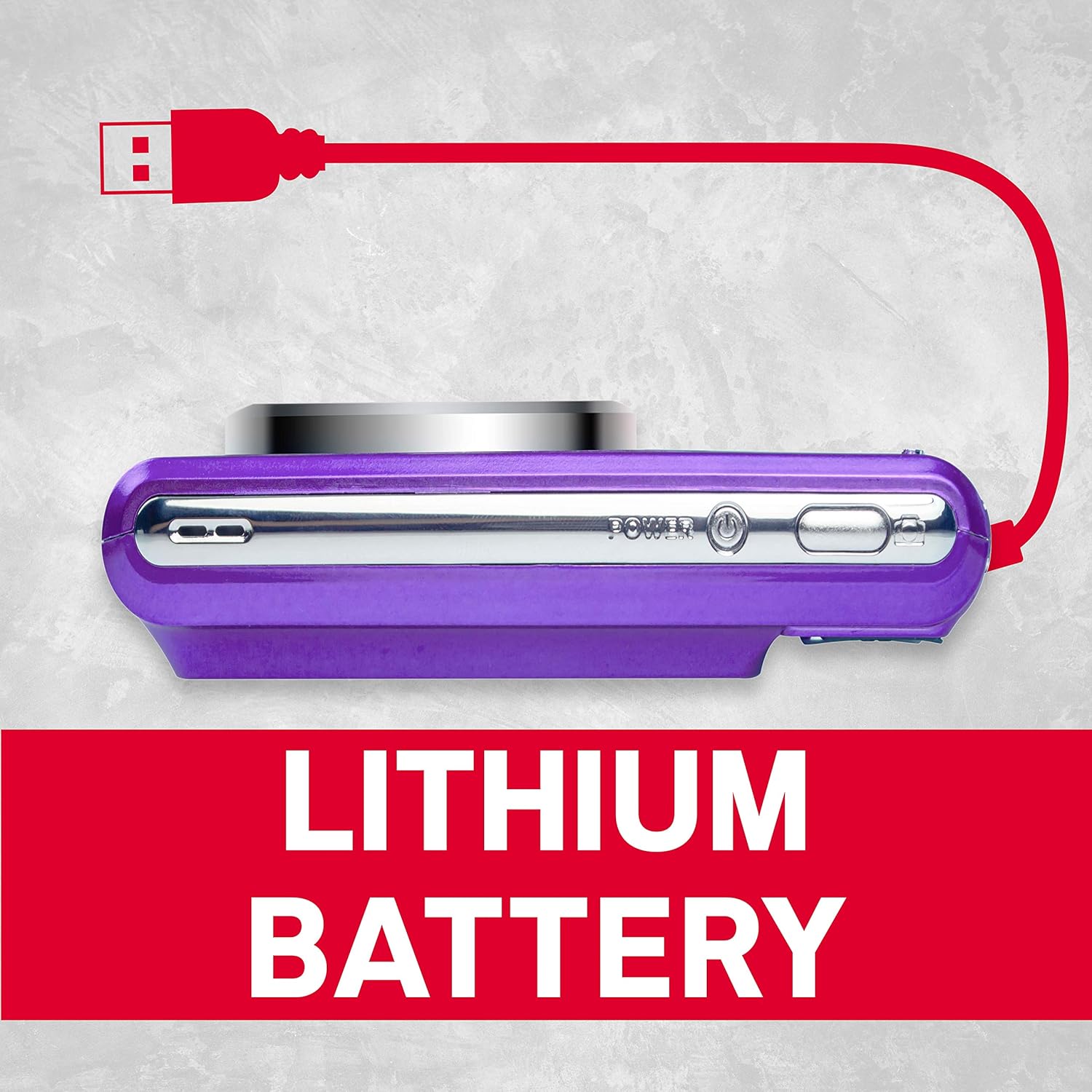
Foto 4: Akụkụ view of the camera showing the USB port for charging and data transfer.
4. Mbido Mbido
4.1 Ịchaji batrị
- Insert the provided lithium battery into the battery compartment, ensuring correct polarity.
- Connect the camera to a power source using the supplied USB cable. The charging indicator will illuminate.
- Nchaji agwụla mgbe ọkụ ihe ngosi gbanyụrụ.
4.2 Inserting an SD Card
The camera supports SD cards up to 32 GB (not included). A memory card is required to save photos and videos.
- Mepee mkpuchi oghere kaadị SD.
- Insert the SD card with the metal contacts facing the correct direction until it clicks into place.
- Mechie mkpuchi oghere kaadị SD ahụ nke ọma.
5. Basic Ọrụ
5.1 Gbanyụọ ma ọ bụ gbanyụọ
Pịa ma jide Ike bọtịnụ ka ịgbanwuo ma ọ bụ gbanyụọ igwefoto.
5.2 Ịse foto
- Gbanwuo igwefoto.
- Mepụta ihe onyonyo gị site na iji ihuenyo LCD.
- Pịa Ihe mkpuchi button halfway to focus, then press fully to capture the image.
5.3 Ndekọ vidiyo
- Switch to video mode (if applicable, refer to on-screen menu).
- Pịa Ihe mkpuchi bọtịnụ ịmalite ndekọ.
- Pịa Ihe mkpuchi bọtịnụ ọzọ ka ịkwụsị ndekọ.
5.4 Iji Digital Zoom
The camera features 8x digital zoom. Use the zoom controls (typically labeled W for Wide and T for Telephoto) to adjust the focal length.

Ọgụgụ 5: Ọpụample of 8x digital zoom capability.
5.5 Ụdị ihe nkiri
The camera offers various scene modes to optimize settings for different shooting conditions. Common modes include:
- Nchekwa onwe na ọnọdụ: General purpose shooting.
- Ụdị abalị: For low-light environments.
- Ụdị osimiri: For bright, reflective scenes.
Access scene modes through the camera's menu system.

Figure 6: Visual representation of different scene modes available on the camera.
6. Advanced Atụmatụ
6.1 Nchọpụta ihu
The camera can automatically detect faces in the frame and optimize focus and exposure for portraits.

Figure 7: Camera demonstrating face detection technology.
6.2 Digital Image Stabilization
This feature helps reduce blur caused by camera shake, resulting in clearer images, especially in challenging conditions.
6.3 Oge onwe
Set a delay of 2, 5, or 10 seconds before the shutter fires, useful for self-portraits or group photos.
6.4 Red-Eye Reduction Flash
When using the flash, this feature emits a pre-flash to minimize the red-eye effect in portraits.
7. Viewfoto na vidiyo
Maka review captured images and videos:
- Pịa Ngwughachi button (often indicated by a play icon).
- Use the directional buttons to navigate through your files.
- Pịa OK or Banye bọtịnụ ka view foto ma ọ bụ kpọọ vidiyo.
8. Na-ebufe Files na kọmpụta
You can transfer photos and videos to a computer using the supplied USB cable.
- Gbaa mbọ hụ na agbanyụrụ igwefoto.
- Jiri eriri USB jikọọ igwefoto na kọmputa gị.
- Power on the camera. It should appear as a removable disk or device on your computer.
- Detuo ihe achọrọ files from the camera's memory card to your computer.
- Safely eject the camera from your computer before disconnecting the USB cable.
9. Nlekọta na nlekọta
- Keep the camera clean. Use a soft, dry cloth to wipe the camera body.
- For the lens and LCD screen, use a specialized lens cleaning cloth. Avoid harsh chemicals.
- Debe igwefoto ahụ n'ebe dị jụụ ma kpọọ nkụ, ebe anwụ na-anaghị apụta kpọmkwem na oke okpomọkụ.
- Wepu batrị ma ọ bụrụ na agaghị eji igwefoto ogologo oge.
10. Nchọpụta nsogbu
| Nsogbu | Ihe nwere ike ime | Ngwọta |
|---|---|---|
| Igwefoto anaghị agba ọkụ. | Batrị agwụla ma ọ bụ tinye ya n'ụzọ na-ezighi ezi. | Chajie batrị ahụ nke ọma. Hụ na etinyere batrị ahụ na polarity ziri ezi. |
| Cannot take photos. | SD card is full, locked, or not inserted. | Insert an SD card, unlock it, or delete unnecessary files. |
| Onyonyo na-agba agba. | Ịma jijiji igwefoto, mmegharị isiokwu, ma ọ bụ ilekwasị anya na-ezighi ezi. | Hold the camera steady. Ensure adequate lighting. Use digital image stabilization. |
| Flash anaghị agba ọkụ. | Flash is disabled or battery is low. | Enable flash in settings. Recharge battery. |
11. Nka na ụzụ nkọwa
- Mkpebi foto: 21 megapixels
- Mkpebi vidiyo: 720p HD (1280x720)
- Ihuenyo LCD: 2.4 inch TFT LCD
- Mbugharị dijitalụ: 8x
- Ndozi onyonyo: Dijitalụ
- Atụmatụ pụrụ iche: Face Detection, Self-Timer (2s/5s/10s), Red-Eye Reduction Flash
- Batrị: Batrị Lithium nwere ike ibugharị
- Nchekwa: Supports SD Card up to 32 GB (not included)
- Akwadoro File Ụdị: JPEG (photos), AVI (videos)
- Akụkụ ngwaahịa: 3.74 x 2.28 x 1.06 sentimita asatọ
- Ibu ihe: 3.14 ounces

Nyocha 8: N'eluview of key camera features and specifications.
12. Akwụkwọ ikike na nkwado
For warranty information and customer support, please refer to the documentation provided with your purchase or visit the official AgfaPhoto websaịtị. Debe ihe akaebe nke ịzụrụ maka akwụkwọ ikike.


