Okwu mmalite
This manual provides comprehensive instructions for the beyerdynamic FOX Professional USB Studio Microphone and its accompanying Microphone Suspension Boom Scissor Arm. It covers essential information regarding product setup, operation, maintenance, and troubleshooting to ensure optimal performance and longevity of your equipment. Please read this manual thoroughly before using the product.
Ozi nchekwa
Please observe the following safety instructions to prevent damage to the device, injury to yourself, or damage to other property:
- Do not expose the microphone to moisture, rain, or extreme temperatures.
- Zere ịtụfu igwe okwu ma ọ bụ mee ka ọ daa n'ọnọdụ dị egwu.
- Agbalịla ịgbasa ma ọ bụ gbanwee igwe okwu ahụ. Nye ndị ọrụ ruru eru ọrụ niile.
- Keep the microphone and boom arm away from strong magnetic fields.
- Ensure the boom arm is securely clamped to a stable surface to prevent accidental falls.
- Use only the specified power source (USB connection) for the microphone.
Ihe ngwugwu
Chọpụta na ihe niile edepụtara n'okpuru dị na ngwugwu gị:
- beyerdynamic FOX Professional USB Studio Microphone
- Microphone Suspension Boom Scissor Arm with 3/8-Inch-16 Threading (Black)
- eriri USB
- Desk Stand (for microphone)
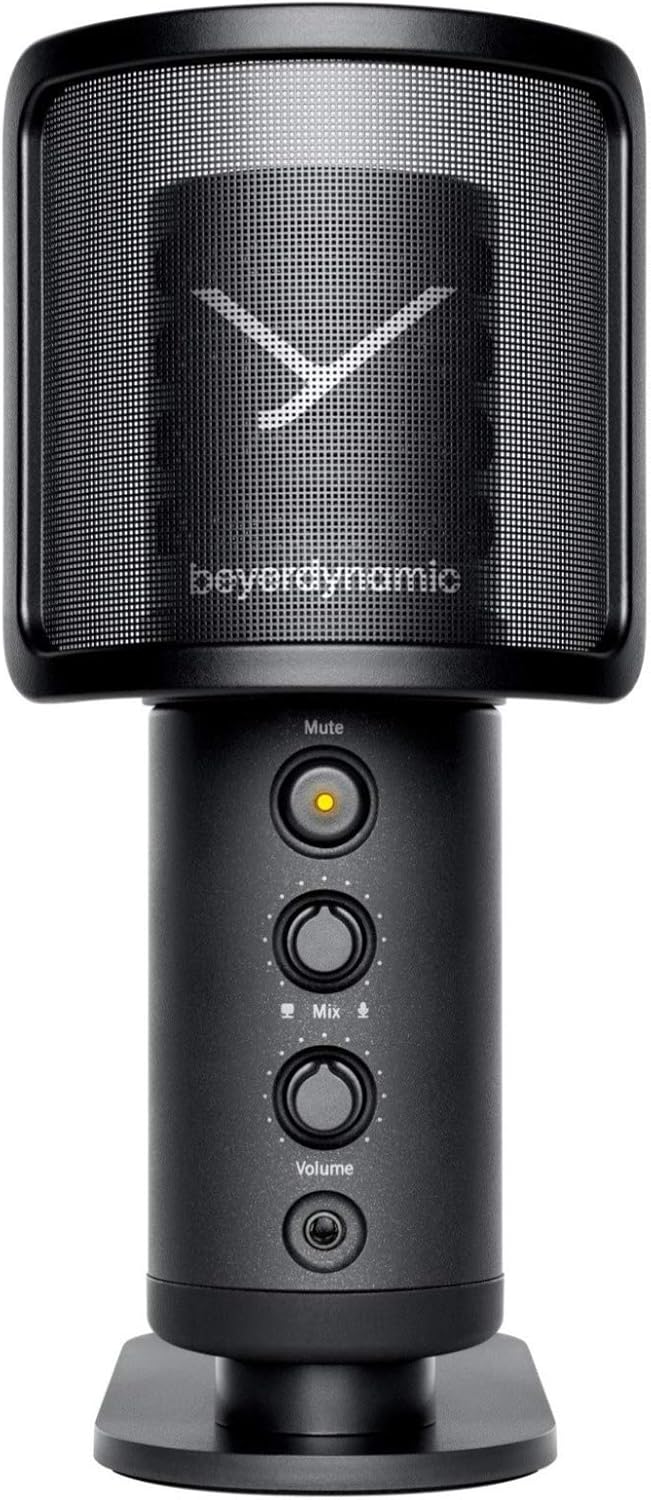
Image: The beyerdynamic FOX USB Studio Microphone and the included boom arm, showcasing the complete bundle.
Ngwaahịa gafereview
Akụkụ ndị bụ isi:
- Ọdịnyo dị elu: 24-bit / 96 kHz studio-grade quality for professional recordings.
- Large Condenser Capsule: Ensures accurate signal conversion and low inherent noise.
- Ụkpụrụ Polar Cardioid: Focuses on sound directly in front of the microphone, reducing unwanted background noise.
- Nleba anya efu-Latency: Integrated headphone output allows real-time monitoring of your audio.
- Oghere bọtịnụ: Instantly mutes the microphone for privacy or to prevent unwanted sounds from being recorded.
- Mgbanwe Uru: Adjustable gain for recording various sound sources, including loud instruments.
- Njikọ USB: Simple plug-and-play connection to PC, Mac, or compatible smartphones/tablets.
Microphone Components:
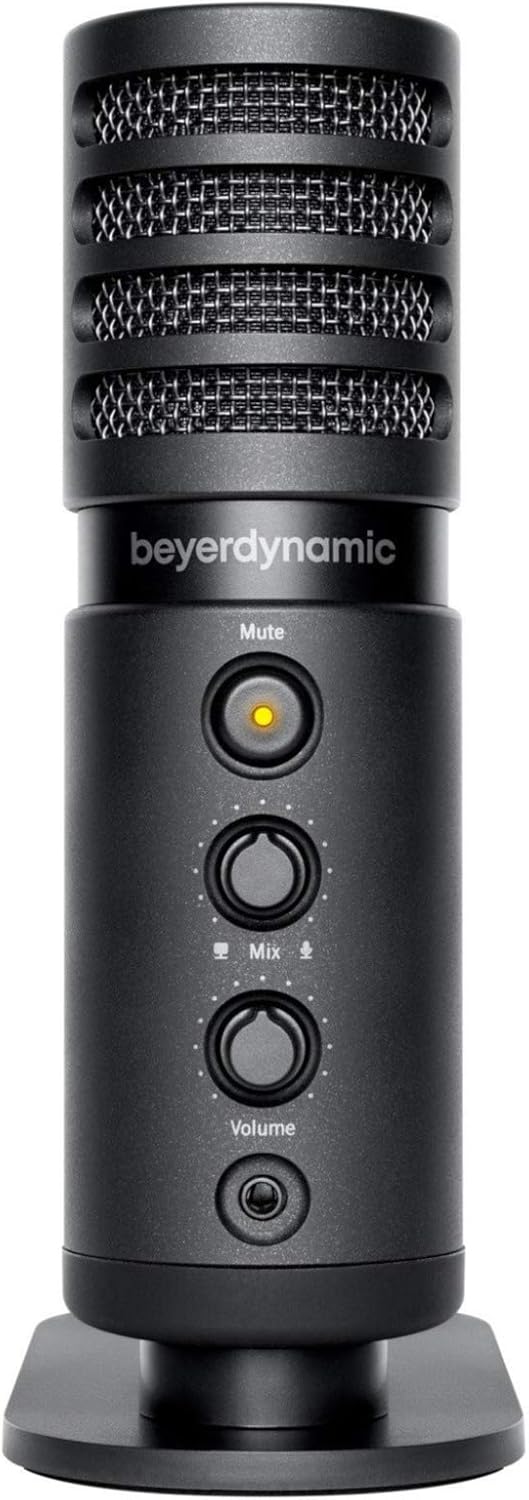
Foto: N'ihu view of the beyerdynamic FOX microphone, highlighting the mute button, mix control, and volume knob.
- Grille igwe okwu: Protects the condenser capsule.
- Oghere bọtịnụ: Press to mute/unmute the microphone. An indicator light will show status.
- Mix Control: Adjusts the balance between microphone input and computer playback in your headphones.
- Mpịakọta Mpịakọta: Controls the headphone output volume.
- Jack ekweisi (3.5mm): Maka ijikọ ekweisi nlekota.
- Ọdụ USB-C: For connecting the microphone to your computer or mobile device.
- Threaded Mount: For attaching to the desk stand or boom arm.
Melite
1. Assembling the Boom Arm:
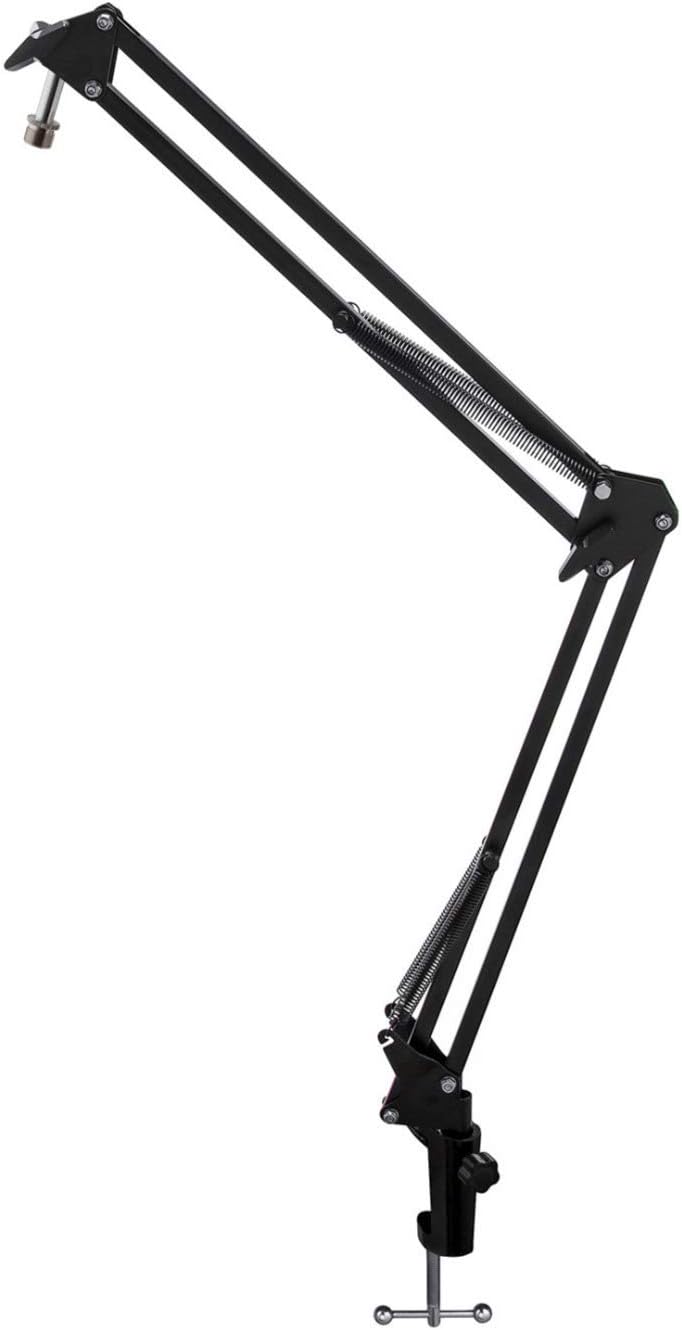
Image: The Microphone Suspension Boom Scissor Arm, showing its adjustable joints and desk clamp.
- Attach Desk Clamp: Securely fasten the desk clamp to the edge of a sturdy desk or table. Ensure it is tight to prevent movement.
- Insert Boom Arm: Tinye ntọala nke ogwe aka ọganihu n'ime oghere dị na tebụl clamp. Kpochie mkpuchi mkpọchi na clamp to hold the arm in place.
- Hazie Ọkwa: Adjust the boom arm to your desired height and reach. The springs will help balance the microphone's weight.
2. Attaching the Microphone:
- To Boom Arm: Screw the beyerdynamic FOX microphone onto the 3/8-inch-16 threaded mount at the end of the boom arm. Ensure it is finger-tight.
- Using Desk Stand (Optional): If not using the boom arm, screw the microphone onto its included desk stand.
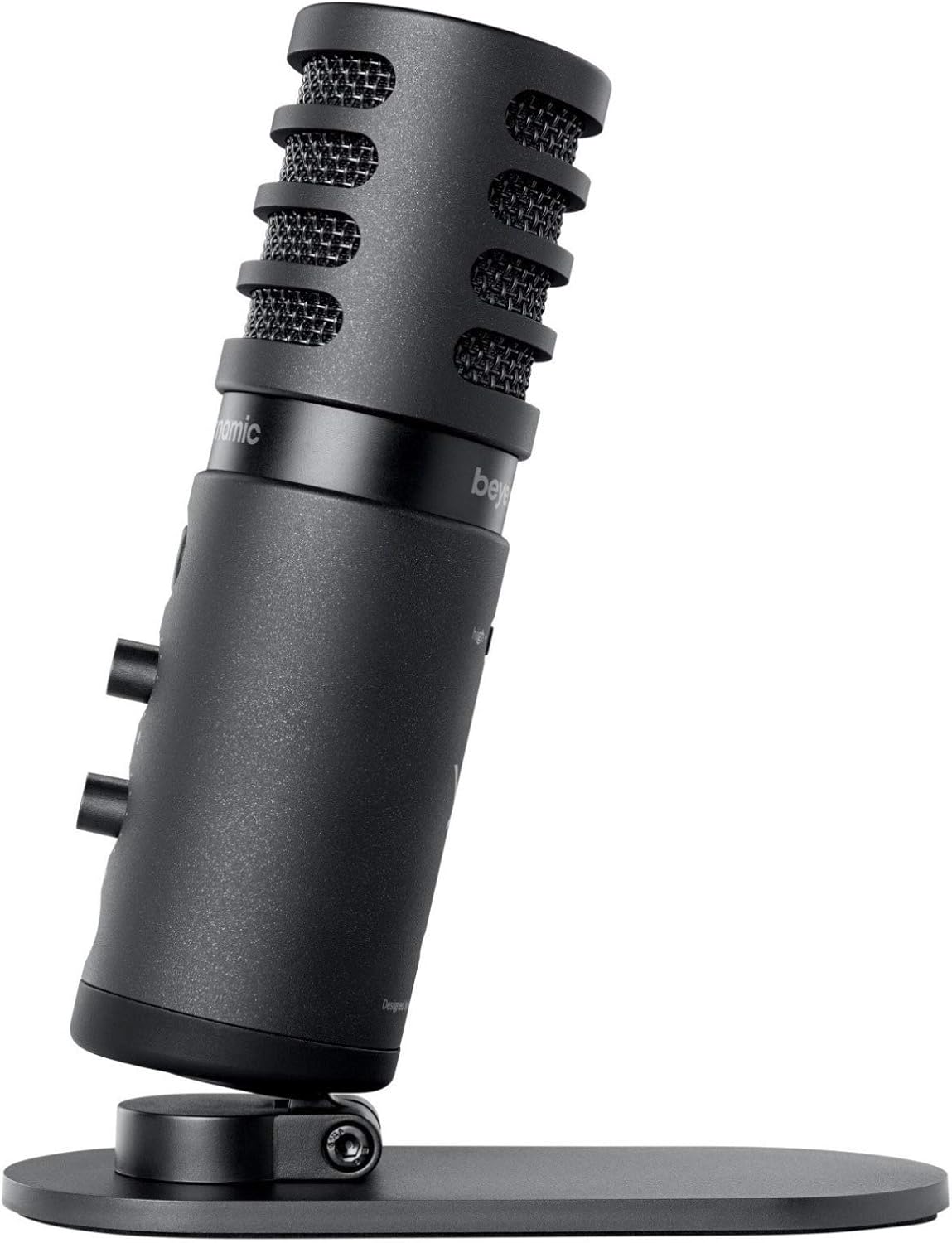
Image: The beyerdynamic FOX microphone mounted on its compact desk stand, ready for use.
3. Ijikọ na ngwaọrụ gị:
- Connect the supplied USB cable to the USB-C port on the microphone.
- Connect the other end of the USB cable to an available USB port on your computer (PC/Mac) or compatible smartphone/tablet (adapter may be required for some mobile devices).
- Igwe okwu bụ nkwụnye na-egwu ma ekwesịrị ịmara ya ozugbo site na sistemụ arụmọrụ gị.
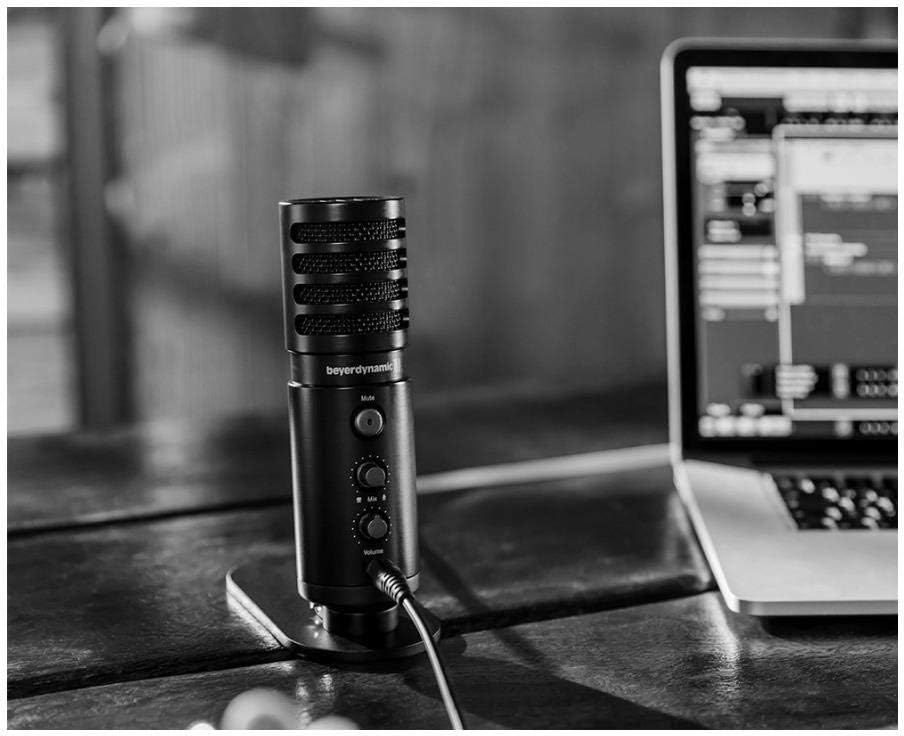
Image: The beyerdynamic FOX microphone in use, connected via USB to a laptop on a wooden desk.
Ntuziaka ọrụ
1. System Recognition:
- Once connected, your operating system (Windows, macOS, Android, iOS) should automatically detect the beyerdynamic FOX as an audio input and output device.
- You may need to select "beyerdynamic FOX" as your default input/output device in your system's sound settings or within your recording software.
2. Using the Mute Button:
- Pịa Ogbi button on the front of the microphone to toggle between active and muted states.
- An indicator light will typically show the microphone's status (e.g., green for active, red/orange for muted).
3. Adjusting Gain (Input Level):
- The FOX microphone features a gain switch (often labeled "Gain" or represented by a symbol like a microphone with a "+" or "-").
- Use this switch to adjust the microphone's sensitivity. For quiet sources (e.g., soft vocals), use a higher gain setting. For loud sources (e.g., instruments, loud speaking), use a lower gain setting to prevent distortion.
- Monitor your recording software's input levels to ensure they are not peaking (clipping).
4. Zero-Latency Monitoring:
- Connect headphones to the 3.5mm headphone jack on the microphone.
- Jiri ihe Olu knob to adjust the headphone listening level.
- Nke Ngwakọta control allows you to blend the microphone's direct input with the audio playback from your computer. Turn towards the microphone icon to hear more of your live input, and towards the speaker icon to hear more of your computer's audio.
- This feature allows you to hear your voice or instrument in real-time without delay, which is crucial for accurate performance.
Nlekọta
- Nhicha: Jiri ákwà dị nro ma kpọọ nkụ hichaa mpụta igwe okwu ahụ. Ejila ihe nhicha mmiri ma ọ bụ ihe mgbaze.
- Nchekwa: Mgbe ị naghị eji ya, debe igwe okwu ahụ n'ebe kpọrọ nkụ, nke na-enweghị uzuzu.
- Ọganihu Ọganihu: Periodically check the boom arm's clamps and joints for tightness. Lubricate moving parts if necessary with a small amount of silicone-based lubricant.
- Nlekọta USB: Zenarị mgbanaka dị nkọ ma ọ bụ nkpu na eriri USB. Chekwaa ya nke ọma ka ọ ghara imebi.
Nchọpụta nsogbu
| Nsogbu | Ihe nwere ike ime | Ngwọta |
|---|---|---|
| Enweghị ụda sitere na igwe okwu |
|
|
| Distorted or clipping sound |
|
|
| Enweghị ụda na ekweisi |
|
|
| Boom arm is unstable |
|
|
Nkọwapụta
| Njirimara | Nkọwa |
|---|---|
| Nọmba nlereanya | FOXUSBMIC_K5 |
| Ihe kpatara ụdị igwe okwu | Table Array (with included desk stand) |
| Teknụzụ Njikọta | USB |
| Ụdị njikọ | USB |
| Ụkpụrụ Polar | Unidirectional (Cardioid) |
| Mkpebi | 24-bit / 96 kHz |
| Signgbaàmà-na-Noise ruru | 78 dB |
| Ngwaike Platform | PC, Smartphone |
| Ngwa dakọtara | Headphone, Personal Computer, Smartphone |
| Isi Iyi Ike | Eriri eletriki (ejiri eriri USB) |
| Item Weight (Microphone) | 16 ounces (1 paụnd) |
| Akụkụ ngwaahịa | 16.2 x 8.3 x 6.8 inches (overall bundle dimensions) |
| Agba | Nwa |
| UPC | 040962932483 |
Akwụkwọ ikike na nkwado
For warranty information and technical support, please refer to the official beyerdynamic websaịtị ma ọ bụ kpọtụrụ ndị ahịa ha ozugbo. Debe ihe akaebe nke ịzụrụ ihe maka akwụkwọ ikike.
Ndị ọchịchị Websaịtị: www.bubiko.co.ir


