Okwu mmalite
Thank you for choosing the Tecno Minipod M1 True Wireless Stereo (TWS) Earbuds. This manual provides detailed instructions on how to set up, operate, and maintain your Minipod M1 earbuds to ensure optimal performance and longevity. The Minipod M1 offers a seamless audio experience with its portable charging case, long playback time, IPX4 water resistance, and smart touch controls.
Kedu ihe dị na Igbe ahụ
- 1 x Tecno Minipod M1 TWS Earphone (Left and Right)
- 1 x Akpa Nchaji enwere ike ibugharị
- 1 x eriri USB
- 1 x Akwụkwọ ntuziaka onye ọrụ
- 2 x ụzọ abụọ Eartips (nha dị iche iche)
- 1 x Silicone Protective Cover
- 1 x Hook (Carabiner)

Image: Infographic highlighting key features of the Tecno Minipod M1, including 18 hours non-stop music, ENC Noise Reduction Technology, Bluetooth 5.0, cool touch controls, portable charging case, IPX4 water resistance, and 4.2gm ultra-light body.
Ngwaahịa gafereview
The Tecno Minipod M1 consists of two lightweight earbuds and a compact charging case. The case not only protects the earbuds but also provides additional battery life for extended listening.
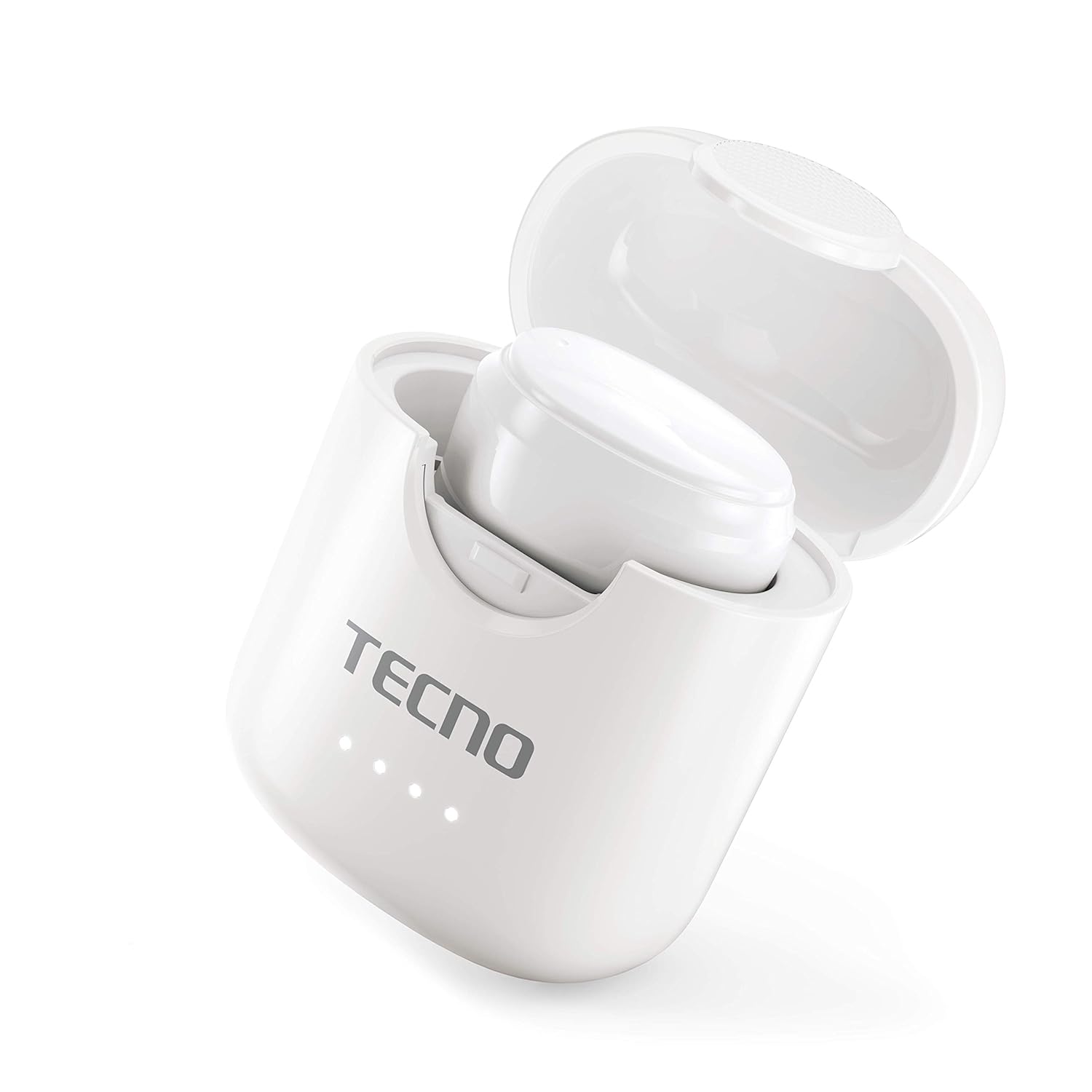
Image: The Tecno Minipod M1 earbud securely placed inside its open charging case, showing the compact design and charging indicators.

Image: A detailed close-up of a single Tecno Minipod M1 earbud, highlighting its ergonomic shape and touch-sensitive surface.
Ngwa:
- Akpa ntị: Left and Right, each with touch controls and built-in microphone.
- Nchaji akpa: Ọ na-echekwa ma na-achaji ekweisi, yana ihe ngosi LED maka ọnọdụ batrị.
- USB Nchaji Port: Dị n'elu ihe mkpuchi chaja maka ntinye ike.
Melite
1. Nchaji izizi:
Before first use, fully charge the Tecno Minipod M1 earbuds and their charging case.
- Tinye ekwe ntị abụọ ahụ n'ime akpa chaja. Hụ na ha nọ n'ọnọdụ ziri ezi n'ebe ha dị.
- Connect the provided USB charging cable to the charging port on the case and the other end to a USB power source (e.g., computer, wall adapter).
- The LED indicators on the charging case will illuminate to show charging status. Once fully charged, the indicators may change color or turn off.

Image: The Tecno Minipod M1 charging case in a closed position, showing the LED indicators on the front that display charging status.
2. Ijikọ na ngwaọrụ gị:
The Minipod M1 earbuds use Bluetooth 5.0 for a stable and quick connection.
- Mepee igbe nchaji. Igwe ntị ga-abanye na ọnọdụ njikọta na-akpaghị aka.
- Na ekwentị gị ma ọ bụ ngwaọrụ Bluetooth nyere gị aka, gaa na ntọala Bluetooth.
- Chọọ maka available devices and select "Tecno Minipod M1" from the list.
- Ozugbo ejikọrọ, ị ga-anụ ụda nkwenye, ọkụ egosi earbuds ga-agbanwe.
- For subsequent uses, the earbuds will automatically connect to the last paired device when taken out of the case.
Na-arụ ọrụ
Njikwa Smart Touch:
The Tecno Minipod M1 features intuitive touch controls on each earbud.
| Omume | Njikwa |
|---|---|
| Kpọọ/kwụsịtụ egwu | Otu mgbata na ntị ntị |
| Track na-esote | Pịa na ntị ntị aka nri ugboro abụọ |
| Egwu gara aga | Kpatụ ntị ugboro abụọ n'akụkụ aka ekpe |
| Zaa/Kwụsị Oku | Otu mgbata na ntị ntị |
| Jụ oku | Pịa ma jide otu ntị ntị maka sekọnd 2 |
| Mee ka onye enyemaka olu rụọ ọrụ | Pịa ugboro atọ na ntị ntị |
Yi akwa ntị:
Choose the correct size of eartips for a comfortable and secure fit. Insert the earbuds gently into your ear canal and twist slightly to ensure a snug fit. A proper fit enhances sound quality and noise cancellation.
Nlekọta
Nhicha:
- Jiri akwa dị nro, kpọrọ nkụ na-adịghị na-ehicha ntị ntị na chaja mgbe niile.
- Ejila ihe mkpocha abrasive, mmanya, ma ọ bụ ihe mgbaze kemịkal.
- Gently remove any earwax or debris from the eartips and speaker mesh using a small, soft brush or cotton swab.
Nchekwa:
- Mgbe ejighị ya, na-echekwa earbuds mgbe niile na chaja ha iji chebe ha ma debe ha ebubo.
- Chekwaa ngwaọrụ ahụ n'ebe dị jụụ, kpọrọ nkụ, pụọ na oke okpomọkụ na ìhè anyanwụ.
Nguzogide mmiri (IPX4):
The Tecno Minipod M1 earbuds are IPX4 water resistant, meaning they are protected against splashing water from any direction. This makes them suitable for workouts and light rain. However, they are not designed for swimming or submersion in water. Do not charge the earbuds or case if they are wet.

Image: The Tecno Minipod M1 charging case shown with various colorful silicone protective covers, emphasizing the included accessory for better protection and portability.
Nchọpụta nsogbu
| Nsogbu | Ngwọta enwere ike |
|---|---|
| Earbuds anaghị akwụ ụgwọ | Ensure the charging cable is securely connected. Check if the charging case has power. Clean the charging contacts on both earbuds and the case. |
| Enweghị ike ijikọ na ngwaọrụ | Make sure Bluetooth is enabled on your device. Ensure earbuds are in pairing mode (open case). Forget "Tecno Minipod M1" from your device's Bluetooth list and try pairing again. Move closer to your device. |
| Only one earbud playing sound | Tinyeghachi ekweisi abụọ ahụ n'ime akpa chaja, mechie mkpuchi ahụ, chere sekọnd ole na ole, wee mepee mkpuchi ahụ wee nwaa ọzọ. Hụ na ekweisi abụọ ahụ nwere chaja. |
| Obere olu ma ọ bụ ogo ụda adịghị mma | Adjust the volume on your device. Ensure earbuds are properly seated in your ears. Clean any debris from the speaker mesh and eartips. |
| Igwe okwu anaghị arụ ọrụ n'oge oku | Ensure the earbuds are connected as a "headset" profile in your device's Bluetooth settings. Check for any obstructions on the microphone opening. |
Nkọwapụta
| Njirimara | Nkọwa |
|---|---|
| Aha Nlereanya | Tecno Minipod M1 |
| Ụdị Bluetooth | 5.0 |
| Mgbakọta oge nkwughachi | Up to 18 hours (6 hours on earbuds + 12 hours with charging case) |
| Mmiri Nguzogide | IPX4 (Ọsụsọ na mmiri na-eguzogide mmiri) |
| Nkagbu mkpọtụ | Nkagbu mkpọtụ gburugburu (ENC) |
| Njikwa | Njikwa Smart Touch |
| Earbud arọ | Approx. 4.2g per earbud |
| Akụkụ (Ngwaahịa) | 2.4 x 1.7 x 2.7 cm |
| Ihe onwunwe | Polycarbonate (PC), Acrylonitrile Butadiene Styrene (ABS) |
| Ndakọrịta sistemụ arụmọrụ | iOS, Android |
Akwụkwọ ikike na nkwado
The Tecno Minipod M1 comes with a Akwụkwọ ikike nke ọnwa 6 site na ụbọchị ịzụrụ. Akwụkwọ ikike a na-ekpuchi ntụpọ nrụpụta. Biko dowe ihe akaebe nke ịzụrụ ihe maka akwụkwọ ikike.
For technical support, warranty claims, or any other inquiries, please contact Tecno customer service through their official website or the contact information provided with your purchase documentation. You can also visit the Tecno Store on Amazon maka ozi ndị ọzọ.