Okwu mmalite
Thank you for choosing the pTron Tangent Plus Wireless Bluetooth Headphones. This manual provides essential information for setting up, operating, and maintaining your device. The Tangent Plus features Bluetooth 5.0 connectivity, magnetic in-ear earbuds, a flexible neckband design, and a built-in TF card slot for direct music playback. It offers extended battery life and is designed for comfort and durability, making it suitable for various activities including entertainment, fitness, and travel.
Kedu ihe dị na Igbe ahụ
- pTron Tangent Plus Wireless Bluetooth Headphones
- Igwe chaja USB Micro
- Ihe mgbakwunye
- Akwụkwọ ntuziaka onye ọrụ
Ngwaahịa gafereview
The pTron Tangent Plus features an ergonomic neckband design with magnetic earbuds for secure storage. The control module is conveniently located on the neckband for easy access to functions.
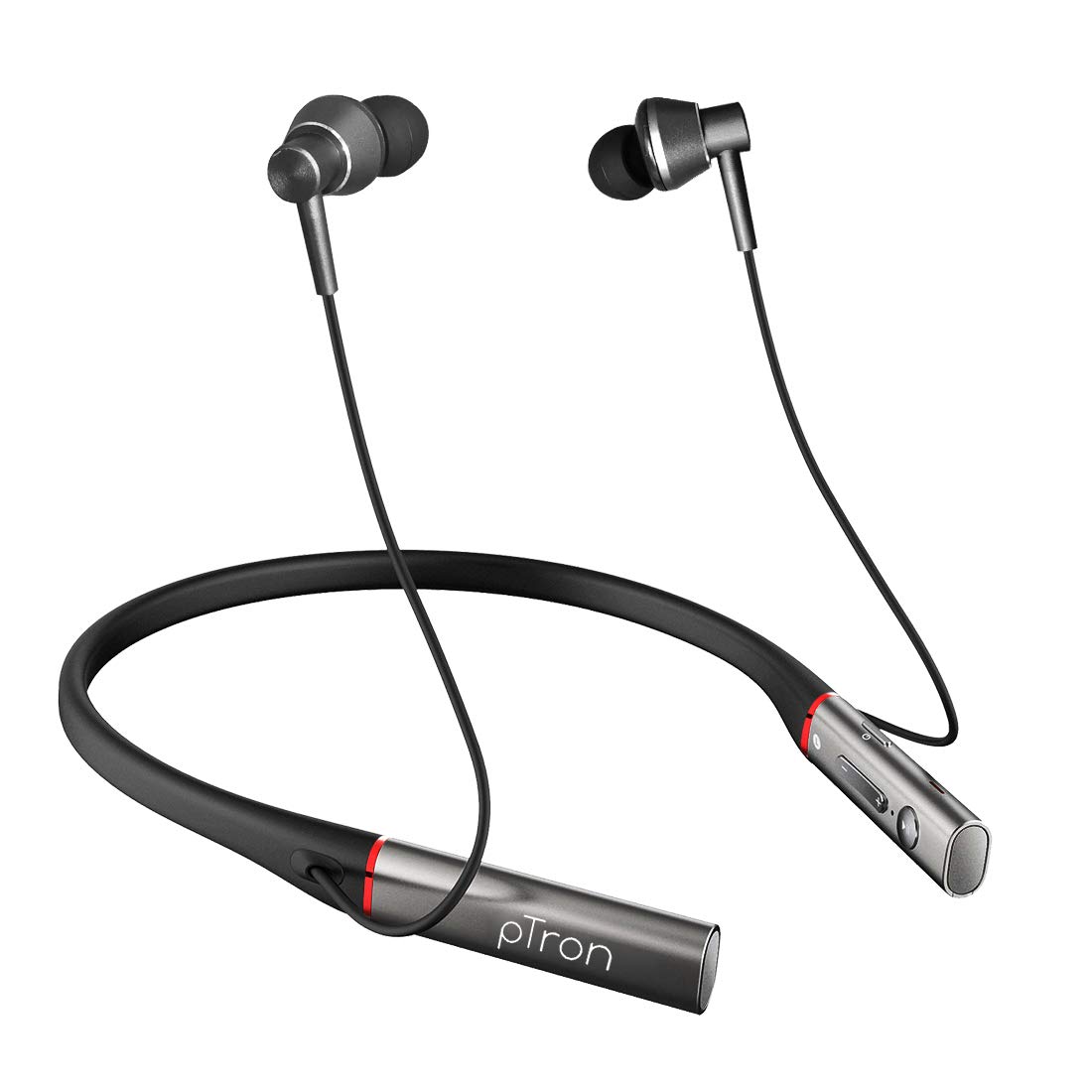
Foto: N'ihu view of the pTron Tangent Plus Wireless Bluetooth Headphones, showcasing the neckband and magnetic earbuds.

Image: Diagram illustrating the ergonomic and lightweight design of the pTron Tangent Plus, highlighting Bluetooth v5.0, 10m wireless range, quick pairing, built-in HD mic, and magnetic lock earbuds.
Melite
1. Ịchaji ekweisi
Before first use, fully charge your pTron Tangent Plus headphones. Connect the provided Micro USB charging cable to the charging port on the neckband and the other end to a USB power source (e.g., computer USB port, wall adapter). The LED indicator will show charging status. A full charge takes approximately 2 hours.
2. Njikọ Bluetooth
- Gbaa mbọ hụ na agbanyụrụ ekweisi.
- Press and hold the Power/Call Answer button for 3 seconds until the LED indicator flashes blue and red alternately, indicating pairing mode.
- Na ngwaọrụ gị (smartphone, tabletị, laptọọpụ), gbanye Bluetooth wee chọọ ngwaọrụ dị.
- Select "pTron Tangent Plus" from the list of found devices.
- Once successfully paired, the LED indicator will flash blue slowly, and you will hear a confirmation tone.
- The headphones will automatically reconnect to the last paired device when turned on, if Bluetooth is enabled on the device and it is within range.
3. TF Card Usage
The pTron Tangent Plus features a built-in TF card slot for direct music playback without needing a connected device.
- Insert a TF (microSD) card with your music files into the designated slot on the control module.
- Press the "M" button twice to switch to TF Card mode. The headphones will automatically begin playing music from the card.
- Press the "M" button twice again to switch back to Bluetooth mode.
Ntuziaka ọrụ
Familiarize yourself with the control buttons located on the neckband for seamless operation.
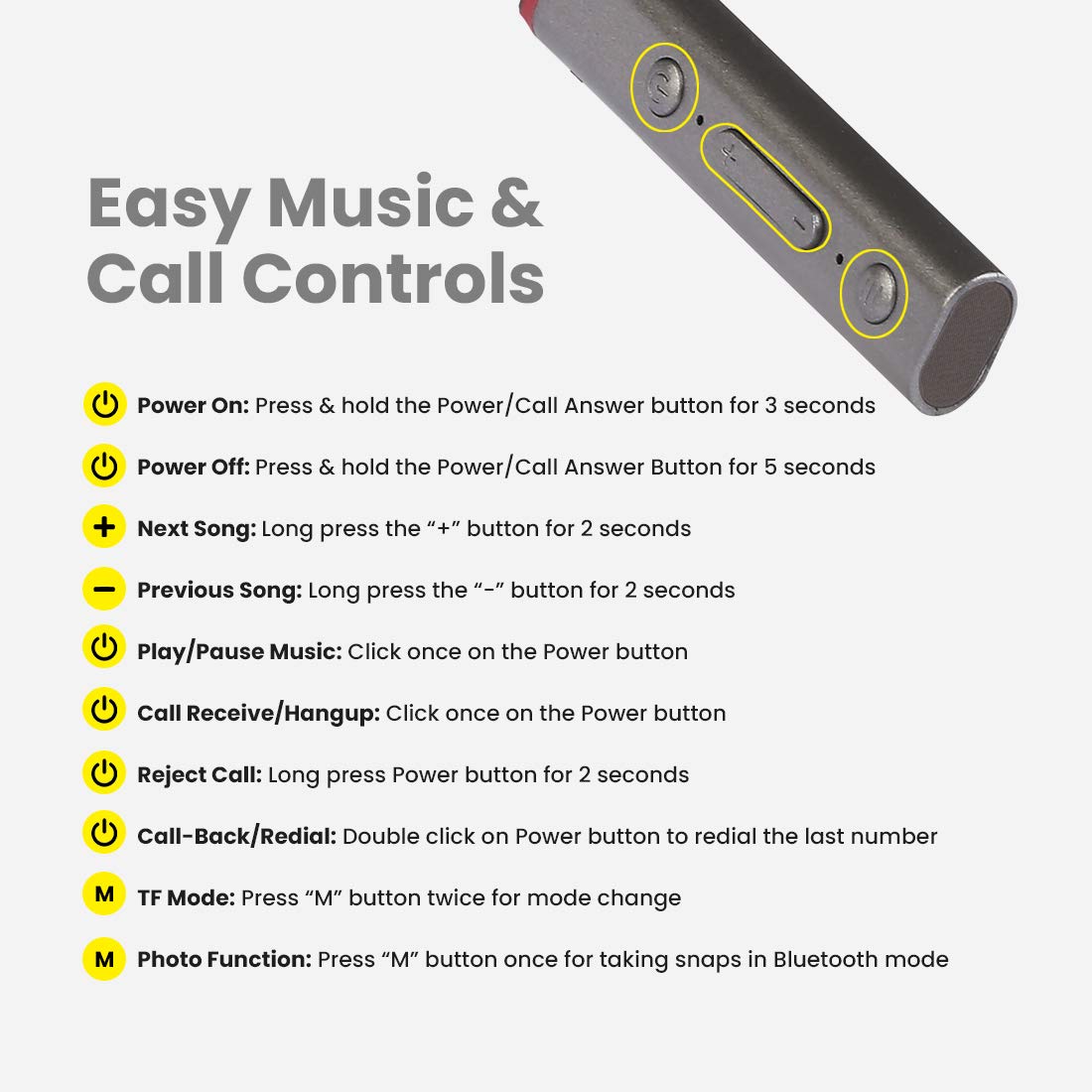
Image: Detailed diagram showing the control buttons on the pTron Tangent Plus neckband and their respective functions.
| Ọrụ | Omume |
|---|---|
| Gbanyụọ | Press & hold the Power/Call Answer button for 3 seconds. |
| Gbanyụọ ike | Press & hold the Power/Call Answer button for 5 seconds. |
| Abụ na-abịa | Long press the "+" button for 2 seconds. |
| Abụ gara aga | Long press the "-" button for 2 seconds. |
| Kpọọ/kwụsịtụ egwu | Click once on the Power button. |
| Call Receive/Hangup | Click once on the Power button. |
| Jụ oku | Long press Power button for 2 seconds. |
| Call-Back/Redial | Double click on Power button to redial the last number. |
| Ụdị TF | Press "M" button twice for mode change. |
| Photo Function (Selfie Remote) | Press "M" button once for taking snaps in Bluetooth mode. |
Nlekọta
- Nhicha: Jiri akwa dị nro dị nro hichaa ekweisi. Ejila kemịkalụ siri ike ma ọ bụ ihe abrasive.
- Nchekwa: Mgbe ejighị ya, chekwaa ekweisi n'ebe dị jụụ, kpọrọ nkụ, pụọ na ìhè anyanwụ kpọmkwem na oke okpomọkụ.
- Nguzogide mmiri: The headphones are IPX4 water/sweat resistant, meaning they can withstand splashes and sweat. Do not submerge them in water or expose them to heavy rain. Dry them thoroughly if they get wet.
- Nlekọta batrị: Iji mee ka batrị dị ogologo, zere iwepụ batrị ahụ mgbe niile. Chajie ekweisi mgbe niile, ọbụlagodi na anaghị eji ya ruo ogologo oge.
Nchọpụta nsogbu
| Nsogbu | Ngwọta enwere ike |
|---|---|
| Igwe ekweisi anaghị agba ọkụ. | Ensure the battery is charged. Connect to a power source and charge for at least 30 minutes before attempting to power on again. |
| Enweghị ike ijikọ na ngwaọrụ. |
|
| Enweghị ụda ma ọ bụ obere olu. |
|
| Intermittent connection/audio drops. |
|
| Igwe okwu anaghị arụ ọrụ. |
|
Nkọwapụta
| Njirimara | Nkọwa |
|---|---|
| Aha Nlereanya | Tangent Plus |
| Ụdị Bluetooth | 5.0 |
| Ikuku iche | Ruo mita 10 (ụkwụ 33) |
| Ike batrị | 250mAh Li-Polymer |
| Oge Egwu Egwu | Ruo awa iri abụọ |
| Oge Okwu | Ruo awa iri abụọ |
| Oge Njikere | Ruo awa iri abụọ |
| Oge Nchaji | Ihe dị ka awa 2 |
| Nchaji ọdụ ụgbọ mmiri | Micro USB |
| Nha ọkwọ ụgbọ ala | 10mm Dynamic ọkwọ ụgbọ ala |
| Oke ugboro ugboro | 20Hz - 20kHz |
| Mgbochi | 32 Ohm |
| Mmiri Nguzogide | IPX4 (Water/Sweat Resistant) |
| Ihe onwunwe | Acrylonitrile Butadiene Styrene (ABS), igwe |
| Ibu Ibu | 38 grams |
| Akụkụ ngwaahịa | 8.8 x 0.9 x 0.9 cm |
Akwụkwọ ikike & Nkwado
The pTron Tangent Plus Wireless Bluetooth Headphones come with a Akwụkwọ ikike nke onye nrụpụta afọ 1 site na ụbọchị ịzụrụ.
For warranty claims, technical support, or any product-related inquiries, please contact pTron customer care:
- Kọntaktị nlekọta ndị ahịa: 040-67138888
- Nkwado email: support@ptron.in
Please retain your purchase invoice for warranty validation.


