1. Okwu mmalite
Thank you for choosing the MateStar 40W USB C Charger Block. This product is designed to provide efficient and fast charging for multiple devices simultaneously. With its compact design and advanced safety features, it is an ideal charging solution for home, office, and travel. This manual provides essential information on how to safely and effectively use your new charger.

Image: Two MateStar 40W USB C Charger Blocks, showcasing their compact form factor and multiple ports.
2. Ozi nchekwa
Your MateStar charger block is equipped with a smart chip to ensure safe and reliable operation. It includes multiple protection mechanisms:
- Nchekwa na-adị ugbu a: Na-egbochi mmebi site na oke nke ugbu a.
- Mfefetage Nchedo: Nchedo megide voltagọ na -eme.
- Nchekwa ekpo oke ọkụ: Regulates temperature to prevent overheating.
- Nchekwa sekit dị mkpụmkpụ: Protects against electrical shorts.
The charger is constructed from ABS + PC fireproof material for enhanced stability and safety. Always ensure the charger is used in a well-ventilated area and avoid covering it during operation. Do not expose the charger to liquids or extreme temperatures.

Image: An illustration highlighting the internal smart chip and various safety protections, including over-voltage, over-current, over-temperature, and short circuit protection.
3. Ihe ngwugwu
Mgbe imepechara ngwugwu gị, ị ga-ahụ ihe ndị a:
- 2 x MateStar 40W USB Charger Block (Black)
Ọ bụrụ na ihe ọ bụla na-efu ma ọ bụ mebie, biko kpọtụrụ nkwado ndị ahịa ozugbo.
4. Akụrụngwa Ngwaahịa
The MateStar 40W USB C Charger Block offers a range of features designed for optimal charging performance:
- Nchaji ngwa ngwa 40W: Supports Power Delivery (PD) and Quick Charge (QC) functions for rapid charging. The USB-C port delivers up to 20W, and the USB-A port offers 3.1A/5V.
- 4-in-1 Compact Design: Features dual USB-C ports and dual USB-A ports, allowing simultaneous charging of up to four devices. This design minimizes the need for multiple wall sockets and saves space.
- Ndakọrịta Universal: Compatible with a wide range of devices, including iPhones, Samsung Galaxy phones, iPads, tablets, and more.
- Nchekwa na ntụkwasị obi: Built-in smart chip with multi-protection features (overcurrent, overvoltage, overheating, short circuit) and fireproof ABS + PC material.

Image: A visual representation of the MateStar 4-port charger highlighting its key features: dual USB-C ports, dual USB-A ports, quick charging capability, and travel-friendly design.

Image: A graphic illustrating the speed of PD fast charging, indicating it is 3 times faster than standard charging methods.
5. Nhazi
Setting up your MateStar 40W USB C Charger Block is straightforward:
- Unpack the charger block from its packaging.
- Insert the charger block into a standard wall outlet (110 Volts input).
- Connect your device's charging cable to one of the available USB-C or USB-A ports on the charger.
- Jikọọ nsọtụ nke ọzọ nke eriri nchaji na ngwaọrụ gị.
The charger is designed to be compact and space-saving, reducing clutter from multiple adapters.

Image: A visual comparison demonstrating how the 4-in-1 compact design of the charger reduces cable and adapter clutter compared to using multiple individual chargers.
6. Ntuziaka ọrụ
Once connected, the charger will automatically detect your device and begin charging. The smart chip optimizes power delivery to ensure efficient and safe charging for each connected device.
- For optimal fast charging, use high-quality USB-C to USB-C cables for devices supporting Power Delivery (PD) and appropriate USB-A cables for Quick Charge (QC) compatible devices.
- You can charge up to four devices simultaneously. The charger intelligently distributes power across the ports.
- Disconnect devices once fully charged or when not in use.

Image: A person utilizing the MateStar charger to power multiple electronic devices, including a smartphone, tablet, and e-reader, demonstrating its multi-device charging capability in a practical setting.
7. Ndakọrịta
The MateStar 40W USB C Charger Block offers broad compatibility with a wide range of electronic devices:
- Ekwentị mkpanaaka: Compatible with iPhone 16/16 Plus/16 Pro/16 Pro Max, iPhone 15/15 Plus/15 Pro/15 Pro Max, iPhone 14/14 Plus/14 Pro/14 Pro Max, iPhone 13/13 Mini/13 Pro/13 Pro Max, iPhone 12/12 Mini/12 Pro/12 Pro Max, iPhone 11/11 Pro/11 Pro Max, iPhone XS Max/XS/XR/X/8/8 Plus/7/7 Plus/6/6S/SE. Also compatible with Samsung Galaxy S24/S23/S22/S21/S20/Note 10/Note 20/S10/S9/S8, Google Pixel series, LG, Huawei, Xiaomi, OPPO, Vivo, and more.
- Mbadamba ụrọ: Compatible with iPad Pro/mini, iPad Air/Mini, Samsung Galaxy Tab S8/S7/S6/Tab A8/A7, Amazon Fire HD, and other tablets.
- Ngwa ndị ọzọ: Nintendo Switch, Echo/Alexa devices, AirPods, Smart Buds, iWatch Series, and other USB-powered devices.
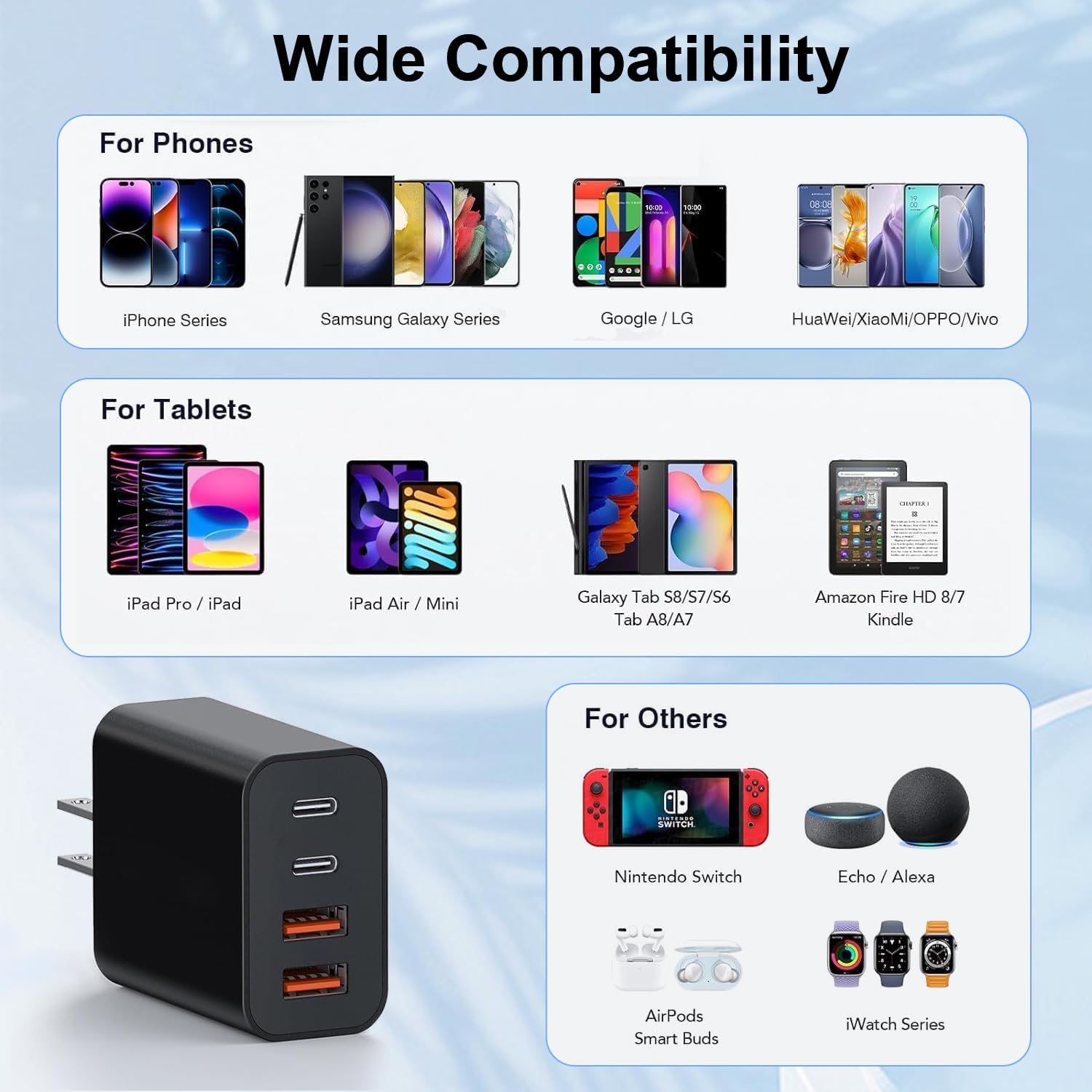
Image: A comprehensive compatibility chart displaying various phone models (iPhone, Samsung Galaxy, Google/LG, Huawei/Xiaomi/OPPO/Vivo), tablets (iPad Pro/iPad, iPad Air/Mini, Galaxy Tab, Amazon Fire HD/Kindle), and other devices (Nintendo Switch, Echo/Alexa, AirPods, iWatch Series) that are compatible with the charger.
8. Nkọwapụta
| Njirimara | Nkọwa |
|---|---|
| Nọmba nlereanya | BlackBlue4p10ft_1208 |
| Nwee ikike zuru ezu | 40W (Max) |
| Ọdụdọ USB-C | 20W (Max) |
| USB-A Port Output | 3.1A/5V |
| Ntinye Voltage | 110 volts |
| Teknụzụ Njikọta | USB |
| Ụdị njikọ | USB Ụdị C, USB Ụdị A |
| Atụmatụ pụrụ iche | Lightweight Design, Fast Charging |
| Akụkụ | 3.58 x 2.09 x 1.14 sentimita asatọ |
| Ibu Ibu | 0.212 ounces |
| Ihe onwunwe | ABS + PC ihe anaghị egbochi ọkụ |
9. Nlekọta
To ensure the longevity and optimal performance of your MateStar charger block, follow these maintenance guidelines:
- Nhicha: Disconnect the charger from the power outlet before cleaning. Use a soft, dry cloth to wipe the surface. Do not use liquid cleaners or abrasive materials.
- Nchekwa: Store the charger in a cool, dry place away from direct sunlight and moisture when not in use.
- Ijikwa: Avoid dropping or subjecting the charger to strong impacts. Do not attempt to disassemble or modify the charger.
- Nlekọta USB: Ensure charging cables are not bent sharply or tangled, as this can damage the cables and affect charging performance.
10. Nchọpụta nsogbu
If you encounter any issues with your MateStar charger block, please refer to the following common troubleshooting steps:
- Ngwaọrụ anaghị akwụ ụgwọ:
- Gbaa mbọ hụ na etinyere chaja nke ọma na oghere mgbidi na-arụ ọrụ.
- Check if the charging cable is properly connected to both the charger and your device.
- Try using a different charging cable to rule out a faulty cable.
- Test the charger with a different device to confirm the charger's functionality.
- Nchaji nwayọ:
- Verify that your device and cable support fast charging (PD or QC) and are connected to the appropriate port (USB-C for PD, USB-A for QC).
- Ensure no background applications on your device are consuming excessive power.
- Charging multiple devices simultaneously may distribute the total 40W output, potentially reducing individual port speeds.
- chaja na-ekpo oke ọkụ:
- Disconnect the charger and allow it to cool down.
- Ensure the charger is in a well-ventilated area and not covered.
- Ọ bụrụ na oke okpomọkụ anọgide, kwụsị iji ya ma kpọtụrụ ndị ahịa.
If these steps do not resolve your issue, please contact customer support for further assistance.
11. Akwụkwọ ikike na nkwado
MateStar provides a nkwa nke ọnwa 24 for your USB C Charger Block. This warranty covers manufacturing defects and ensures your product performs as expected under normal use.
For any questions, concerns, or warranty claims, please contact MateStar customer support. We are committed to resolving your problems within 24 hours.
You can visit the official MateStar store for more information and support: MateStar Store


